
1. Уводзіны і большview
The Hama Star 62 Tripod is designed to provide stable support for both video and photo cameras, ensuring sharp, high-quality images and smooth video recordings. Constructed from lightweight yet sturdy aluminum, it offers a maximum height of 160 cm and a minimum height of 64 cm, accommodating various shooting requirements. Its 3-way pan head allows for flexible camera positioning, while rubber feet ensure a firm grip on diverse surfaces. The tripod is supplied with a convenient carry case for easy transportation.
2. Зборка і ўстаноўка
2.1 Unfolding the Tripod Legs
To set up the tripod, gently spread the three legs outwards until they are fully extended and locked into position. Ensure the cross struts are securely engaged for maximum stability.

Figure 1: Hama Star 62 Tripod in its fully extended position.
2.2 Extending the Center Column
The tripod features a height-adjustable center column. Loosen the locking knob at the base of the center column, then use the crank handle to raise or lower the column to your desired height. Once adjusted, tighten the locking knob to secure the column in place.
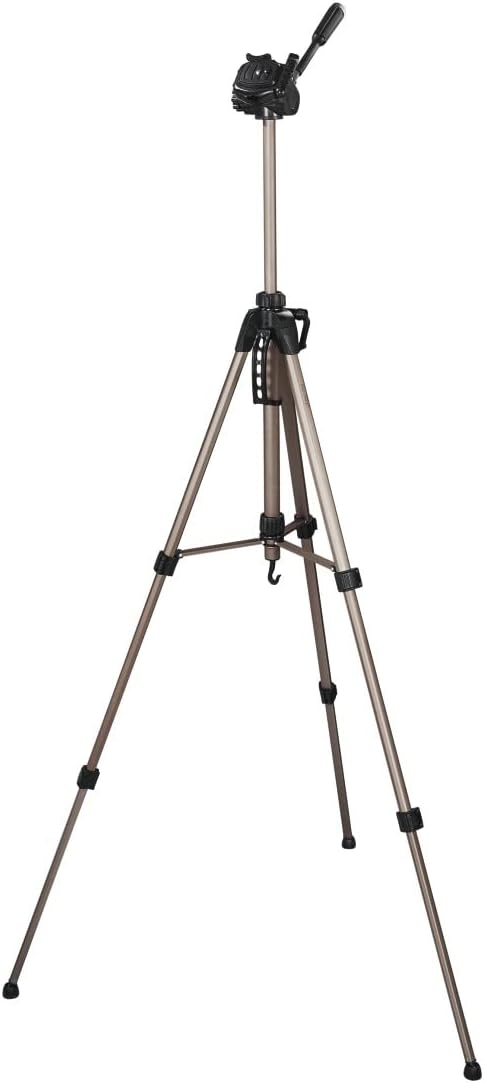
Figure 2: Detail of the center column and crank handle for height adjustment.
2.3 Падключэнне камеры
The tripod head is equipped with a quick-release plate for easy camera attachment. Press the release lever to detach the plate from the head. Secure your camera to the quick-release plate using the 1/4-inch screw. Once the camera is attached to the plate, slide the plate back into the tripod head until it clicks securely into place.

Figure 3: Quick-release plate detached from the tripod head.

Figure 4: Camera securely mounted on the tripod head.
3. Інструкцыя па эксплуатацыі
3.1 Рэгуляванне вышыні ножак
Each tripod leg features quick clamps for individual height adjustment. Open the clamps, extend the leg sections to the desired length, and then close the clamps firmly to lock them. This allows for precise leveling on uneven terrain.

Figure 5: Quick clamp mechanism on a tripod leg for height adjustment.
3.2 Using the 3-Way Pan Head
The 3-way pan head allows for versatile camera positioning:
- Pan (Horizontal Movement): Аслабце гарызантальную фіксуючую ручку, каб павярнуць камеру ўлева або ўправа. Зацягніце, каб зафіксаваць.
- Tilt (Vertical Movement): Use the handle to tilt the camera up or down. Tighten the handle's locking mechanism to fix the angle.
- Партрэтны рэжым: For vertical shots, tilt the camera 90 degrees using the side tilt function. Ensure it is securely locked.
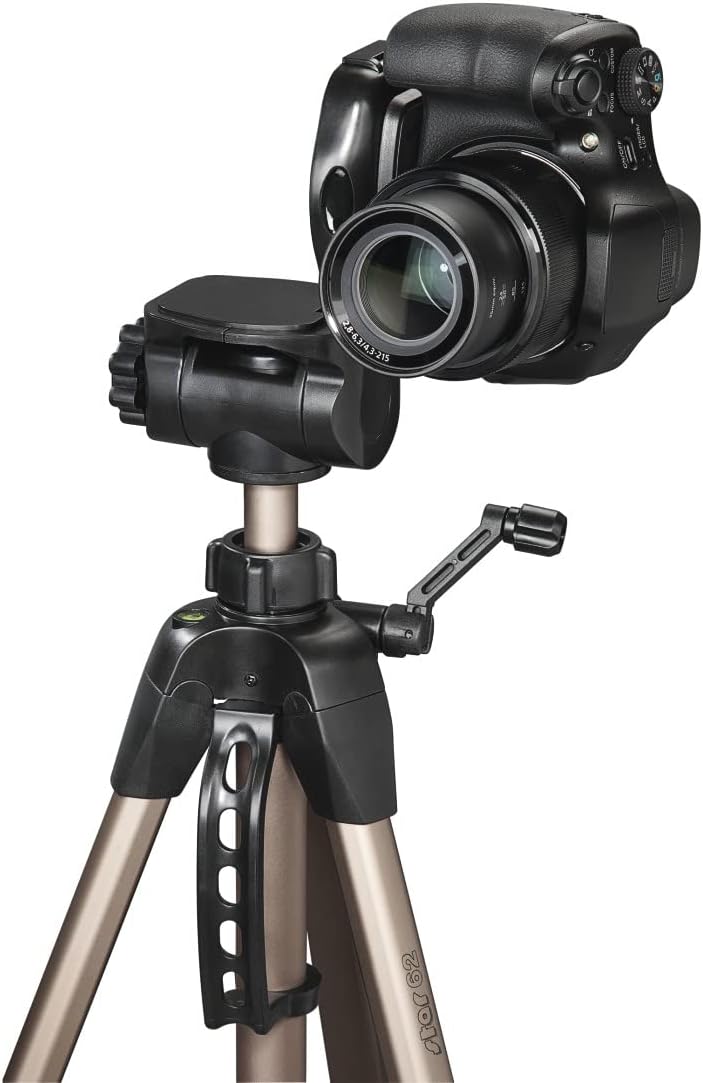
Figure 6: Tripod head adjusted for portrait orientation.
3.3 Павышэнне стабільнасці
For added stability, especially with heavier cameras or in windy conditions, utilize the weighting hook located at the bottom of the center column. You can hang a camera bag or other weight from this hook to lower the tripod's center of gravity.

Figure 7: Weighting hook at the base of the center column.
4. Догляд і абслугоўванне
To ensure the longevity of your Hama Star 62 Tripod, follow these care guidelines:
- Clean the tripod regularly with a soft, dry cloth. Avoid abrasive cleaners or solvents.
- After use in dusty or sandy environments, carefully clean the leg sections and locking mechanisms to prevent grit from affecting their operation.
- Store the tripod in its provided carry case when not in use to protect it from dust and scratches.
- Avoid exposing the tripod to extreme temperatures or prolonged moisture.

Figure 8: Hama Star 62 Tripod and its protective carry case.
5. Выпраўленне непаладак
- Штатыў адчуваецца няўстойлівасцю: Ensure all leg sections are fully extended and their quick clamps are securely tightened. Verify that the center column locking knob is firm. For very heavy cameras or uneven surfaces, use the weighting hook.
- Camera not securely attached: Double-check that the quick-release plate is properly seated in the tripod head and its release lever is locked. Ensure the camera is tightly screwed onto the quick-release plate.
- Difficulty adjusting pan head: Loosen the appropriate locking knobs for horizontal pan or vertical tilt before attempting to adjust. Do not force movements.
6. Тэхнічныя характарыстыкі
| Асаблівасць | Спецыфікацыя |
|---|---|
| Марка | Хама |
| Назва мадэлі | Star 62 Tripod |
| Нумар мадэлі | 00004162 |
| Матэрыял | Алюміній, гума |
| Вага прадмета | 1.36 кілаграма |
| Абмежаванне вагі | 3.5 кілаграма |
| Максімальная вышыня | 160 сантыметраў |
| Мінімальная вышыня | 64 сантыметраў |
| Памер у складзеным выглядзе | 64 см |
| Тып галоўкі штатыва | Pan Heads (3-Way) |
| Сумяшчальныя прылады | Відэакамера, фотаапарат |
| Thread/Connection | 1/4 цалі (6.4 мм) |
| Асаблівасць | Lightweight, Carry Case Included |
7. Гарантыя і падтрымка
For warranty information, product support, or service inquiries, please refer to the official Hama webсайт або звярніцеся ў службу падтрымкі кліентаў. Захоўвайце чэк аб куплі як пацверджанне пакупкі.