
Уводзіны
This manual provides essential instructions for the safe and efficient operation of your NEC VT670 Value LCD Video Projector. Please read this manual thoroughly before using the projector and keep it for future reference. The NEC VT670 is designed for clear image projection with a native resolution of 1024 x 768 and a brightness of up to 2,100 ANSI lumens.
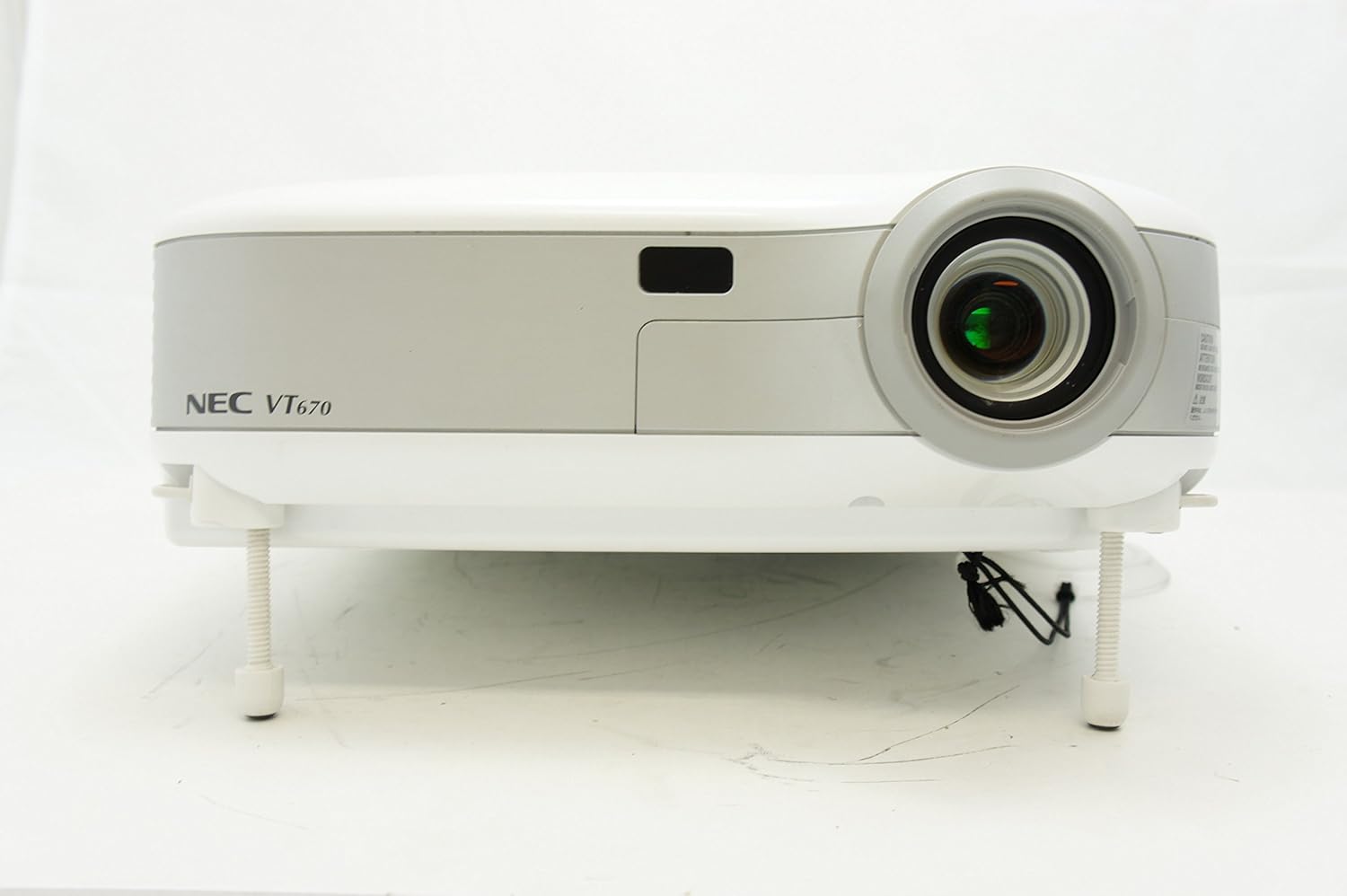
Малюнак 1: Фронт view of the NEC VT670 projector, showing the lens and front panel.
Настройка
Follow these steps to set up your NEC VT670 projector:
- Размяшчэнне: Position the projector on a stable, flat surface or mount it according to the instructions for your specific mounting solution. Ensure adequate ventilation around the unit. The projector is designed for tabletop mounting.
- Падключэнне сілкавання: Падключыце шнур сілкавання да разеткі праектара, а затым да заземленай электрычнай разеткі.
- Падключэнне да крыніцы: Connect your video source (e.g., computer, DVD player) to the appropriate input port on the projector. The VT670 supports VGA (D-Sub), S-Video, and composite video inputs. Use the color-coded connections for ease of setup.
- Кабельныя злучэнні: Ensure all necessary cables, such as the VGA cable for computer input, are securely connected to both the projector and the source device.
- Аўдыё злучэнне: If your source provides audio, connect it to the projector's audio input ports. The projector features built-in speakers.
- Першапачатковае ўключэнне: Націсніце кнопку харчавання на праектары або пульце дыстанцыйнага кіравання, каб уключыць прыладу.

Малюнак 2: Rear panel of the NEC VT670 projector, illustrating various input and output ports including VGA, S-Video, and audio connections.

Малюнак 3: Example of a VGA cable (left) and a power cable (right) used for connecting the projector.
Інструкцыя па эксплуатацыі
This section details the basic operation of your projector.
Уключэнне/выключэнне харчавання
- Каб уключыць, націсніце УЛАДА button once. The power indicator will illuminate.
- Каб выключыць, націсніце УЛАДА button twice. The projector will enter a cooling cycle before shutting down completely.
Выбар крыніцы ўводу
- Выкарыстоўвайце УВОД or dedicated source buttons (e.g., КАМП'ЮТАР 1, ВІДЭА) on the control panel or remote to cycle through available input sources.

Малюнак 4: Top control panel of the NEC VT670 projector, showing power, input selection, and navigation buttons.
Рэгуляванне фокусу і маштабавання
- Адрэгулюйце ФОКУС ring on the lens until the image is sharp and clear.
- Выкарыстоўвайце МАСШТАБ lever on the lens to adjust the image size to fit your screen.
Навігацыя па меню
- Націсніце МЕНЮ button to access the on-screen display (OSD) menu.
- Выкарыстоўвайце кнопкі са стрэлкамі (UP, УНІЗ, НАЛЕВА, ПРАВІЛЬНА) для навігацыі па пунктах меню.
- Прэса УВОД or ВЫБРАЦЬ для пацверджання выбару.
- Прэса ВЫХАД or МЕНЮ again to close the OSD menu.
Тэхнічнае абслугоўванне
Рэгулярнае тэхнічнае абслугоўванне забяспечвае аптымальную прадукцыйнасць і падаўжае тэрмін службы вашага праектара.
Lamp Замена
Праектар лamp мае абмежаваны тэрмін службы. Калі лamp загараецца індыкатар або выява становіцца цьмянай, lamp may need replacement. Refer to the full service manual for detailed lamp працэдуры замены. Заўсёды дайце праектару цалкам астыць, перш чым спрабавацьamp замена.
Ачыстка паветранага фільтра
Dust accumulation on the air filter can reduce cooling efficiency and affect projector performance. Clean the air filter regularly (e.g., every 100 hours of operation) by removing it and gently brushing off dust or using a vacuum cleaner. Replace the filter if it is damaged.
Ачыстка аб'ектыва
Акуратна працярыце аб'ектыў праектара мяккай тканінай без ворса, спецыяльна распрацаванай для аптычных паверхняў. Не выкарыстоўвайце абразіўныя ачышчальнікі і не прыкладвайце празмерных намаганняў.
Ліквідацыю непаладак
У гэтым раздзеле прадстаўлены рашэнні распаўсюджаных праблем, з якімі вы можаце сутыкнуцца.
| праблема | Магчымая прычына | Рашэнне |
|---|---|---|
| Не адлюстроўваецца выява |
|
|
| Відарыс размыты |
|
|
| Няма гуку |
|
|
Тэхнічныя характарыстыкі
Key technical specifications for the NEC VT670 Value LCD Video Projector:
- Назва мадэлі: VT670
- Тып дысплея: ВК
- Уласнае раздзяленне: 1024 x 768 (XGA)
- Максімальная яркасць: 2,100 люмен ANSI
- Каэфіцыент кантраснасці: 400:1
- Тэхналогія падключэння: VGA (D-Sub), S-Video, Composite Video
- Падключэнне апаратнага забеспячэння: D-Sub, VGA
- Максімальны памер выявы: 300 цалі
- Формаў-фактар: Партатыўны
- Тып мацавання: Настольнае мацаванне
- Тып кантролера: Кіраванне кнопкамі
- Вага прадмета: 9.2 фунта
- Дадатковыя магчымасці: Убудаваныя калонкі
- Падтрымліваюцца сігналы: PC, NTSC, PAL, SECAM, HDTV
Інфармацыя аб гарантыі
The NEC VT670 Value LCD Video Projector comes with a Гарантыя 2 год. This warranty covers defects in materials and workmanship under normal use. For specific terms and conditions, please refer to the warranty card included with your product or contact NEC customer support.
Падтрымка
For further assistance, technical support, or service inquiries regarding your NEC VT670 projector, please visit the official NEC website or contact their customer service department. Keep your product model number (VT670) and serial number ready when contacting support.
Інтэрнэт-рэсурсы: www.nec.com