
Уводзіны
Thank you for choosing the INLAND ProHT Dynamic Stereo Headphones, Model 87050. These headphones are engineered to deliver clear, full-dimension stereo sound from various digital audio sources. This manual provides essential information for setup, operation, maintenance, and troubleshooting to ensure optimal performance and longevity of your headphones.
Прадукт скончаныview
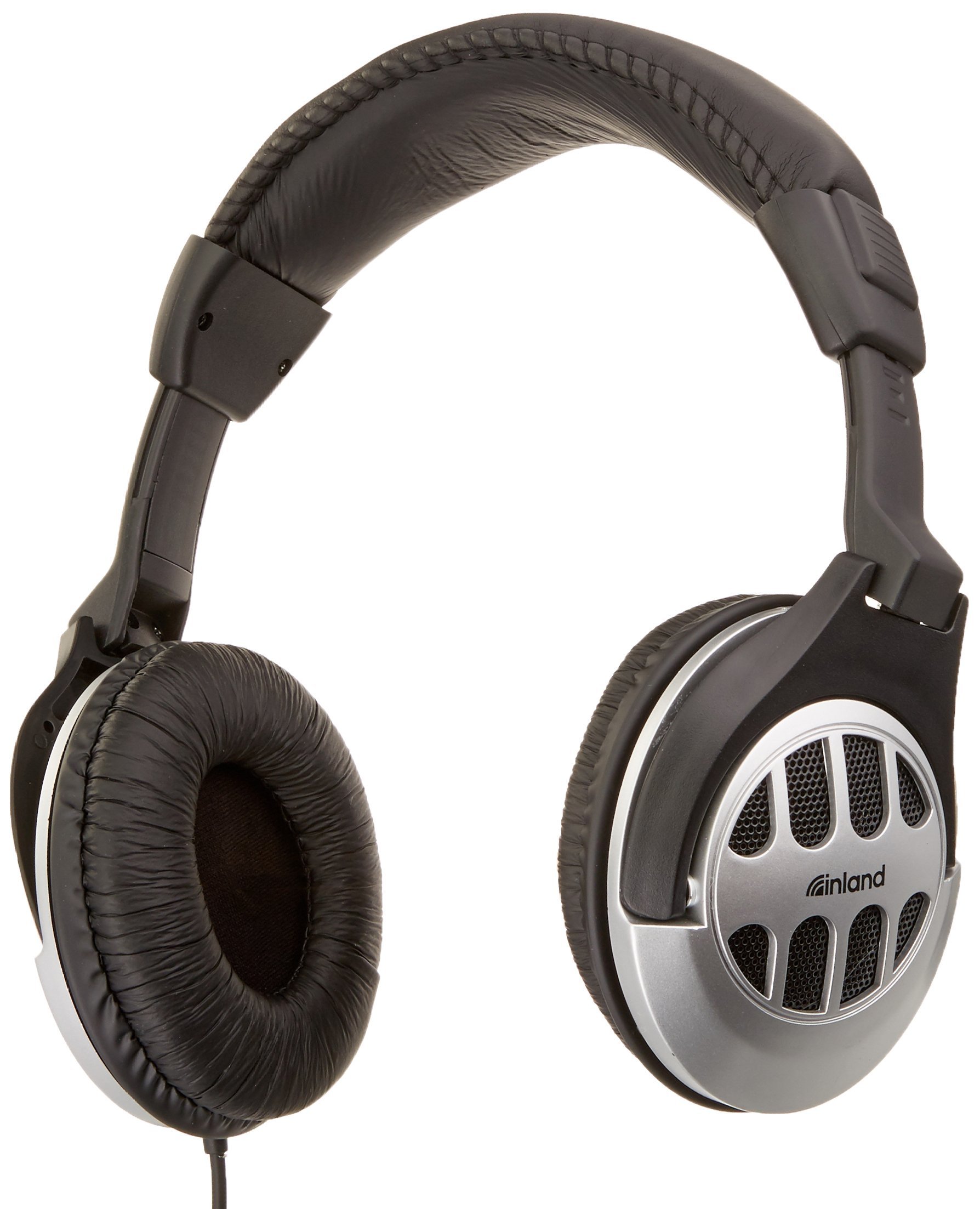
Figure 1: INLAND ProHT Dynamic Stereo Headphones (Model 87050). This image displays the black over-ear headphones with their adjustable headband, cushioned ear cups, and the attached audio cable featuring an in-line volume control.
Асноўныя характарыстыкі
- Dynamic Stereo Sound: Designed for clear audio reproduction from digital sources.
- Comfort-Fit Design: Features an adjustable headband and extra-large, soft cushioned ear pads for extended listening comfort.
- Убудаваны рэгулятар гучнасці: Conveniently adjust audio levels directly from the cable.
- Універсальная сувязь: Equipped with a standard 3.5mm miniature jack for broad compatibility.
- Трывалая канструкцыя: Made from lightweight, durable plastic.
- Доўгі кабель: Includes a 6-foot cord for flexible use.
- 40-міліметровыя драйверы: Provides robust sound delivery.
Настройка
- Распакуйце навушнікі: Асцярожна дастаньце навушнікі з упакоўкі.
- Падключыцеся да крыніцы гуку: Insert the 3.5mm miniature jack into the headphone port of your audio device (e.g., computer, smartphone, tablet, stereo system). Ensure the connection is secure.
- Адрэгулюйце павязку на галаву: Place the headphones on your head. Adjust the headband by sliding the ear cups up or down until they rest comfortably over your ears. The headband should fit snugly without causing excessive pressure.
- Position Ear Pads: Ensure the soft cushioned ear pads fully cover your ears for optimal sound and comfort.
Інструкцыя па эксплуатацыі
- Уключэнне/выключэнне харчавання: These headphones do not require external power. They are operational once connected to an audio source.
- Рэгулятар гучнасці: Use the in-line volume control located on the headphone cable to adjust the audio output level. Slide the control up to increase volume and down to decrease it. You may also adjust the volume directly on your audio source device.
- Праслухоўванне: Begin playing audio from your connected device. Adjust the volume to a comfortable listening level. Prolonged listening at high volumes can cause hearing damage.
Тэхнічнае абслугоўванне
- Уборка:
- Працірайце вонкавыя паверхні навушнікаў мяккай сухой тканінай.
- For ear pads, use a slightly damp пры неабходнасці працярыце тканінай з мяккім мылам, а затым неадкладна вытрыце насуха. Пазбягайце празмернай вільготнасці.
- Не выкарыстоўвайце агрэсіўныя хімікаты, растваральнікі або абразіўныя ачышчальнікі.
- захоўванне: Захоўвайце навушнікі ў чыстым, сухім месцы, удалечыні ад экстрэмальных тэмператур і прамых сонечных прамянёў. Пазбягайце заблытвання кабеля.
- Сыход за кабелем: Do not pull on the cable to disconnect the headphones. Always grasp the 3.5mm jack directly. Avoid sharp bends or kinks in the cable.
Ліквідацыю непаладак
| праблема | Магчымая прычына | Рашэнне |
|---|---|---|
| Няма гуку альбо малая гучнасць |
|
|
| Скажоны гук |
|
|
| Нязручная пасадка |
|
|
Тэхнічныя характарыстыкі
- Марка: УНУТРЭНЫ
- Нумар мадэлі: 87050
- Тэхналогія падключэння: Правадная
- Раз'ём для навушнікаў: 3.5 мм Jack
- Памер драйвера: 40 мм
- Размяшчэнне вушэй: Над вухам
- Формаў-фактар: Закрытая спінка
- Тып кіравання: Убудаваны рэгулятар гучнасці
- Даўжыня кабеля: Прыкладна 6 футаў (1.8 метра)
- матэрыял: Пластыкавыя
- колер: Чорны
- Вага прадмета: 0.35 фунта (прыкладна 159 грамаў)
- Апісанне ўзроставага дыяпазону: Дарослы
Гарантыя і падтрымка
Інфармацыя аб гарантыі
The INLAND ProHT Dynamic Stereo Headphones (Model 87050) are backed by a 1-гадовая абмежаваная гарантыяГэтая гарантыя распаўсюджваецца на вытворчыя дэфекты пры нармальным выкарыстанні. Калі ласка, захавайце пацвярджэнне пакупкі для прэтэнзій па гарантыі.
Падтрымка кліентаў
For technical assistance or warranty inquiries, please refer to the contact information provided with your product packaging or visit the official INLAND website. Specific contact details are not provided in this manual.