
CAD Audio AMS-U7
CAD Audio USB U7 Boundary Omnidirectional Condenser Microphone User Manual
Model: AMS-U7
Уводзіны
The CAD Audio USB U7 Boundary Omnidirectional Condenser Microphone is designed for clear audio capture in various settings, including home and office use. Its omnidirectional pickup pattern ensures 360-degree coverage, making it ideal for dictation, online meetings, and recording. This plug-and-play device offers high sensitivity and is compatible with both PC and Mac systems.

Малюнак 1: Спераду view of the CAD Audio USB U7 microphone with its USB cable connected, showcasing its compact, triangular design.
Інфармацыя па бяспецы
- Не падвяргайце мікрафон ўздзеянню экстрэмальных тэмператур або вільготнасці.
- Avoid dropping or subjecting the microphone to severe impacts.
- Keep the device away from liquids to prevent electrical shock or damage.
- Выкарыстоўвайце толькі кабель USB, які пастаўляецца ў камплекце, або сумяшчальны кабель для замены.
- Do not attempt to disassemble or modify the microphone. Refer all servicing to qualified personnel.
Змест пакета
Праверце, ці ёсць усе прадметы ў вашай упакоўцы:
- CAD Audio USB U7 Boundary Omnidirectional Condenser Microphone
- 10-футавы USB-кабель
Настройка
The CAD Audio USB U7 microphone is designed for simple plug-and-play operation. No additional drivers are typically required for most operating systems.
- Размяшчэнне: Place the microphone on a flat, stable surface, such as a desk or conference table. Its low-profile design allows for unobtrusive placement.
- Падключыце кабель USB: Insert the small end of the included 10-foot USB cable into the USB port on the microphone.
- Падключыцеся да кампутара: Insert the standard USB-A end of the cable into an available USB port on your PC or Mac computer.
- Распазнаванне сістэмы: Your computer's operating system should automatically detect and install the necessary drivers for the microphone. A blue LED indicator on the microphone will illuminate when it is powered and ready for use.
- Выберыце ў якасці ўваходнай прылады:
- Windows: Перайсці да Налады гуку > Увод and select "CAD Audio USB U7" or similar as your input device.
- MacOS: Перайсці да Сістэмныя налады > Гук > Увод and select "CAD Audio USB U7" or similar.

Малюнак 2: Зверху ўніз view of the CAD Audio USB U7 microphone, highlighting its triangular shape and the USB connection point.
Інструкцыя па эксплуатацыі
The U7 microphone is designed for optimal performance in various audio capture scenarios.
- Усенакіраваны пікап: The microphone features an omnidirectional pickup pattern, meaning it captures sound equally from all directions (360 degrees). This makes it suitable for recording multiple speakers around a table or capturing ambient sound.
- Speech Tailored Frequency Response: The U7's frequency response is specifically tailored for speech, ensuring clear and intelligible voice capture for dictation, online meetings, and voiceovers.
- Выкарыстанне прыкладання: Once connected and selected as your input device, the microphone will work with any audio recording or communication software (e.g., Skype, Zoom, Microsoft Teams, voice recorders, dictation software).
- Маніторынг аўдыё: Most software applications allow you to monitor the microphone's input level. Adjust the input gain within your software settings to prevent clipping (distortion) or ensure adequate volume.
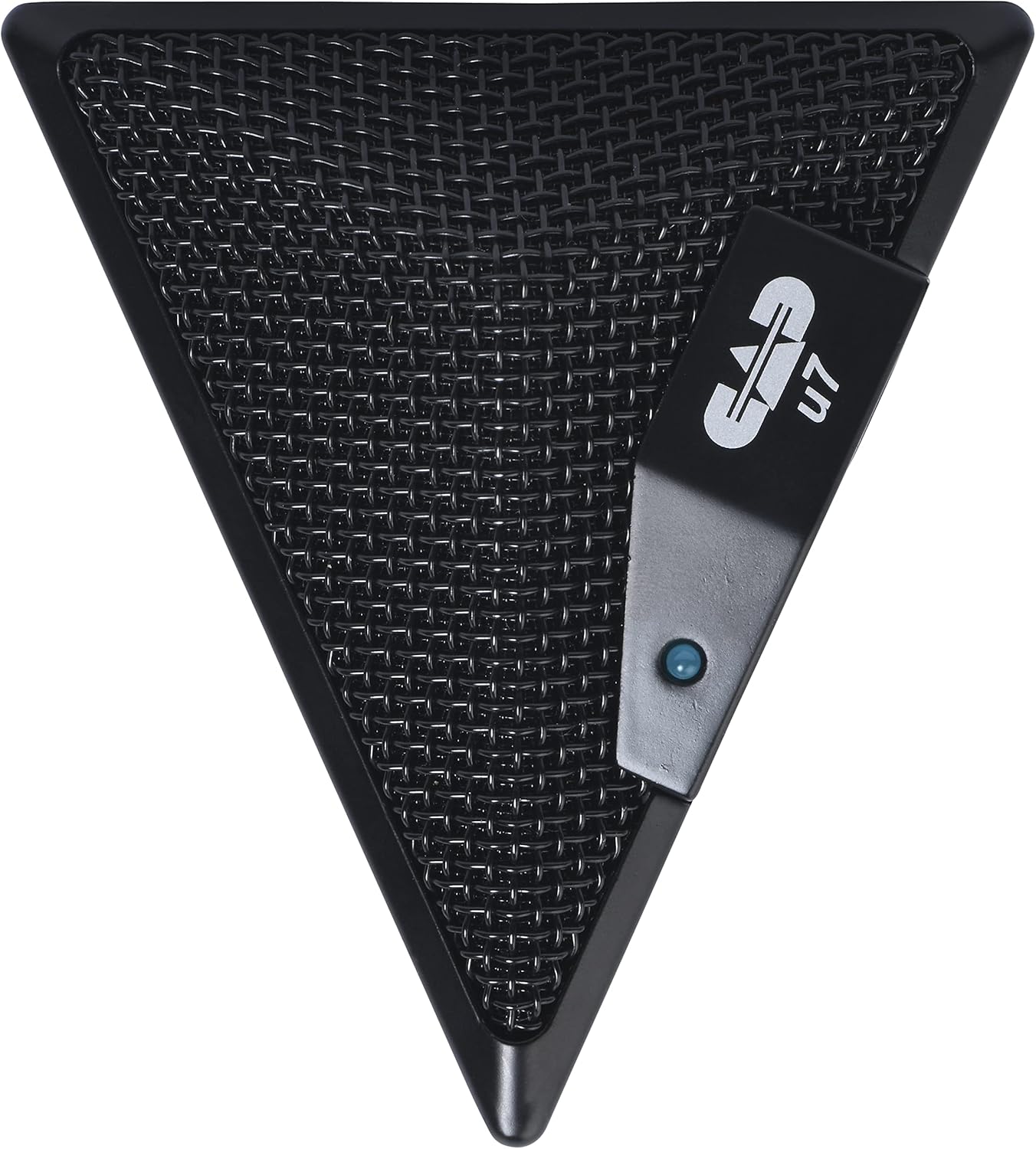
Figure 3: An overhead perspective of the CAD Audio USB U7 microphone, showing its mesh grille and the CAD U7 logo.
Тэхнічнае абслугоўванне
- Уборка: Use a soft, dry cloth to clean the exterior of the microphone. Do not use abrasive cleaners, solvents, or chemical sprays.
- захоўванне: When not in use, store the microphone in a clean, dry environment, away from dust and extreme temperatures.
- Сыход за кабелем: Пазбягайце рэзкіх выгібаў або перагібаў USB-кабеля, каб пазбегнуць унутраных пашкоджанняў.
Ліквідацыю непаладак
| праблема | Магчымая прычына | Рашэнне |
|---|---|---|
| Microphone not detected / No sound input |
|
|
| Нізкая гучнасць або дрэнная якасць гуку |
|
|
| Скажонае аўдыё |
|
|
Тэхнічныя характарыстыкі
| Назва мадэлі | CAD Audio U7 |
| Нумар мадэлі тавару | AMS-U7 |
| Тэхналогія падлучэння | USB |
| Тып раздыма | USB |
| Палярны ўзор | Усенакіраваны |
| Формаў-фактар мікрафона | Толькі мікрафон |
| Апаратная платформа | PC, Mac compatible |
| Вага прадмета | 9.6 унцыі (прыблізна 272 грамаў) |
| Памеры прадукту (Д х Ш х У) | 6.2 х 8.5 х 3 цалі (прыблізна 15.7 х 21.6 х 7.6 см) |
| Матэрыял | Пластык, метал |
| Стаўленне сігнал / шум | 78 дБ |
| Крыніца харчавання | Электрычны шнур (харчаванне ад USB) |
| Уключаныя кампаненты | Microphone, USB Cable |

Малюнак 4: унізе view of the CAD Audio USB U7 microphone, showing its textured base and mounting points.
Гарантыя і падтрымка
For warranty information and technical support, please refer to the official CAD Audio webсайт або звярніцеся непасрэдна ў службу падтрымкі кліентаў. Захоўвайце чэк аб куплі як пацвярджэнне пакупкі для гарантыйных прэтэнзій.
CAD Audio Official Webсайт: www.cadaudio.com
Для атрымання дадатковай дапамогі вы таксама можаце звярнуцца да старонка прадукту на Amazon for additional resources and customer reviews.