
1. Уводзіны
This manual provides comprehensive instructions for the Regency Prestige 96 by 48-Inch Conference Table. This table is designed for executive and office environments, featuring traditional elegance with classic lines, solid wood trim, beveled edge details, and a rich hand-rubbed veneer finish. It includes an integrated Power and Data Port for convenient connectivity.
Асноўныя функцыі ўключаюць у сябе:
- Tasteful two-tone inlaid edge detailing and alternating wood grains.
- Integrated Power and Data port for tabletop connectivity.
- Seating capacity for 6 to 8 people.
- Classic lines, beveled edge detailing, and solid wood trim.
- Rich, hand-rubbed mahogany veneer finish.
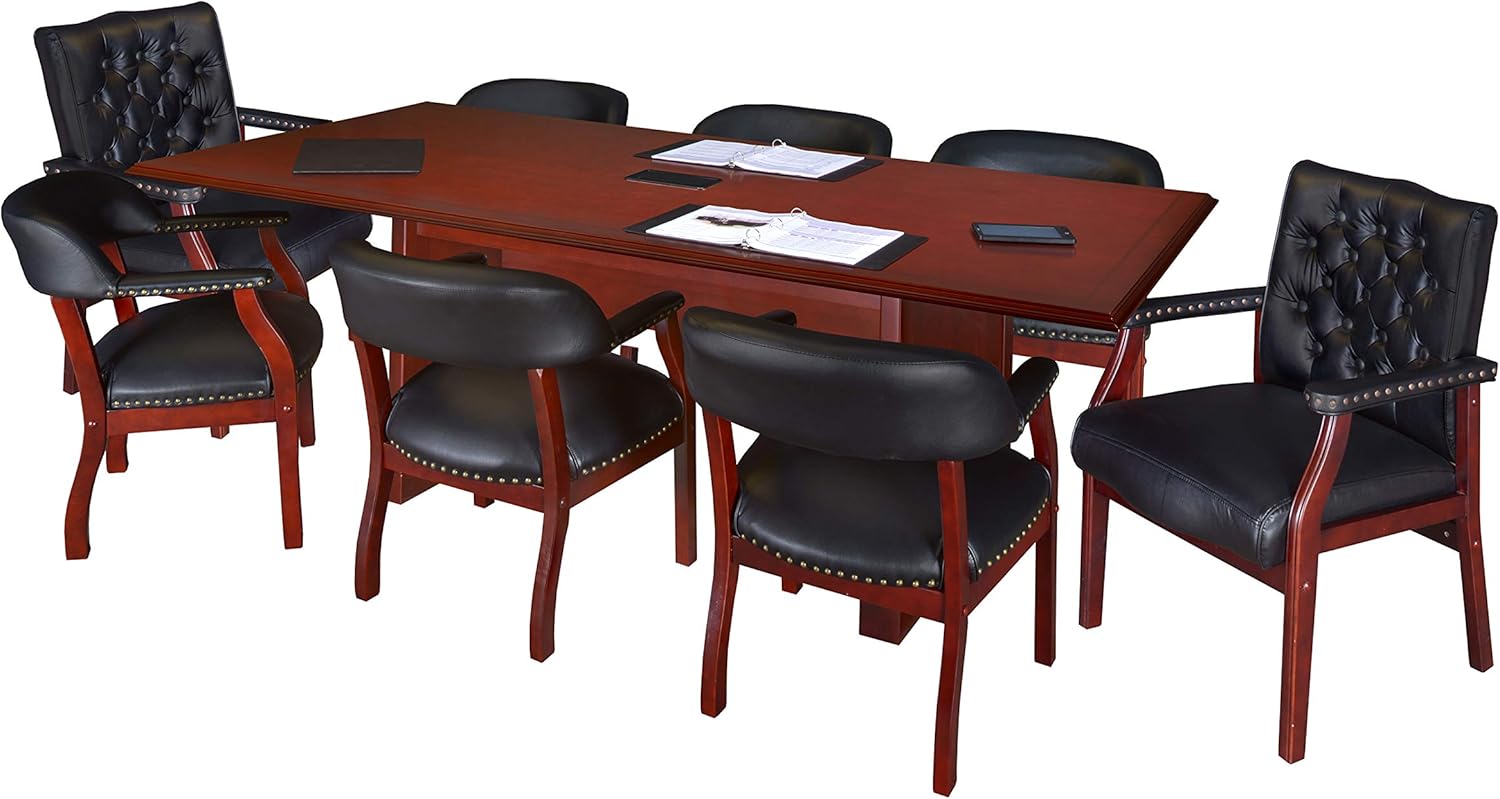
Figure 1: The Regency Prestige 96x48-Inch Conference Table.
2. Інфармацыя па бяспецы
ПАПЯРЭДЖАННЕ: This table has a maximum weight recommendation of 500 pounds and can seat up to 8 people. Always assemble and use the table according to the instructions provided to ensure safety and stability. Do not exceed the weight limit or the number of seated users to prevent tipping or damage. Always anchor the table to the floor to prevent movement or collapse.
Read all instructions carefully before assembly and use. Keep this manual for future reference.
3. Налада і зборка
Assembly of the Regency Prestige Conference Table requires at least two adults due to its weight and size. The table is shipped in multiple boxes, typically four, and the tabletop itself consists of two main pieces that join in the middle.
3.1. Неабходныя інструменты
- Плоская адвёртка
- Крыжовая адвёртка
- Allen wrench (typically included)
- Hammer (optional, for minor adjustments)
3.2. Этапы зборкі (агульныя рэкамендацыі)
- Распакуйце кампаненты: Carefully unpack all components from the shipping boxes. Verify that all parts are present against the included parts list (not provided in this manual, refer to packaging).
- Падрыхтуйце працоўнае месца: Clear a large, flat area for assembly. Place a soft blanket or cardboard on the floor to protect the table's finish during assembly.
- Assemble Base/Legs: Follow the manufacturer's specific instructions (provided with the product) to assemble the table's base and legs. Ensure all fasteners are securely tightened.
- Join Tabletop Sections: Position the two tabletop sections on the assembled base. Align them carefully, ensuring the power and data grommet cutout is correctly oriented. Secure the tabletop sections together using the provided hardware, typically latches or bolts underneath the table.
- Install Power/Data Grommet: Insert the power and data grommet into its designated cutout in the tabletop. Secure it according to the manufacturer's instructions.
- Final Tightening and Inspection: Double-check all screws, bolts, and connections to ensure they are tight and secure. The table should be stable and level.
- пазіцыянаванне: With assistance, carefully flip the table upright and move it to its final desired location.
- Якарнае мацаванне (рэкамендуецца): For maximum stability and safety, especially in high-traffic areas, consider anchoring the table to the floor. Consult a professional for appropriate anchoring methods.
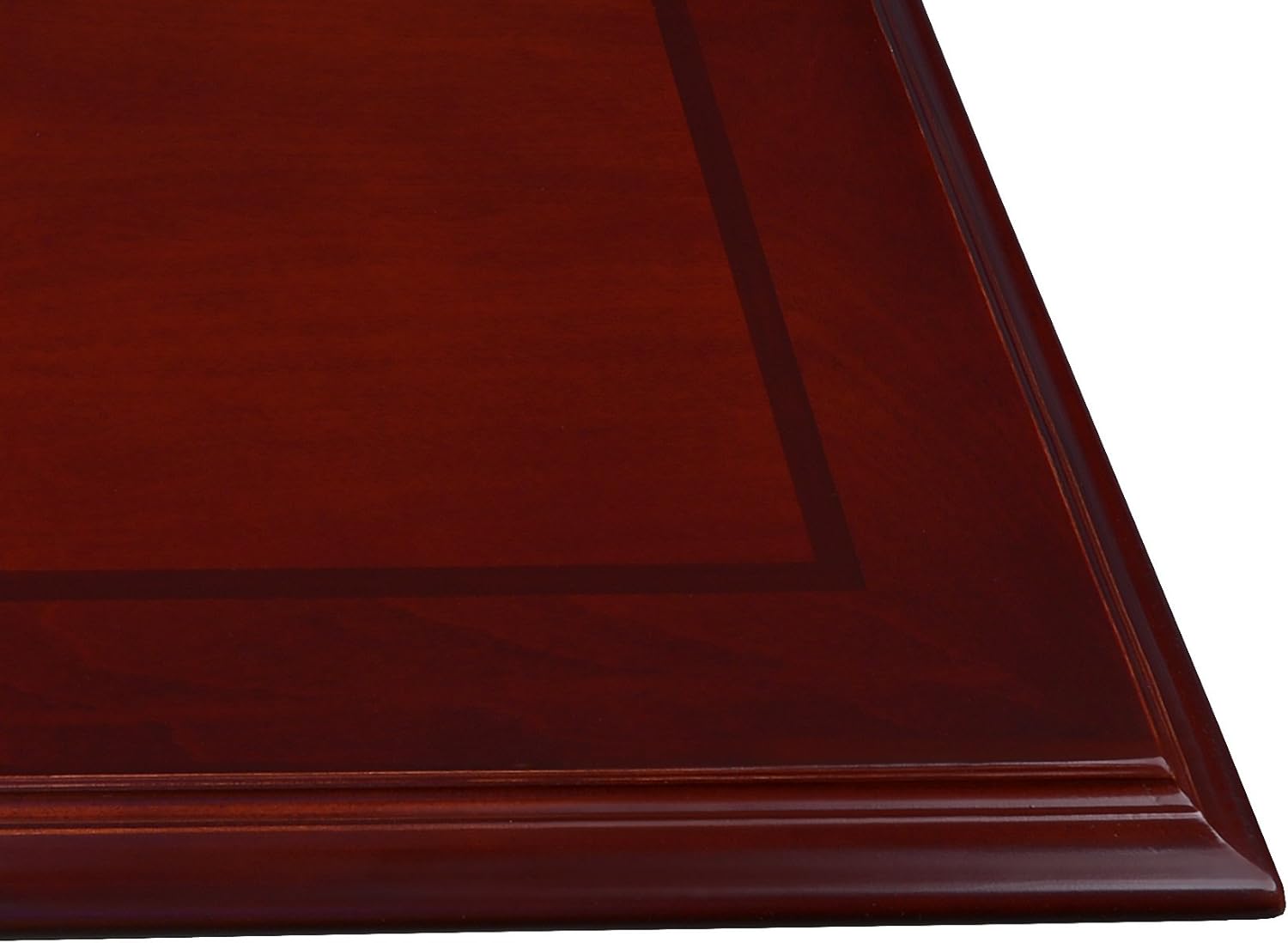
Figure 2: Detail of the table's edge and veneer finish.
4. Operating the Power and Data Grommet
The Regency Prestige Conference Table features an integrated Power and Data Port for convenient access to power and network connections directly on the tabletop.
4.1. Grommet Components
The Power and Data Port includes:
- Two (2) USB 2.0 ports
- Two (2) USB charging ports
- Two (2) AC 125V 60Hz outlets
- One (1) front/rear Ethernet port
- One (1) front/rear phone port
The unit is covered by a black cover plate for a neat and clean appearance when not in use.
4.2. Інструкцыя па выкарыстанні
- Доступ да партоў: Gently lift the black cover plate to reveal the power and data ports.
- Падключэнне сілкавання: Plug the table's main power cord (extending from the grommet unit underneath the table) into a standard 125V AC wall outlet.
- Device Charging/Power: Insert your device's power adapter into one of the AC outlets or connect USB devices to the USB 2.0 or USB charging ports.
- Network/Phone Connection: Connect Ethernet cables to the Ethernet port for network access or phone cables to the phone port for telephone connectivity. Ensure the corresponding cables are connected to your network/phone lines underneath the table.
- Closing Grommet: When not in use, gently lower the black cover plate until it sits flush with the tabletop surface.

Figure 3: The power and data grommet in its closed position.

Figure 4: The power and data grommet with its cover open, showing the various ports.
5. Тэхнічнае абслугоўванне
Proper care and maintenance will ensure the longevity and appearance of your conference table.
- Уборка: Працярыце паверхню стала мяккай губкайamp cloth. For stubborn marks, use a mild, non-abrasive cleaner specifically designed for wood veneer finishes. Always dry the surface immediately with a clean, soft cloth.
- Пазбягайце рэзкіх хімічных рэчываў: Do not use abrasive cleaners, ammonia-based products, or silicone-based polishes, as these can damage the veneer finish.
- Абараняць ад спякоты і вільгаці: Use coasters under beverages and placemats under hot items to prevent rings and heat damage. Avoid placing the table in direct sunlight or near heat sources, which can cause fading or warping.
- Рэгулярны агляд: Periodically check all fasteners and connections, especially after moving the table, and tighten them if necessary to maintain stability.
- Power Grommet Care: Keep the power and data grommet clean and free of dust. Ensure no liquids spill into the ports.
6. Выпраўленне непаладак
This section addresses common issues you might encounter with your conference table.
6.1. Table Instability or Wobbling
- Праверце крапежныя элементы: Ensure all assembly screws, bolts, and connections are securely tightened. Loose fasteners are a common cause of instability.
- Роўная паверхня: Verify that the table is placed on a flat, level surface. If the floor is uneven, use shims under the table legs to stabilize it.
- Якарнае мацаванне: If the table is still unstable, consider anchoring it to the floor as recommended in the safety section.
6.2. Power/Data Grommet Not Functioning
- Падключэнне сілкавання: Ensure the main power cord from the grommet is securely plugged into a working wall outlet. Test the outlet with another device.
- Унутраныя злучэнні: Check the connections of the power and data cables underneath the table to ensure they are firmly seated.
- Сумяшчальнасць прылад: Verify that the devices you are connecting are compatible with the port types (e.g., USB 2.0 vs. charging, correct Ethernet cable).
- Выключальнік: If multiple devices are connected and none are working, check your building's circuit breaker for a tripped circuit.
7. Тэхнічныя характарыстыкі
| Асаблівасць | Дэталь |
|---|---|
| Марка | Рэгенцтва |
| Назва мадэлі | Прэстыж |
| Нумар мадэлі | TVCTRC9648MH |
| Памеры прадукту (Д х Ш х У) | 48" Г x 96" Ш x 29" У |
| Вага прадмета | 225 фунта |
| Рэкамендацыя па максімальнай вазе | 500 фунта |
| Колькасць месцаў | 6-8 чалавек |
| Матэрыял каркаса | Вуд |
| Верхні тып матэрыялу | Engineered Wood with Veneer Finish |
| Колер | Чырвонае дрэва |
| Уключаныя кампаненты | Power and Data port (2 USB 2.0 ports, 2 USB charging ports, 2 AC 125V 60Hz outlets, 1 front/rear ethernet port, 1 front/rear phone port, black cover plate) |
| Рэкамендаваныя інструменты для зборкі | Hammer, Screw Driver (Allen wrench typically included) |
8. Інфармацыя аб гарантыі
Specific warranty details for the Regency Prestige 96x48-Inch Conference Table are not provided in the product information. Please refer to the documentation included with your purchase or contact Regency customer support for warranty terms and conditions.
9. Падтрымка
For further assistance, technical support, or to inquire about replacement parts, please contact Regency customer service.
- Марка: Рэгенцтва
- Інтэрнэт-крама: Visit the Regency Store on Amazon
- Агульныя пытанні: Refer to the contact information provided in your product packaging or on the official Regency webсайт.