
Важная інфармацыя па бяспецы
Please read this instruction manual thoroughly before installation and use. Improper installation or use may cause damage to the product, TV, or personal injury. Keep this manual for future reference.
- Пераканайцеся, што паверхня для мацавання можа бяспечна вытрымаць сумарную вагу мацавання і тэлевізара.
- Do not exceed the maximum weight capacity of 70kg (154lbs).
- Use appropriate tools and follow all steps carefully. If unsure, consult a qualified installer.
- Не дапускайце дзяцей і хатніх жывёл падчас ўстаноўкі.
Змест пакета
Verify all components are present before beginning installation. If any parts are missing or damaged, do not proceed with installation and contact customer support.
- Зборка кранштэйна на сцяну
- TV Mounting Arms (2x)
- Mounting Hardware Kit (screws, washers, spacers for various TV types and wall fixings)
- Кіраўніцтва па эксплуатацыі
Note: Specific screw sizes and quantities may vary. Refer to the hardware kit for exact contents.
Неабходныя інструменты (не ўключаны)
- Дрыль
- Свердзелы (падыходзяць для тыпу сцяны і памеру шруб)
- Stud Finder (for stud wall installation)
- Узровень
- Аловак
- Вымяральная стужка
- Выкрутка для галоўкі Філіпс
- Ганкавы ключ або гаечны ключ
Інструкцыя па ўстаноўцы
This mount is designed for flat screens up to 65 inches (165cm) and 70kg (154lbs). It supports VESA and non-VESA mounting patterns. The installation process involves mounting the wall plate and then attaching the TV with its arms.
Крок 1: Падрыхтуйце тэлевізар
- Carefully place the TV face down on a soft, clean surface.
- Attach the TV mounting arms to the back of your TV using the appropriate screws, washers, and spacers from the hardware kit. Ensure the arms are securely fastened and evenly spaced.
- Verify the VESA pattern compatibility. This mount fits various VESA patterns.
Крок 2: Размецьце і прасвідруйце адтуліны ў сцяне
- Вызначце патрэбную вышыню для вашага тэлевізара.
- Position the wall mount bracket against the wall at the desired location. Use a level to ensure it is perfectly horizontal.
- Mark the drilling points through the holes on the wall mount bracket with a pencil.
- For concrete/brick walls: Drill pilot holes using an appropriate drill bit. Insert wall anchors (if provided and necessary for your wall type).
- For stud walls (up to 32 inches apart): Locate the center of the studs using a stud finder. Drill pilot holes into the center of the studs.
Step 3: Mount the Wall Bracket
- Align the wall mount bracket with the drilled holes.
- Secure the bracket to the wall using the provided wall screws and washers. Tighten all screws firmly, but do not overtighten.
- Double-check that the wall bracket is securely fastened and level.
Крок 4: Павесьце тэлевізар
- With assistance, carefully lift the TV with the attached mounting arms.
- Hook the TV mounting arms onto the wall mount bracket. This is a simple 'hook-on' installation.
- Ensure both TV arms are securely seated on the wall bracket.
- Engage any safety locking mechanisms on the TV arms to prevent accidental dislodgement.
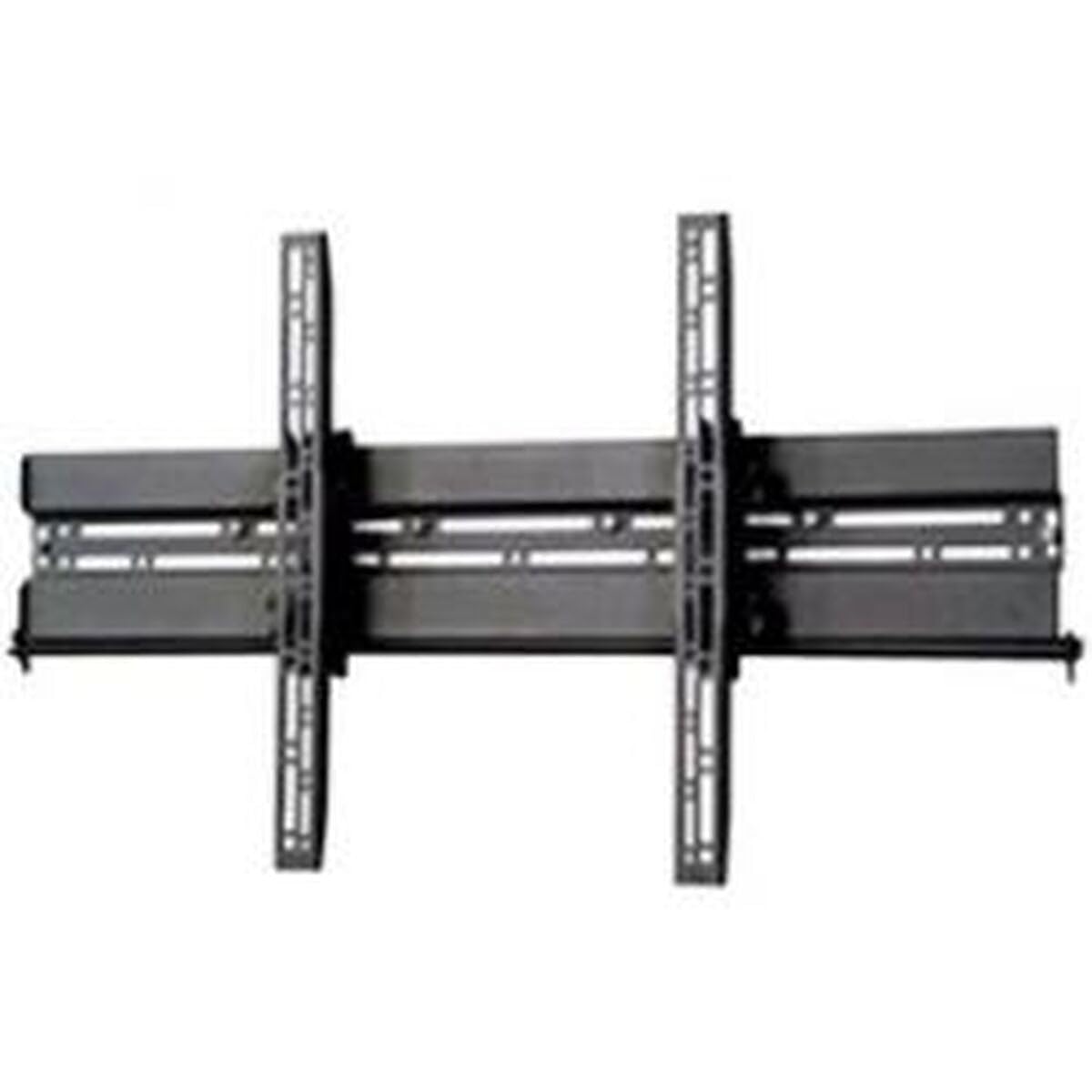
Малюнак: Example of a TV mounted using a similar flat screen wall mount. The BT8432 mounts the screen approximately 80mm (3.1 inches) from the wall.
Інструкцыя па эксплуатацыі
Рэгуляванне нахілу
The BT8432 mount features a simple tilt adjustment of +/-15 degrees. This allows you to optimize your viewing angle and reduce glare.
- Locate the tilt adjustment knobs or bolts on the side of the TV mounting arms.
- Loosen the knobs/bolts slightly.
- Акуратна нахіліце тэлевізар пад патрэбным вуглом.
- Tighten the knobs/bolts firmly to secure the TV in the new position. Do not overtighten.
Тэхнічнае абслугоўванне
- Уборка: Для чысткі мацавання выкарыстоўвайце мяккую сухую тканіну. Пазбягайце выкарыстання абразіўных ачышчальнікаў або растваральнікаў.
- Перыядычныя праверкі: Перыядычна правярайце ўсе шрубы і балты, каб пераканацца, што яны надзейна закручаныя. Пры неабходнасці падцягвайце.
- Ёмістасць вагі: Do not hang additional items or exceed the maximum weight capacity of the mount.
Ліквідацыю непаладак
Тэлевізар пасля ўстаноўкі стаіць няроўна:
- Ensure the wall mount bracket was installed perfectly level. If not, you may need to adjust its position.
- Check if the TV mounting arms are attached evenly to the back of the TV.
Mount feels loose on the wall:
- Immediately remove the TV from the mount.
- Check all wall screws for tightness.
- Verify that the wall anchors (if used) are properly seated and suitable for your wall type.
- Ensure the wall material is strong enough to support the mount and TV.
Цяжкасці з нахілам тэлевізара:
- Ensure the tilt adjustment knobs/bolts are sufficiently loosened before attempting to adjust the angle.
- Do not force the tilt mechanism.
Тэхнічныя характарыстыкі
| Нумар мадэлі | BT8432 |
| Максімальны памер экрана | 65 цалі (165 см) |
| Максімальная грузападымальнасць | 70 кг (154 фунты) |
| Тып мацавання | Насценнае мацаванне |
| Тып руху | Нахіл |
| Рэгуляванне нахілу | +/-15 градусаў |
| Адлегласць ад сцяны | 80 мм (3.1 цалі) |
| Сумяшчальныя тыпы сцен | Concrete / Brick, Stud Walls (up to 32 inches) |
| Матэрыял | Акрыланітрылбутадыенстырол (АБС) |
| Памеры прадукту | 5.83 х 27.56 х 16.54 цалі |
| Вага прадмета | 11.22 фунта |
| Вытворца | B-Tech |
| ASIN | B002C1OZYC |
| GTIN | 05019318084294 |
Гарантыя і падтрымка
Specific warranty information for the B-Tech BT8432 wall mount may vary by region and retailer. Please refer to your purchase documentation or contact the retailer where you purchased the product for details regarding warranty coverage.
For technical support or inquiries, please visit the official B-Tech webсайт або звярніцеся ў службу падтрымкі кліентаў. Трымайце пад рукой пацвярджэнне пакупкі, калі звяртаецеся па падтрымку.