
Уводзіны
This manual provides essential instructions for the setup, operation, maintenance, and troubleshooting of your iRobot Roomba 550/551 AeroVac Technology Vacuum Cleaning Robot. Please read this guide thoroughly before using your Roomba to ensure optimal performance and longevity.
Важная інфармацыя па бяспецы
Before operating your Roomba, review all safety warnings and instructions provided in the original packaging. Always ensure the robot is turned off and unplugged from its power source before performing any maintenance or cleaning procedures. Keep hands, hair, and clothing away from moving parts. Do not operate the Roomba near open flames or on wet surfaces.
Змест пакета
Пераканайцеся, што ваш пакет змяшчае наступныя элементы:
- iRobot Roomba 550/551 Robot
- Хатняя базавая зарадная станцыя
- Зарадная прылада
- AeroVac Bin (pre-installed or separate)
- Side Brush (pre-installed or separate)
- Main Brushes (pre-installed)
- Virtual Wall Lighthouses (quantity may vary by package)
- Акумулятар (можа быць усталяваны загадзя)
Настройка
1. Зарадка акумулятара
Before first use, fully charge your Roomba's battery. This typically takes up to 3 hours. You can charge the Roomba in two ways:
- Using the Home Base: Place the Home Base on a hard, level surface against a wall. Ensure there are no obstacles for at least 3 feet (1 meter) in front of the Home Base and 1 foot (0.3 meters) on either side. Plug the power charger into the Home Base and then into a wall outlet. Place Roomba onto the Home Base, ensuring the metal charging contacts align. The power indicator on the Home Base will illuminate.
- Directly with the Power Charger: Plug the power charger directly into the charging port on the side of the Roomba and then into a wall outlet.

Image: The iRobot Roomba Home Base charging station. The robot docks here to recharge its battery automatically.
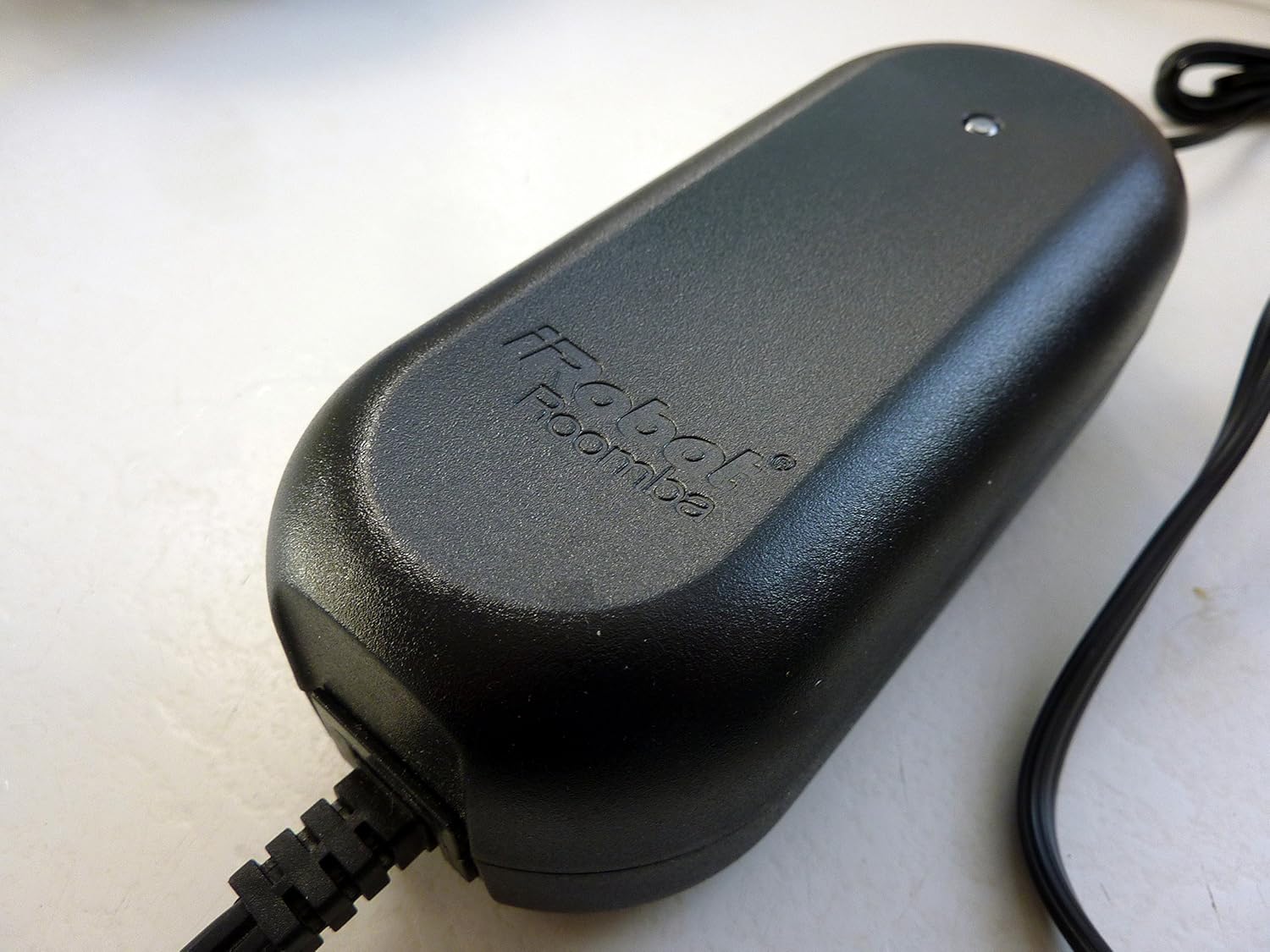
Image: The power charger for the iRobot Roomba, used to supply power to the Home Base or directly to the robot.
2. Падрыхтоўка зоны ўборкі
For optimal cleaning performance, prepare your home environment:
- Remove clutter, loose cables, small rugs, and delicate items from the floor.
- Lift curtains or bedspreads that reach the floor.
- Use Virtual Walls (if included) to block off areas you don't want Roomba to enter.
Operating Your Roomba
Панэль кіравання скончыласяview

Выява: Уверсе view of the iRobot Roomba 550/551, highlighting the control panel with buttons for CLEAN, SPOT, DOCK, SCHEDULE, CLOCK, DAY, HOUR, and MINUTE.
The main control panel on top of your Roomba features several buttons for operation:
- ЧЫСТЫ: Press to start a cleaning cycle. Press again to pause. Press and hold to end the cleaning cycle and return Roomba to its Home Base.
- ПЛЯМА: Initiates a localized cleaning cycle, spiraling outwards about 3 feet (1 meter) and then spiraling back in to thoroughly clean a specific area.
- ДОК: Sends Roomba back to its Home Base for charging.
- РАСКЛАД: Выкарыстоўваецца для ўстаноўкі або змены графікаў уборкі.
- ГАДЗІННІК: Выкарыстоўваецца для ўстаноўкі бягучага часу.
- DAY, HOUR, MINUTE: Used in conjunction with SCHEDULE and CLOCK buttons to set specific times and days.
- DIRT DETECT: An indicator light that illuminates when Roomba detects a concentrated area of dirt and performs a more thorough cleaning in that spot.
Запуск цыклу ачысткі
Націсніце ЧЫСТЫ button once. Roomba will begin its cleaning cycle, automatically adjusting to different floor types and navigating around obstacles.
Scheduling Cleaning Times
To program Roomba to clean automatically at specific times:
- Ensure the current time is set using the ГАДЗІННІК, ГАДЗІНА, і ХВІЛІНА кнопкі.
- Націсніце ГРАФІК кнопка.
- Выкарыстоўвайце ДЗЕНЬ, ГАДЗІНА, і ХВІЛІНА buttons to set your desired cleaning time for each day.
- Прэса ЧЫСТЫ каб захаваць расклад.
Тэхнічнае абслугоўванне
Regular maintenance is crucial for your Roomba's performance. Perform these steps regularly, especially if you have pets.
1. Апаражніць пылазборнік
Empty the dust bin after each cleaning cycle or when the "Bin Full" indicator illuminates. Press the bin release button and slide out the AeroVac Bin. Open the bin door and discard debris. Tap the bin to dislodge any trapped dirt.

Image: The underside of the iRobot Roomba, displaying the main brushes and the removable AeroVac dustbin compartment.
2. Чыстка шчотак
The main brushes and side brush should be cleaned weekly, or more often if you have pets with long hair.
- Асноўныя шчоткі: Open the brush guard by lifting the yellow tabs. Remove the main brushes. Use the included cleaning tool (if available) or your fingers to remove hair and debris wrapped around the brushes and their yellow end caps. Reinstall the brushes, ensuring the square and hexagonal ends align correctly.
- Бакавая шчотка: Use a coin or small screwdriver to unscrew the side brush. Remove any hair or debris from the brush and its post. Reattach the side brush and tighten the screw.

Выява: буйны план view of the iRobot Roomba's three-armed side brush, designed to sweep debris from edges and corners.
3. Cleaning the Front Caster Wheel
Pull firmly on the front caster wheel to remove it. Clear any hair or debris from the wheel, axle, and housing. Reinsert the wheel, ensuring it clicks into place.
4. Ачыстка датчыкаў і зарадных кантактаў
Wipe the four cliff sensors (located on the bottom of the robot), the wall-following sensor (on the right side), and the charging contacts on both the Roomba and the Home Base with a clean, dry cloth.
Ліквідацыю непаладак
If your Roomba encounters an issue, it may play an audible tone and speak a message. Refer to the following common issues:
- Roomba not charging: Ensure the power charger is securely plugged into both the Home Base/Roomba and the wall outlet. Clean the charging contacts on both the Roomba and Home Base.
- Roomba not starting or stopping unexpectedly: Check if the battery is fully charged. Ensure no debris is jamming the brushes or wheels. Press the ЧЫСТЫ моцна кнопку.
- Roomba getting stuck: Clear the cleaning area of obstacles, loose cables, and thick rugs. Clean the cliff sensors.
- Слабая эфектыўнасць уборкі: Empty the dust bin. Clean the main brushes, side brush, and filter. Replace the filter if it is heavily soiled.
- "Where's the Roomba?" (Roomba not returning to Home Base): Ensure the Home Base is placed in an open area with good signal. Clean the charging contacts.
For persistent issues, try performing a soft reset by holding down the ЧЫСТЫ button for 10 seconds until the indicator lights turn off.
Тэхнічныя характарыстыкі
| Асаблівасць | Дэталь |
|---|---|
| Марка | iRobot |
| Нумар мадэлі | 550 |
| Асаблівасць | Bagless, Cordless, Pet Hair Optimized |
| Уключаныя кампаненты | Brush (Main brushes, Side brush) |
| Тып фільтра | Патрон |
| Крыніца харчавання | Харчаванне ад батарэі |
| Формаў-фактар | Рабатызаваны |
| UPC | 885155000248 |
| Памеры прадукту | 16 х 16 х 7 цалі |
| Вага прадмета | 13.4 фунта |
| Рэкамендацыя па паверхні | Carpet, Hard Floor (Wood, Tile, Linoleum, Rugs) |
| Тып кантролера | Кіраванне кнопкамі |
Гарантыя і падтрымка
For information regarding your product's warranty, please refer to the warranty card included with your original purchase or visit the official iRobot website. For technical support, replacement parts, or further assistance, please contact iRobot customer service directly through their official webсайт або каналы падтрымкі.
iRobot Official Webсайт: www.irobot.com


