
Уводзіны
This manual provides essential information for the safe and efficient use of your Doro PhoneEasy 105wr cordless phone. Please read these instructions carefully before using the phone and retain them for future reference.
Змест пакета
Перад пачаткам пераканайцеся, што ў камплекце ёсць усе неабходныя рэчы:
- Doro PhoneEasy 105wr Handset
- Базавая адзінка
- Адаптар сілкавання для базавага блока
- Тэлефонны шнур
- Акумулятарныя батарэі (NiMH)
- Кіраўніцтва карыстальніка (гэты дакумент)
Настройка
1. Падключэнне базавага блока
- Падключыце адаптар сілкавання: Plug the small end of the power adapter into the DC IN socket on the back of the base unit. Plug the other end into a wall power outlet.
- Падключыце тэлефонны шнур: Plug one end of the telephone line cord into the LINE socket on the back of the base unit. Plug the other end into your telephone wall socket.
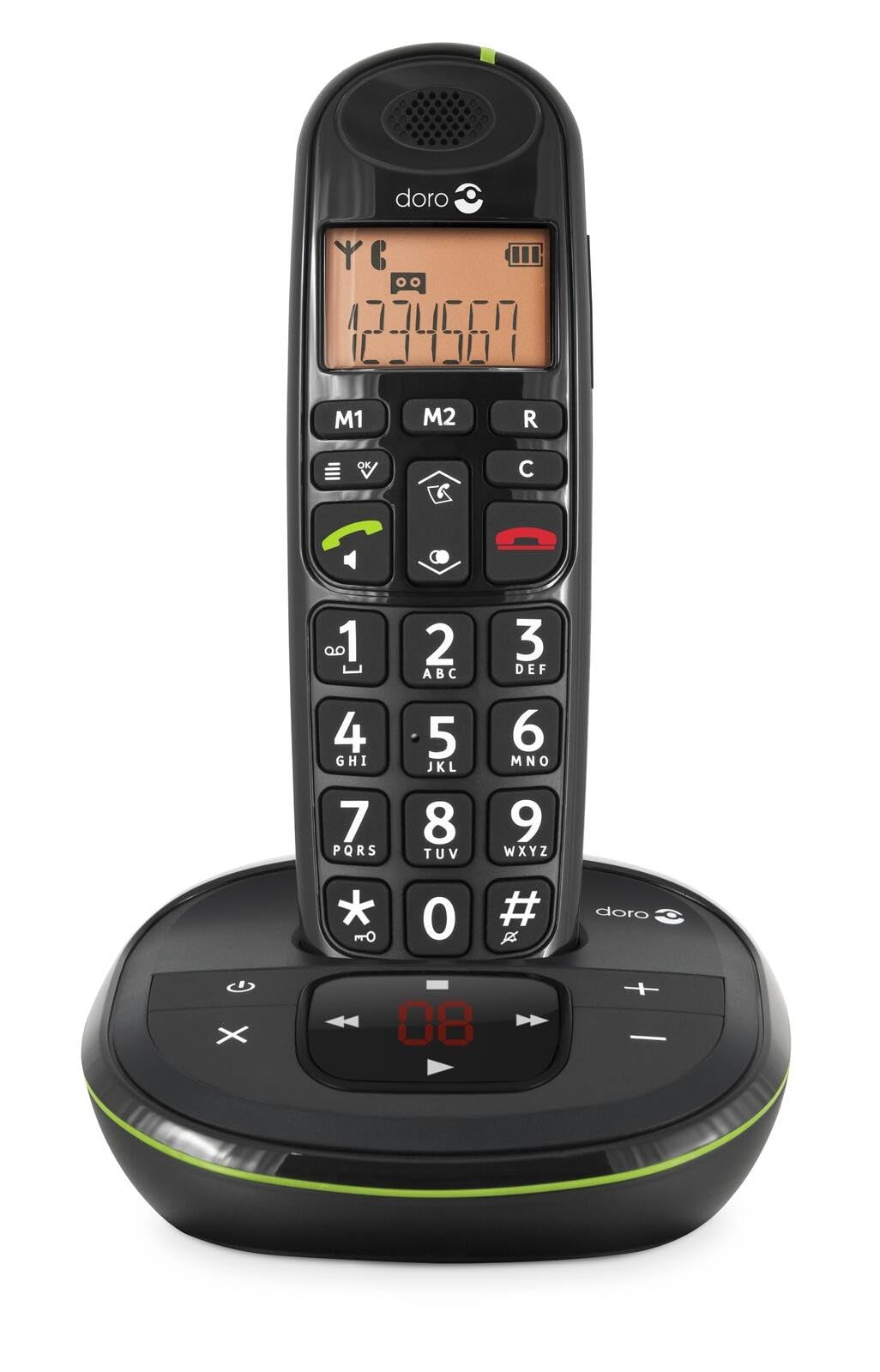 Image: The Doro PhoneEasy 105wr handset docked in its base unit, showing the keypad and display.
2. Installing Batteries in the Handset
- Адкрыйце батарэйны адсек: Slide the battery compartment cover on the back of the handset downwards and remove it.
- Устаўце батарэі: Insert the supplied rechargeable NiMH batteries, observing the correct polarity (+ and -) as indicated inside the compartment.
- Зачыніце аддзяленне: Зачыніце вечка батарэйнага адсека, зрушыўшы яго ўверх, пакуль ён не зафіксуецца пачуўшы пстрычку.
3. Зарадка трубкі
Place the handset on the base unit. The battery icon on the handset display will animate to indicate charging. For optimal battery performance, charge the handset for at least 10-12 hours before its first use, even if the display indicates a full charge sooner.
 Image: A slightly angled view of the Doro PhoneEasy 105wr handset in its charging cradle, highlighting its ergonomic design.
Інструкцыя па эксплуатацыі
Тэлефанаванне
- Набор нумара: Вазьміце слухаўку альбо націсніце Green Call button. Enter the phone number using the keypad.
- Завяршэнне выкліку: Націсніце Red End Call button або пакладзеце трубку назад на базу.
Прыём званка
Калі тэлефон звоніць, націсніце кнопку Green Call button to answer. To end the call, press the Red End Call button or return the handset to the base unit.
Рэгуляванне гучнасці
Падчас размовы выкарыстоўвайце Up і Уніз navigation buttons on the handset to adjust the earpiece volume.
Тэлефонная кніга
Your Doro PhoneEasy 105wr can store up to 20 entries in its phonebook.
- Даданне запісу:
- Націсніце Меню кнопка.
- Перайдзіце ў раздзел «Тэлефонная кніга» і абярыце «Дадаць новую».
- Enter the name and number, then save.
- Званок з тэлефоннай кнігі:
- Націсніце Тэлефонная кніга button (often a book icon).
- Scroll through the entries using the navigation buttons.
- Націсніце Green Call button каб набраць выбраны запіс.
Answering Machine (if applicable)
The Doro PhoneEasy 105wr features a digital answering machine with a recording capacity of 20 minutes.
- Прайграванне паведамленняў: Націсніце Прайграць/Стоп кнопка на базавай прыладзе.
- Выдаленне паведамленняў: During message playback, press the Выдаліць кнопка на базавай прыладзе.
- Запіс выходнага паведамлення: Refer to the handset menu for options to record or select a pre-recorded outgoing message.
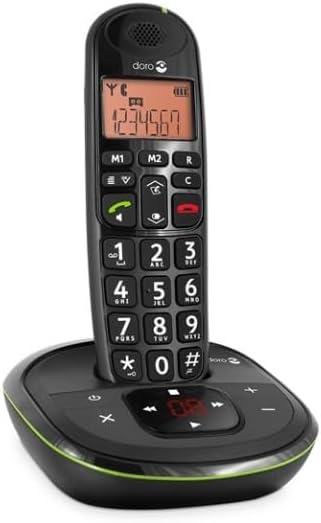 Выява: Прамы фронт view of the Doro PhoneEasy 105wr cordless phone, showing the large buttons and clear display on the handset, and the answering machine controls on the base.
Тэхнічнае абслугоўванне
- Уборка: Працярыце тэлефон і базу мяккай губкайamp тканіна. Не выкарыстоўвайце абразіўныя ачышчальнікі або растваральнікі.
- Сыход за батарэяй: Use only the specified rechargeable batteries. If the phone will not be used for an extended period, remove the batteries to prevent leakage.
- Умовы навакольнага асяроддзя: Пазбягайце ўздзеяння на тэлефон экстрэмальных тэмператур, прамых сонечных прамянёў або вільгаці.
Ліквідацыю непаладак
| праблема | Магчымая прычына | Рашэнне |
|---|---|---|
| Няма сігналу набору | Тэлефонны шнур не падключаны або няспраўны. | Check the telephone line cord connection to the base unit and wall socket. Test with another phone if possible. |
| Тэлефон не зараджаецца | Handset not correctly placed on the base unit; dirty charging contacts; faulty batteries. | Ensure the handset is seated correctly. Clean charging contacts on both handset and base with a dry cloth. Replace batteries if old. |
| Дрэнная якасць гуку | Handset too far from base unit; interference; low battery. | Move closer to the base unit. Avoid placing the base near other electronic devices. Charge the handset battery. |
| Немагчыма рабіць/прымаць званкі | No power to base unit; handset not registered. | Check power adapter connection. Refer to the full manual for handset registration instructions if needed. |
Тэхнічныя характарыстыкі
| Асаблівасць | Дэталь |
|---|---|
| Марка | Доро |
| Нумар мадэлі | 380102 |
| Колер | Чорны |
| Тып тэлефона | Бесправадная |
| Матэрыял | Метал (унутраныя кампаненты) |
| Крыніца харчавання | Працуе ад батарэі (батарэя 1 А ў камплекце) |
| Тып дазвону | Адзіная клавіятура |
| Памеры прадмета (Д х Ш х У) | 19.4 х 15.4 х 10.3 сантыметраў |
| Вага прадмета | 706 грам |
| Тып аўтаадказчыка | Лічбавы |
| Час размовы | 600 Minutes (10 hours) |
| Час чакання | 100 гадзін |
| ёмістасць запісу | 20 хвілін |
| Ідэнтыфікатар абанента | так |
| Independent Test Certification | Energy Star |
Гарантыя і падтрымка
Information regarding specific warranty terms and customer support contact details is not available in this document. Please refer to the warranty card included with your product or visit the official Doro webсайт для самай актуальнай інфармацыі.
For further assistance, you may contact Doro customer service through their official channels.