
Уводзіны
The School Smart 90525 LED Clock is designed for high visibility, featuring large 4-inch digits. It displays time, calendar, and temperature, and includes a remote control for convenient operation. This clock is powered by an AC adapter and has a battery backup feature. It also includes a dual-buzzer alarm with a snooze function.
1. Настройка
1.1 Распакаванне
- Акуратна дастаньце ўсе кампаненты з упакоўкі.
- Verify that all items are present: LED clock unit, AC power adapter, and remote control.
1.2 Падключэнне харчавання
- Locate the DC input port on the back of the clock.
- Connect the AC power adapter to the DC input port.
- Plug the AC power adapter into a standard electrical outlet. The clock display should illuminate.

Выява: Задняя частка view of the School Smart LED Clock, illustrating the power input, battery compartment, and the included remote control and AC adapter.
1.3 Усталёўка рэзервовага акумулятара
The clock requires 3 AAA batteries (not included) for backup power. These batteries maintain time settings during a power outage but do not power the display.
- Адкрыйце вечка батарэйнага адсека на задняй панэлі гадзінніка.
- Устаўце 3 батарэйкі тыпу ААА, сачыце за правільнай палярнасцю (+/-).
- Зачыніце крышку батарэйнага адсека.
1.4 Насценны мантаж
Гадзіннік прызначаны для мацавання на сцяну.
- Identify a suitable location on a wall, ensuring it is near a power outlet.
- Use appropriate hardware (screws, anchors - not included) to secure the clock to the wall using the mounting slots on the back.
2. Аперацыя
2.1 Пульт дыстанцыйнага кіраванняview
The included remote control allows for convenient adjustment of settings from a distance. Ensure the remote has working batteries (typically 2 AAA, not included) and is pointed towards the clock's sensor.
Image: The remote control for the School Smart LED Clock, shown alongside the clock's rear panel.
2.2 Устаноўка часу і даты
Use the remote control to set the current time and date.
- Націсніце НАБОР button on the remote control. The display will enter setting mode.
- Выкарыстоўвайце UP і УНІЗ arrows to adjust the flashing digit.
- Прэса НАБОР again to move to the next digit or setting (e.g., hours, minutes, year, month, day).
- Пасля таго, як усе налады правільныя, націсніце кнопку ВЫХАД or РЭЖЫМ button to save and exit setting mode.
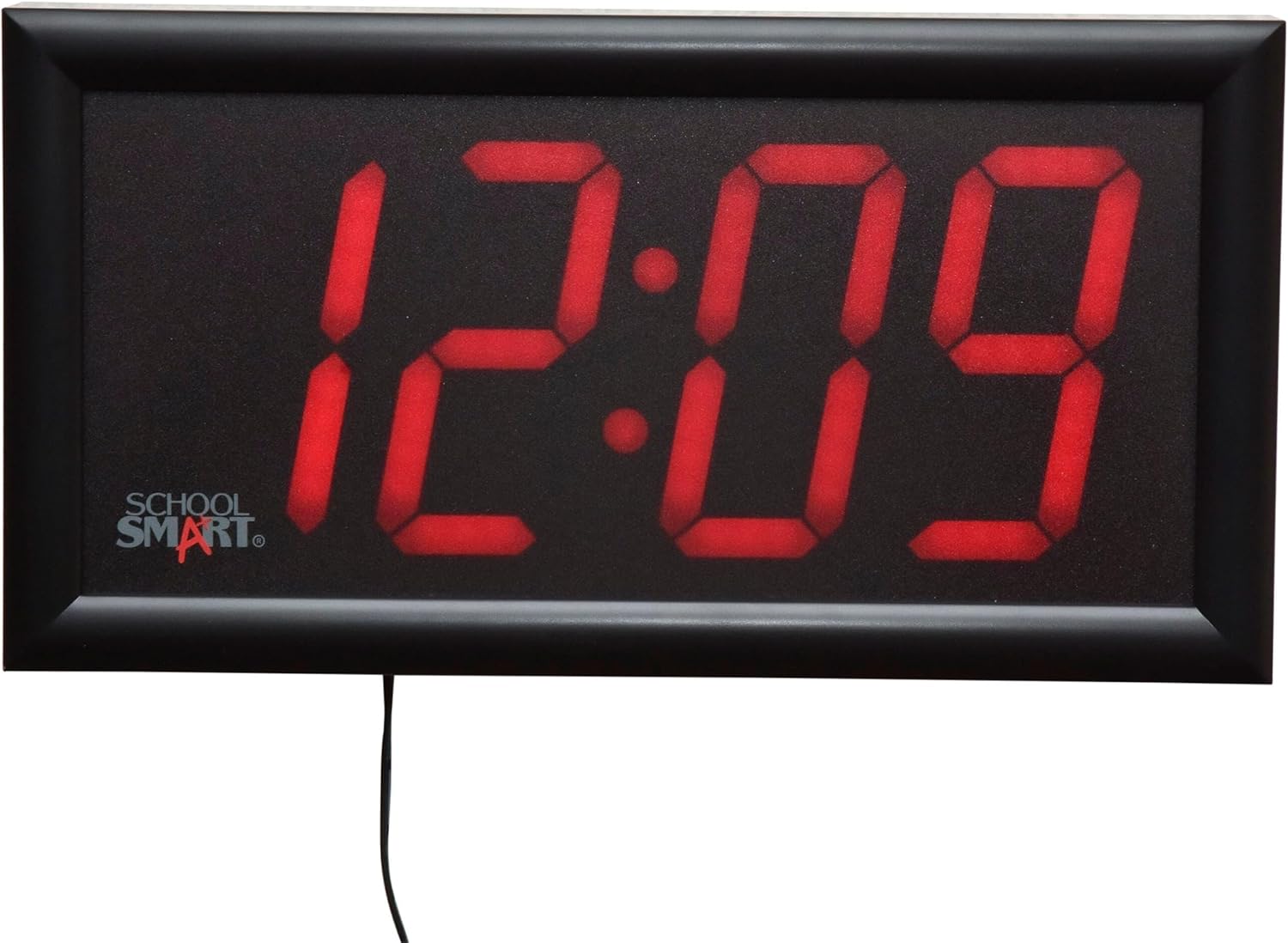
Image: The School Smart LED Clock displaying the time 12:09.

Image: The School Smart LED Clock displaying the date 10-1.
2.3 Функцыя сігналізацыі
The clock features a dual-buzzer alarm with a 9-minute snooze function.
- Націсніце ТРЫВОГА button on the remote to enter alarm setting mode.
- Выкарыстоўвайце UP і УНІЗ arrows to set the desired alarm time.
- Прэса ТРЫВОГА again to confirm and activate the alarm. An alarm icon may appear on the display.
- Калі прагучыць сігнал трывогі, націсніце СНАОЗ button on the remote for a 9-minute delay.
- To turn off the alarm, press any other button on the remote or the ТРЫВОГА кнопку зноў.
2.4 Дысплей тэмпературы
The clock can display the current temperature.
- The clock automatically cycles through time, date, and temperature displays.
- To manually switch to temperature display, press the РЭЖЫМ button on the remote until the temperature is shown.

Image: The School Smart LED Clock displaying 70.4 degrees Fahrenheit.
2.5 Яркасць дысплея
The School Smart 90525 LED Clock features high-visibility red digits. While there is no direct brightness adjustment control, its design ensures clear readability in various environments. Consider placement in areas where its brightness is suitable for the intended use.
3. Тэхнічнае абслугоўванне
3.1 Ачыстка
- Unplug the clock from the power outlet before cleaning.
- Працярыце дысплей і casinпрацярыце мяккай сухой тканінай.
- Do not use abrasive cleaners, solvents, or spray directly onto the clock.
3.2 Замена батарэі
Replace the 3 AAA backup batteries annually or if the clock fails to retain time settings during a power interruption.
- Адкрыйце батарэйны адсек на задняй панэлі гадзінніка.
- Выміце старыя батарэі і ўтылізуйце іх належным чынам.
- Insert new 3 AAA batteries, observing correct polarity.
- Зачыніце батарэйны адсек.
4. Выпраўленне непаладак
- Clock not powering on or display is blank:
Ensure the AC power adapter is securely plugged into both the clock and a working electrical outlet. Check if the outlet has power. - Clock not retaining time during power outage:
Verify that 3 AAA backup batteries are installed correctly and are not depleted. Replace batteries if necessary. - Пульт дыстанцыйнага кіравання не рэагуе:
Check the batteries in the remote control and replace them if needed. Ensure there are no obstructions between the remote and the clock's sensor. Point the remote directly at the clock. - Будзільнік не гучыць:
Confirm that the alarm time is set correctly and the alarm function is activated (look for an alarm icon on the display). - Incorrect time or date displayed:
Follow the instructions in Section 2.2 to reset the time and date using the remote control.
5. Тэхнічныя характарыстыкі
| Асаблівасць | Спецыфікацыя |
|---|---|
| Нумар мадэлі | 090525 |
| Тып дысплея | Лічбавы святлодыёд |
| Вышыня лічбаў | 4 цаляў |
| Памеры (Д х Ш х У) | 13 х 7 х 1.75 цалі (прыблізна) |
| Крыніца харчавання | Адаптар пераменнага току |
| Рэзервовы акумулятар | 3 х ААА батарэі (не ўключаны) |
| Функцыі | Time, Date, Temperature, Dual Alarm, Snooze |
| Метад кантролю | Пульт дыстанцыйнага кіравання |
| Тып мацавання | Насценнае мацаванне |
6. Гарантыя і падтрымка
For warranty information or technical support, please refer to the product packaging or contact School Smart customer service directly. Keep your purchase receipt for warranty claims.