
1. Уводзіны
Thank you for choosing the Andrea Communications NC-185VM USB Headset. This high-fidelity stereo USB computer headset is designed to provide superior audio performance for all your digital audio applications, including VoIP and speech recognition programs. It features a noise-canceling microphone and convenient in-line volume and mute controls. Please read this manual carefully to ensure proper use and optimal performance of your headset.
2. Прадукт скончыўсяview
The Andrea Communications NC-185VM USB Headset is engineered for comfort and clarity. Its robust design includes a pro-flex wire microphone boom for precise placement and large, comfortable ear cushions for extended wear.
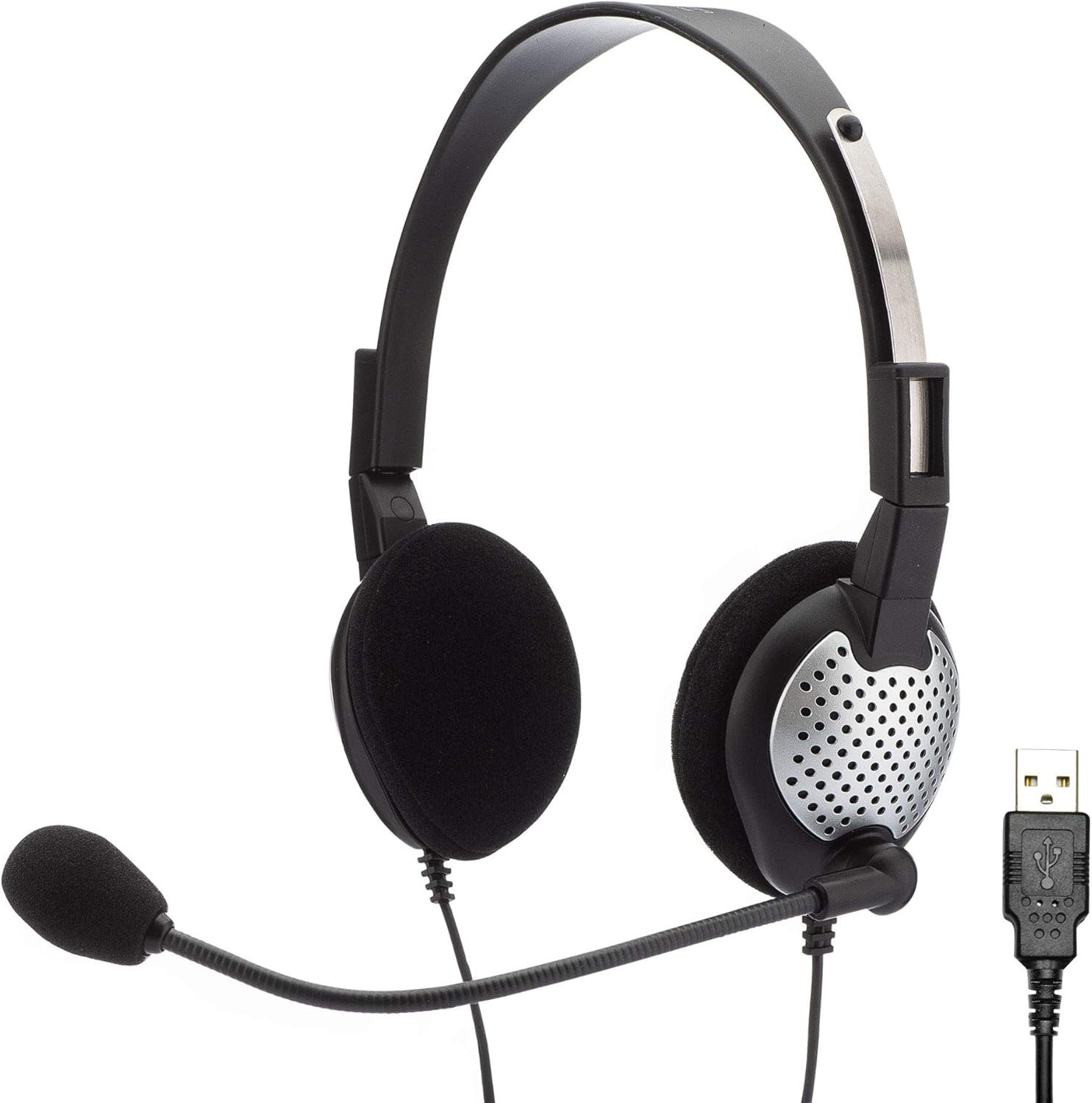
Figure 2.1: The Andrea Communications NC-185VM USB Headset, showing the headset with microphone and the USB connector.

Малюнак 2.2: бок view of the headset, highlighting the adjustable microphone boom.

Малюнак 2.3: Зверху ўніз view of the headset, showing the earcups and headband.

Малюнак 2.4: Спераду view of the headset, displaying the microphone positioned for use.

Малюнак 2.5: Бакавы прафесіяналfile of the headset, showing the microphone boom's flexibility.

Малюнак 2.6: падрабязна view of the USB connector for the headset.

Figure 2.7: Close-up of the in-line controls, featuring volume up/down and mute buttons.
3. Асаблівасці
- High Fidelity Stereo Audio: Delivers clear and rich sound for various applications.
- Мікрафон з шумапрыглушэннем: Reduces background noise for improved voice clarity.
- Pro-Flex Wire Microphone Boom: Allows for precise and stable microphone positioning.
- Windsock: Minimizes breath popping sounds for clearer communication.
- 40-мм дынамікі: Provides CD-quality deep bass sound.
- Comfortable Ear Cushions: Large ear cushions designed for extended wear comfort.
- Adjustable Stainless Steel Headband: Забяспечвае надзейную і камфортную пасадку для розных памераў галавы.
- Extra Long 8-Foot Shielded Cable: Забяспечвае ample reach and reduces interference.
- In-line Volume and Mute Controls: Conveniently adjust audio levels and mute the microphone.
- Зваротны дызайн: Can be worn with the microphone on either the left or right side.
- Складаны: Folds flat for easy storage and portability.
- Падключэнне USB: Bypasses the computer's integrated sound system for enhanced performance.
4. Змесціва ўпакоўкі
The Andrea Communications NC-185VM USB Headset package includes:
- Andrea Communications NC-185VM USB Headset (1 unit)
5. Настройка
5.1 Падключэнне гарнітуры
- Знайдзіце вольны USB-порт на вашым камп'ютары (настольным або ноўтбуку).
- Insert the USB connector of the NC-185VM headset firmly into the USB port.
- Ваша аперацыйная сістэма павінна аўтаматычна выявіць і ўсталяваць неабходныя драйверы. Гэты працэс можа заняць некалькі хвілін.
- Once installed, the headset will be recognized as an audio input and output device.
5.2 Configuring Audio Settings (Windows)
- Right-click the speaker icon in the system tray (bottom-right corner of the screen).
- Select "Sound settings" or "Open Sound settings".
- Under "Output", select your Andrea Communications USB Headset as the output device.
- Under "Input", select your Andrea Communications USB Headset as the input (microphone) device.
- Adjust the volume levels as needed.
5.3 Configuring Audio Settings (macOS)
- Go to "System Preferences" (or "System Settings" on newer macOS versions).
- Click on "Sound".
- In the "Output" tab, select your Andrea Communications USB Headset.
- In the "Input" tab, select your Andrea Communications USB Headset.
- Adjust the input and output volume sliders.
6. Інструкцыя па эксплуатацыі
6.1 Нашэнне гарнітуры
Place the headset over your head so that the ear cushions comfortably cover your ears. The headband is adjustable; slide the earcups up or down to find a comfortable fit. The microphone boom is flexible and can be positioned on either the left or right side of your face. Adjust the microphone so it is approximately 1-2 inches from the corner of your mouth for optimal voice pickup.

Figure 6.1: A user wearing the headset comfortably while engaged in a task, demonstrating proper fit.

Figure 6.2: Multiple users demonstrating the headset's application in a professional environment.

Figure 6.3: A male user wearing the headset, illustrating its versatility for different users.
6.2 Using In-line Controls
The headset features an in-line control unit on the cable for easy access to audio functions:
- Павялічыць гучнасць (+): Націсніце, каб павялічыць гучнасць праслухоўвання.
- Памяншэнне гучнасці (-): Націсніце, каб паменшыць гучнасць праслухоўвання.
- Кнопка адключэння: Press to mute or unmute the microphone. A blue LED indicator on the control unit will illuminate when the microphone is muted.
6.3 Software Enhancement (Optional)
For enhanced audio performance, you may download the patented audio enhancement software PureAudio Voice Solutions from the Andrea Communications webсайт. Note: This software is not recommended for use with voice recognition software like Dragon.
7. Тэхнічнае абслугоўванне
- Уборка: Use a soft, dry cloth to clean the headset. Do not use liquid cleaners or aerosols.
- захоўванне: When not in use, fold the headset flat and store it in a clean, dry place to prevent damage.
- Сыход за кабелем: Avoid sharp bends or kinks in the cable. Do not pull the cable to disconnect the headset from the USB port; always grasp the USB plug.
8. Выпраўленне непаладак
| праблема | Магчымая прычына | Рашэнне |
|---|---|---|
| No sound from headset speakers. | Гарнітура не выбрана ў якасці прылады вываду па змаўчанні. Занадта нізкая гучнасць. USB connection loose. | Check sound settings and select Andrea Communications USB Headset as output. Павялічце гучнасць з дапамогай убудаваных элементаў кіравання або налад кампутара. Re-insert USB plug firmly. Try a different USB port. |
| Мікрафон не ўлоўлівае гук. | Мікрафон адключаны. Гарнітура не выбрана ў якасці прылады ўводу па змаўчанні. Microphone level too low. Мікрафон размешчаны няправільна. | Press the mute button on the in-line control (blue LED off). Check sound settings and select Andrea Communications USB Headset as input. Increase microphone level in computer sound settings. Adjust microphone boom to be 1-2 inches from your mouth. |
| Якасць гуку дрэнная або скажоная. | Гучнасць занадта высокая. Перашкоды. Састарэлыя аўдыё драйверы. | Паменшыць гучнасць. Ensure USB connection is secure and away from other electronic devices. Check for and install the latest audio drivers for your computer's USB ports. |
| Headset not recognized by computer. | Слабае USB-злучэнне. Няспраўны порт USB. Праблема з драйверам. | Re-insert USB plug. Паспрабуйце іншы порт USB. Restart your computer. Check Device Manager (Windows) or System Information (macOS) for USB device recognition. |
9. Тэхнічныя характарыстыкі
| Асаблівасць | Дэталь |
|---|---|
| Назва мадэлі | NC-185VM |
| Нумар мадэлі тавару | C1-1022600-50 model NC-185 VM USB |
| Тэхналогія падлучэння | Правадной (USB) |
| Гняздо для навушнікаў | USB |
| Кантроль шуму | Актыўнае шумапрыглушэнне (мікрафон) |
| Памер дынаміка | 40 мм |
| Дыяпазон частот | 20 Гц - 20 000 Гц |
| Імпеданс | 140 Ом |
| Даўжыня кабеля | 8 футы (прыблізна 2.4 метра) |
| Матэрыял | Нержавеючая сталь (агалоўе) |
| Колер | Чорны |
| Вага прадмета | 7.4 унцыі (прыблізна 0.21 кг) |
| Памеры прадукту (ДxШxВ) | 2.25 х 7.25 х 6.5 цалі (прыблізна 5.7 х 18.4 х 16.5 см) |
| Апаратная платформа | PC |
| Вытворца | Andrea Electronics Corporation |
| Дата першай даступнасці | 15 ліпеня 2010 г |
10. Гарантыя і падтрымка
For information regarding warranty coverage and technical support for your Andrea Communications NC-185VM USB Headset, please refer to the official Andrea Communications webсайт або звярніцеся непасрэдна ў службу падтрымкі кліентаў. Захоўвайце чэк аб куплі як пацвярджэнне пакупкі для гарантыйных прэтэнзій.
вытворца: Andrea Electronics Corporation
Webсайт: www.andreaelectronics.com (Note: This is a general link, please refer to product packaging or official documentation for specific support contacts.)