
Уводзіны
This manual provides essential information for the safe and efficient operation of your Brookstone iDesign Tower Stereo System. Please read this manual thoroughly before using the product and retain it for future reference.
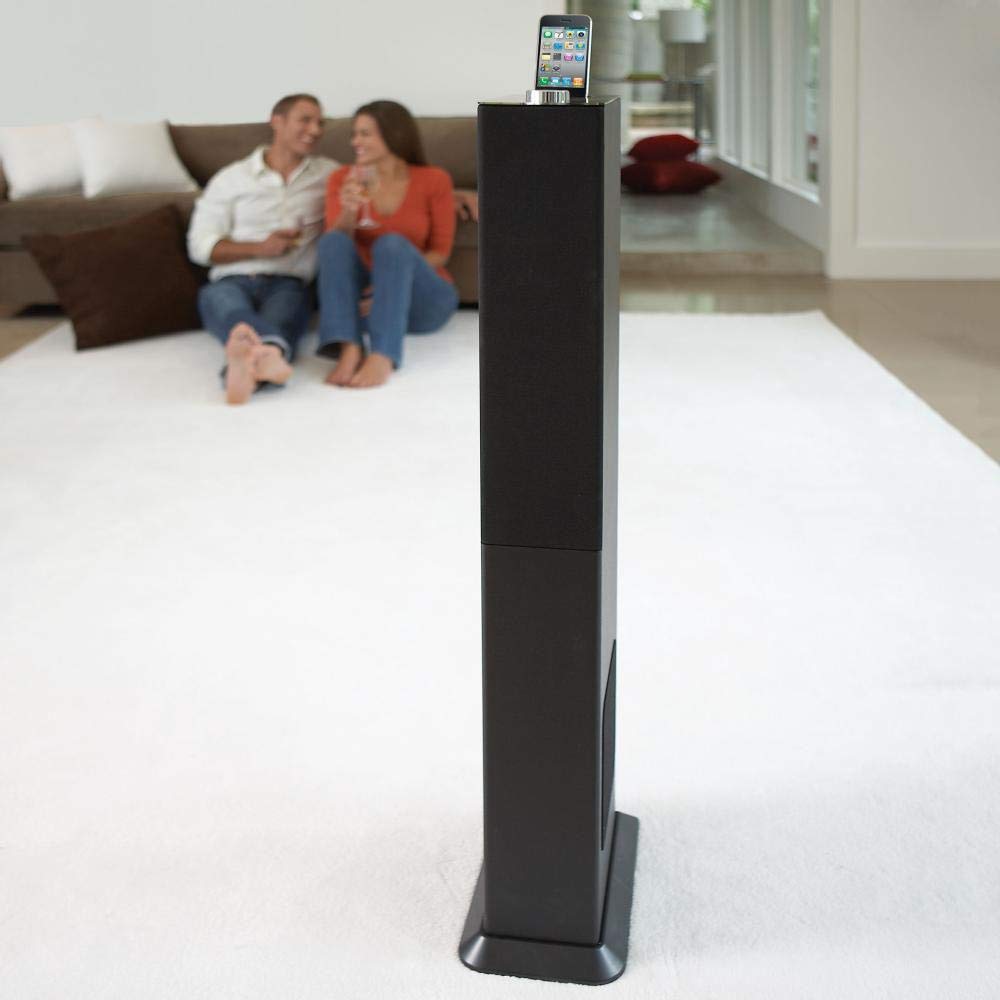
Image: The Brookstone iDesign Tower Stereo System, a tall, slender speaker unit designed for audio playback and device charging.
Інфармацыя па бяспецы
- Крыніца харчавання: Выкарыстоўвайце толькі пазначаны адаптар сілкавання. Пераканайцеся, што гучнасцьtage адпавядае вашай мясцовай крыніцы харчавання.
- Вентыляцыя: Не блакуйце вентыляцыйныя адтуліны. Усталюйце ў адпаведнасці з інструкцыямі вытворцы.
- Вада і вільгаць: Не падвяргайце прыладу ўздзеянню дажджу або вільгаці. Не стаўце на прыладу прадметы, напоўненыя вадкасцю, напрыклад, вазы.
- Цяпло: Не ўстанаўлівайце побач з крыніцамі цяпла, такімі як радыятары, абагравальнікі, пліты або іншыя прылады (у тым ліку ampLifiers), якія вырабляюць цяпло.
- Уборка: Чысціце толькі сухой анучай.
- Абслугоўванне: Звяртайцеся да кваліфікаванага абслугоўваючага персаналу. Тэхнічнае абслугоўванне патрабуецца, калі прыбор быў пашкоджаны якім-небудзь чынам.
Змест пакета
Калі ласка, праверце наяўнасць усіх прадметаў у камплекце:
- iDesign Tower Stereo System
- Пульт дыстанцыйнага кіравання
- Адаптар сілкавання
- Кіраўніцтва карыстальніка (гэты дакумент)
- Note: iPod/iPhone devices are not included.
Прадукт скончаныview
The iDesign Tower Stereo System features a sleek design with integrated speakers and a docking station for compatible Apple devices. It includes a backlit on/volume knob and a remote control for convenient operation, delivering full, deep bass, crisp, clear highs, and warm middle tones.
Асноўныя кампаненты:
- Рашоткі дынамікаў: Multi-angled speakers for room-filling sound.
- Порт для падключэння: For iPod and iPhone devices (1st and 2nd generation iPod touch, iPod classic, 4th and 5th generation iPod nano, iPhone 3GS, iPhone 3G, iPhone).
- On/Volume Knob: Backlit control for power and volume adjustment.
- Дапаможны ўваход: For connecting other audio devices (cable not included).
- Спажываная магутнасць: Для падлучэння адаптара сілкавання.
- Датчык пульта дыстанцыйнага кіравання: Прымае сігналы з пульта дыстанцыйнага кіравання.
Настройка
1. размяшчэнне
Place the iDesign Tower Stereo System on a stable, flat surface. Ensure there is adequate space around the unit for proper ventilation. Avoid placing it in direct sunlight or near heat sources.
2. Падключэнне сілкавання
- Connect the power adapter cable to the Power Input port on the back of the iDesign Tower Stereo System.
- Падключыце адаптар сілкавання да стандартнай насценнай разеткі.
3. Device Docking (iPod/iPhone)
The system is designed for specific iPod and iPhone models:
- iPod touch (1st and 2nd generation)
- iPod classic
- iPod nano (4th and 5th generation)
- iPhone 3GS
- iPhone 3G
- iPhone
Carefully align your compatible iPod or iPhone device with the docking port and gently push it down until it is securely seated. The device will begin charging automatically when docked and the system is powered on.
4. Auxiliary Input (Optional)
To connect other audio devices (e.g., MP3 players, CD players) that are not compatible with the docking port, use a 3.5mm audio cable (not included) to connect the device's headphone output to the Auxiliary Input port on the iDesign Tower Stereo System.
Інструкцыя па эксплуатацыі
1. Уключэнне/выключэнне харчавання
Press the On/Volume knob to turn the system on or off. The knob will illuminate when the system is powered on.
2. Рэгулятар гучнасці
Rotate the On/Volume knob clockwise to increase the volume and counter-clockwise to decrease it. You can also adjust the volume using the remote control.
3. Выбар крыніцы
The system automatically detects a docked iPod or iPhone. If an auxiliary device is connected, you may need to select the input source using the remote control (if available) or by cycling through inputs with a dedicated button (refer to remote control section for details).
4. Выкарыстанне пульта дыстанцыйнага кіравання
The included remote control allows you to manage playback functions (play, pause, skip tracks) and volume for your docked iPod or iPhone from a distance. Point the remote control towards the sensor on the front of the tower system.
5. Зарадныя прылады
When a compatible iPod or iPhone is docked and the system is powered on, the device will charge automatically.
Тэхнічнае абслугоўванне
Уборка
Wipe the exterior of the system with a soft, dry cloth. Do not use liquid cleaners or aerosol sprays, as these may damage the finish or internal components. Ensure the system is unplugged before cleaning.
Захоўванне
If storing the system for an extended period, unplug it from the power outlet and store it in a cool, dry place, away from direct sunlight and extreme temperatures.
Ліквідацыю непаладак
| праблема | Магчымая прычына | Рашэнне |
|---|---|---|
| Няма ўлады | Адаптар харчавання не падключаны або разетка не працуе. | Ensure power adapter is securely connected to the system and a working wall outlet. |
| Няма гуку з падключанай прылады | Device not properly docked; volume too low; device not playing. | Re-seat the device in the dock. Increase system volume and device volume. Ensure music is playing on the device. |
| Няма гуку з дадатковага ўваходу | Auxiliary cable not connected; incorrect source selected; volume too low. | Ensure auxiliary cable is securely connected. Select auxiliary input. Increase system and source device volume. |
| Пульт дыстанцыйнага кіравання не працуе | Batteries dead; remote not pointed at sensor; obstruction. | Replace remote control batteries. Point remote directly at the sensor. Remove any obstructions between remote and system. |
| Прылада не зараджаецца | Device not compatible; system not powered on; device not properly docked. | Verify device compatibility (see Setup section). Ensure system is powered on. Re-seat the device in the dock. |
Тэхнічныя характарыстыкі
- мадэль: B003YB9T2C
- Марка: Брукстоўн
- Памеры ўпакоўкі: 42.6 х 14 х 8.6 цалі
- Вага прадмета: 28.3 фунта
- Першыя даступныя: 10 сакавіка 2010 г
- Сумяшчальнасць: iPod touch (1st/2nd gen), iPod classic, iPod nano (4th/5th gen), iPhone 3GS, iPhone 3G, iPhone.
Гарантыя і падтрымка
For warranty information and customer support, please refer to the documentation included with your purchase or visit the official Brookstone webсайт. Захоўвайце пацвярджэнне пакупкі для прэтэнзій па гарантыі.
"Made for iPod" and "Made for iPhone" mean that an electronic accessory has been designed to connect specifically to iPod or iPhone, respectively, and has been certified by the developer to meet Apple performance standards. Apple is not responsible for the operation of this device or its compliance with safety and regulatory standards. Please note that the use of this accessory with iPod or iPhone may affect wireless performance.