
1. Уводзіны
Welcome to the Mobo SmartWatch Knock user manual. This guide provides essential information for setting up, operating, and maintaining your new smartwatch. Please read these instructions carefully to ensure optimal performance and longevity of your device.
2. Змесціва ўпакоўкі
Пераканайцеся, што ўсе прадметы прысутнічаюць у вашай упакоўцы:
- Mobo SmartWatch Knock
- Charging Cable (USB magnetic type)
- Кіраўніцтва карыстальніка (гэты дакумент)
3. Кіраўніцтва па наладцы
3.1 Charging the SmartWatch
Before first use, fully charge your Mobo SmartWatch Knock.
- Падключыце USB-канец зараднага кабеля да адаптара харчавання (не ўваходзіць у камплект) або USB-порта кампутара.
- Align the magnetic end of the charging cable with the charging contacts on the back of your smartwatch. The watch will vibrate and display a charging indicator.
- Дайце прыладзе зарадзіцца, пакуль індыкатар батарэі не пакажа 100%.
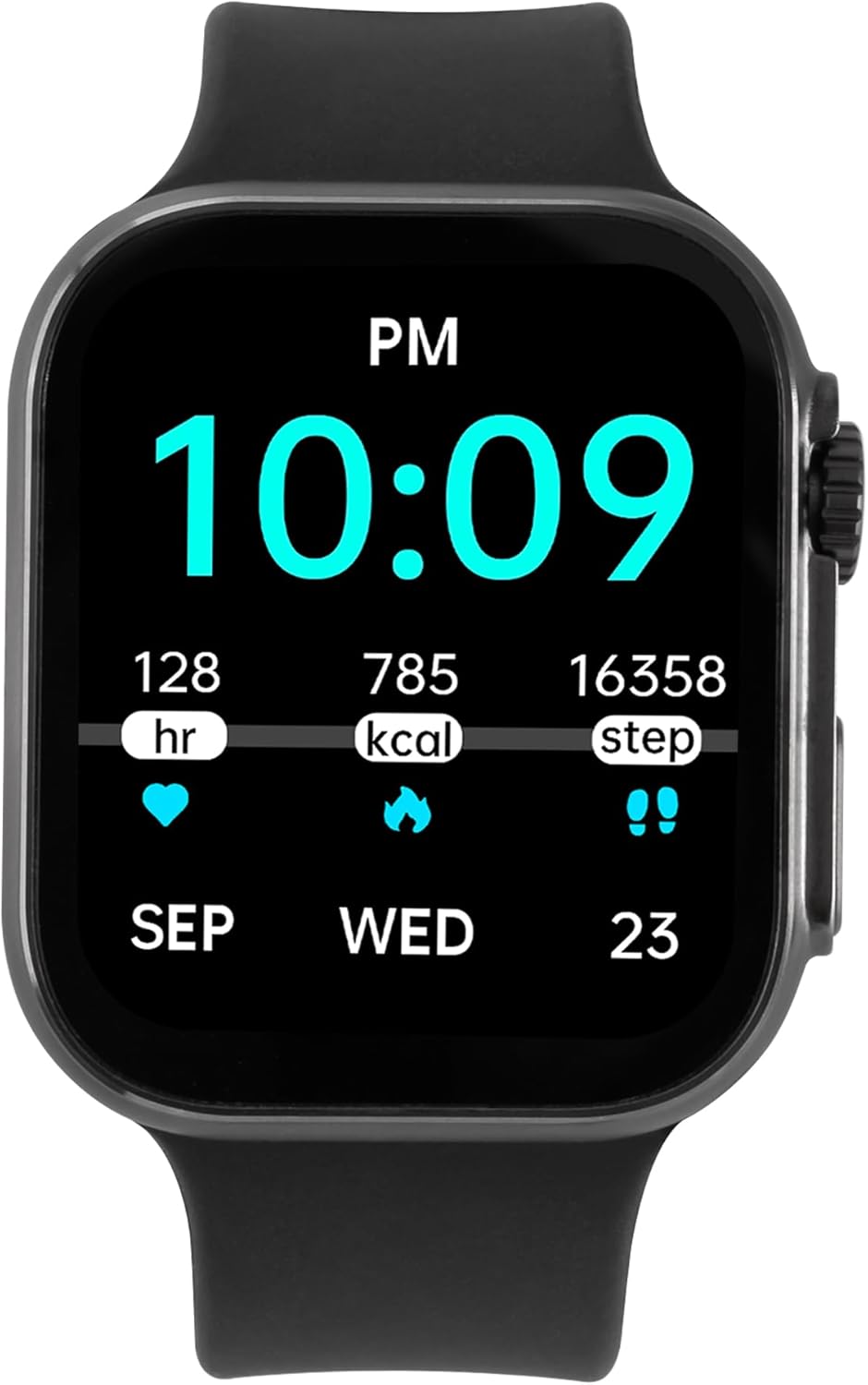
Image: The Mobo SmartWatch Knock displaying time and health metrics, indicating its readiness for use after charging.
3.2 Усталёўка дапаможнага прыкладання
To unlock all features and synchronize data, download the recommended companion application on your smartphone.
- Scan the QR code provided in the watch interface or the quick start guide (if available) to download the app.
- Alternatively, search for "Da Fit" (or specified app name) in your smartphone's app store (Google Play Store for Android, Apple App Store for iOS).
- Install the app and follow the on-screen instructions to create an account and set up your profile.
3.3 Спалучэнне са смартфонам
After installing the app, pair your smartwatch with your phone via Bluetooth.
- Пераканайцеся, што Bluetooth уключаны на вашым смартфоне.
- Open the companion app and navigate to the device pairing section.
- The app will search for available devices. Select "Mobo SmartWatch Knock" from the list.
- Пацвердзіце запыт на спалучэнне як на смартфоне, так і на смарт-гадзінніку.
4. Інструкцыя па эксплуатацыі
4.1 Асноўная навігацыя
- Сэнсарны экран: Swipe left, right, up, or down to navigate through menus and screens. Tap to select an option.
- Бакавая кнопка/Каронка: Press to wake the screen, return to the home screen, or access the app menu. Rotate the crown (if applicable) to scroll through lists or adjust settings.
4.2 Маніторынг здароўя
The Mobo SmartWatch Knock offers various health tracking features:
- Частата сардэчных скарачэнняў: Сачыце за пульсам на працягу дня.
- Артэрыяльны ціск: Measure your blood pressure (for reference only, not medical advice).
- Кісларод крыві (SpO2): Check your blood oxygen levels.
- Адсочванне сну: Analyze your sleep patterns, including deep and light sleep.
- Крокі і калорыі: Адсочвайце свае штодзённыя крокі, адлегласць і спаленыя калорыі.

Image: The smartwatch screen showing daily steps, calories burned, and heart rate data.
4.3 спартыўных рэжымаў
Select from a variety of sports modes to track your workouts accurately. The watch supports tracking for activities such as running, cycling, and alpinism.
4.4 Апавяшчэнні і званкі
- Кіраванне званкамі: Answer or reject incoming calls directly from your smartwatch when connected via Bluetooth.
- Паведамленні аб паведамленнях: Receive notifications for messages, emails, and app alerts from your paired smartphone.
4.5 Дадатковыя магчымасці
- Кіраванне музыкай: Кіруйце прайграваннем музыкі на вашым смартфоне (прайграванне, паўза, пераключэнне трэкаў).
- Будзільнік: Усталёўвайце будзільнікі непасрэдна на гадзінніку.
- Наладжвальныя цыферблаты: Personalize your watch face through the companion app.
5. Тэхнічнае абслугоўванне
5.1 Cleaning Your SmartWatch
Рэгулярная чыстка дапамагае падтрымліваць знешні выгляд і функцыянальнасць вашай прылады.
- Працярыце экран і корпус мяккай тканінай без ворса.
- Для ўстойлівых плям злёгку dampпрамыйце тканіну вадой. Пазбягайце выкарыстання агрэсіўных хімічных рэчываў або абразіўных матэрыялаў.
- Перыядычна чысціце зарадныя кантакты, каб забяспечыць належную зарадку.
5.2 Сыход за раменьчыкам
The Mobo SmartWatch Knock features interchangeable straps. To change the strap, locate the quick-release pins on the underside of the strap and slide them to detach. Attach a new strap by reversing the process.

Выява: Поўны рост view of the Mobo SmartWatch Knock, highlighting its design and strap attachment mechanism.
6. Выпраўленне непаладак
If you encounter issues with your Mobo SmartWatch Knock, try the following solutions:
- Прылада не ўключаецца: Пераканайцеся, што гадзіннік цалкам зараджаны. Падключыце яго да зараднай прылады і пачакайце некалькі хвілін, перш чым спрабаваць уключыць.
- Немагчыма спалучыць прыладу са смартфонам:
- Пераканайцеся, што на вашым тэлефоне ўключаны Bluetooth, і гадзіннік знаходзіцца ў зоне дзеяння.
- Перазагрузіце смартфон і разумны гадзіннік.
- Праверце, ці абноўлена суправаджальнае прыкладанне да апошняй версіі.
- Забудзьцеся пра прыладу ў наладах Bluetooth тэлефона і паспрабуйце зноў падключыць яе праз праграму.
- Недакладныя дадзеныя пра здароўе: Пераканайцеся, што гадзіннік шчыльна прылягае да запясця, не занадта туга і не занадта свабодна. Ачысціце датчыкі на задняй панэлі гадзінніка.
- Апавяшчэнні не атрыманы: Check app notification settings on your smartphone and within the companion app to ensure they are enabled for the smartwatch.
7. Тэхнічныя характарыстыкі
| Марка | Mobo |
| мадэль | Стук |
| Памер дысплея | 1.3 цалі |
| Тып дысплея | OLED |
| Сувязь | Bluetooth |
| Сумяшчальныя прылады | Смартфон, планшэт, ПК |
| Асаблівасць | Лёгкі |
| Аксэсуары ў камплекце | Зарадны кабель |
| Памеры | 22.6 х 10.3 х 4.9 см; 140 г |
8. Гарантыя і падтрымка
8.1 Інфармацыя аб гарантыі
For detailed warranty information, please refer to the warranty card included with your product or visit the official Mobo webсайт. Захоўвайце пацвярджэнне пакупкі для любых гарантыйных прэтэнзій.
8.2 Падтрымка кліентаў
If you require further assistance or have questions not covered in this manual, please contact Mobo customer support through their official webсайт або кантактную інфармацыю, указаную на ўпакоўцы прадукту.