
1. Уводзіны
This manual provides essential instructions for the safe and efficient operation of your Sharp CD-DH950P 240W Mini-Component System. This system features a 5-disc CD changer, a cassette deck, an iPod/iPhone docking station, a USB host for digital audio playback, and an AM/FM tuner. Please read this manual thoroughly before using the system and retain it for future reference.
2. Інфармацыя па бяспецы
- Крыніца харчавання: Падключайце прыладу толькі да разеткі пераменнага току пазначанай магутнасці.tage.
- Вентыляцыя: Забяспечце належную вентыляцыю. Не блакуйце вентыляцыйныя адтуліны.
- Вада і вільгаць: Не падвяргайце прыладу ўздзеянню дажджу, вільгаці або кропель/пырскаў вадкасцей.
- Цяпло: Трымайце прыладу далей ад крыніц цяпла, такіх як радыятары, абагравальнікі, пліты або іншыя прыборы, якія выпрацоўваюць цяпло.
- Уборка: Перад чысткай адключыце прыладу ад разеткі. Выкарыстоўвайце мяккую сухую тканіну.
- Абслугоўванне: Не спрабуйце самастойна абслугоўваць гэты прадукт. Звярніцеся да ўсіх абслугоўванняў кваліфікаванага абслуговага персаналу.
3. Змесціва ўпакоўкі
Пераканайцеся, што ваш пакет змяшчае наступныя элементы:
- Main Unit (CD-DH950P)
- Левы дынамік
- Правы дынамік
- Пульт дыстанцыйнага кіравання з батарэйкамі
- Рамочная антэна AM
- FM-правадная антэна
- Шнур харчавання
4. Настройка
4.1 Падключэнне дынамікаў
Connect the speaker wires from the main unit to the corresponding terminals on the back of each speaker. Ensure correct polarity (red to red, black to black) for optimal sound quality. The left speaker connects to the left speaker output, and the right speaker to the right speaker output.
4.2 Падключэнне антэн
- FM-антэна: Connect the supplied FM wire antenna to the FM antenna terminal on the rear of the main unit. Extend the wire for better reception.
- AM антэна: Connect the supplied AM loop antenna to the AM antenna terminals on the rear of the main unit. Position the antenna for best reception.
4.3 Падключэнне харчавання
Plug the power cord into the AC IN jack on the rear of the main unit, then plug the other end into a standard AC wall outlet.
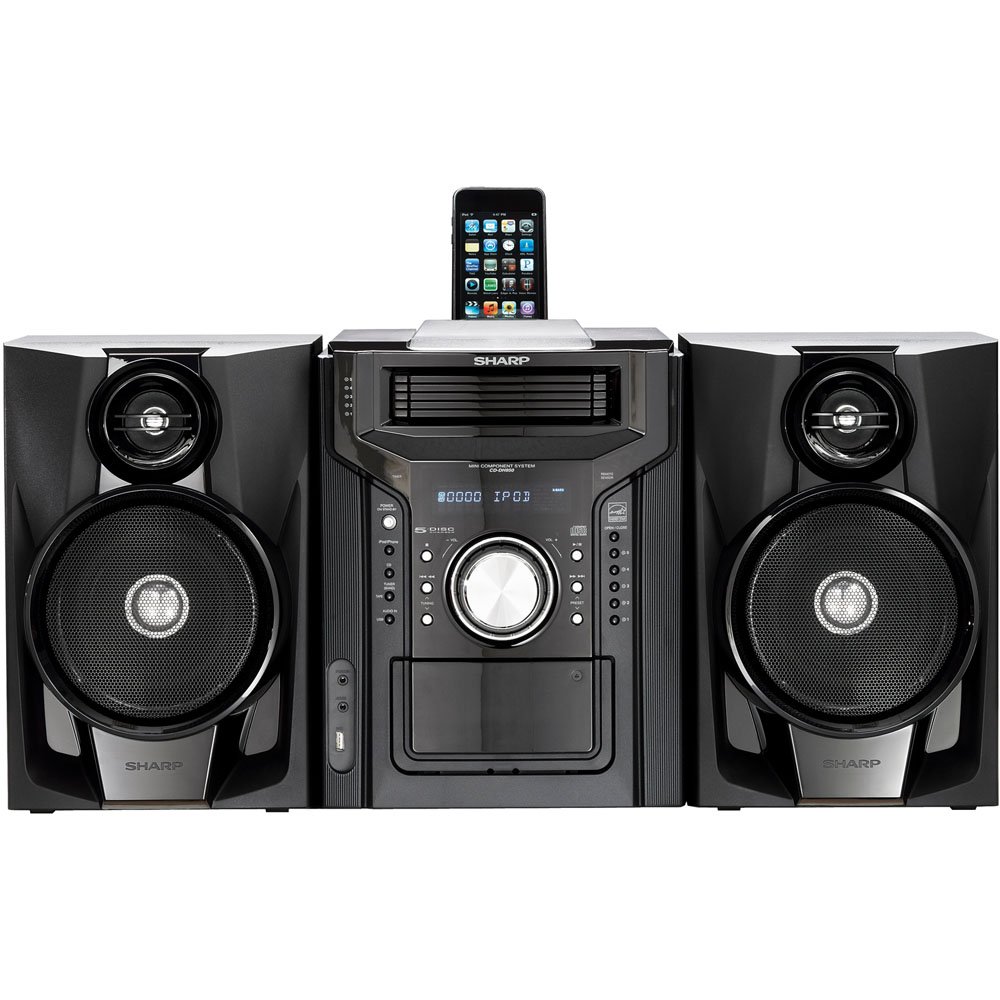
Малюнак 4.3.1: У цэлым view of the Sharp CD-DH950P Mini-Component System, showing the main unit flanked by two speakers, with an iPhone docked on top of the main unit.
5. Інструкцыя па эксплуатацыі
5.1 Уключэнне/выключэнне харчавання і рэгуляванне гучнасці
- Націсніце УЛАДА кнопку на пярэдняй панэлі або пульце дыстанцыйнага кіравання, каб уключыць або выключыць прыладу.
- Павярнуць АБ'ЁМ ручку на пярэдняй панэлі або скарыстайцеся ГУЧНАСЦЬ +/- кнопкі на пульце дыстанцыйнага кіравання для рэгулявання ўзроўню гуку.
5.2 Прайграванне кампакт-дыскаў
This system features a 5-disc CD changer.
- Націсніце АДКРЫЦЬ/ЗАКРЫЦЬ кнопку, каб адкрыць латок для кампакт-дыскаў.
- Place up to five CDs on the disc trays, label side up.
- Прэса АДКРЫЦЬ/ЗАКРЫЦЬ зноў зачыніць латок.
- Націсніце CD кнопку, каб выбраць функцыю CD.
- Націсніце ПРАЙГРАЦЬ/Паўза кнопку, каб пачаць прайграванне.
- Выкарыстоўвайце ПРАПУСЦІЦЬ buttons to navigate between tracks or discs.
5.3 Cassette Deck Operation
- Націсніце TAPE OPEN/CLOSE button to open the cassette deck.
- Устаўце касету.
- Націсніце ЛІГА button to select the cassette function.
- Прэса ГУЛЬНЯ каб пачаць прайграванне.
- To record, ensure the source is selected (e.g., CD, Tuner) and press the ЗАПІС button on the cassette deck.
5.4 iPod/iPhone Docking
The system includes a top-mounted docking slot for compatible iPod and iPhone devices (30-pin connector).
- Carefully place your iPod or iPhone into the docking slot.
- The system will automatically switch to iPod/iPhone mode or you may need to press the iPod / iPhone кнопка.
- Use the system's controls or your device's controls to play music. The device will also charge while docked.
5.5 USB Host Playback
Connect a USB storage device containing MP3 or WMA audio files to the USB port on the front panel.
- Устаўце прыладу USB у порт USB.
- Націсніце USB кнопку, каб выбраць функцыю USB.
- Use the playback controls to navigate and play files.
5.6 AM/FM-цюнэр
- Націсніце Цюнэрам button to select AM or FM radio.
- Выкарыстоўвайце НАСТРОЙКА +/- кнопкі для ручной налады станцыі.
- To auto-scan, press and hold the НАСТРОЙКА +/- кнопкі.
- To store a preset, tune to the desired station, then press ПАМЯЦЬ а затым загадзя пазначаны нумар.
5.7 Аўдыё ўваход
Connect an external audio device (e.g., MP3 player, smartphone) to the AUDIO IN jack on the front panel using a 3.5mm stereo cable.
- Connect your device to the AUDIO IN jack.
- Націсніце Аўдыё button to select this source.
- Кіруйце прайграваннем з падлучанай прылады.
6. Тэхнічнае абслугоўванне
6.1 Чыстка прылады
Wipe the exterior of the unit with a soft, dry cloth. Do not use abrasive cleaners, waxes, or solvents. Ensure the unit is unplugged before cleaning.
6.2 CD and Cassette Care
- Handle CDs by their edges to avoid fingerprints and scratches. Clean discs with a soft, lint-free cloth from the center outwards.
- Store cassette tapes away from strong magnetic fields and direct sunlight.
7. Выпраўленне непаладак
| праблема | Магчымая прычына | Рашэнне |
|---|---|---|
| Няма ўлады | Шнур харчавання не падключаны; разетка няспраўная | Пераканайцеся, што шнур харчавання надзейна падключаны; паспрабуйце іншую разетку |
| Няма гуку | Volume too low; Speakers not connected; Incorrect source selected | Increase volume; Check speaker connections; Select correct input source |
| Кампакт-дыск не прайграваецца | Disc inserted incorrectly; Disc is dirty or scratched | Insert disc correctly (label side up); Clean or replace disc |
| Дрэнны прыём радыё | Antenna not positioned correctly; Weak signal | Adjust position of AM/FM antennas; Try auto-tuning or manual fine-tuning |
| iPod/iPhone not charging/playing | Device not properly docked; Device not compatible (e.g., newer connector) | Re-dock the device; Note that this system uses a 30-pin connector, newer devices may require an adapter (not included) |
8. Тэхнічныя характарыстыкі
- Марка: Востры
- мадэль: CD-DH950P
- Агульная выхадная магутнасць: 240 Watts RMS (85W/ch FTC)
- Канфігурацыя дынамікаў: Канал 2.1
- Падтрымліваюцца аўдыяфарматы: CD, MP3, WMA
- Каэфіцыент сігнал-шум: 100 дБ
- Сумяшчальныя прылады: MP3 Player, Smartphone (via 30-pin dock or USB/Audio In)
- Памеры (Д х Ш х У): 27.6 х 13.6 х 13.5 цалі
- Вага прадмета: 24.4 фунта
- UPC: 074000369863, 074000369290
9. Інфармацыя аб гарантыі
This product is covered by a 1-year limited warranty from the date of purchase. Please refer to the warranty card included with your product for full terms and conditions, or contact Sharp customer service for details.
10. Падтрымка
For further assistance, technical support, or service inquiries, please contact Sharp customer service. Contact information can typically be found on the Sharp official webна сайце або ў дакументацыі, якая пастаўляецца з вашым прадуктам.