
Уводзіны
This manual provides essential instructions for the setup, operation, and maintenance of your Belkin F4U018-BLK Hi-Speed USB 2.0 7-Port Mobile Hub. This device expands your computer's USB connectivity, allowing you to connect multiple USB 1.1 and USB 2.0 devices simultaneously. Its compact design makes it suitable for both desktop use and travel.
Прадукт скончаныview
The Belkin F4U018-BLK is a 7-port USB 2.0 hub designed to provide additional USB ports for your computer. It features a sleek, black design and offers plug-and-play functionality.
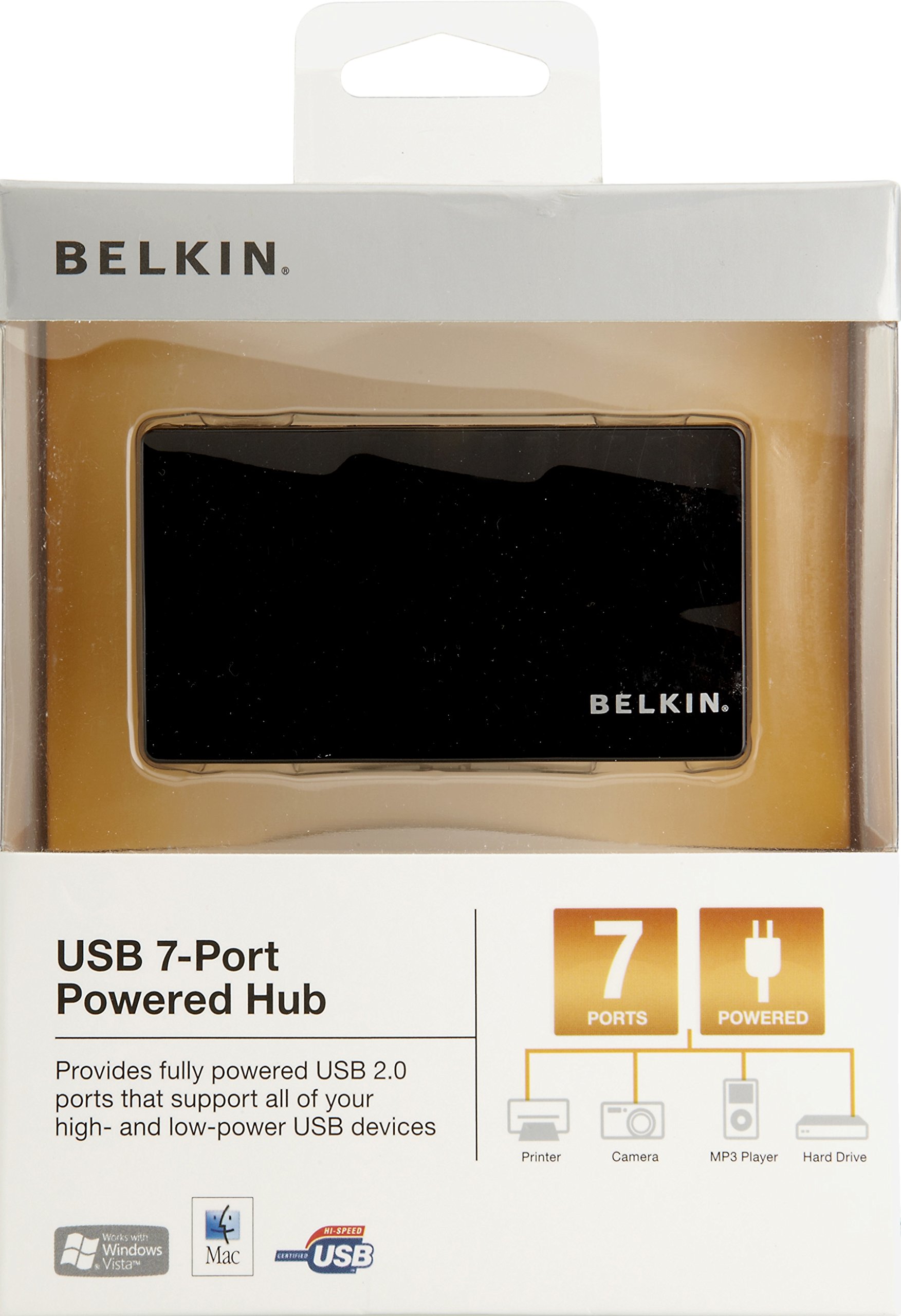
Малюнак 1: Belkin F4U018-BLK Hi-Speed USB 2.0 7-Port Mobile Hub. This image displays the compact black hub, highlighting its seven downstream USB ports and the upstream port for connection to a computer.
Ключавыя кампаненты:
- Seven Downstream USB 2.0 Ports: For connecting your peripheral devices.
- One Upstream USB 2.0 Port: For connecting the hub to your computer.
- Порт адаптара харчавання: For connecting the included power adapter (recommended for high-power devices).
Інструкцыя па наладзе
- Connect the Power Adapter (Optional but Recommended): If you are connecting high-power devices (e.g., external hard drives, multiple devices), connect the included power adapter to the hub's power port and then to a wall outlet. This ensures stable power delivery to all connected devices.
- Падключыцеся да кампутара: Plug the provided USB cable into the upstream port of the Belkin F4U018-BLK hub and then into an available USB port on your computer.
- Ўстаноўка драйвера: The hub is plug-and-play. Your operating system (Windows, macOS, Linux) should automatically detect and install the necessary drivers. No manual driver installation is typically required.
- Падключыце прылады USB: Once the hub is recognized, you can connect your USB 1.1 or USB 2.0 devices (e.g., keyboards, mice, printers, digital cameras, MP3 players) to the seven downstream ports on the hub.
Operating the Hub
The Belkin F4U018-BLK hub operates automatically once connected. Simply plug your USB devices into the available ports. The hub supports simultaneous operation of all seven ports.
- Сумяшчальнасць прылад: Compatible with USB 1.1 and USB 2.0 devices.
- Перадача дадзеных: Supports data transfer rates up to 480 Megabits Per Second (Mbps) for USB 2.0 devices.
- Упраўленне харчаваннем: For optimal performance and to prevent power-related issues, especially with multiple or high-power devices, ensure the external power adapter is connected.
Тэхнічнае абслугоўванне
- Уборка: Для чысткі вонкавай паверхні канцэнтратара выкарыстоўвайце мяккую сухую тканіну. Не выкарыстоўвайце вадкія ачышчальнікі або аэразолі.
- захоўванне: Захоўвайце канцэнтратар у прахалодным, сухім месцы, удалечыні ад прамых сонечных прамянёў і экстрэмальных тэмператур.
- Апрацоўка: Avoid dropping the hub or subjecting it to strong impacts.
- Кабельнае кіраванне: Ensure cables are not excessively bent or strained to prevent damage to the ports or cables.
Ліквідацыю непаладак
- Hub Not Recognized by Computer:
- Ensure the USB cable connecting the hub to the computer is securely plugged in at both ends.
- Паспрабуйце падключыць канцэнтратар да іншага порта USB на вашым кампутары.
- Перазагрузіце кампутар.
- If using the power adapter, ensure it is properly connected and receiving power.
- Connected Devices Are Not Working or Disconnecting Frequently:
- Verify that the external power adapter is connected to the hub and a power source. High-power devices require external power.
- Try connecting the device directly to your computer's USB port to confirm the device itself is functional.
- Адключыце і зноў падключыце праблемную прыладу да хаба.
- Ensure the device's drivers are up to date on your computer.
- Avoid overloading the hub with too many high-power devices simultaneously.
- Павольная хуткасць перадачы дадзеных:
- Ensure both the hub and the connected device are USB 2.0 compatible for optimal speeds. USB 1.1 devices will operate at their native slower speeds.
- Disconnect other devices from the hub to see if performance improves.
Тэхнічныя характарыстыкі
| Асаблівасць | Дэталь |
|---|---|
| Марка | Белкін |
| Нумар мадэлі | F4U018-BLK |
| Абсталяванне інтэрфейсу | USB, USB 2.0 |
| Усяго партоў USB | 7 |
| Хуткасць перадачы даных | 480 мегабіт у секунду |
| Сумяшчальныя прылады | Digital Cameras, MP3 Players, Printers |
| Вага прадмета | 9.92 унцыі |
| UPC | 722868735473 |
Гарантыя і падтрымка
For warranty information and technical support, please refer to the documentation included with your product or visit the official Belkin support webсайт. Захоўвайце чэк аб пакупцы на выпадак прэтэнзій па гарантыі.
Падтрымка Belkin: www.belkin.com/support