
A4tech N-500F
A4Tech V-Track N-500F-1 Glossy Grey USB Mouse User Manual
Model: N-500F
Уводзіны
Thank you for choosing the A4Tech V-Track N-500F-1 Glossy Grey USB Mouse. This manual provides essential information for setting up, operating, and maintaining your new mouse. The contoured design ensures maximum comfort and support during extended use, and the sturdy scroll wheel with a rubberized surface prevents slippage for precise control.
Настройка
Follow these steps to set up your A4Tech V-Track N-500F-1 mouse:
- Падключыце мыш: Locate an available USB port on your computer. Insert the USB connector of the mouse firmly into the USB port.
- Ўстаноўка драйвера: Your operating system (Windows XP, Windows 7, Linux, etc.) should automatically detect and install the necessary drivers for the mouse. No additional software installation is typically required for basic functionality.
- Праверце функцыянальнасць: Once connected, move the mouse to check if the cursor responds on your screen. Test the left and right click buttons, and the scroll wheel.
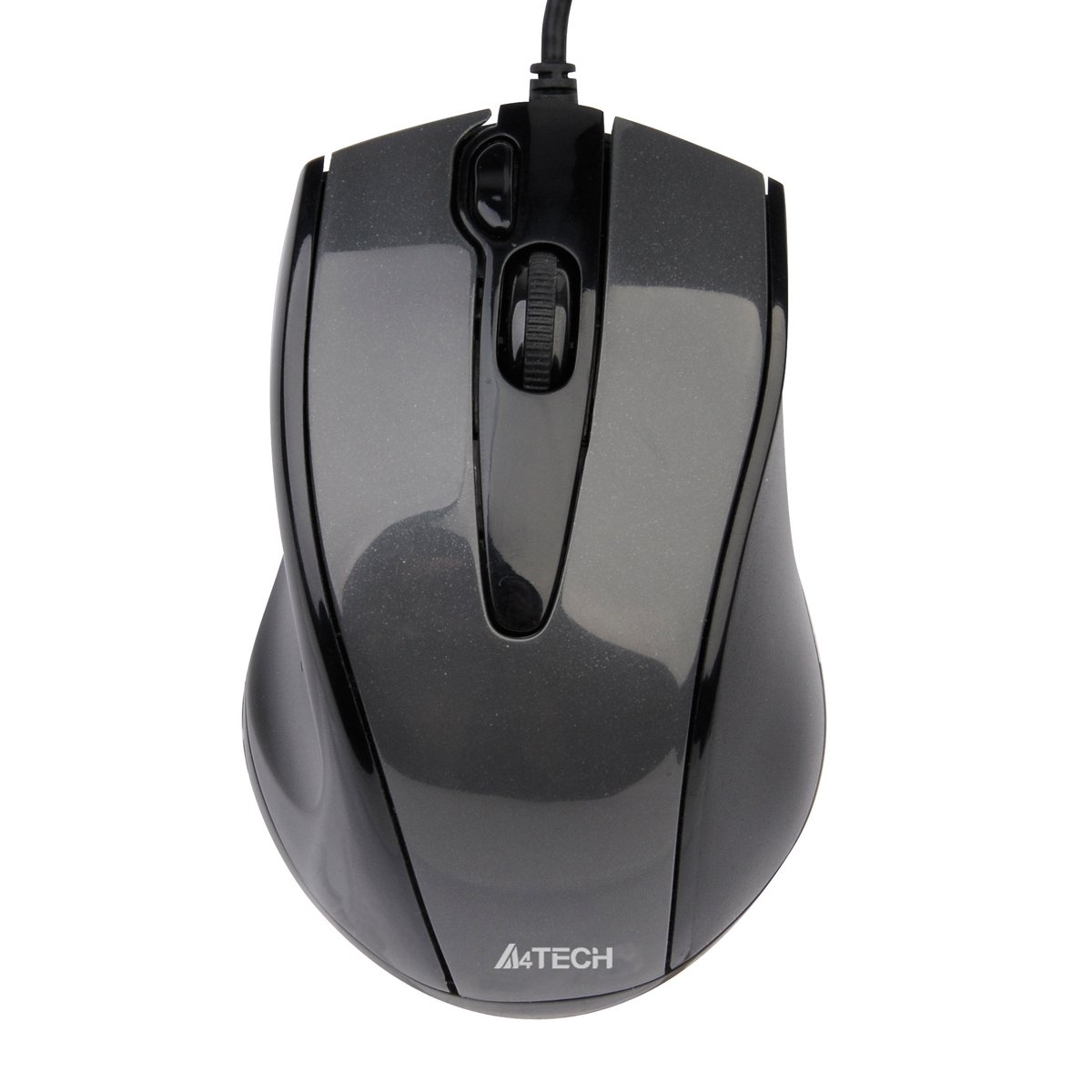
This image displays the A4Tech V-Track N-500F-1 mouse from a top-down perspective. It features a glossy grey finish, a central scroll wheel, and standard left and right click buttons. A USB cable extends from the front of the mouse.
Кіраванне мышшу
The A4Tech V-Track N-500F-1 mouse is designed for intuitive use with standard computer functions.
- Пстрычка левай кнопкай мышы: Выкарыстоўвайце левую кнопку для выбару элементаў, адкрыцця fileі актывацыя спасылак.
- Пстрыкніце правай кнопкай мышы: Use the right button to access context menus, offering additional options for selected items.
- Кола пракруткі: Пракручвайце кола ўверх або ўніз, каб перамяшчацца па дакументах і web pages. The scroll wheel can also be pressed down for a middle-click function, often used for opening links in new tabs or auto-scrolling.
- Дадатковая кнопка: This mouse features an additional button, typically located near the scroll wheel or on the side. This button can often be customized through your operating system's mouse settings or A4Tech's proprietary software (if available) to perform various functions, such as screen capture, quick access to applications, or specific commands. Refer to your computer's settings for customization options.
Тэхнічнае абслугоўванне і догляд
Каб забяспечыць даўгавечнасць і аптымальную працу вашай мышы, выконвайце наступныя рэкамендацыі па абслугоўванні:
- Уборка: Выкарыстоўвайце мяккую сухую тканіну для працірання паверхні мышы. Для выдалення ўстойлівага бруду злёгку працярыцеampПрацярыце тканіну вадой або мяккім неабразіўным ачышчальнікам. Пазбягайце выкарыстання агрэсіўных хімікатаў або абразіўных матэрыялаў.
- Ачыстка датчыка: Часам вакол аптычнага датчыка на ніжняй частцы мышы можа назапашвацца пыл або смецце. Выкарыстоўвайце ватовы тампон або сціснутае паветра, каб акуратна ачысціць вобласць датчыка.
- Пазбягайце вадкасці: Do not immerse the mouse in water or expose it to excessive moisture.
- захоўванне: Калі мыш не выкарыстоўваецца, захоўвайце яе ў чыстым, сухім месцы, удалечыні ад экстрэмальных тэмператур.
Ліквідацыю непаладак
If you encounter issues with your A4Tech V-Track N-500F-1 mouse, refer to the table below for common problems and solutions:
| праблема | Магчымая прычына | Рашэнне |
|---|---|---|
| Курсор мышы не рухаецца. | Loose USB connection, faulty USB port, dirty sensor. | Ensure USB cable is securely plugged in. Try a different USB port. Clean the optical sensor. Restart your computer. |
| Кнопкі або кола пракруткі не рэагуюць. | Software conflict, debris under buttons. | Restart your computer. Check for any conflicting software. Gently clean around the buttons. |
| Рух курсора няўстойлівы або скачковы. | Брудны датчык, непрыдатная паверхня кілімка для мышы. | Clean the optical sensor. Use a clean, uniform mouse pad or surface. |
| Mouse is not detected by the computer. | Driver issue, hardware malfunction. | Try connecting to another computer to rule out mouse malfunction. Check Device Manager for driver status. |
Тэхнічныя характарыстыкі
Below are the technical specifications for the A4Tech V-Track N-500F-1 mouse:
| Асаблівасць | Дэталь |
|---|---|
| Марка | A4tech |
| мадэль | N-500F |
| Тэхналогія падлучэння | USB |
| Абсталяванне інтэрфейсу | USB 2.0 |
| Колькасць кнопак | 4 |
| Рука арыентацыі | правільна |
| Колер | Шэры |
| Сумяшчальная АС | Linux, Windows XP, Windows 7 |
| Памеры прадукту | 23.01 х 5.99 х 8.99 см |
| Вага прадмета | 158.76 г |
| Тып крыніцы харчавання | Правадная электрычная |
Гарантыя і падтрымка
A4Tech products are manufactured to high-quality standards. For information regarding warranty coverage, technical support, or service, please refer to the warranty card included with your product or visit the official A4Tech webсайт. Захоўвайце чэк аб куплі як пацвярджэнне пакупкі для гарантыйных прэтэнзій.