
Logitech 981-000341
Кіраўніцтва па эксплуатацыі бесправадной гарнітуры Logitech H600
Мадэль: 981-000341
Уводзіны
This manual provides comprehensive instructions for the Logitech H600 Wireless Headset. It covers setup, operation, maintenance, and troubleshooting to ensure optimal performance and longevity of your device. The Logitech H600 is a lightweight, portable wireless headset designed for clear audio communication and listening, featuring laser-tuned drivers, a 10-meter wireless range, and a 6-hour rechargeable battery.
Што ў скрынцы
The Logitech H600 Wireless Headset package includes the following components:
- Бесправадная гарнітура Logitech H600
- USB нана прыёмнік
- USB-кабель для зарадкі
- Дакументацыя карыстальніка (гэтае кіраўніцтва)
Прадукт скончаныview
Familiarize yourself with the components and features of your Logitech H600 Wireless Headset.
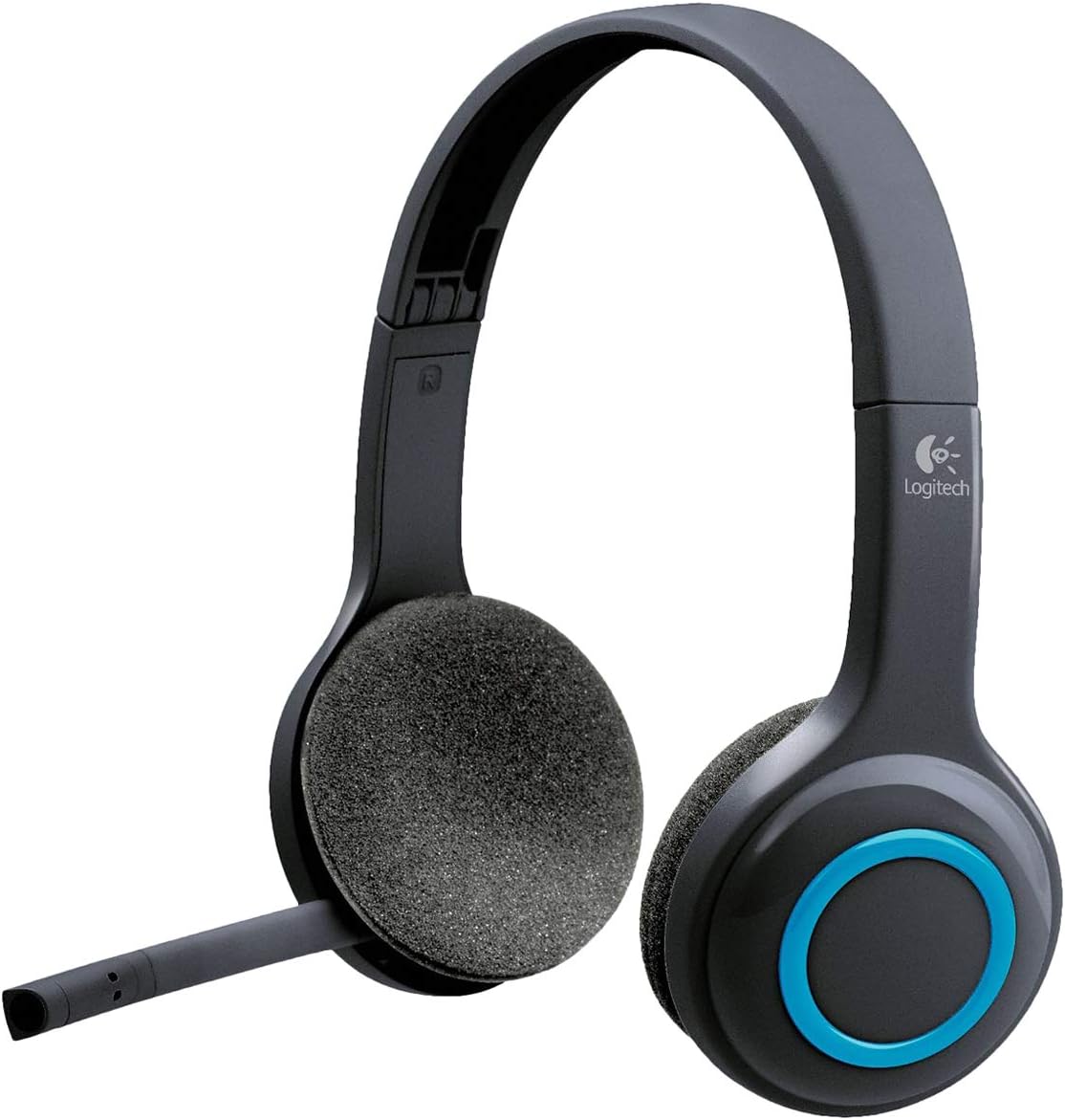
Малюнак 1: Фронт view of the Logitech H600 Wireless Headset, showing the adjustable headband, foam earcups, and the microphone boom extended.

Малюнак 2: The Logitech H600 Wireless Headset with its flexible microphone boom rotated upwards and tucked away, indicating its portability and ease of storage.

Малюнак 3: Illustration of the Logitech H600's microphone articulation, showing its range of motion for optimal positioning during calls.

Малюнак 4: The Logitech H600 Wireless Headset folded compactly, demonstrating its design for easy storage and transport.

Малюнак 5: Тыл view of the Logitech H600 Wireless Headset, highlighting the headband and earcups from behind.
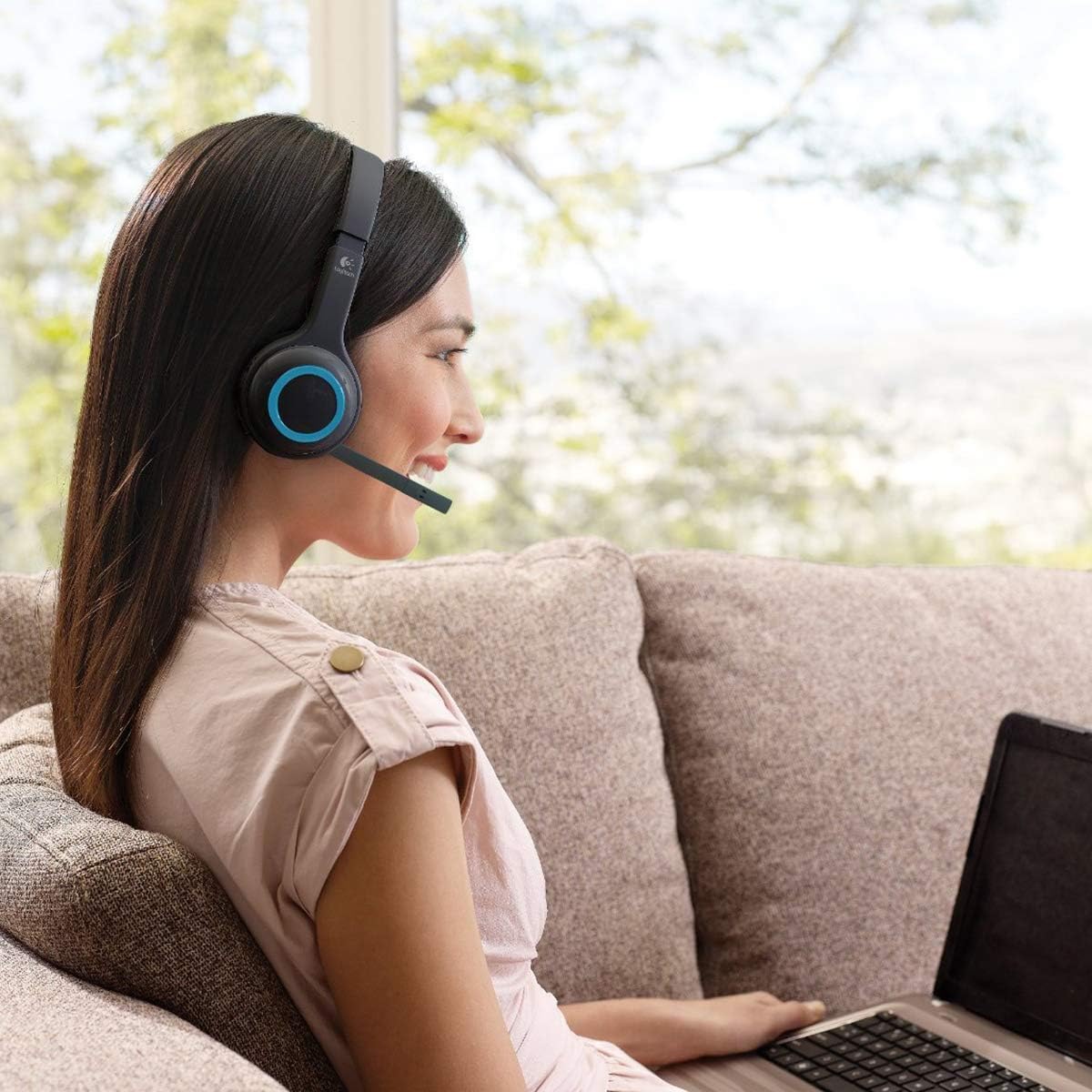
Малюнак 6: A user wearing the Logitech H600 Wireless Headset while using a laptop, illustrating its comfortable fit and practical use in a home environment.
Настройка
Follow these steps to set up your Logitech H600 Wireless Headset for the first time.
- Зарадка гарнітуры: Connect the USB charging cable to the headset's charging port and the other end to a USB power source (e.g., computer USB port, USB wall adapter). Allow the headset to fully charge before first use. The charging indicator light will provide status. A full charge provides approximately 6 hours of battery life.
- Устаўце USB-прыёмнік Nano: Locate the tiny USB Nano receiver. Plug this receiver into an available USB port on your computer. The receiver is designed to be left in your computer for convenience.
- Уключэнне гарнітуры: Press and hold the Power button on the headset until the indicator light illuminates, indicating it is powered on and attempting to connect.
- Спалучэнне: The headset and the USB Nano receiver should automatically pair. If pairing does not occur, or if you experience connection issues, refer to the Troubleshooting section or visit the Logitech support website for the re-pairing utility.
- Наладзьце параметры гуку: On your computer, ensure the Logitech H600 Headset is selected as the default audio input (microphone) and output (speakers) device in your operating system's sound settings and within any communication applications (e.g., Skype, Zoom, Microsoft Teams).
Інструкцыя па эксплуатацыі
Learn how to use the various functions of your Logitech H600 Wireless Headset.
Элементы кіравання
- Кнопка харчавання: Націсніце і ўтрымлівайце, каб уключыць або выключыць гарнітуру.
- Рэгулятары гучнасці: Buttons on the earcup allow you to increase or decrease the audio volume.
- Кнопка адключэння: A dedicated button on the earcup or microphone boom allows you to mute or unmute the microphone. An audible tone will typically indicate the mute status change.
- Стрэл мікрафона: The flexible microphone boom can be adjusted for optimal voice pickup. Rotate it upwards to store it when not in use.
Парады па выкарыстанні
- Бесправадны дыяпазон: The headset operates effectively up to 10 meters (33 feet) from your computer. Performance may vary depending on environmental factors and obstacles.
- Тэрмін службы батарэі: The integrated rechargeable battery provides up to 6 hours of continuous use. Recharge the headset when the battery low indicator appears or when audio quality degrades.
- Сумяшчальнасць: The headset is compatible with Windows and Mac operating systems, and works with common calling applications such as Skype, Yahoo! Messenger, Gmail, Windows Live Messenger, and AIM.
Тэхнічнае абслугоўванне
Proper care and maintenance will extend the life of your Logitech H600 Wireless Headset.
- Уборка: Use a soft, dry cloth to clean the headset. Do not use liquid cleaners or abrasive materials.
- захоўванне: When not in use, store the headset in a cool, dry place. The headset can be folded for compact storage. The USB Nano receiver can be stored securely within the headset itself for portability.
- Сыход за батарэяй: Каб падоўжыць тэрмін службы батарэі, пазбягайце частай поўнай разрадкі батарэі. Рэгулярна зараджайце гарнітуру, нават калі яна не выкарыстоўваецца пастаянна.
- Асцярожна звяртайцеся: While durable, avoid dropping the headset or subjecting it to excessive force, especially the microphone boom and adjustable headband.
Ліквідацыю непаладак
If you encounter issues with your Logitech H600 Wireless Headset, refer to the following common problems and solutions.
| праблема | Магчымая прычына | Рашэнне |
|---|---|---|
| No audio or microphone not working | Headset not powered on, not paired, or incorrect audio settings. | Ensure headset is powered on. Verify the USB Nano receiver is securely plugged in. Check your computer's sound settings to ensure the Logitech H600 is selected as the default playback and recording device. Restart your computer. |
| Poor audio quality or crackling sound | Па-за зонай дзеяння, перашкоды або нізкі зарад батарэі. | Move closer to the USB Nano receiver. Ensure there are no major obstructions between the headset and receiver. Charge the headset fully. Avoid using near other wireless devices that may cause interference. |
| Гарнітура не спалучаецца | Pairing issue or driver problem. | Download and run the Logitech re-pairing utility from the official Logitech support website. Ensure the headset is fully charged. Try plugging the USB Nano receiver into a different USB port. |
| Кароткі тэрмін службы батарэі | Акумулятар не цалкам зараджаны або стары. | Ensure the headset is charged for the recommended duration (approx. 6 hours for full charge). If the battery life has significantly degraded over time, it may be reaching the end of its lifespan. |
Тэхнічныя характарыстыкі
Detailed technical specifications for the Logitech H600 Wireless Headset.
- Назва мадэлі: 981-000341
- Тэхналогія падключэння: Бесправадны (USB Nano Receiver)
- Frequency Response (Headset): 40 Гц - 10 кГц
- Frequency Response (Microphone): 100 Гц - 6.5 кГц
- Уваходны супраціў: 32 Ом
- Бесправадны дыяпазон: Да 10 метраў (33 футаў)
- Тэрмін службы батарэі: Up to 6 hours (rechargeable Lithium Polymer battery)
- элементы кіравання: On-earcup controls (Volume, Mute)
- Мікрафон: Noise-cancelling, flexible boom
- Навушнікі: Foam, over-ear design
- Вага: Прыблізна 0.55 фунта (8.8 унцыі)
- Памеры прадукту: 9.5 х 3 х 7.12 цалі (ДхШхВ)
- Сумяшчальнасць: Windows, Mac, common calling applications
Гарантыя і падтрымка
Logitech provides a limited hardware warranty for the H600 Wireless Headset. For detailed warranty information, technical support, or to download the latest drivers and software, please visit the official Logitech support webсайт.
Афіцыйная падтрымка Logitech: https://support.logi.com/
Для атрымання дадатковай дапамогі вы таксама можаце звярнуцца да афіцыйнага кіраўніцтва карыстальніка (PDF), даступнага па адрасе: https://manuals.plus/m/e85acb55379cef9e93d190a9226097cdd23d992b6fe2492759de680708ba840e
Ask a question about this manual
Ask about setup, troubleshooting, compatibility, parts, safety, or missing instructions. Manuals+ will review the question and use this page’s manual context to help answer it.