
Logitech FBA_920-002582
Logitech USB Keyboard for Business User Manual
Мадэль: FBA_920-002582
Уводзіны
This manual provides essential information for the setup, operation, and maintenance of your Logitech USB Keyboard for Business. Designed for efficiency and durability, this keyboard offers a comfortable and reliable typing experience for various computing environments.

Выява: зверху ўніз view of the Logitech USB Keyboard for Business, showcasinг яго поўная планіроўка.
Настройка
The Logitech USB Keyboard for Business is designed for simple plug-and-play functionality. No additional software or drivers are typically required for basic operation on compatible systems.
Падключэнне клавіятуры
- Знайдзіце даступны USB-порт на вашым кампутары.
- Insert the USB connector of the keyboard firmly into the USB port.
- Wait for your operating system to recognize the new hardware. This process is usually automatic and takes a few seconds.
- Цяпер клавіятура гатовая да выкарыстання.

Image: The Logitech K120 keyboard, highlighting its plug-and-play USB connectivity.
Інструкцыя па эксплуатацыі
This keyboard features a standard 104-key layout, including a full-size F-key row and a dedicated number pad, providing comprehensive functionality for business and general use.
Асноўныя характарыстыкі
- Нізкі-Profile ключы: Designed for a quiet and comfortable typing experience.
- Поўнапамерны макет: Includes a complete set of keys, F-keys, and a numeric keypad for efficient data entry.
- Bold, Bright Characters: Key legends are designed to be easy to read and resistant to wear.
- Рэгуляваныя па нахіле ножкі: Allows for personalized ergonomic adjustment to suit your typing preference.

Image: A hand positioned on the keyboard, demonstrating the familiar and comfortable typing experience.

Image: A detailed diagram illustrating key features such as spill-proof design, deep-profile keys, full-size layout, adjustable height, Windows layout, and the integrated number pad.
Трываласць і дызайн
The Logitech USB Keyboard for Business is built to withstand daily use and common office accidents, ensuring long-lasting performance.
Влагозащищенный дызайн
This keyboard features a spill-resistant design, meaning accidental liquid spills can drain out without damaging the internal components. This feature is tested under limited conditions (maximum of 60 ml liquid spillage). It is important not to immerse the keyboard in liquid.

Image: The keyboard surface with water droplets, demonstrating its spill-resistant capabilities.
Adjustable Typing Angle
The integrated adjustable tilt legs allow you to customize the keyboard's angle for a more comfortable and ergonomic typing position, reducing strain during extended use.
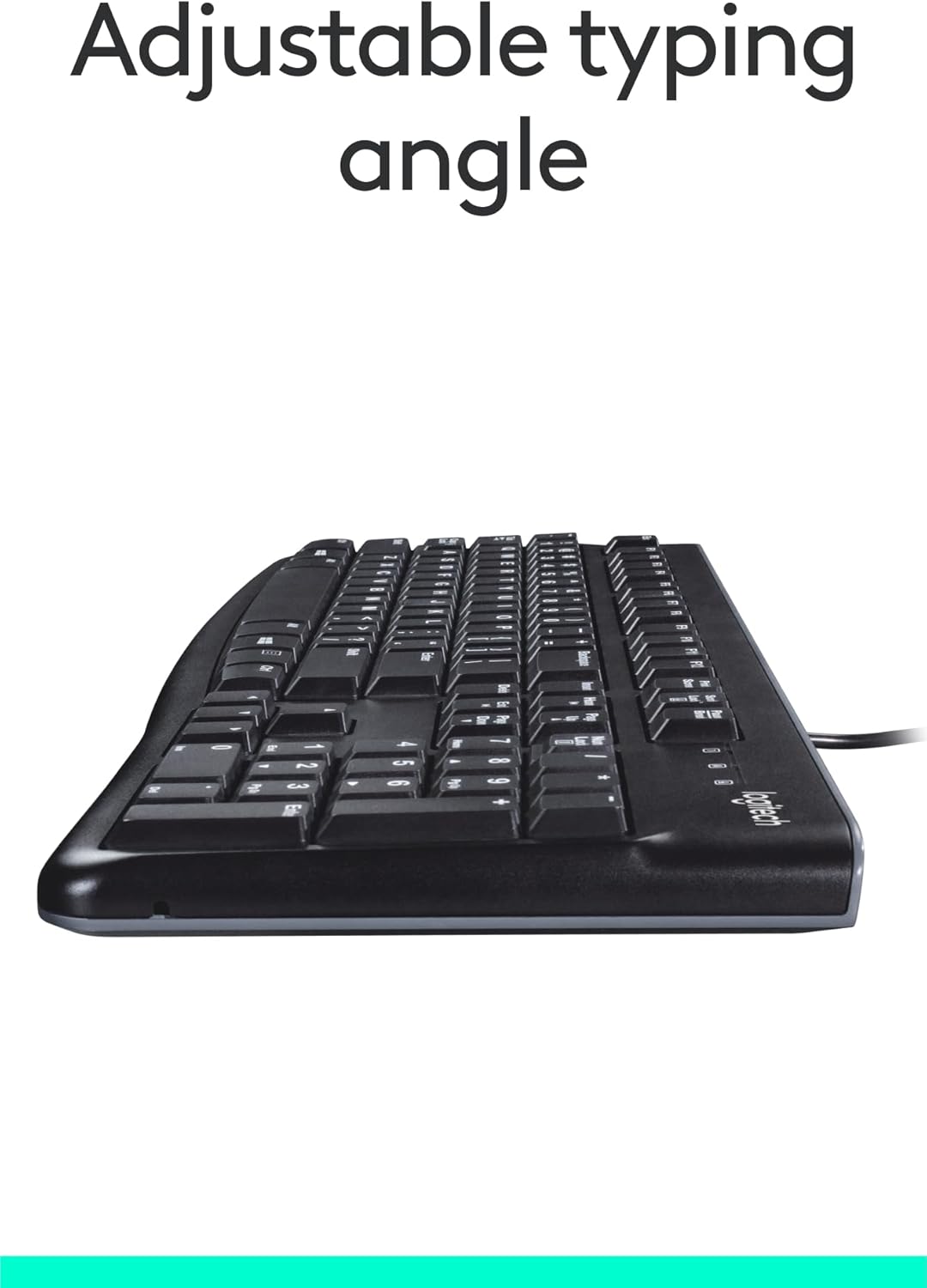
Выява: Збоку view of the keyboard with its adjustable tilt legs extended, showing the elevated typing angle.
Тэхнічнае абслугоўванне
Proper care and cleaning will help maintain the performance and appearance of your keyboard.
Інструкцыя па ачыстцы
- Адключыце клавіятуру ад кампутара перад чысткай.
- Выкарыстоўвайце мяккую безворсовую тканіну, злёгку dampпрамыйце вадой або мяккім ачышчальным растворам, каб працерці паверхню клавіятуры.
- Пазбягайце выкарыстання агрэсіўных хімікатаў, абразіўных ачышчальнікаў або растваральнікаў, бо яны могуць пашкодзіць пакрыццё клавіятуры і надпісы клавіш.
- Для ачысткі паміж клавішамі выкарыстоўвайце сціснутае паветра, каб выдаліць пыл і смецце.
- Перад тым, як падключыць клавіятуру да кампутара, пераканайцеся, што яна цалкам сухая.
Ліквідацыю непаладак
If you encounter issues with your Logitech USB Keyboard for Business, try the following troubleshooting steps:
Клавіятура не адказвае
- Праверце падключэнне USB: Ensure the keyboard's USB cable is securely plugged into a working USB port on your computer. Try a different USB port.
- Перазагрузіце кампутар: Просты перазапуск часта можа вырашыць праблемы з падключэннем.
- Тэст на іншым кампутары: Калі магчыма, падключыце клавіятуру да іншага камп'ютара, каб вызначыць, ці праблема звязана з клавіятурай, ці з наладамі вашага зыходнага камп'ютара.
- Праверце дыспетчар прылад (Windows): Open Device Manager, locate 'Keyboards', and check for any error indicators. You may need to update or reinstall the keyboard driver (though typically not required for this plug-and-play model).
Клавішы працуюць няправільна
- Чыстыя ключы: Ensure no debris is lodged under the non-functioning keys. Use compressed air to clear any obstructions.
- Шкода ад разліву: If the keyboard has been exposed to a significant liquid spill, allow it to dry completely. If issues persist, internal damage may have occurred.
Тэхнічныя характарыстыкі
| Асаблівасць | Дэталь |
|---|---|
| Марка | Logitech |
| Нумар мадэлі | ФБА_920-002582 |
| Тэхналогія падлучэння | USB, USB-A |
| Апісанне клавіятуры | Эрганамічны |
| Колькасць ключоў | 104 |
| Матэрыял | Пластыкавыя |
| Сумяшчальнасць аперацыйнай сістэмы | Windows 10 (and compatible with other standard OS) |
| Вага прадмета | 1.52 фунта (прыблізна 689 грамаў) |
| Памеры прадукту (ДxШxВ) | 18.43 х 7.24 х 7.24 цалі (прыблізна 46.8 х 18.4 х 18.4 см) |

Image: Visual representation of the keyboard with its key dimensions and weight detailed.
Змест пакета
The retail package for the Logitech USB Keyboard for Business typically includes the following:
- Logitech USB Keyboard for Business (Model: FBA_920-002582)

Image: The Logitech USB Keyboard for Business, indicating it is the primary item included in the product package.
Гарантыя і падтрымка
Logitech products are manufactured to high quality standards and are backed by a limited hardware warranty. For specific warranty terms and conditions, please refer to the warranty information provided with your product at the time of purchase or visit the official Logitech support webсайт.
For technical support, frequently asked questions, and driver downloads (if applicable), please visit the official Logitech support page or the Крама Logitech на Amazon.
Ask a question about this manual
Ask about setup, troubleshooting, compatibility, parts, safety, or missing instructions. Manuals+ will review the question and use this page’s manual context to help answer it.