
1. Прадукт скончыўсяview
The Pelican ATX 22 Hardside Carry-On Luggage is engineered for durability and protection, designed to safeguard your belongings during travel. This carry-on features a robust exterior, smooth-gliding wheels, and integrated security features, making it suitable for various travel conditions.
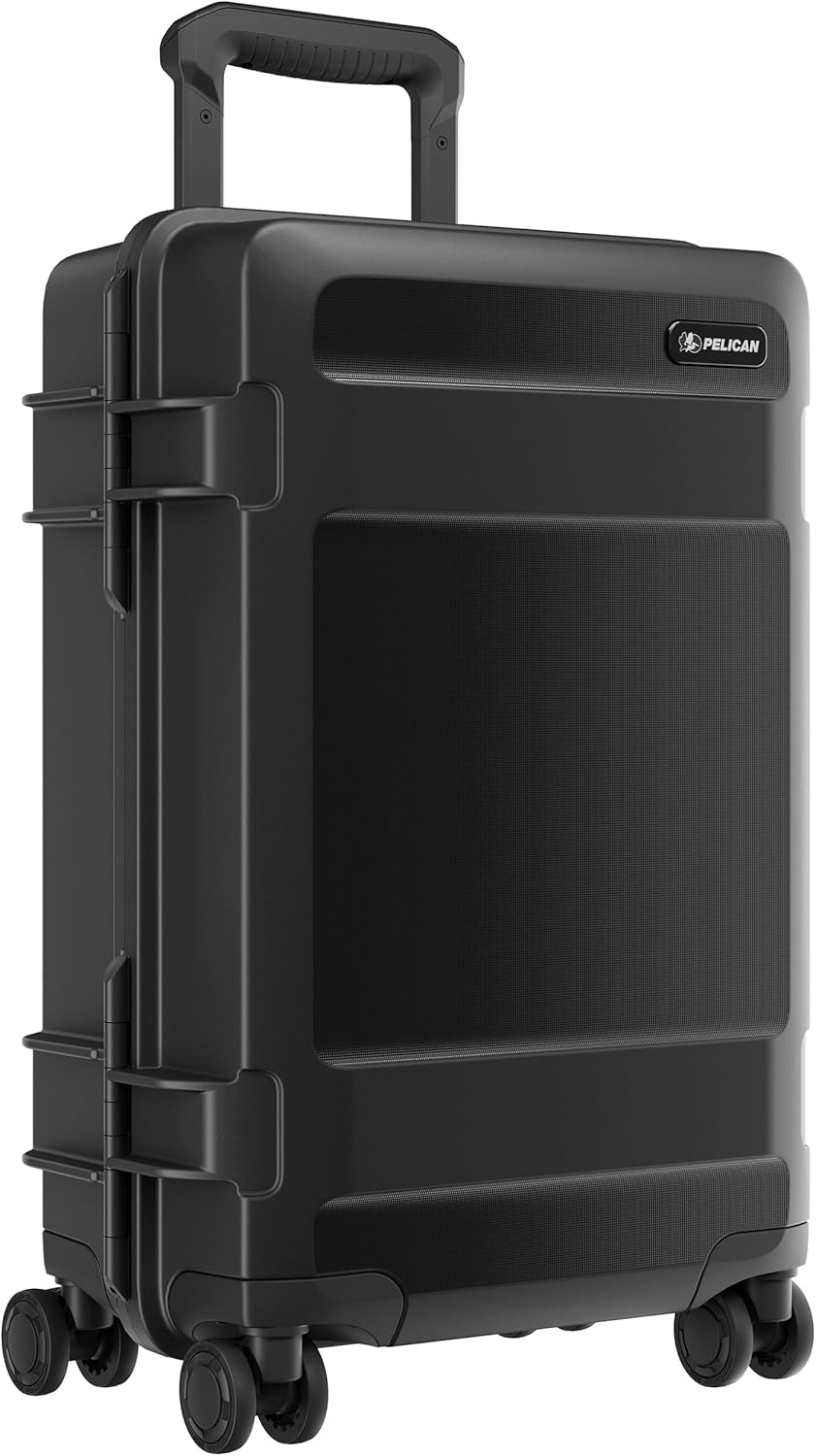
Figure 1: Pelican ATX 22 Hardside Carry-On Luggage in use.
Асноўныя характарыстыкі:
- Pelican Armor Construction: Provides extreme durability and protection.
- TSA Locking Latches: Integrated for enhanced security and ease of inspection.
- Hinomoto 360-degree Spinner Wheels: Ensures effortless navigation and smooth mobility.
- Мульты-сtage Telescoping Handle: Adjustable for comfortable handling.
- Воданепранікальны і пыланепранікальны: Features a sealed design to protect contents from environmental elements.
- Air Pressure Equalization Valve: Prevents vacuum lock and bulging during air travel.
- Унутраная арганізацыя: Includes a premium rip-stop liner, internal compression straps, and zippered compartments.
- Зроблена ў ЗША: Manufactured with high-quality standards.
2. Настройка
2.1 Setting TSA Combination Locks
Your Pelican ATX 22 luggage comes with integrated TSA-approved combination locks. To set your personal combination:
- Ensure the lock is set to the factory default combination (usually 0-0-0).
- Locate the small reset button (often recessed) next to the dials. Use a pen or a pointed object to press and hold this button.
- While holding the reset button, set your desired 3-digit combination by turning the dials.
- Адпусціце кнопку скіду. Ваша новая камбінацыя ўстаноўлена.
- Test the lock by scrambling the numbers and then entering your new combination to open it.
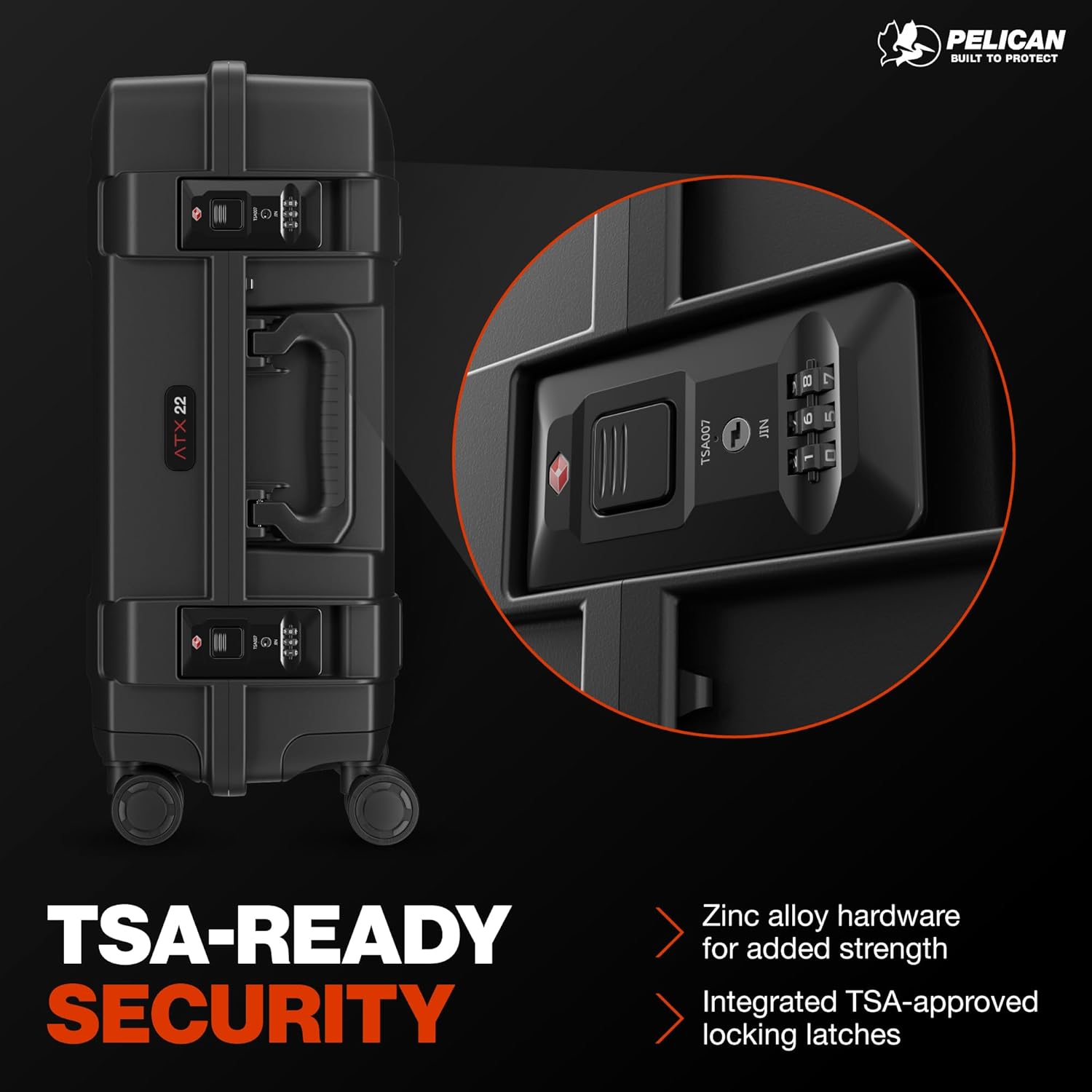
Figure 2: Integrated TSA Locking Latches.
2.2 Telescoping Handle Operation
To extend the telescoping handle, press the release button located on the top of the handle and pull upwards. To retract, press the button again and push the handle downwards until it locks into place.
3. Інструкцыя па эксплуатацыі
3.1 Packing Your Luggage
The interior of the ATX 22 is designed for efficient organization:
- Compression Straps: Use the internal compression straps to secure your clothing and minimize shifting during transit.
- Zippered Compartments: Utilize the various zippered mesh compartments for smaller items, accessories, or to separate dirty laundry.
- Rip-stop Liner: The premium rip-stop liner helps protect your items and resists tears.

Figure 3: Interior organization with compression straps and zippered pockets.
3.2 Using Spinner Wheels
The Hinomoto 360-degree spinner wheels allow for multi-directional movement. You can push, pull, or roll the luggage alongside you with minimal effort, making maneuvering through airports and crowded spaces convenient.

Figure 4: Hinomoto 360-degree spinner wheels.
3.3 Air Pressure Equalization Valve
The integrated air pressure equalization valve automatically adjusts the internal pressure of the case to match the external atmospheric pressure. This prevents vacuum lock, making the case easy to open after changes in altitude, such as during air travel, and prevents bulging.

Figure 5: Air Pressure Equalization Valve.
4. Тэхнічнае абслугоўванне
4.1 Знешняя ачыстка
To clean the exterior of your Pelican ATX 22 luggage, wipe it down with a damp cloth and mild soap. Avoid abrasive cleaners or solvents that could damage the finish. For stubborn marks, a soft brush can be used.
4.2 O-Ring Seal Inspection
For optimal waterproof and dustproof performance, periodically inspect the O-ring seal located around the lid. Ensure it is clean, free of debris, and not cracked or damaged. A thin layer of silicone grease can be applied to maintain its flexibility and sealing properties.
4.3 Wheel Maintenance
The Hinomoto spinner wheels are designed for durability. If they become stiff or accumulate debris, clean them with a damp cloth. Avoid applying oil or lubricants as this can attract more dirt.
5. Выпраўленне непаладак
- Handle is Stuck: Ensure the release button is fully depressed. Check for any obstructions in the handle mechanism. Do not force the handle.
- Lock Not Opening: Double-check your combination. If you have forgotten your combination, contact Pelican customer support for assistance. Do not attempt to force the locks.
- Case is Difficult to Open After Flight: The air pressure equalization valve should prevent this. If it occurs, ensure the valve is clear of obstructions. Wait a few moments for pressure to equalize before attempting to open.
- Вада або пыл унутры: Inspect the O-ring seal for damage or debris. Ensure all latches are securely closed.
6. Тэхнічныя характарыстыкі
| Асаблівасць | Дэталь |
|---|---|
| мадэль | ATX 22 |
| Знешнія памеры (Д х Ш х В) | 22" x 14" x 9.1" |
| Унутраныя памеры (Д х Ш х В) | 18.6" x 11.78" x 7.24" |
| Вага | 14.3 фунта |
| Матэрыял | Поліпрапілен (ПП) |
| Тып абалонкі | Цяжка |
| Тып колы | Hinomoto 360-degree Spinner |
| Тып замка | TSA Locking Latches |
| Воданепранікальнасць | Воданепранікальны |
| Пыластойкасць | Пылаахоўны |
| Уключаныя кампаненты | Pelican - HC22, PELICAN TRVL HARDSIDE CARRY-ON, BLK |
7. Гарантыя і падтрымка
7.1 Абмежаваная пажыццёвая гарантыя
The Pelican ATX 22 Luggage comes with a Limited Lifetime Warranty. This warranty covers defects in materials and workmanship for the lifetime of the product. For specific terms and conditions, please refer to the official Pelican webсайт або гарантыйны талон, які ўваходзіць у камплект пакупкі.
7.2 Падтрымка кліентаў
For any questions, technical assistance, or warranty claims, please visit the official Pelican website or contact their customer service department. Contact information can typically be found on the product packaging or the Pelican webсайт.
8. Відэа прадуктуview
Відэа: Чыноўнік скончыўview of the Pelican ATX Luggage series, highlighting its features and durability.