dbx ZC-7 Wall-Mounted Zone Controller Instruction Manual
Model: ZC-7 | Brand: dbx
1. Уводзіны
The dbx ZC-7 is a wall-mounted zone controller designed to provide extended utility to dbx DriveRack and ZonePRO audio systems. It functions as a programmable push-to-talk page assignment controller for ZonePRO devices. This controller utilizes analog DC voltage for logic control, enabling functions such as zone source selection, volume adjustment, muting, program or scene selection, and fire safety muting. It is wired using standard CAT5 cable with RJ-45 connectors, supporting distances up to 1000 ft, offering a practical solution for audio system management.
2. Асноўныя магчымасці
Extended utility for DriveRack and ZonePRO families.
Programmable Push-To-Talk page assignment controller for compatible devices.
Compact design for wall-mounted installation.
Utilizes analog DC voltage for various logic controls.
Supports zone source selection, volume, muting, program/scene selection, and fire safety muting.
Wired with standard CAT5 cable and RJ-45 connectors for easy installation over long distances (up to 1000 ft).
3. Настройка і ўстаноўка
The ZC-7 controller is designed for wall-mounted installation and integrates with dbx ZonePRO devices. Professional installation is recommended to ensure proper wiring and configuration with your existing audio system.
3.1 Электраправодка
Connect the ZC-7 to your ZonePRO device using a standard CAT5 cable. The controller features RJ-45 connectors for this purpose. Ensure the cable run does not exceed 1000 feet to maintain signal integrity.
Малюнак 1: Спераду view of the dbx ZC-7 Wall-Mounted Zone Controller. This image shows the faceplate with four push buttons and a small LED indicator next to each, designed for page assignment.
Малюнак 2: Задняя частка view of the dbx ZC-7 circuit board, showing two RJ45 ports for connection to the ZonePRO system. A label indicates "CONNECT ONLY TO ZONE CONTROLLER INPUT".
3.2 Мантаж
The controller is designed to fit into a standard wall box. Secure it using the provided screws. Ensure the unit is flush with the wall surface for a clean installation.
4. Аперацыя
The ZC-7 provides five-way page steering control. Each of the four buttons can be programmed to page a specific zone or a combination of zones. The fifth state is when no buttons are pressed. It's important to note that the ZC-7 supports only one of these states at any given time, meaning you cannot hold multiple buttons down simultaneously to page different combinations of zones.
4.1 Page Assignment
The specific function of each button (A, B, C, D) is configured within the ZonePRO device's software. Refer to your ZonePRO system's manual for detailed instructions on programming page assignments for the ZC-7.
4.2 General Zone Controller Overview
Відэа 1: Оверview of dbx Zone Controllers, including the ZC-7. This video provides general information on the functionality and types of zone controllers available from dbx, demonstrating how they integrate with ZonePRO systems for various control applications like volume, source selection, and paging.
5. Тэхнічныя характарыстыкі
Асаблівасць
Дэталь
Вага прадмета
6.3 унцыі
Памеры прадукту
3.4 х 5.5 х 6.9 цалі
Нумар мадэлі тавару
ZC-7
Сумяшчальныя прылады
ZonePRO devices
Абсталяванне інтэрфейсу
Паралельны інтэрфейс
Першая даступная дата
12 лютага 2012 г
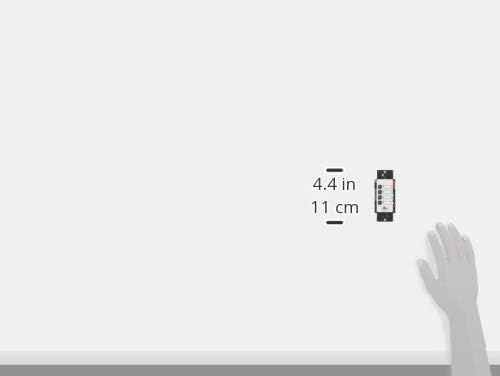
Figure 3: An illustration showing the dimensions of a dbx zone controller, indicating a width of 4.4 inches (11 cm).
6. Тэхнічнае абслугоўванне
The dbx ZC-7 Wall-Mounted Zone Controller requires minimal maintenance. Keep the surface clean with a soft, dry cloth. Avoid using abrasive cleaners or solvents. Ensure all connections remain secure. No user-serviceable parts are inside; refer to qualified service personnel for any repairs.
7. Выпраўленне непаладак
No Response from Controller:
Check the CAT5 cable connection between the ZC-7 and the ZonePRO device. Ensure it is securely plugged in at both ends.
Verify that the ZonePRO device is powered on and functioning correctly.
Confirm that the ZC-7 is properly configured within the ZonePRO software.
Incorrect Paging/Zone Selection:
Review the programming of the ZC-7 within the ZonePRO software to ensure buttons are assigned to the correct zones or functions.
Ensure only one button is pressed at a time for page steering, as the ZC-7 does not support simultaneous multiple button presses for different zone combinations.
8. Інфармацыя аб гарантыі
Specific warranty details for the dbx ZC-7 are not provided in this document. Please refer to the official dbx website or contact dbx customer support for comprehensive warranty information.
9. Падтрымка кліентаў
For further assistance, technical support, or service inquiries regarding your dbx ZC-7 Wall-Mounted Zone Controller, please visit the official dbx webсайт або звярніцеся ў службу падтрымкі кліентаў. Кантактную інфармацыю звычайна можна знайсці на ўпакоўцы прадукту або на сайце вытворцы webсайт.
Ask a question about this manual
Ask about setup, troubleshooting, compatibility, parts, safety, or missing instructions. Manuals+ will review the question and use this page’s manual context to help answer it.