
PWR+ PWR-TAH12020N
PWR+ 12V AC Power Adapter User Manual
Model: PWR-TAH12020N
Уводзіны
This manual provides essential instructions for the PWR+ 12V AC Power Adapter, designed to supply power to compatible Bmax MaxMini Mini PCs. Please read this manual carefully before use to ensure proper installation and safe operation.

Image: The PWR+ 12V AC Power Adapter shown in its retail box, highlighting the product and its packaging.
Інфармацыя па бяспецы
The PWR+ 12V AC Power Adapter is designed with multiple safety features to protect your devices and ensure reliable operation. Adhere to the following safety guidelines:
- У спісе UL: This product has been tested, approved, and certified by UL, an authorized US Federal Agency (OSHA) for safety standards.
- Убудаваныя сродкі бяспекі: The adapter incorporates Short Circuit Protection (SCP), Over Current Protection (OCP), Over Voltage Protection (OVP), and Over Temperature Protection (OPT) to prevent damage from electrical irregularities.
- Не падвяргайце адаптар уздзеянню вады, вільгаці або экстрэмальных тэмператур.
- Пазбягайце падзення адаптара або моцных удараў.
- Забяспечце належную вентыляцыю вакол адаптара падчас выкарыстання, каб прадухіліць перагрэў.
- Не спрабуйце разбіраць або мадыфікаваць адаптар.
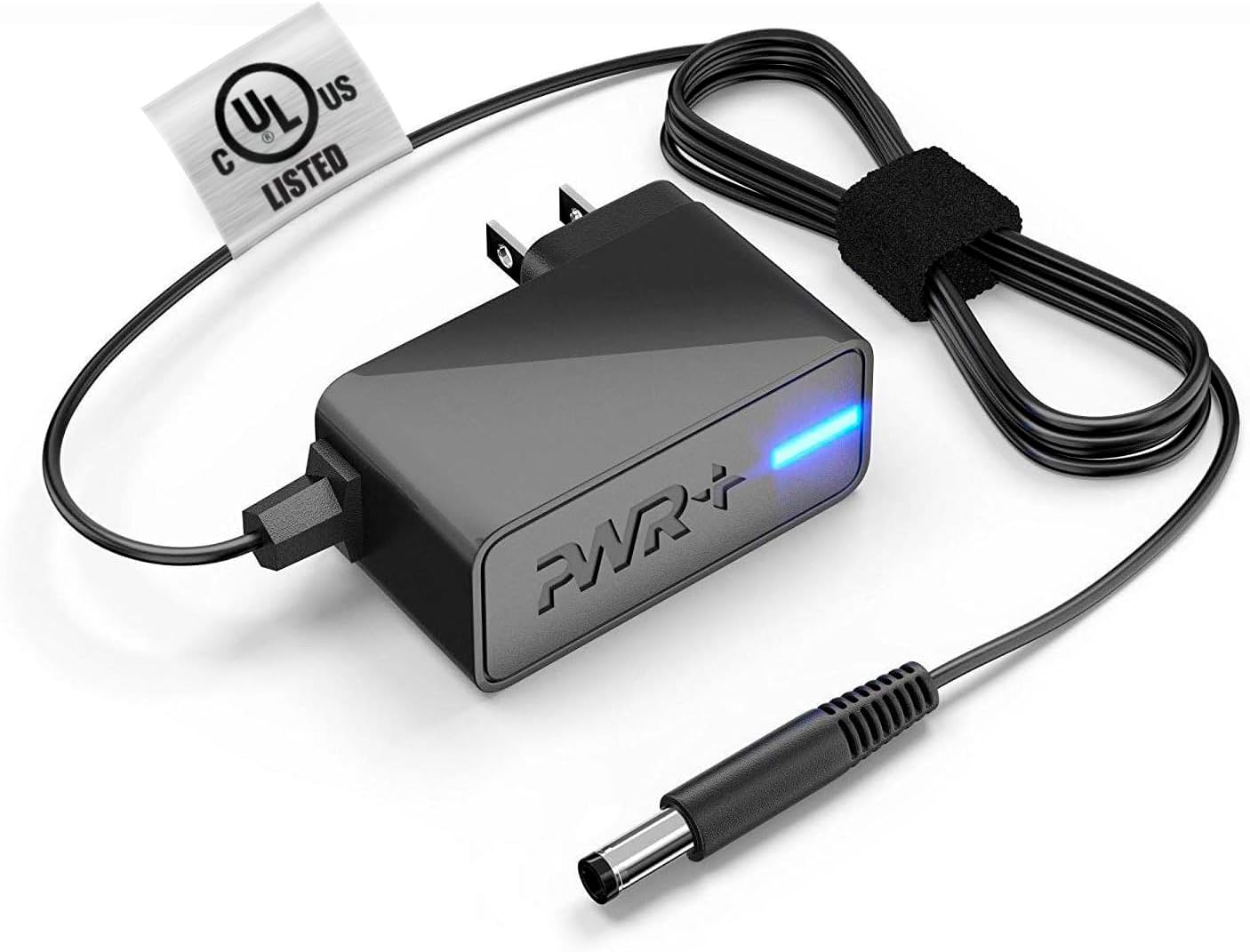
Image: The PWR+ 12V AC Power Adapter, featuring its main unit, power cord, and the attached UL safety certification tag.

Выява: Падрабязная дыяграмаasing the internal construction of the PWR+ power cord, highlighting high-grade copper, aluminum foil shield, and protective tinned copper braid. It also illustrates reinforced stress points and lists built-in safety protections: Short Circuit Protection (SCP), Over Current Protection (OCP), Over Voltage Protection (OVP), and Over Temperature Protection (OPT).
Настройка
Follow these steps to correctly set up your PWR+ 12V AC Power Adapter:
- Вызначыць кампаненты: Unpack the PWR+ 12V AC Power Adapter. It includes the main adapter unit, an integrated 6.5 ft AC/DC cord, and a barrel connector.
- Падключэнне да прылады: Locate the power input port on your compatible Bmax MaxMini Mini PC. Gently insert the barrel connector of the PWR+ adapter into this port. Ensure a snug and secure fit.
- Падключыце да разеткі: Plug the AC power cord into a standard 100-240V electrical wall outlet.
- Праверце магутнасць: The adapter features an indicator light (typically blue) that illuminates when power is being supplied. Confirm this light is on.
Аперацыйная
Once properly connected as described in the Setup section, the PWR+ AC Power Adapter will automatically supply the necessary 12V 2A 24W power to your Bmax MaxMini Mini PC, allowing it to function. No further operational steps are required for the adapter itself.
- Ensure the adapter is placed in a location with adequate airflow to prevent heat buildup.
- Avoid covering the adapter with cloths or other materials during operation.
Тэхнічнае абслугоўванне
Proper maintenance helps extend the lifespan of your PWR+ AC Power Adapter:
- Уборка: Keep the adapter and its cables clean and free from dust. Use a dry, soft cloth for cleaning. Do not use liquid cleaners.
- Сыход за кабелем: Avoid sharp bends, kinks, or excessive pulling on the power cord, especially at the connection points. The cord features reinforced stress points, but proper handling is still recommended.
- захоўванне: Калі адаптар не выкарыстоўваецца, захоўвайце яго ў прахалодным, сухім месцы, удалечыні ад прамых сонечных прамянёў і экстрэмальных тэмператур.
- агляд: Periodically inspect the adapter and cable for any signs of damage, such as frayed wires or cracked casinж. Калі выяўлены пашкоджанні, неадкладна спыніце выкарыстанне.
Ліквідацыю непаладак
If you encounter issues with your PWR+ AC Power Adapter, refer to the following troubleshooting steps:
- Няма харчавання прылады:
- Ensure the adapter's barrel connector is fully inserted into your Mini PC's power port.
- Verify that the AC power cord is securely plugged into a functional wall outlet. Test the outlet with another device if unsure.
- Check if the adapter's indicator light is illuminated. If not, try a different wall outlet.
- Перарывістае харчаванне:
- Праверце ўсе злучэнні на наяўнасць няшчыльнасці.
- Пераканайцеся, што шнур сілкавання не пашкоджаны і не зношаны.
- Перагрэў адаптара:
- Пераканайцеся, што адаптар знаходзіцца ў добра вентыляваным памяшканні і не накрыты.
- Калі перагрэў не знікае, спыніце выкарыстанне і звярніцеся ў службу падтрымкі.
- Праверка сумяшчальнасці: Confirm that your specific Bmax MaxMini Mini PC model is listed as compatible with this adapter (B1 Pro, B2 Pro, B4 Turbo, B4 Plus, B6 Power, B5 Mini PC).
If the issue persists after following these steps, please contact PWR+ customer support for further assistance.
Тэхнічныя характарыстыкі
| Асаблівасць | Спецыфікацыя |
|---|---|
| Нумар мадэлі | PWR-TAH12020N |
| Уваходны кнtage | 100-240В |
| Выхад Voltage | 12В |
| Выхадны ток | 2A |
| Выхад ватtage | 24 Вт |
| Даўжыня шнура | 6.5 футы (прыблізна 1.98 метра) |
| Тып раздыма | Злучальнік бочкі |
| Сертыфікат бяспекі | У спісе UL |
| Асаблівасці | Абарона ад кароткага замыкання, абарона ад перагрузкі па току, перагрузкаtage Protection, Over Temperature Protection, Extra Long Cord |
| Сумяшчальныя прылады | Bmax MaxMini B1 Pro Mini PC, Bmax MaxMini B2 Pro Mini PC, Bmax MaxMini B4 Turbo Mini PC, Bmax MaxMini B4 Plus Mini PC, Bmax MaxMini B6 Power Mini PC, Bmax MaxMini B5 Mini PC |
Гарантыя і падтрымка
PWR+ stands behind the quality of its products. This power adapter comes with the following:
- Гарантыя: A 24-month exchange warranty from the date of purchase.
- Палітыка вяртання: Даступная палітыка вяртання грошай на працягу 30 дзён.
For technical assistance, warranty claims, or any product-related inquiries, please contact PWR+ customer support. Refer to your purchase documentation or the PWR+ official webсайт для атрымання актуальнай кантактнай інфармацыі.
Ask a question about this manual
Ask about setup, troubleshooting, compatibility, parts, safety, or missing instructions. Manuals+ will review the question and use this page’s manual context to help answer it.