
Sharp RRMCGA535WJSA
Sharp Aquos LCD TV Remote Control Instruction Manual
Мадэль: RRMCGA535WJSA
Брэнд: Sharp
Уводзіны
This manual provides comprehensive instructions for the operation and maintenance of your new Sharp Aquos LCD TV Remote Control, model RRMCGA535WJSA. This genuine Sharp remote transmitter is designed to provide seamless control over your compatible Sharp Aquos LCD TV models. Please read this manual thoroughly before use to ensure proper functionality and to maximize your viewвопыту.
Інфармацыя па бяспецы
Калі ласка, выконвайце наступныя меры бяспекі:
- Do not expose the remote control to direct sunlight, high humidity, or extreme temperatures.
- Пазбягайце падзення пульта дыстанцыйнага кіравання і моцных удараў.
- Do not attempt to disassemble or modify the remote control. This may void the warranty and cause damage.
- Захоўвайце батарэі ў месцах, недаступных дзецям. Пры пападанні ўнутр неабходна неадкладна звярнуцца па медыцынскую дапамогу.
- Утылізуйце выкарыстаныя батарэйкі ў адпаведнасці з мясцовымі правіламі. Не спальвайце.
Змест пакета
Праверце наяўнасць усіх прадметаў у камплекце:
- Sharp Aquos LCD TV Remote Control (Model: RRMCGA535WJSA)
- Інструкцыя па эксплуатацыі (гэты дакумент)
Заўвага: батарэйкі звычайна не ўваходзяць у камплект і павінны быць набыты асобна.
Прадукт скончаныview
Familiarize yourself with the buttons and features of your remote control.

Малюнак 1: Спераду View пульта дыстанцыйнага кіравання
This image displays the front of the Sharp Aquos remote control, showing all primary buttons including power, input selection, channel, volume, numeric keypad, and navigation controls. The Sharp and Aquos logos are visible at the bottom.
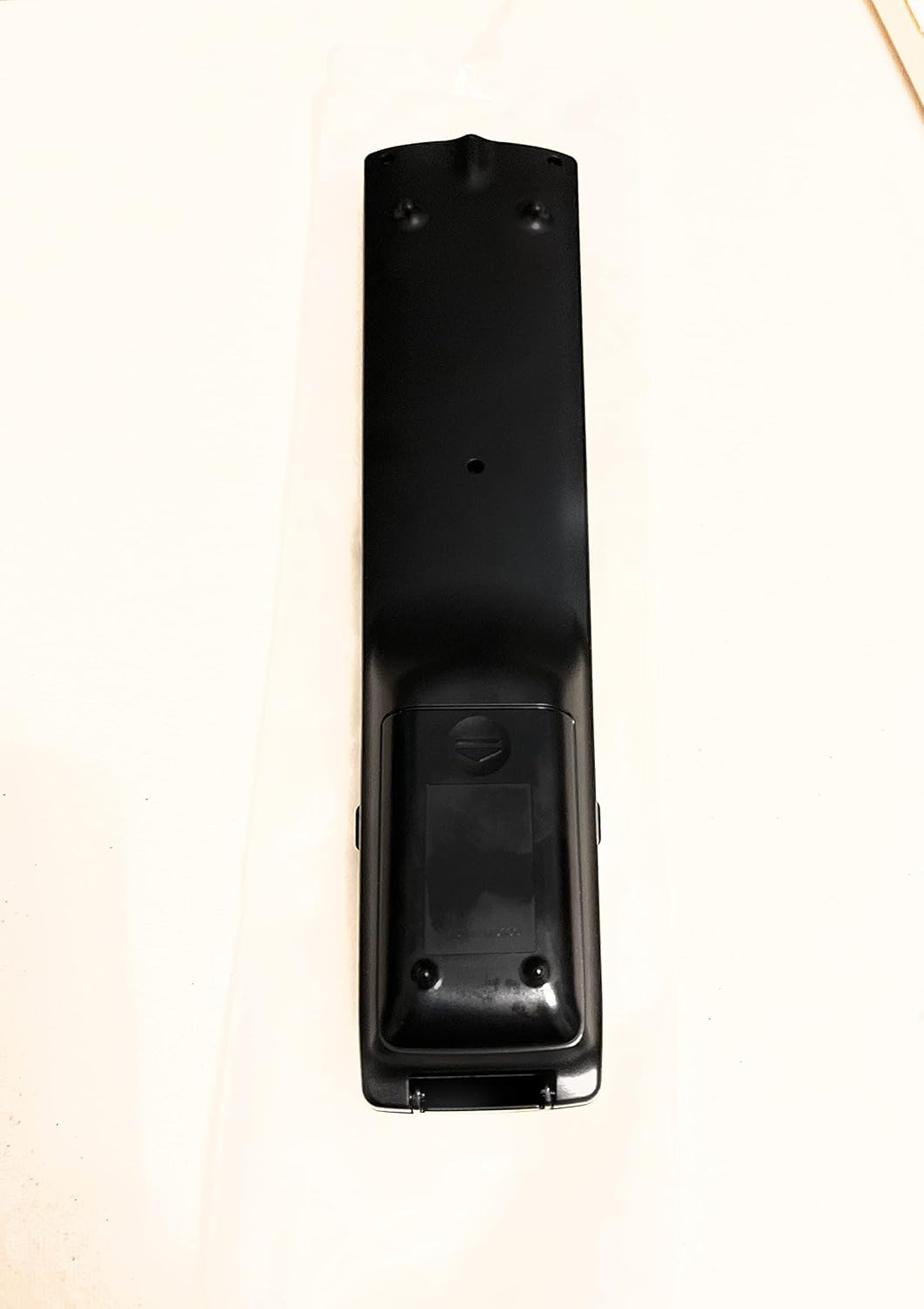
Малюнак 2: Назад View пульта дыстанцыйнага кіравання
This image shows the rear side of the Sharp Aquos remote control, highlighting the smooth, ergonomic design and the battery compartment cover.

Figure 3: Remote Control with Battery Compartment Open
This image illustrates the Sharp Aquos remote control with its battery compartment cover slid open, revealing the space for battery insertion.

Figure 4: Close-up of Hidden Panel
This close-up image shows the lower section of the Sharp Aquos remote control with its hinged panel opened, revealing additional function buttons such as SLEEP, AUDIO, AV MODE, and CC (Closed Caption).
Функцыі кнопак:
| Кнопка | Функцыя |
|---|---|
| УЛАДА | Уключае або выключае тэлевізар. |
| INPUT / SOURCE | Выбірае крыніцу ўваходнага сігналу (напрыклад, HDMI, AV, кампанентны). |
| CH +/- | Змяняе тэлеканал уверх або ўніз. |
| ГУЧНАСЦЬ +/- | Рэгулюе ўзровень гучнасці. |
| МУК | Уключае або выключае гук тэлевізара. |
| МЕНЮ | Opens the TV's on-screen menu. |
| УВОД | Пацвярджае выбар у меню. |
| Стрэлкі навігацыі (уверх/уніз/налева/направа) | Навігацыя па пунктах меню. |
| ВЫХАД / ВЯРТАННЕ | Выхад з бягучага меню або вяртанне да папярэдняга экрана. |
| Лічбавая клавіятура (0-9) | Непасрэдна ўводзіць нумары каналаў. |
| СПАЦЬ (under hidden panel) | Sets the TV to turn off automatically after a set period. |
| АЎДЫЁ (under hidden panel) | Selects audio modes or tracks. |
| РЭЖЫМ AV (under hidden panel) | Adjusts picture and sound settings for different content types. |
| CC (Схаваныя субтытры) (under hidden panel) | Turns closed captions on or off. |
Настройка
Ўстаноўка батарэі:
- Знайдзіце батарэйны адсек на задняй панэлі пульта дыстанцыйнага кіравання (гл. малюнак 2).
- Slide the battery compartment cover downwards to open it (refer to Figure 3).
- Insert two (2) AAA batteries (not included), ensuring the positive (+) and negative (-) terminals align correctly with the indicators inside the compartment.
- Засуньце вечка батарэйнага адсека на месца, пакуль яна надзейна не зашчоўкне.
Note: Always use new batteries of the same type. Do not mix old and new batteries, or different types of batteries.
Інструкцыя па эксплуатацыі
Асноўная аперацыя:
- Уключэнне/выключэнне харчавання: Націсніце УЛАДА button to turn your Sharp Aquos TV on or off.
- Рэгулятар гучнасці: Націсніце ГУЧНАСЦЬ + кнопка для павелічэння гучнасці і ТОМ - для памяншэння гучнасці.
- Выбар канала: Выкарыстоўвайце СН + or CH - buttons to change channels sequentially. Alternatively, use the numeric keypad to directly enter a channel number.
- Выбар крыніцы ўводу: Націсніце УВОД or КРЫНІЦА button to cycle through available input sources (e.g., HDMI 1, HDMI 2, AV, Component).
- Адключэнне гуку: Націсніце МУК button to temporarily silence the TV audio. Press again to restore sound.
Навігацыя па меню:
- Націсніце МЕНЮ button to display the TV's on-screen menu.
- Выкарыстоўвайце Стрэлкі навігацыі (Up, Down, Left, Right) to move through menu options.
- Націсніце УВОД кнопку, каб выбраць вылучаны параметр або пацвердзіць наладу.
- Націсніце ВЫХАД or ВЯРТАННЕ button to close the menu or go back to the previous menu level.
Advanced Functions (Hidden Panel):
Some advanced functions are located under a hinged panel at the bottom of the remote control (refer to Figure 4). Gently open this panel to access buttons such as:
- СОН: Усталёўвае таймер для аўтаматычнага выключэння тэлевізара.
- АЎДЫЯ: Adjusts audio settings or selects audio tracks.
- Рэжым AV: Cycles through preset picture and sound modes (e.g., Standard, Movie, Game).
- CC (Схаваныя субтытры): Уключае або выключае схаваныя субтытры.
Тэхнічнае абслугоўванне
Уборка:
To clean the remote control, wipe it gently with a soft, dry cloth. Do not use liquid cleaners, abrasive cleaners, or chemical solvents, as these may damage the surface or internal components.
Замена батарэі:
Replace batteries when the remote control's response becomes sluggish or stops working. Follow the battery installation steps outlined in the "Setup" section. Always replace both batteries at the same time.
Ліквідацыю непаладак
| праблема | Магчымая прычына | Рашэнне |
|---|---|---|
| Не працуе пульт дыстанцыйнага кіравання. | Разраджаныя або няправільна ўстаўленыя батарэйкі. | Замяніце батарэйкі новымі, сачыце за правільнай палярнасцю (+/-). |
| Слабы радыус дзеяння пульта дыстанцыйнага кіравання. | Weak batteries; obstruction between remote and TV; infrared sensor on TV is blocked. | Replace batteries. Ensure no objects are blocking the line of sight between the remote and the TV's IR sensor. |
| Пэўныя кнопкі не рэагуюць. | Бруд або смецце пад кнопкай; унутраная няспраўнасць. | Ачысціце пульт дыстанцыйнага кіравання. Калі праблема не знікне, магчыма, яго трэба замяніць. |
| Тэлевізар не рэагуе ні на якія каманды пульта дыстанцыйнага кіравання. | TV is unplugged or turned off; TV's IR sensor is faulty. | Ensure the TV is powered on and plugged in. Test with another remote if available. Consult TV's manual for IR sensor location. |
Тэхнічныя характарыстыкі
| Асаблівасць | Дэталь |
|---|---|
| Нумар мадэлі | RRMCGA535WJSA |
| Марка | Востры |
| Сумяшчальныя прылады | Sharp Aquos LCD Televisions (various models, see product title for list) |
| Тэхналогія падлучэння | Інфрачырвоны (ВК) |
| Крыніца харчавання | 2 х ААА батарэі (не ўключаны) |
| Памеры (прыбл.) | 8.8 х 2.4 х 0.9 цаляў (памеры ўпакоўкі) |
| Вага (прыбл.) | 4 унцыі |
| Асаблівасць | Ergonomic design, Hidden function panel |
Гарантыя і падтрымка
Юрыдычная адмова ад адказнасці:
This item is provided in new condition. Please note that this item is offered "as is" as it is past its original manufacturer's warranty period. Any implied warranties are disclaimed to the fullest extent permitted by law.
Падтрымка кліентаў:
For further assistance or inquiries regarding your Sharp Aquos LCD TV, please refer to your television's original instruction manual or visit the official Sharp support website. For issues specifically with this replacement remote control, please contact the seller from whom it was purchased.