
Vivitek D519
Кіраўніцтва карыстальніка партатыўнага DLP-праектара Vivitek D519 з яркасцю 3000 люменаў, XGA і HDMI
Мадэль: D519
1. Уводзіны
The Vivitek D519 is a versatile and portable digital projector designed to deliver high-quality presentations and media experiences. Featuring 3000 lumens of brightness, XGA (1024x768) native resolution, and a 15,000:1 contrast ratio, it ensures clear and vibrant images. This manual will guide you through the setup, operation, and maintenance of your D519 projector.
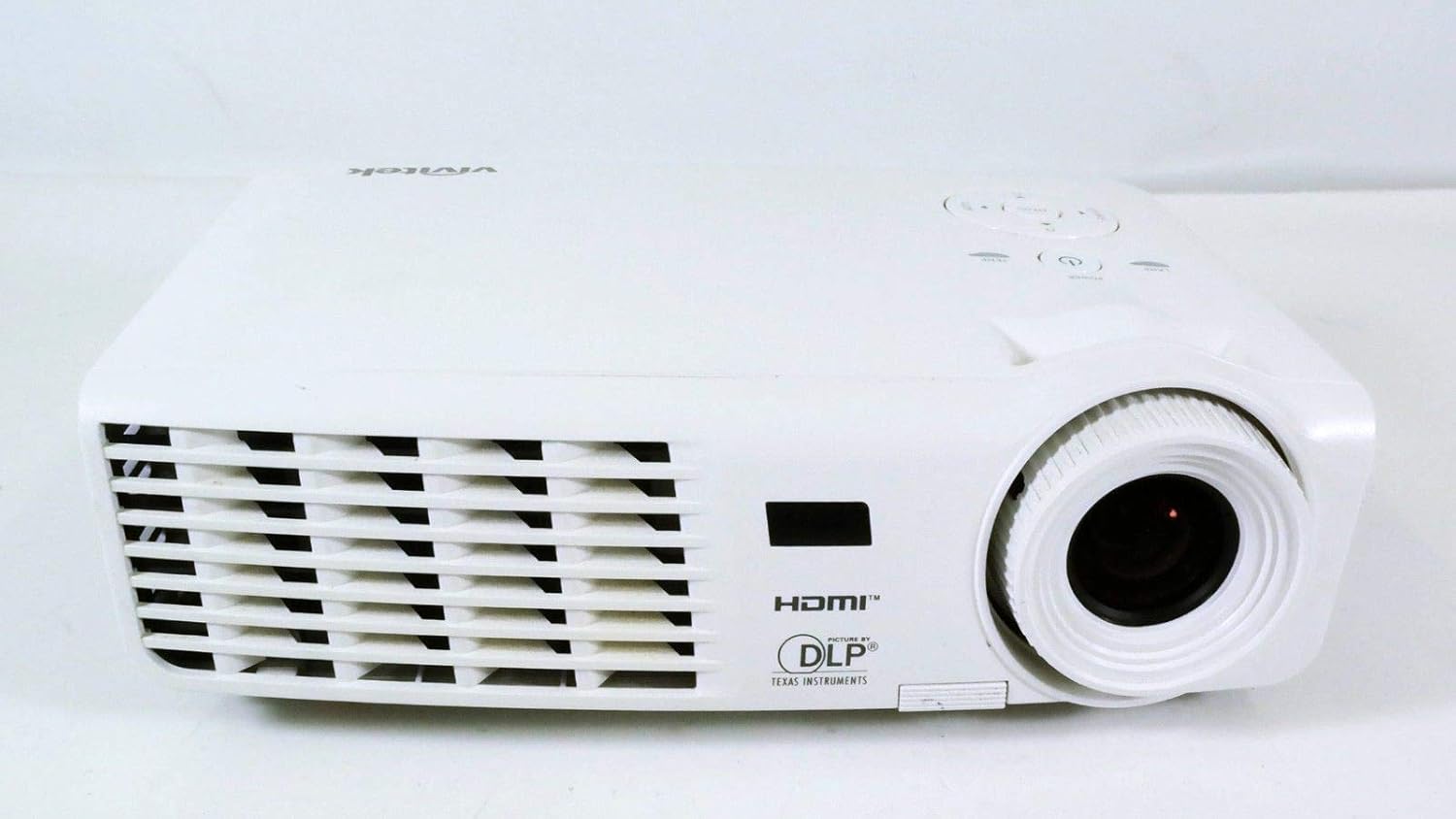
Малюнак 1.1: Спераду view of the Vivitek D519 Projector, showing the lens and ventilation.
2. Настройка
2.1 Unpacking the Projector
Асцярожна выміце ўсе кампаненты з упакоўкі. Пераканайцеся, што ўсе пералічаныя ніжэй элементы наяўныя:
- Vivitek D519 Projector
- Шнур сілкавання
- Кабель VGA
- Пульт дыстанцыйнага кіравання (з батарэйкамі)
- Сумка для пераноскі
- User's Manual (CD)
- Cap аб'ектыў
- Гарантыйны талон
2.2 Фізічнае размяшчэнне
Place the projector on a stable, flat surface or mount it securely. Ensure adequate ventilation around the projector to prevent overheating. Avoid placing it near heat sources or in direct sunlight.
2.3 Падключэнне прылад
The D519 offers various connectivity options. Connect your source device (e.g., laptop, DVD player) to the appropriate input port on the projector.

Малюнак 2.1: Задняя частка view of the Vivitek D519 Projector, highlighting the HDMI, VGA, S-Video, and audio input ports.
- HDMI: For high-definition digital video and audio. Connect an HDMI cable from your source to the projector's HDMI port.
- VGA: For analog computer video. Connect a VGA cable from your computer to the projector's VGA port.
- Аўдыя ўваход: For analog audio input. Connect audio cables to the L-AUDIO-R or AUDIO IN ports as needed.
- S-відэа: Для відэа стандартнай выразнасці.
- RS-232: For projector control via a computer or control system.
2.4 Уключэнне
Connect the AC power cord to the projector's power inlet and then to a power outlet. Press the Магутнасць button on the projector's control panel or the remote control to turn on the projector. The power indicator light will illuminate.
3. Кіраванне праектарам
3.1 Панэль кіравання скончанаview
The control panel on top of the projector allows for basic operation without the remote control.

Малюнак 3.1: Верх view of the Vivitek D519 Projector, showing the control panel with power, menu, source, and navigation buttons.
- Кнопка харчавання: Уключае або выключае праектар.
- Кнопка крыніцы: Cycles through available input sources (HDMI, VGA, S-Video, etc.).
- Кнопка меню: Доступ да экраннага меню (OSD) для дадатковых налад.
- Кнопкі навігацыі (Уверх/Уніз/Улева/Управа): Used to navigate through menu options and adjust settings.
- Аўтаматычная кнопка: Automatically adjusts the image for optimal display.
3.2 Карэкцыя выявы
Once the projector is powered on and an input source is selected, you may need to adjust the image for clarity and size.
- Кольца факусіроўкі: Rotate the focus ring around the lens to sharpen the image.
- Кольца маштабавання: Rotate the zoom ring to adjust the image size without moving the projector. The D519 has a 1.1:1 zoom ratio.
- Карэкцыя трапецеідальных скажэнняў: If the image appears trapezoidal, use the keystone correction feature (accessible via the OSD menu) to square the image.
3.3 Выкарыстанне экраннага меню (OSD)
Націсніце Меню button on the projector or remote to access the OSD. Use the navigation buttons to browse categories such as Picture, Display, Setup, and Information. Press Увайдзіце (or the center button on the navigation pad) to select an option and adjust settings.
4. Тэхнічнае абслугоўванне
4.1 лamp Жыццё і замена
Праектар лamp has a rated life of 4000 hours in Standard mode and up to 6000 hours in Economy mode. When the lamp даходзіць да канца свайго жыцця, лamp indicator light will illuminate, and a message may appear on screen. Refer to the detailed user manual (on CD) for lamp інструкцыі па замене.
4.2 Чыстка праектара
- Аб'ектыў: Выкарыстоўвайце мяккую тканіну без ворса, спецыяльна прызначаную для аптычных лінзаў. Не выкарыстоўвайце абразіўныя ачышчальныя сродкі.
- Casing: Працярыце праектар casinг з мяккім, дamp тканіна. Пазбягайце выкарыстання агрэсіўных хімікатаў або растваральнікаў.
- Вентыляцыйныя адтуліны: Regularly check and clean the air vents to ensure proper airflow and prevent dust buildup, which can lead to overheating. Use a soft brush or compressed air.
5. Выпраўленне непаладак
This section addresses common issues you might encounter with your Vivitek D519 projector.
| праблема | Магчымая прычына | Рашэнне |
|---|---|---|
| Няма выявы на экране | Power cable disconnected; Incorrect input source; Source device off. | Check power connection; Press 'Source' button to select correct input; Ensure source device is on. |
| Відарыс размыты | Аб'ектыў не ў фокусе; праектар занадта блізка/далёка ад экрана. | Adjust the focus ring; Adjust projector distance or use zoom ring. |
| Выява мае трапецападобную форму | Праектар не перпендыкулярны экрану. | Adjust keystone correction via OSD menu. |
| Праектар нечакана выключаецца | Overheating; Lamp набліжаецца канец жыцця. | Ensure vents are clear; Allow projector to cool; Consider lamp replacement if indicator light is on. |
| Distorted image on startup | Software glitch; Connection issue. | Restart the projector; Check all cable connections; If persistent, consult Vivitek support. |
6. Тэхнічныя характарыстыкі
Key technical specifications for the Vivitek D519 Projector:
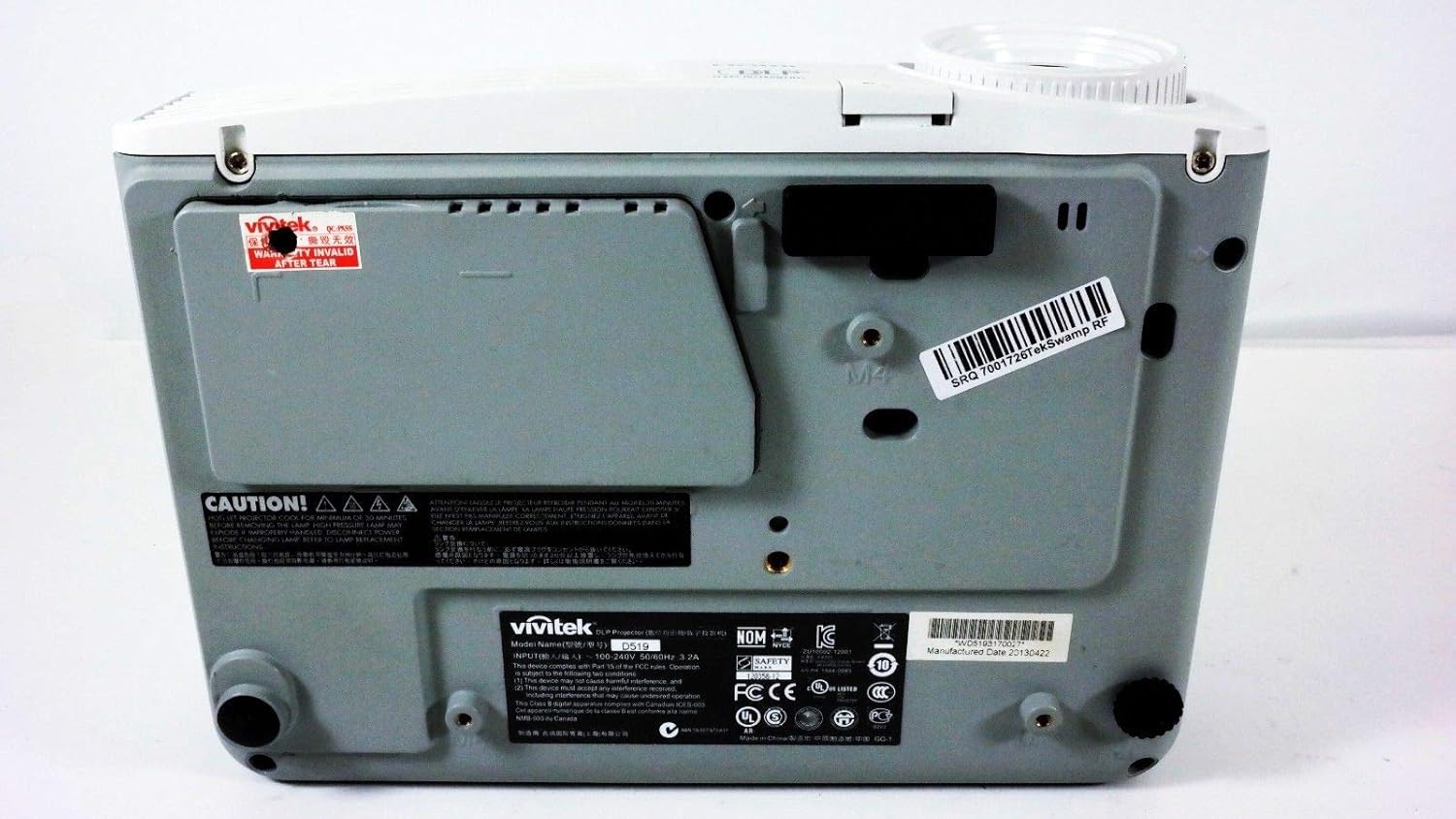
Малюнак 6.1: унізе view of the Vivitek D519 Projector, showing the product label with model and serial information.
| Асаблівасць | Дэталь |
|---|---|
| Нумар мадэлі | DPU35-262VVUA |
| Тэхналогія адлюстравання | Single 0.55” DLP Display Technology by Texas Instruments |
| Роднае дазвол | XGA (1024 x 768) |
| Яркасць | 3000 люмен |
| Каэфіцыент кантраснасці | 15,000:1 |
| Lamp жыццё | 4000 hours (Standard) / 6000 hours (Economy) |
| Каэфіцыент павелічэння | 1.1:1 (Manual Zoom and Focus) |
| Сувязь | HDMI v1.3, VGA, S-Video, L-Audio-R, Audio In, RS-232 |
| Асаблівасці | HD Compatible, 3D-Ready, Screen Size compatibility: 40 - 300 inches |
| Памеры прадукту | 7.5 х 10.3 х 3.1 цалі |
| Вага прадмета | 4.35 фунта |
7. Гарантыя і падтрымка
Your Vivitek D519 projector comes with a limited warranty. Please refer to the Warranty Card included in your product packaging for detailed terms and conditions. For technical support, service, or warranty claims, please contact Vivitek customer service through their official webсайт або кантактную інфармацыю, указаную ў гарантыйнай дакументацыі.
It is recommended to register your product online to receive updates and support.