
Logitech M310
Бесправадная мыш Logitech M310
Кіраўніцтва па эксплуатацыі
Уводзіны
The Logitech M310 Wireless Mouse is designed for comfortable and reliable everyday use. Featuring a contoured design and advanced wireless connectivity, it offers smooth and responsive cursor control. This manual will guide you through the setup, operation, and maintenance of your new mouse.
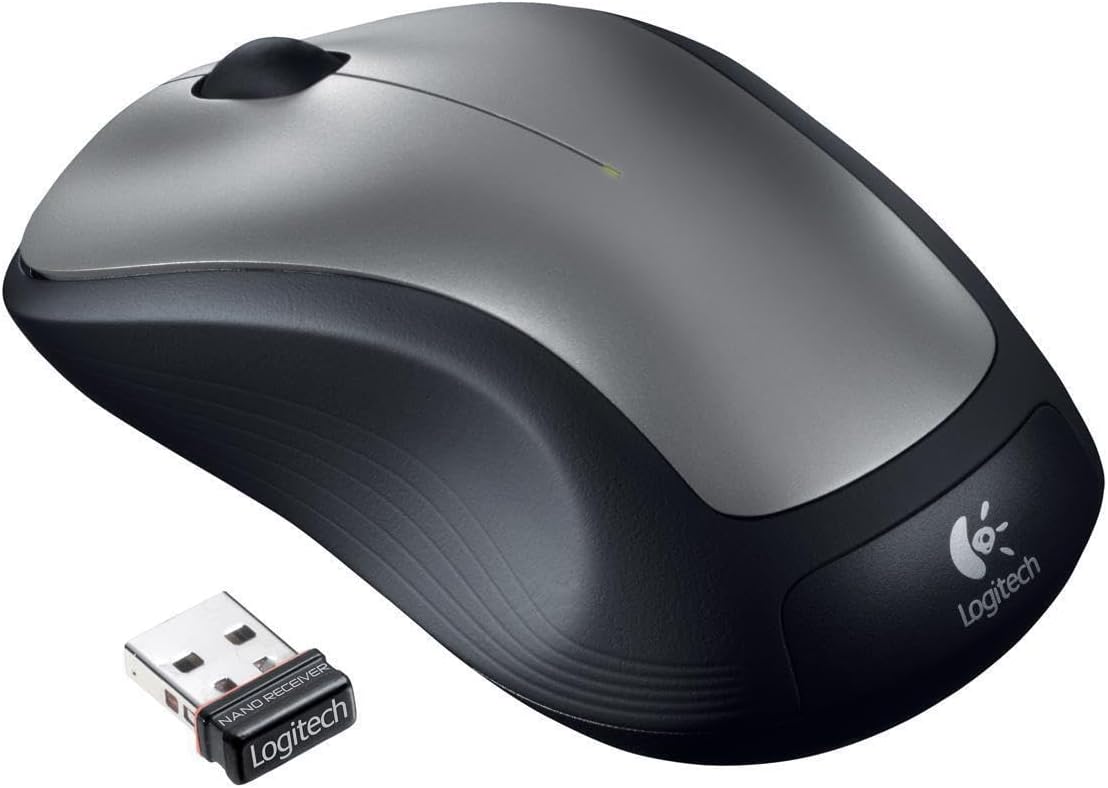
Figure 1: Logitech M310 Wireless Mouse and Nano Receiver
Настройка
Setting up your Logitech M310 Wireless Mouse is quick and easy. Follow these steps to get started:
- Устаўце батарэю: Open the battery compartment on the underside of the mouse. Insert one AA battery, ensuring correct polarity. Close the compartment securely.
- Plug in the Nano Receiver: Locate an available USB port on your computer. Insert the Logitech nano receiver into the USB port. The mouse is designed with a "plug-and-forget" receiver, meaning it's small enough to leave in your laptop's USB port without obstruction.
- Уключэнне: Flip the On/Off switch on the underside of the mouse to the "On" position. Your computer should automatically detect the mouse and install the necessary drivers.

Figure 2: Mouse underside with battery compartment
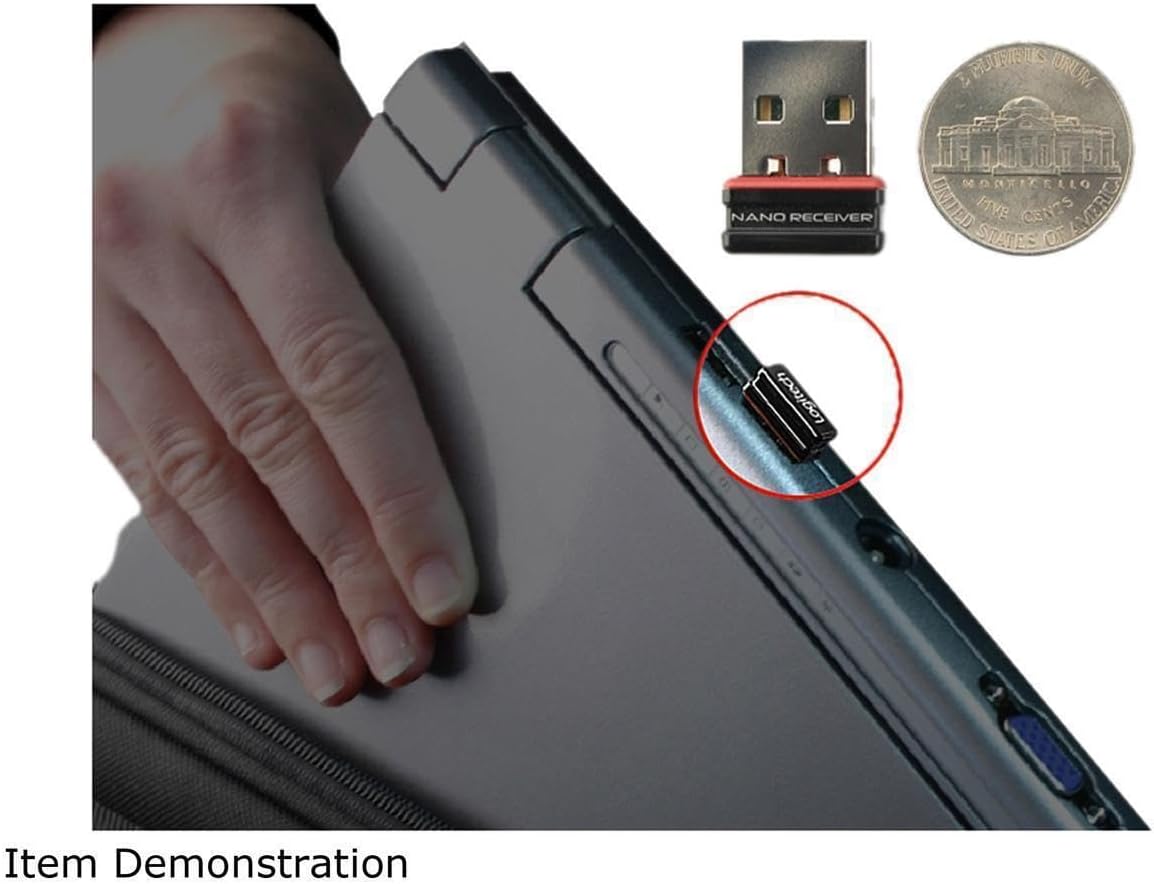
Figure 3: Nano Receiver plugged into a laptop
Аперацыя
The Logitech M310 Wireless Mouse provides intuitive control for your computer. It features a standard left-click button, right-click button, and a scroll wheel that also functions as a middle-click button.
- Клік левай кнопкай мышы: Выкарыстоўвайце левую кнопку для выбару элементаў, адкрыцця files, and interacting with on-screen elements.
- Пстрыкніце правай кнопкай мышы: Use the right button to access context menus and additional options.
- Кола пракруткі: Пракручвайце кола пракруткі ўверх або ўніз, каб перамяшчацца па дакументах і web pages. Press the scroll wheel down for middle-click functionality, which can vary depending on the application (e.g., opening links in new tabs).
- Рух: The mouse uses optical tracking for smooth and responsive cursor control on various surfaces.
Тэхнічнае абслугоўванне
To ensure the longevity and optimal performance of your Logitech M310 Wireless Mouse, consider the following maintenance tips:
- Замена батарэі: The mouse is designed for long battery life, up to 18 months. When the mouse performance degrades or the indicator light (if present) signals low battery, replace the AA battery. To replace, open the battery compartment on the underside of the mouse, remove the old battery, insert a new AA battery, and close the compartment.
- Уборка: Выкарыстоўвайце мяккую тканіну без ворса, каб акуратна працерці паверхню мышы. Для выдалення ўстойлівага бруду злёгкуampпрамыйце тканіну вадой. Пазбягайце выкарыстання агрэсіўных хімічных рэчываў або абразіўных матэрыялаў.
- Захоўванне прымача: The nano receiver can be stored inside the mouse's battery compartment when not in use, preventing loss during transport.
Ліквідацыю непаладак
If you encounter issues with your Logitech M310 Wireless Mouse, try the following common troubleshooting steps:
- Няма руху курсора: Ensure the mouse is powered on and the nano receiver is securely plugged into a working USB port. Check the battery and replace it if necessary.
- Перарывістае злучэнне: Move the mouse closer to the receiver. Ensure there are no large metal objects or other wireless devices interfering with the 2.4 GHz signal.
- Unresponsive Buttons/Scroll Wheel: Try cleaning around the buttons and scroll wheel to remove any debris. If the issue persists, try re-pairing the mouse with the receiver (refer to Logitech's official support for specific re-pairing instructions if needed).
Тэхнічныя характарыстыкі
| Асаблівасць | Дэталь |
|---|---|
| Марка | Logitech |
| Нумар мадэлі | 910001675 - EA (M310) |
| Тэхналогія падлучэння | Бесправадная сувязь (2.4 ГГц) |
| Тэхналогія выяўлення руху | Аптычны |
| Колер | Цёмна-шэры |
| Крыніца харчавання | Працуе ад батарэек (патрабуецца 1 батарэйка тыпу АА) |
| Сярэдні тэрмін службы батарэі | Да 18 месяцаў |
| Вага прадмета | 0.01 унцыі |
| Памеры прадукту (ДxШxВ) | 2.4 х 2 х 0.1 цалі |
| Сумяшчальнасць аперацыйнай сістэмы | Windows 10 (і іншыя сумяшчальныя АС) |
| Дата першай даступнасці | 15 сакавіка 2012 г |
Гарантыя і падтрымка
For warranty information, technical support, or to download the latest software and drivers, please visit the official Logitech support webсайт або звярніцеся да гарантыйнага талона, які ўваходзіць у камплект пастаўкі прадукту. Захоўвайце пацвярджэнне пакупкі для прэтэнзій па гарантыі.
Ask a question about this manual
Ask about setup, troubleshooting, compatibility, parts, safety, or missing instructions. Manuals+ will review the question and use this page’s manual context to help answer it.