
Уводзіны
This manual provides detailed instructions for the installation, operation, and maintenance of your VTech VTCS6619 DECT 6.0 Expandable Speakerphone with Caller ID. Please read this manual thoroughly before using your new telephone system to ensure proper functionality and to take full advantagе з яго асаблівасцей.
Змест пакета
Пераканайцеся, што ваш пакет змяшчае наступныя элементы:
- Cordless Phone with Caller ID/Call Waiting
- Тэлефонная база
- Адаптар пераменнага току
- Тэлефонны шнур
- Акумулятарная батарэя для тэлефона
- Чахол для тэлефона
Настройка
Follow these steps to set up your VTech VTCS6619 telephone system.
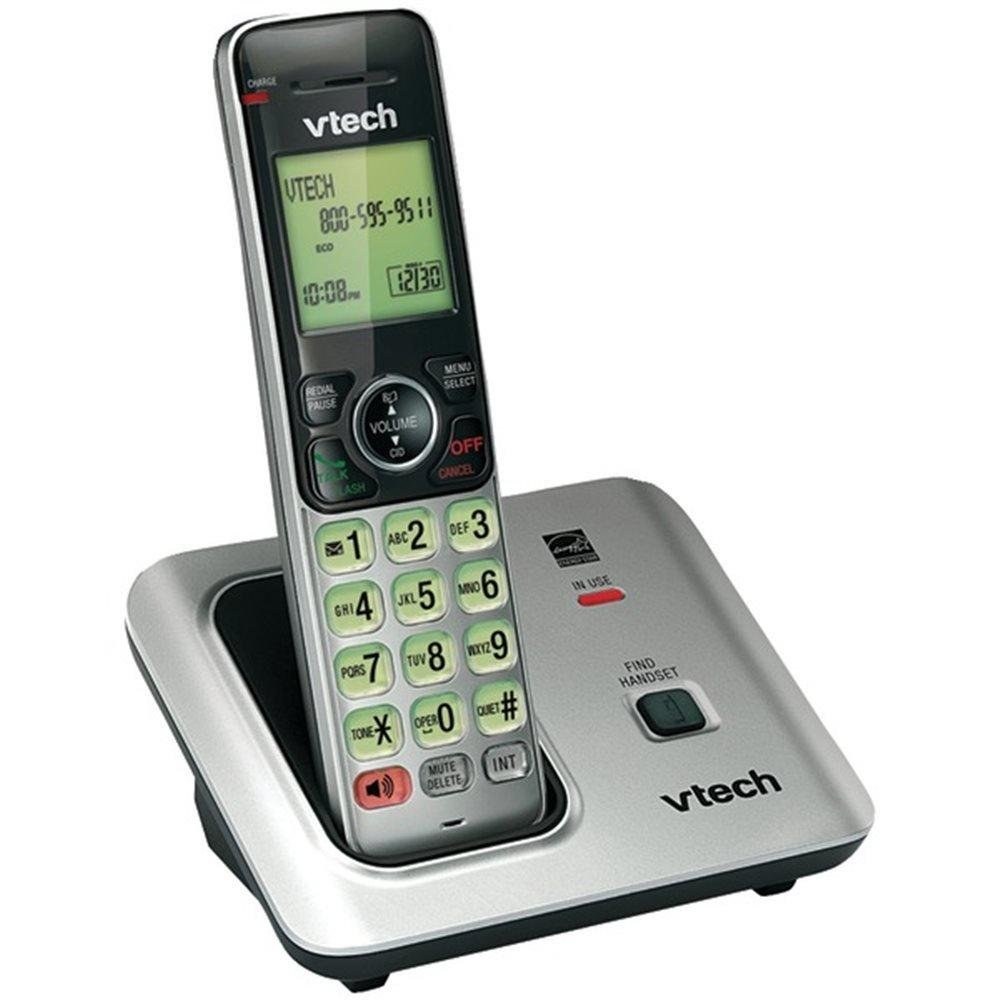
Image: The VTech VTCS6619 DECT 6.0 Cordless Speakerphone with Caller ID, showing the black handset and base unit.
1. Устаноўка батарэі
- Адкрыйце крышку батарэйнага адсека на задняй панэлі трубкі.
- Шчыльна падключыце штэкер акумулятарнай батарэі да раздыма ўнутры адсека.
- Place the battery pack with the label UP and tuck the wires neatly inside the compartment.
- Зачыніце крышку батарэйнага адсека.
2. Падключэнне базавага блока
- Plug the small end of the AC power adapter into the power jack on the back of the telephone base.
- Plug the large end of the AC power adapter into a wall outlet not controlled by a wall switch.
- Plug one end of the telephone line cord into the TEL LINE jack on the back of the telephone base.
- Падключыце другі канец тэлефоннага шнура да тэлефоннай разеткі.
3. Handset Charging
Once the battery is installed and the base unit is connected, place the handset on the telephone base. The CHARGE light on the handset will illuminate, indicating that the battery is charging. Allow the handset to charge for at least 10 hours before initial use.
Інструкцыя па эксплуатацыі
This section details the basic functions and features of your VTech VTCS6619 phone.
Здзяйсненне і прыём званкоў
- Каб зрабіць званок: Прэса ГОВОР / МІГАЦЬ or СПІКЕР, а затым набярыце нумар тэлефона.
- Каб адказаць на званок: Калі тэлефон зазвоніць, націсніце ГОВОР / МІГАЦЬ or СПІКЕР.
- Каб завяршыць выклік: Прэса ВЫКЛ/АЧЫСТКА or place the handset back on the telephone base.
Функцыя гучнай сувязі
Каб уключыць гучную сувязь падчас размовы, націсніце кнопку СПІКЕР кнопку. Націсніце яе зноў, каб вярнуцца да гучнагаварыцеля.
АОН і чаканне выкліку
The phone displays the caller's name and number (if available) before you answer. If you subscribe to Call Waiting service, the phone will alert you to an incoming call while you are on another call. Press УСПЫШКА для пераключэння паміж выклікамі.
Канферэнц-сувязь
The VTech VTCS6619 supports 3-way conference calls. While on a call, you can add a third party by pressing the УСПЫШКА button, dialing the new number, and then pressing УСПЫШКА again to connect all parties.
Лічбавая сістэма адказаў
The integrated digital answering system records incoming messages when you are unavailable. Access messages by pressing the ПРАЙГРАЦЬ/СТОП button on the base or through the handset menu. Refer to the full user guide for detailed instructions on setting up your outgoing message and managing messages.
Тэхнічнае абслугоўванне
Proper care ensures the longevity of your telephone system.
Уборка
Clean the telephone and base unit with a soft, damp cloth. Do not use cleaning sprays or liquid cleaners, as they may damage the finish or electrical components.
Сыход за батарэяй
To maintain optimal battery performance, avoid exposing the handset to extreme temperatures. If the phone will not be used for an extended period, remove the battery to prevent leakage.
Ліквідацыю непаладак
If you experience any issues with your phone, refer to the following common problems and solutions:
| праблема | Рашэнне |
|---|---|
| Няма сігналу набору | Ensure the telephone line cord is securely plugged into both the base unit and the wall jack. Check if the AC power adapter is properly connected. |
| Дрэнная якасць гуку | Move the handset closer to the base unit. Check for interference from other electronic devices. Ensure the battery is fully charged. |
| Тэлефон не зараджаецца | Verify the handset is correctly placed on the base unit. Clean the charging contacts on both the handset and base with a dry cloth. Check the power connection to the base unit. |
| Ідэнтыфікатар абанента не адлюстроўваецца | Ensure you have subscribed to Caller ID service from your telephone service provider. The feature may not work if the caller has blocked their number. |
Тэхнічныя характарыстыкі
- Марка: VTech
- мадэль: VTCS6619
- Тып тэлефона: Бесправадная
- колер: Чорны
- Колькасць батарэй: Патрабуецца 1 батарэйка ААА (у камплекце)
- матэрыял: Пластыкавыя
- Крыніца харчавання: Харчаванне ад батарэі
- Тып дазвону: Тон
- Памеры прадмета (Д х Ш х У): 6.9 х 5.2 х 6.7 цалі
- Тып аўтаадказчыка: Лічбавы
- Вага прадмета: 1 фунт
- Сумяшчальныя прылады: VTech CS6619 handsets, basic answering machines
- Магчымасць канферэнц-сувязі: 3-баковы
- Шматрадковая аперацыя: Аперацыя з адной лініяй
- Час тэлефона ў рэжыме чакання: 7200 хвілін
- Ідэнтыфікатар абанента: так
Гарантыя і падтрымка
Your VTech VTCS6619 telephone system is covered by a 1-гадовая абмежаваная гарантыя from the date of purchase. This warranty covers defects in material and workmanship under normal use. For warranty service or technical support, please refer to the contact information provided in your product packaging or visit the official VTech webсайт для атрымання падрабязнай інфармацыі аб абслугоўванні кліентаў.
Калі ласка, захавайце чэк аб куплі ў якасці пацверджання пакупкі для прэтэнзій па гарантыі.