
1. Прадукт скончыўсяview
The D-Link AC1200 Wi-Fi Router (DIR-850L) delivers next-generation wireless speed and coverage to all your Wi-Fi devices. With wireless dual-band speeds of 300 Mbps (2.4 GHz) and 867 Mbps (5 GHz), the DIR-850L avoids interference to deliver fast wireless speeds, improved coverage, and reliable connections. This router is ideal for streaming HD video, gaming, connecting multiple devices, and watching shows on your TV simultaneously. The DIR-850L is also backward compatible with existing wireless 802.11a/g/n devices for seamless connectivity. D-Link’s free mobile apps provide easy setup, remote monitoring, and access to content from anywhere on your smartphone or tablet.
Асноўныя характарыстыкі:
- Next Generation Wireless Technology: Wireless AC1200 for optimized performance and reliable coverage, delivering high-quality HD video streaming, gaming, and file перадачы.
- Зваротная сумяшчальнасць: Compatible with wireless 802.11a/g/n devices.
- Падключэнне некалькіх прылад: Connect more devices with four Gigabit Ethernet ports.
- Абмен мультымедыя: Stream and share files using the USB Share Port and free mobile app.
- Лёгкая ўстаноўка: Intelligent browser wizard and Quick Router Setup Mobile app for simplified installation.
- Палепшаная бяспека: Preset security with advanced WPA2 encryption.
2. Змесціва ўпакоўкі
Ensure all items are present in your D-Link DIR-850L package:
- D-Link Wireless AC 1200 Dual-Band Gigabit Router (DIR-850L)
- Адаптар сілкавання
- Кабель Ethernet
- Кіраўніцтва па хуткай ўстаноўцы
Калі якія-небудзь элементы адсутнічаюць або пашкоджаныя, звярніцеся да прадаўца або ў службу падтрымкі D-Link.
3. Абсталяванне скончыласяview
Familiarize yourself with the physical components and indicators of your DIR-850L router.

Малюнак 3.1: Спераду View. Shows the cylindrical design of the router with the D-Link logo and LED indicators for Power and Internet status.

Малюнак 3.2: бок View. Illustrates the side of the router, highlighting the USB port for storage sharing and the Wi-Fi Protected Setup (WPS) button.
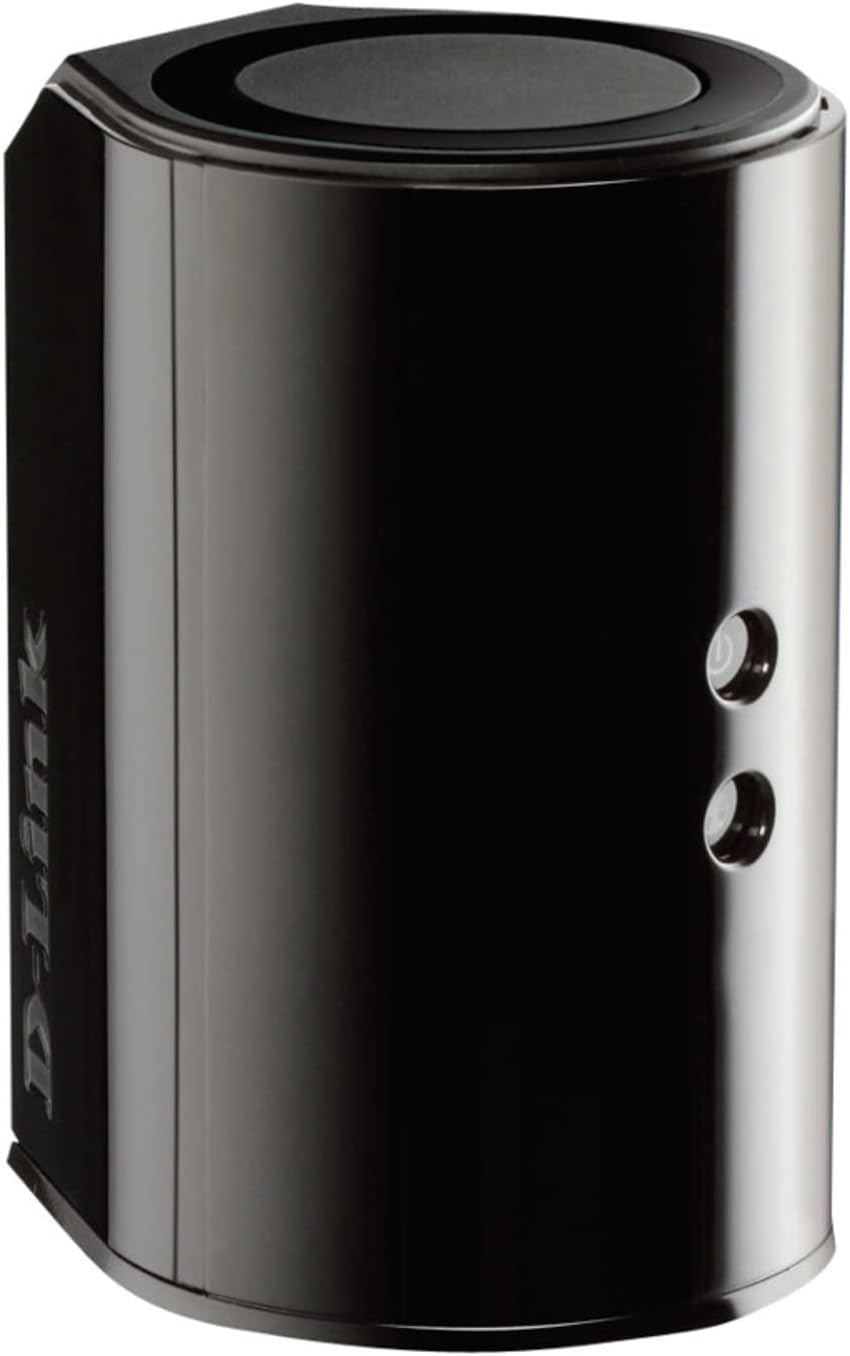
Малюнак 3.3: Задняя частка View. Displays the back panel of the router, featuring the WAN (Internet) port, four LAN (Ethernet) ports, and the power input connector.
Святлодыёдныя індыкатары:
- Святлодыёд харчавання: Solid green indicates the router is powered on. Blinking green indicates a firmware upgrade or reset.
- Інтэрнэт LED: Solid green indicates a successful connection to the internet. Blinking green indicates data activity. Amber indicates no internet connection.
Порты і кнопкі:
- WAN (Internet) Port: Падключаецца да вашага мадэма для доступу ў Інтэрнэт.
- Парты LAN (1-4): Connect wired devices such as computers, gaming consoles, or network storage.
- Порт USB: Connect a USB storage device for network sharing.
- Раз'ём харчавання: Падключаецца да адаптара харчавання, які ўваходзіць у камплект.
- Кнопка скіду: Націсніце і ўтрымлівайце 10 секунд, каб аднавіць заводскія налады.
- Кнопка WPS: Initiates Wi-Fi Protected Setup for easy wireless connection of compatible devices.
4. Настройка
Follow these steps to set up your D-Link DIR-850L router:
- Размяшчэнне маршрутызатара: Размясціце маршрутызатар у цэнтральным месцы вашага дома, далей ад перашкод і прылад, якія могуць выклікаць перашкоды (напрыклад, бесправадных тэлефонаў, мікрахвалевых печаў).
- Падключэнне да мадэма:
- Выключыце мадэм.
- Connect one end of the provided Ethernet cable to the WAN (Internet) port on your DIR-850L router.
- Падключыце другі канец кабеля Ethernet да порта Ethernet на вашым мадэме.
- Уключэнне:
- Power on your modem and wait for its indicator lights to stabilize (usually indicating an active internet connection).
- Connect the power adapter to the power connector on your DIR-850L router and plug it into a power outlet.
- Wait for the Power LED on the router to turn solid green. The Internet LED should also turn green, indicating a successful connection.
- Падключыце прыладу:
- Правадное злучэнне: Connect an Ethernet cable from one of the LAN ports (1-4) on the router to your computer's Ethernet port.
- Бесправоднае злучэнне: On your Wi-Fi enabled device (laptop, smartphone, tablet), search for available Wi-Fi networks. Select the network name (SSID) found on the Wi-Fi Configuration Card (usually a sticker on the bottom of the router) and enter the Wi-Fi password.
- Запусціце майстар налады:
- Адкрыйце a web browser (e.g., Chrome, Firefox) on the connected device.
- Тып
http://dlinkrouter.localor192.168.0.1у адрасны радок і націсніце Enter. - Follow the on-screen instructions of the D-Link Setup Wizard to configure your internet connection and personalize your Wi-Fi network name (SSID) and password.
Setup Video (General D-Link Router Overview):
Video 4.1: D-Link Wireless AC 1200 Mbps Home Cloud App-Enabled Dual-Band Gigabit Router Overview. Гэта відэа дае агульны аглядview of D-Link routers, including the DIR-850L, and highlights their features and target users. While not a step-by-step setup guide, it offers insights into the router's capabilities.
5. Інструкцыя па эксплуатацыі
Once your D-Link DIR-850L router is set up, you can manage and optimize your network.
Падключэнне прылад:
- Бесправадная сувязь: Use the Wi-Fi network name (SSID) and password you configured during setup to connect your wireless devices. The router supports both 2.4 GHz and 5 GHz bands.
- Wired: Connect devices directly to the LAN ports using Ethernet cables for a stable, high-speed connection.
Accessing Router Settings:
To access advanced settings, open a web браўзэр і перайдзіце да http://dlinkrouter.local or 192.168.0.1. Log in with the administrator password you set during the initial setup. From here, you can:
- Змяніць налады Wi-Fi (SSID, пароль, тып бяспекі).
- Configure guest Wi-Fi networks.
- Наладзьце бацькоўскі кантроль.
- Кіраванне падлучанымі прыладамі.
- Абнавіць прашыўку.
Using the USB Share Port:
Plug a USB storage device (e.g., flash drive, external hard drive) into the USB port on the router. You can then access and share files on this storage device across your network using the D-Link SharePort Mobile app or through network shares on your computer.
6. Тэхнічнае абслугоўванне
Рэгулярнае тэхнічнае абслугоўванне дапамагае забяспечыць аптымальную прадукцыйнасць і даўгавечнасць вашага маршрутызатара.
- Перазагрузка: Periodically reboot your router (unplug from power for 10 seconds, then plug back in) to clear its memory and refresh network connections. This can resolve minor performance issues.
- Абнаўленні прашыўкі: Check the D-Link support website for firmware updates. Firmware updates can improve performance, add new features, and fix security vulnerabilities. Follow the instructions provided by D-Link carefully when performing updates.
- Уборка: Keep the router clean and free from dust. Use a soft, dry cloth to wipe the exterior. Do not use liquid cleaners or aerosols. Ensure ventilation openings are not blocked.
- Бяспека: Regularly change your Wi-Fi password and router administrator password to enhance network security.
7. Выпраўленне непаладак
If you encounter issues with your D-Link DIR-850L router, refer to the following common problems and solutions:
Няма падключэння да Інтэрнэту:
- Праверце кабелі: Пераканайцеся, што ўсе кабелі Ethernet надзейна падключаны да маршрутызатара і мадэма.
- Статус мадэма: Пераканайцеся, што ваш мадэм працуе правільна і мае актыўнае падключэнне да Інтэрнэту.
- Паслядоўнасць перазагрузкі: Выключыце мадэм, затым маршрутызатар. Пачакайце 30 секунд, а затым спачатку ўключыце мадэм. Пасля таго, як мадэм цалкам падключыцца да інтэрнэту, уключыце маршрутызатар.
- ISP Contact: If the issue persists, contact your Internet Service Provider (ISP) to confirm service status.
Павольная хуткасць Wi-Fi:
- Размяшчэнне маршрутызатара: Перанясіце маршрутызатар у больш цэнтральнае месца, далей ад перашкод і крыніц перашкод.
- Перашкоды канала: Увайдзіце ў маршрутызатар web interface and try changing the Wi-Fi channel for both 2.4 GHz and 5 GHz bands to a less congested one.
- Падлучаныя прылады: Disconnect unused devices from your network.
- Прашыўка: Пераканайцеся, што прашыўка вашага маршрутызатара абноўлена.
Не магу падключыцца да Wi-Fi:
- Правільны пароль: Double-check that you are entering the correct Wi-Fi password (case-sensitive).
- SSID-трансляцыя: Ensure the router is broadcasting its Wi-Fi network name (SSID).
- WPS: If your device supports WPS, try using the WPS button on the router to connect.
- Скінуць налады маршрутызатара: As a last resort, perform a factory reset (see Hardware Overview) and reconfigure the router.
8. Тэхнічныя характарыстыкі
| Асаблівасць | Апісанне |
|---|---|
| Назва мадэлі | ДЫР-850Л |
| Бесправадны тып | 802.11ac (backward compatible with 802.11a/b/g/n) |
| Клас дыяпазону частот | Двухдыяпазонны (2.4 ГГц і 5 ГГц) |
| Хуткасць бесправадной сувязі | Up to 300 Mbps (2.4 GHz), Up to 867 Mbps (5 GHz) |
| Парты Ethernet | 4 гігабітныя лакальныя порты, 1 гігабітны глабальны порт |
| Порт USB | 1 x USB 2.0 (for SharePort) |
| Тып антэны | Унутраны |
| Сумяшчальнасць аперацыйнай сістэмы | Windows® 8, 7, Vista®, XP SP2, or Mac OS® X (v10.4 or higher) |
| Памеры (ДхШхВ) | 4.45 х 3.43 х 5.72 цалі |
| Вага прадмета | 9.9 унцыі (0.62 фунта) |
| Колер | Чорны |
9. Гарантыя і падтрымка
D-Link products are backed by a limited warranty. For specific warranty terms and conditions, please refer to the warranty information included with your product or visit the official D-Link webсайт.
For technical support, product registration, and access to the latest drivers, firmware, and user manuals, please visit the D-Link support portal:
Падтрымка D-Link Webсайт: www.dlink.com/support
You may also find helpful resources and community forums on the D-Link webсайт.