
1. Уводзіны
This manual provides essential information for the safe and efficient operation of your Sharp KC-A50EU-W Air Purifier. This device is designed to improve indoor air quality by filtering dust, pollen, mold spores, and odors, while also offering humidification using Plasmacluster ion technology. Please read these instructions thoroughly before use and retain them for future reference.
Важная інфармацыя па бяспецы
- Заўсёды пераканайцеся, што прылада размешчана на ўстойлівай, роўнай паверхні.
- Не блакуйце паветразаборныя або вентыляцыйныя адтуліны.
- Трымайце прыладу далей ад вады і вільгаці.
- Адключыце прыладу ад сеткі перад чысткай або любым тэхнічным абслугоўваннем.
- Не спрабуйце рамантаваць прыладу самастойна. Звярніцеся да кваліфікаванага абслугоўваючага персаналу.
2. Прадукт скончыўсяview
The Sharp KC-A50EU-W is an advanced air purifier and humidifier designed for rooms up to 38 m². It features Plasmacluster ion technology to neutralize airborne pollutants and a multi-stagэлектронная сістэма фільтрацыі.

Малюнак 2.1: Фронт view of the Sharp KC-A50EU-W Air Purifier, showing the main body and air outlet.
Асноўныя характарыстыкі:
- Plasmacluster Ion Technology: Releases positive and negative ions to clean the air.
- Humidification Function: Adds moisture to the air for improved comfort.
- High Air Circulation: Efficiently processes air in rooms up to 38 m².
- Мульты-сtage Фільтраванне: Includes a HEPA filter for fine particles and an odor filter.
- Ціхая праца: Designed for minimal noise output.
3. Настройка
3.1 Распакаванне
- Асцярожна дастаньце ачышчальнік паветра з упакоўкі.
- Зніміце ўсе ахоўныя матэрыялы і поліэтыленавыя пакеты.
- Check for any damage during transit. If damaged, do not operate and contact your retailer.
3.2 Размяшчэнне
For optimal performance, place the air purifier in a location where air can circulate freely. Avoid placing it directly against walls or furniture. Ensure it is on a flat, stable surface. The unit is suitable for floor areas up to 24 square meters (as per specifications, though product description states 38m², use the more conservative spec for placement advice).

Малюнак 3.1: Збоку view of the air purifier, showing the air intake grille. Ensure this area is unobstructed.
3.3 Ўстаноўка фільтра
Before first use, ensure all filters are correctly installed and any protective plastic packaging has been removed from them. Refer to the maintenance section for detailed filter handling.
4. Інструкцыя па эксплуатацыі
The control panel allows you to manage the various functions of your air purifier.

Малюнак 4.1: Close-up of the control panel, showing buttons for power, fan speed, Plasmacluster, and humidification.
4.1 Уключэнне/выключэнне сілкавання
- Падключыце шнур харчавання да адпаведнай электрычнай разеткі (220 В).
- Націсніце ВКЛ/ВЫКЛ button to turn the unit on. The unit will start in a default mode.
- Націсніце ВКЛ/ВЫКЛ кнопку яшчэ раз, каб выключыць прыладу.
4.2 Рэгуляванне хуткасці вентылятара
Выкарыстоўвайце Хуткасць вентылятара button to cycle through different fan settings (e.g., Low, Medium, High, Auto). The current setting will be indicated on the display or by indicator lights.
4.3 Plasmacluster Ion Operation
Націсніце CLEAN ION SHOWER ON button to activate the Plasmacluster ion generator. This function helps to remove airborne viruses, bacteria, and odors. An indicator light will confirm activation.
4.4 Функцыя ўвільгатнення
- Пераканайцеся, што рэзервуар для вады запоўнены чыстай вадой.
- Націсніце CLEAN AIR & HUMIDIFY ON button to activate the humidification function.
- The unit will automatically maintain a comfortable humidity level.
- The humidity level may be displayed on the control panel.
4.5 Блакаванне ад дзяцей
To prevent accidental operation, press and hold the БЛАКІРОВКА ДЗЯЦЕЙ button for 3 seconds to activate or deactivate the child lock function.
5. Тэхнічнае абслугоўванне
Regular maintenance ensures optimal performance and extends the life of your air purifier. Always unplug the unit before cleaning or performing maintenance.
5.1 Ачыстка і замена фільтра
The Sharp KC-A50EU-W uses multiple filters that require periodic cleaning or replacement.
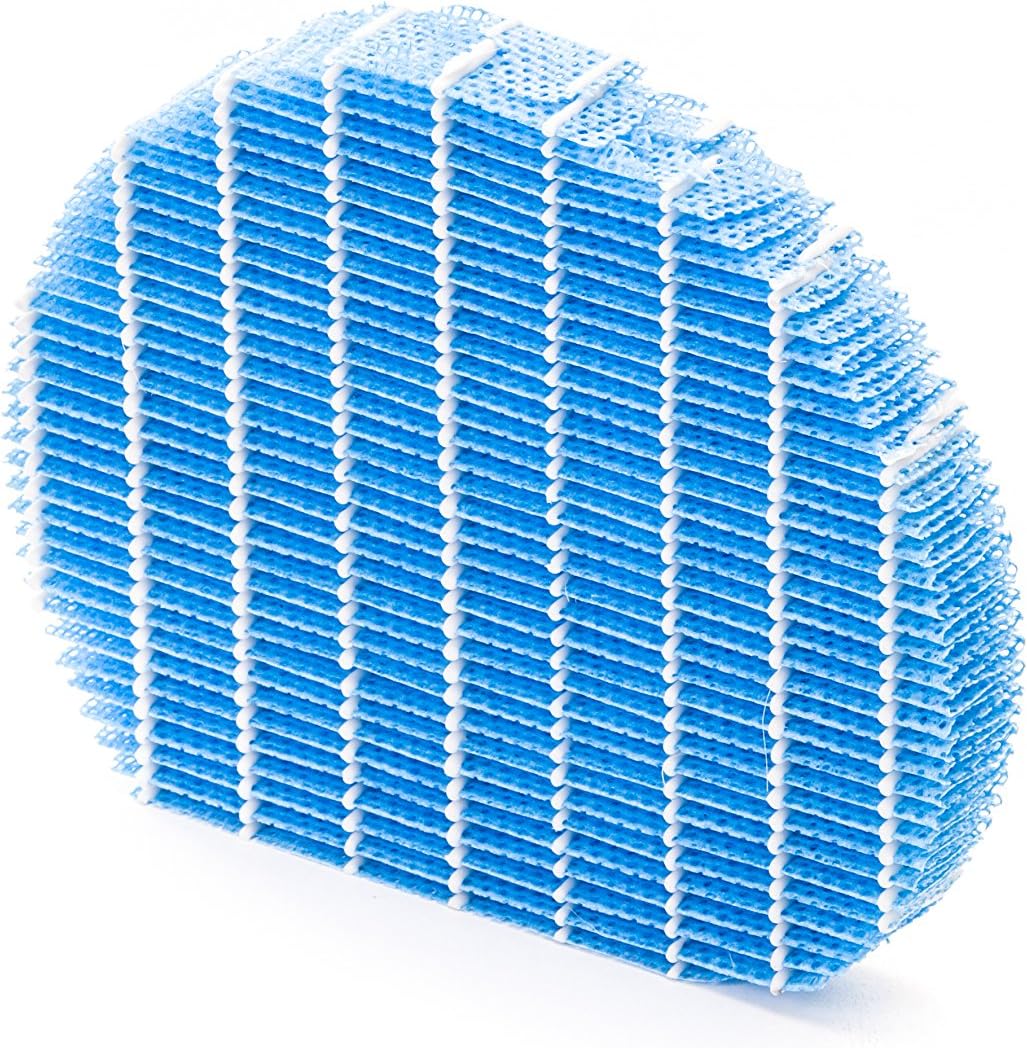
Малюнак 5.1: Example of a humidifying filter component, which requires regular cleaning.
- Папярэдні фільтр: Clean regularly (e.g., monthly) by vacuuming or washing with water. Allow to dry completely before reinstallation.
- HEPA-фільтр: This filter captures fine dust and allergens. It cannot be washed and must be replaced. The replacement interval can vary, but typically ranges from 2 to 5 years depending on usage and air quality. Monitor the filter's condition; if it appears significantly discolored (e.g., black instead of white), replace it immediately.
- Deodorizing Filter (Activated Carbon): This filter removes odors. It can often be washed periodically (e.g., every few months) to refresh its effectiveness. Allow to dry completely. Replace when odors persist after cleaning.
- Humidifying Filter: If using the humidification function, clean the humidifying filter and its tray at least every 4 weeks to prevent mold and bacteria growth. Use a mild detergent and rinse thoroughly.
5.2 Ачыстка рэзервуара для вады
For units with humidification, clean the water tank regularly (e.g., weekly) to prevent mineral buildup and bacterial growth. Use a soft brush and mild detergent, then rinse thoroughly with clean water.
5.3 Знешняя ўборка
Працярыце вонкавую частку прылады мяккай, damp тканіна. Не выкарыстоўвайце абразіўныя ачышчальнікі або растваральнікі.
6. Выпраўленне непаладак
If you encounter issues with your Sharp KC-A50EU-W, refer to the following common problems and solutions.
| праблема | Магчымая прычына | Рашэнне |
|---|---|---|
| Прылада не ўключаецца. | Power cord not properly connected; no power at outlet. | Пераканайцеся, што шнур харчавання надзейна падключаны. Праверце разетку з дапамогай іншай прылады. |
| Слабая эфектыўнасць ачысткі паветра. | Filters are dirty or clogged; filters incorrectly installed. | Clean or replace filters as per maintenance instructions. Ensure filters are installed correctly. |
| Humidification not working or low output. | Water tank is empty; humidifying filter is dirty or clogged. | Refill the water tank. Clean the humidifying filter and tray. |
| Незвычайны шум ад прылады. | Obstruction in fan; unit not on a level surface. | Check for any foreign objects near the fan. Place the unit on a stable, level surface. |
| Пастаянныя пахі. | Deodorizing filter is saturated or needs cleaning/replacement. | Clean or replace the deodorizing filter. |
Калі праблема не знікне пасля выкарыстання гэтых рашэнняў, звярніцеся ў службу падтрымкі кліентаў.
7. Тэхнічныя характарыстыкі
- Нумар мадэлі: KC-A50EU-W
- вытворца: Востры
- колер: Белы
- Памеры прадукту (Д х Ш х У): 24 х 69 х 2.5 см
- Вага прадмета: 9.2 кг (9200 грамаў)
- Крыніца харчавання: 220В
- Тып фільтра: HEPA
- Рэкамендуемая плошча: 24 квадратных метраў
- Узровень шуму: 49 дэцыбел
- матэрыял: Пластыкавыя
- Краіна паходжання: Японія
8. Гарантыя і падтрымка
Каб атрымаць інфармацыю аб гарантыі і падтрымцы кліентаў, звярніцеся да гарантыйнага талона, які ўваходзіць у камплект прадукту, або наведайце афіцыйны сайт Sharp. webсайт для вашага рэгіёну. Захоўвайце чэк аб куплі як пацверджанне пакупкі.


