
Keystone KSTAD70B
Keystone KSTAD70B 70-Pint Dehumidifier User Manual
1. Уводзіны
This manual provides essential information for the safe and efficient operation of your Keystone KSTAD70B 70-Pint Dehumidifier. This unit is designed to remove up to 70 pints of moisture from the air daily, suitable for rooms up to 4500 square feet. Key features include electronic controls with an LED display, a 24-hour timer, a transparent water level indicator, and a full bucket alert with automatic shutoff. It also offers a continuous draining option and a removable, easy-to-clean dust filter with a clean-filter alert. The auto-restart function preserves your settings after a power outage, and rolling casters facilitate easy movement.
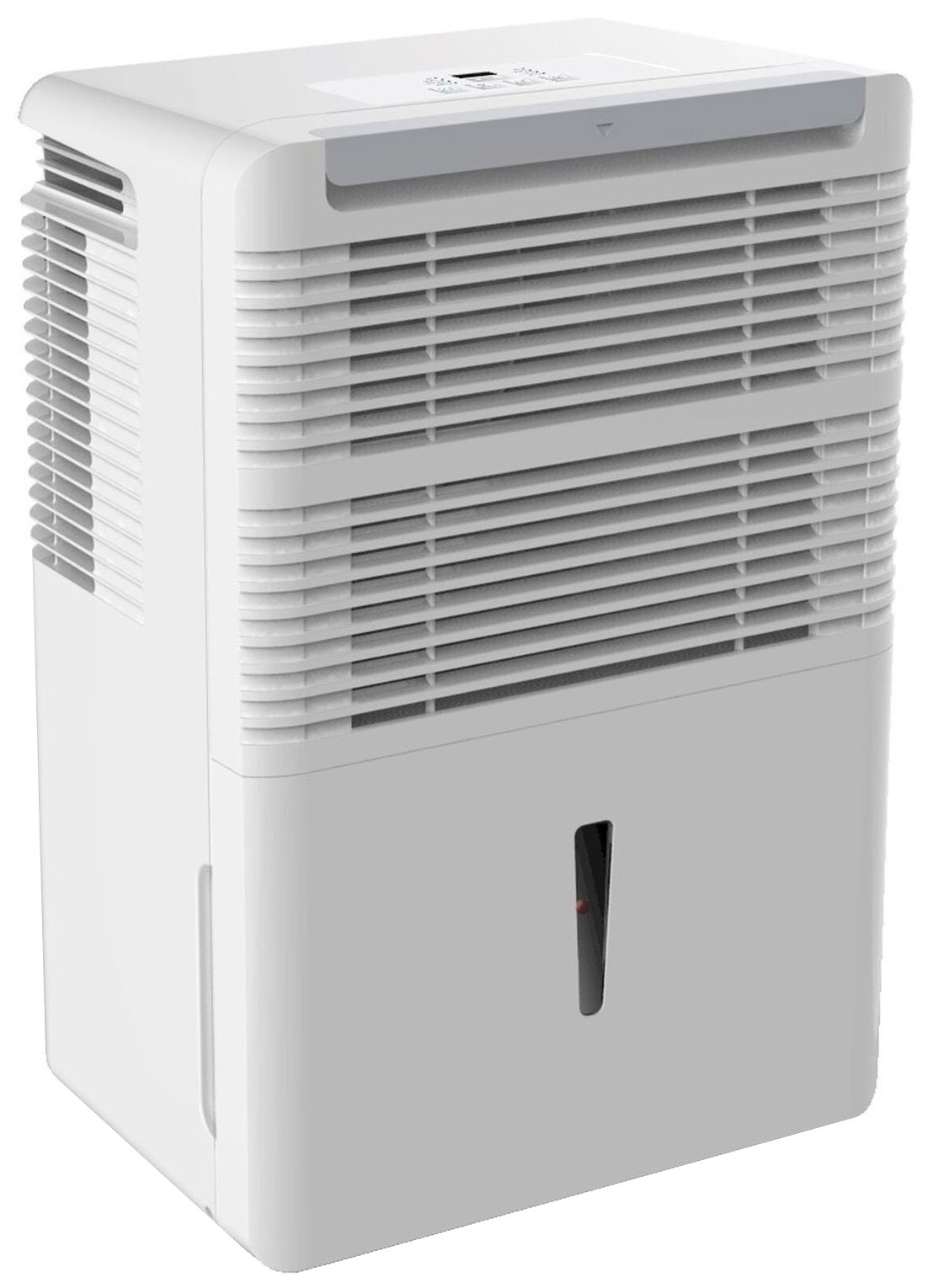
Малюнак 1: Спераду view of the Keystone KSTAD70B Dehumidifier.
2. Інфармацыя па бяспецы
Please read all safety instructions before operating the dehumidifier to prevent injury or damage. Keep this manual for future reference.
- Always connect the unit to a properly grounded electrical outlet of the correct voltage.
- Не выкарыстоўвайце прыладу з пашкоджаным сеткавым шнуром або вілкай.
- Ensure adequate clearance (at least 12-18 inches) around the air intake and outlet to prevent overheating and ensure efficient operation.
- Не перакрывайце вентыляцыйныя адтуліны.
- Не выкарыстоўвайце асушальнік паветра паблізу вады або ў празмерна вільготных умовах.
- Адключыце прыладу ад сеткі перад чысткай або любым тэхнічным абслугоўваннем.
- Гэты прыбор не прызначаны для выкарыстання асобамі (уключаючы дзяцей) з абмежаванымі фізічнымі, сэнсарнымі або разумовымі здольнасцямі або з адсутнасцю вопыту і ведаў, за выключэннем выпадкаў, калі яны знаходзяцца пад наглядам або праінструктаваныя адносна выкарыстання прыбора асобай, адказнай за іх бяспеку.
- Do not use chemical solvents or abrasive cleaners on the unit.
3. Усталёўка і размяшчэнне
3.1 Распакаванне
Carefully remove the dehumidifier from its packaging. Retain the packaging materials for future storage or transport. Inspect the unit for any shipping damage.
3.2 Размяшчэнне
For optimal performance, place the dehumidifier in a location where air can circulate freely around it. The unit circulates air from the sides, not the top. Therefore, avoid placing it directly in a corner or against walls. Maintain a minimum clearance of 12-18 inches (30-45 cm) on all sides to ensure proper airflow.
3.3 Першапачатковае ўключэнне
Падключыце шнур сілкавання да заземленай электрычнай разеткі. Прылада гатовая да працы.
4. Інструкцыя па эксплуатацыі
4.1 Панэль кіравання скончанаview

Figure 2: Control panel of the Keystone KSTAD70B Dehumidifier.
The control panel features an LED display and various buttons for setting the dehumidifier's functions:
- Кнопка харчавання: Уключае або выключае прыладу.
- Кнопка вентылятара: Adjusts fan speed (typically Low, Medium, High).
- Кнопка таймера: Усталёўвае 24-гадзінны таймер уключэння/выключэння.
- Стрэлкі ўверх/уніз: Adjust humidity level settings or timer duration.
- Індыкатар фільтра: Загараецца, калі паветраны фільтр патрабуе ачысткі.
- Поўны індыкатар: Illuminates when the water bucket is full and needs emptying.
- Індыкатар Cont. (Continuous): Illuminates when the unit is set for continuous operation.
- Рэжым Турба: Activates maximum dehumidification.
- Звычайны рэжым: Standard dehumidification operation.
- Аўтаматычнае размарожванне: Automatically defrosts the coils if ice builds up.
4.2 Устаноўка патрэбнага ўзроўню вільготнасці
Press the Up or Down arrow buttons to set your desired humidity level. The unit will operate until the set humidity is reached, then cycle on and off to maintain it. The recommended humidity range for comfort is typically between 45% and 55%.
4.3 Бесперапынная праца
To run the dehumidifier continuously, select the 'Cont.' setting. In this mode, the unit will operate regardless of the ambient humidity level. Note that when continuous operation is selected, the humidity setpoint buttons will not respond.
4.4 Функцыя таймера
Use the Timer button to program the unit to turn on or off automatically after a set number of hours (up to 24 hours).
4.5 Auto-Restart
The unit features an auto-restart function that saves your settings. In the event of a power outage, the dehumidifier will automatically resume operation with the last settings once power is restored.
5. Тэхнічнае абслугоўванне
Рэгулярнае тэхнічнае абслугоўванне забяспечвае аптымальную прадукцыйнасць і даўгавечнасць вашага асушальніка паветра.
5.1 Апаражнінне вядра для вады
When the water bucket is full, the 'Full' indicator light will illuminate, and the unit will automatically shut off. Carefully remove the bucket and empty the collected water. Reinsert the bucket firmly until it clicks into place to resume operation.

Малюнак 3: Зняцце вядра для збору вады.

Figure 4: Transparent water level indicator.
5.2 Continuous Draining Option
For continuous operation without emptying the bucket, you can connect a standard garden hose (not included) to the unit's low-level drain. The unit includes an adapter with a clear hose that pushes onto a smooth plastic fitting inside the unit. This adapter has male hose threads for attaching a garden hose. Ensure the hose is routed downwards to a suitable drain to allow gravity to remove the water.
5.3 Ачыстка паветранага фільтра
The 'Filter' indicator light will remind you when it's time to clean the air filter. A clean filter ensures efficient operation and better air quality. To clean, lift the filter straight up from the top at the front corner of the unit and slide it out. Wash the filter with warm, soapy water, rinse thoroughly, and allow it to air dry completely before reinserting.

Малюнак 5: Зняцце паветранага фільтра для чысткі.
6. Выпраўленне непаладак
Перш чым звяртацца ў службу падтрымкі, паспрабуйце выканаць наступныя распаўсюджаныя дзеянні па ліквідацыі непаладак:
| праблема | Магчымая прычына | Рашэнне |
|---|---|---|
| Асушальнік паветра не ўключаецца. | No power; power cord loose; 'Full' indicator on. | Check power supply; ensure cord is plugged in; empty water bucket. |
| Прылада працуе, але не асушвае паветра. | Air filter clogged; room temperature too low; unit size too small for area. | Clean air filter; ensure room temperature is above 41°F (5°C); consider unit placement. |
| Агрэгат шумны. | Блок няроўны; вентылятар заблакаваны. | Place on a flat, stable surface; check for obstructions in fan area. |
| Уцечка вады з прылады. | Water bucket not properly seated; continuous drain hose loose or clogged. | Ensure bucket is fully inserted; check continuous drain hose connection and clear any blockages. |
7. Тэхнічныя характарыстыкі
| Асаблівасць | Дэталь |
|---|---|
| Марка | Keystone |
| Назва мадэлі | KSTAD70B |
| Ёмістасць абязводжвання | 70 пінт у дзень |
| Рэкамендаваны памер пакоя | Да 4500 квадратных футаў |
| Колер | Белы |
| Асаблівасці | Automatic Restart, Automatic Shutoff |
| Колькасць хуткасцяў | 3 |
| Рэжым працы | Normal, Turbo, Auto-Defrost |
| Ватtage | 720 ват |
| Вага прадмета | 40 фунта |
| Памеры прадукту (Д х Ш х У) | 11.25 х 15.5 х 23.25 цалі |
| Рэкамендуемае выкарыстанне | Жылая |
8. Інфармацыя аб гарантыі
The Keystone KSTAD70B Dehumidifier comes with a Гарантыя 1 год on parts and labor, and a абмежаваная 5-гадовая гарантыя on the sealed system. Please refer to the physical warranty card included with your product for full terms and conditions.
9. Падтрымка кліентаў
For product registration, warranty claims, or technical assistance, please refer to the contact information provided in the physical instruction manual that came with your dehumidifier. Online registration or direct manufacturer contact information may not be readily available; therefore, retaining your original manual is important for support inquiries.