
1. Уводзіны
The D-Link DIR-610 Wireless N150 Router is designed to provide a high-speed wireless network connection for your home or small office. This manual will guide you through the installation, configuration, and operation of your new router, ensuring a secure and efficient internet experience.
The DIR-610 supports the latest wireless security features to prevent unauthorized access to both the wireless network and the internet. It also includes Quality of Service (QoS) functionality, which, when enabled, allows for a better online experience by prioritizing network traffic.
2. Змесціва ўпакоўкі
Калі ласка, пераканайцеся, што ў вашай пасылцы ёсць наступныя прадметы:
- 1 x D-Link DIR-610 Wireless N150 Router
- 1 х адаптар сілкавання
- 1 х Ethernet кабель
- 1 х Кіраўніцтва па ўстаноўцы
- 1 х Кіраўніцтва карыстальніка (гэты дакумент)
If any items are missing or damaged, please contact your local D-Link reseller.
3. Настройка
Follow these steps to set up your D-Link DIR-610 Router:
- Распакуйце маршрутызатар: Асцярожна дастаньце маршрутызатар і ўсе аксэсуары з упакоўкі.
- Размяшчэнне маршрутызатара: Размясціце маршрутызатар у цэнтральным месцы вашага дома або офіса, далей ад перашкод і прылад, якія могуць выклікаць перашкоды (напрыклад, бесправадных тэлефонаў, мікрахвалевых печаў).
- Падключэнне да сілкавання: Connect the power adapter to the router's power port and then plug the adapter into a wall outlet. Ensure the power LED on the router illuminates.
- Падключэнне да Інтэрнэту (WAN): Connect one end of the provided Ethernet cable to your modem's Ethernet port and the other end to the Internet (WAN) port on the DIR-610 router.
- Connect to Computer (LAN - Optional): For initial setup or wired connections, connect one end of another Ethernet cable (not included, or use the provided one if not connecting to modem yet) to one of the LAN ports on the router and the other end to your computer's Ethernet port. Alternatively, you can connect wirelessly using the default Wi-Fi name and password found on the router's label.
- Run D-Link Assistant: The D-Link Assistant allows users without technical knowledge to install the router and establish an internet connection in minutes by simply running the product CD. Insert the product CD into your computer and follow the on-screen instructions.
- Доступ Web-based Setup: If not using the CD, open a web browser (e.g., Chrome, Firefox) on a connected computer and type
http://dlinkrouter.localorhttp://192.168.0.1into the address bar. Log in using the default username (usually адмін) and password (often blank or адмін). Refer to the router's label for default login credentials. - Выканайце дзеянні майстра налады: Once logged in, the setup wizard will guide you through configuring your internet connection, wireless network name (SSID), and password.
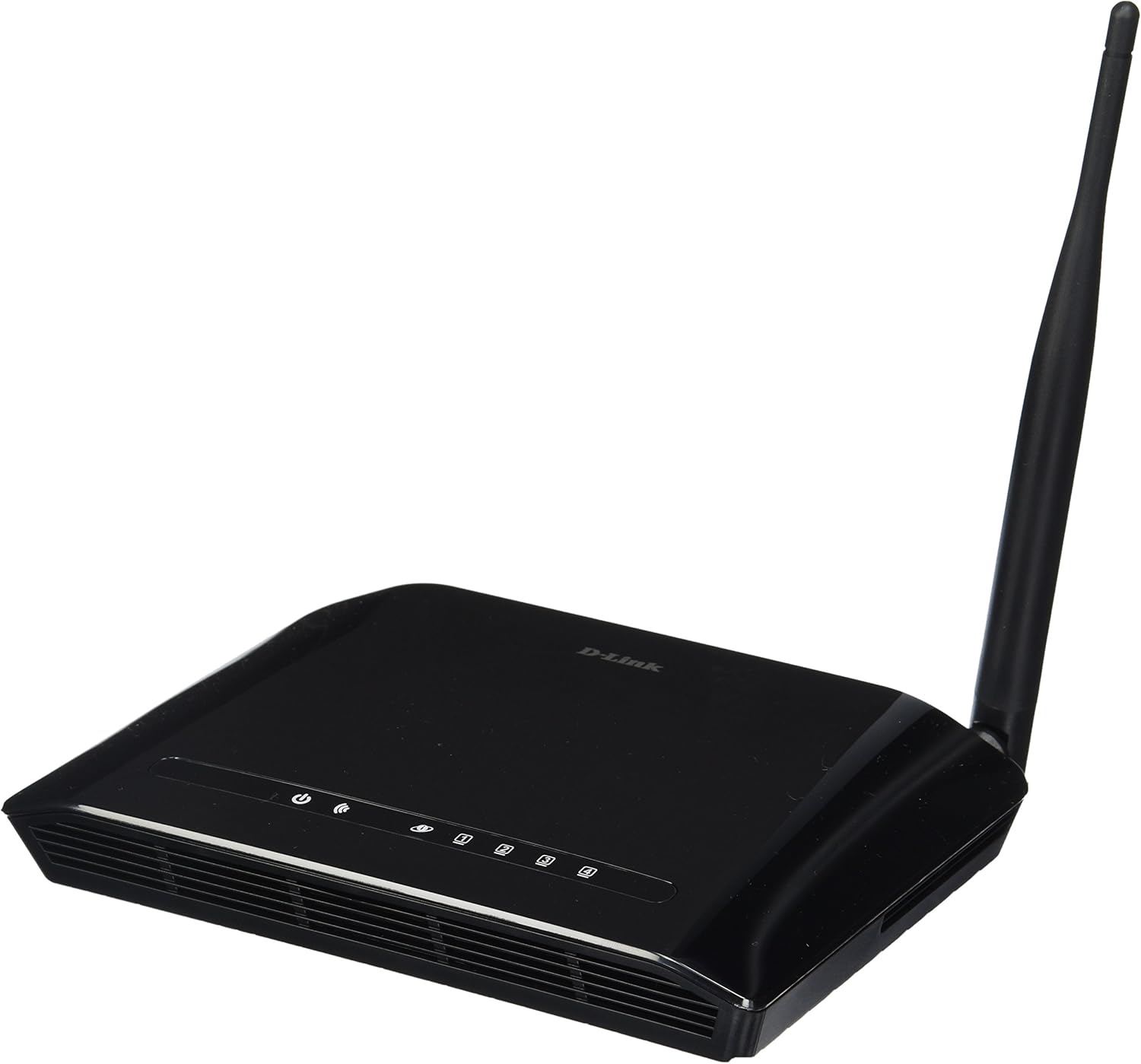
Малюнак 3.1: Фронт view of the D-Link DIR-610 Wireless N150 Router. This image shows the compact black router with its single external antenna and LED indicators on the front panel for power, internet, and wireless status.
4. Кіраванне маршрутызатарам
Once your D-Link DIR-610 router is set up, you can manage its various functions through the web-інтэрфейс.
4.1 Бесправадное падключэнне
The DIR-610 provides Wireless N150 connectivity, offering reliable wireless access for devices such as laptops, smartphones, and tablets. To connect a device:
- Уключыце Wi-Fi на прыладзе.
- Сканіраванне даступных бесправадных сетак.
- Select your configured network name (SSID).
- Enter your wireless password (WPA/WPA2 key).
4.2 Функцыі бяспекі
The DIR-610 incorporates advanced wireless security protocols to protect your network from unauthorized access. It supports WPA/WPA2 encryption. It is highly recommended to use WPA2-PSK (AES) encryption with a strong, unique password for your wireless network.
4.3 Якасць абслугоўвання (QoS)
The DIR-610 Router includes Quality of Service (QoS) functionality. QoS allows you to prioritize certain types of network traffic, such as online gaming or video streaming, over less time-sensitive activities like file downloads. This helps ensure a smoother and more responsive experience for critical applications. You can configure QoS settings through the router's web інтэрфейс.
5. Тэхнічнае абслугоўванне
Regular maintenance helps ensure optimal performance and longevity of your D-Link DIR-610 router.
- Абнаўленні прашыўкі: Periodically check the D-Link support webсайт для абнаўленняў прашыўкі. Абнаўленне прашыўкі можа палепшыць прадукцыйнасць, дадаць новыя функцыі і выправіць уразлівасці бяспекі.
- Бяспечныя паролі: Regularly change your router's administrator password and your Wi-Fi password to strong, unique combinations.
- Фізічнае асяроддзе: Keep the router in a well-ventilated area, free from dust and direct sunlight. Avoid placing heavy objects on top of the router.
- Перазагрузка: Калі ў вас узніклі праблемы з сеткай, простая перазагрузка маршрутызатара (адключэнне харчавання на 10 секунд і паўторнае падключэнне) часта можа вырашыць нязначныя праблемы.
6. Выпраўленне непаладак
This section addresses common issues you might encounter with your D-Link DIR-610 router.
6.1 Няма доступу да Інтэрнэту
- Check all cable connections: Ensure the Ethernet cable from your modem is securely connected to the router's Internet (WAN) port.
- Праверце стан мадэма: пераканайцеся, што ваш мадэм працуе правільна і мае актыўнае падключэнне да Інтэрнэту.
- Reboot devices: Power cycle your modem, then your router, and finally your computer/device.
- Праверце налады маршрутызатара: атрымайце доступ да налад маршрутызатара web interface and verify your internet connection settings (e.g., PPPoE, DHCP, Static IP) are correct as provided by your Internet Service Provider (ISP).
6.2 Павольная хуткасць бесправадной сувязі
- Перашкоды: Перамясціце маршрутызатар далей ад іншых электронных прылад, якія могуць ствараць перашкоды.
- Выбар канала: In the router's wireless settings, try changing the wireless channel to a less congested one (e.g., 1, 6, or 11).
- Адлегласць і перашкоды: Ensure your device is within a reasonable range of the router and that there are no major physical obstructions (thick walls, metal objects) blocking the signal.
- QoS Settings: If QoS is enabled, ensure it is configured correctly and not inadvertently prioritizing less important traffic.
6.3 Забыты пароль адміністратара
If you forget your router's administrator password, you will need to perform a factory reset. Locate the reset button (usually a small pinhole button) on the router. With the router powered on, use a paperclip to press and hold the reset button for about 10 seconds. The router will reboot with factory default settings, and you can then log in using the default credentials (e.g., username адмін, password blank or адмін).
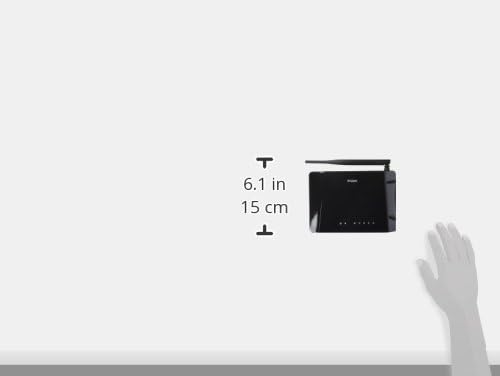
Малюнак 6.1: Diagram illustrating the approximate dimensions of the D-Link DIR-610 Router. The image shows the router's height of approximately 6.1 inches (15 cm).
7. Тэхнічныя характарыстыкі
| Асаблівасць | Спецыфікацыя |
|---|---|
| Марка | D-Link |
| Вытворца | D-Link |
| серыял | 97200GL |
| Колер | Чорны |
| Вышыня прадукту | 14.75 сантыметраў |
| Шырыня прадукту | 3.15 сантыметраў |
| дазвол | pixels Pixels |
| Батарэі ўваходзяць у камплект | няма |
| Памеры прадукту | 11.32 х 3.15 х 14.75 см; 200 г |
| Нумар мадэлі прадукту | DIR-610 |
| ASIN | B00CLMOR4U |
| Першая даступная дата | 15 лістапада 2012 г |
| Уключаныя кампаненты | 1 DIR-610 Router, Power Adapter, Ethernet Cable, Installation Guide, User Manual |
| Тэхналогія падлучэння | Бесправадная сувязь |
| Вага прадукту | 200 грам |
| Метад кантролю | Application (referring to web інтэрфейс) |
| Прапускная здольнасць порта лакальнай сеткі | 10/100 megabits per second |
| UPC | 790069377822, 790069377808, 790069377891 |
| Глабальны нумар прадмета гандлю (GTIN) | 00790069377891 |
8. Інфармацыя па бяспецы
Please read and follow all safety instructions to prevent injury or damage to the device:
- Не адкрывайце прыладу casing.
- Не падвяргайце прыладу ўздзеянню вады, вільгаці або экстрэмальных тэмператур.
- Выкарыстоўвайце толькі адаптар сілкавання, які пастаўляецца з прыладай.
- Трымайце прыладу далей ад крыніц цяпла і прамых сонечных прамянёў.
- Забяспечце належную вентыляцыю вакол прылады.
9. Гарантыя і падтрымка
For warranty information, please refer to the warranty card included with your product or visit the official D-Link website for your region. D-Link provides technical support for its products. For assistance, please visit your local D-Link support webсайт або звярніцеся ў службу падтрымкі кліентаў.
D-Link Webсайт: www.dlink.com