
Miditech MIT-00151
Miditech MIDIFACE 4x4 USB MIDI Interface User Manual
Model: MIT-00151
Уводзіны
This manual provides comprehensive instructions for the setup, operation, and maintenance of your Miditech MIDIFACE 4x4 USB MIDI Interface. The MIDIFACE 4x4 is a versatile and compact device designed to connect your MIDI-compatible instruments and devices to your computer, offering 4 MIDI inputs and 4 MIDI outputs for extensive connectivity.
Прадукт скончаныview
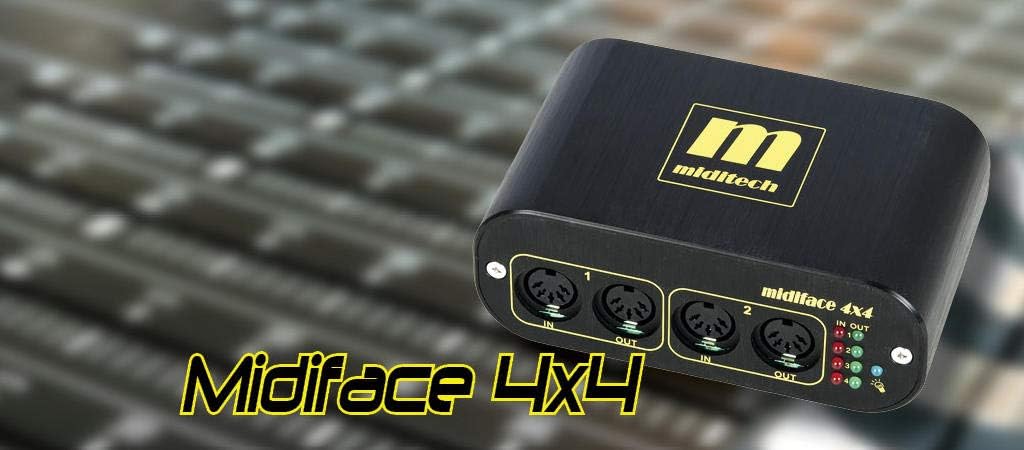
The Miditech MIDIFACE 4x4 USB MIDI Interface, a compact black unit with gold branding, designed for seamless MIDI connectivity.
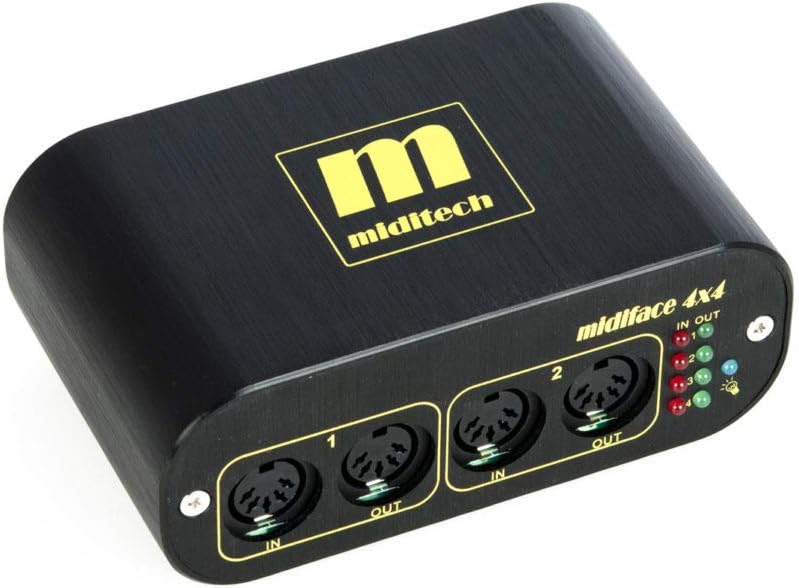
Фронт view of the Miditech MIDIFACE 4x4, showing MIDI IN/OUT ports 1 and 2, along with the status LEDs for activity indication.
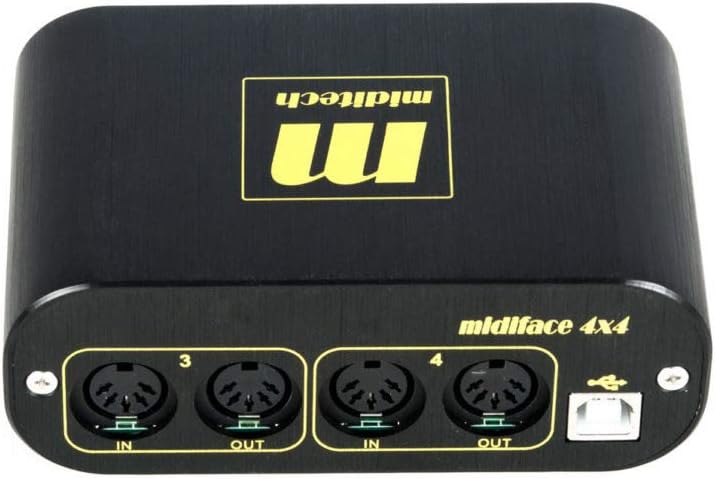
Тыл view of the Miditech MIDIFACE 4x4, displaying MIDI IN/OUT ports 3 and 4, and the USB connection port for computer interface.
Настройка
Сістэмныя патрабаванні
- Аперацыйная сістэма: Class Compliant with MAC OSX, Windows XP SP2, Windows Vista, Windows 7, 8, and 10.
- Порт USB: Даступны порт USB 2.0 або 3.0.
Connecting the MIDIFACE 4x4
- Connect the USB cable from the MIDIFACE 4x4 to an available USB port on your computer. The device is USB bus-powered and does not require an external power supply.
- The MIDIFACE 4x4 is "class compliant," meaning it does not require special driver installation on supported operating systems. Your computer should automatically recognize the device.
- Connect your MIDI instruments and devices to the MIDI IN and MIDI OUT ports on the MIDIFACE 4x4 using standard MIDI cables. Ensure MIDI OUT from your instrument connects to MIDI IN on the MIDIFACE, and MIDI IN on your instrument connects to MIDI OUT on the MIDIFACE.
Аперацыя
Падключэнне MIDI
The MIDIFACE 4x4 provides four independent MIDI input and four independent MIDI output ports. Each pair of IN/OUT ports functions as a separate MIDI interface, allowing for flexible routing and control of multiple MIDI devices.
Святлодыёды стану
The device features status LEDs for each MIDI IN and MIDI OUT port. These LEDs illuminate to indicate MIDI activity, helping you confirm data transmission and reception.
Інтэграцыя праграмнага забеспячэння
Once connected, the MIDIFACE 4x4 will appear as multiple MIDI input and output devices within your Digital Audio Workstation (DAW) software or other MIDI applications. Select the appropriate MIDI ports within your software for sending and receiving MIDI data.
Тэхнічнае абслугоўванне
The Miditech MIDIFACE 4x4 is designed for durability and requires minimal maintenance.
- Падтрымлівайце чысціню прылады, праціраючы яе мяккай сухой тканінай. Пазбягайце выкарыстання вадкіх ачышчальнікаў або растваральнікаў.
- Ensure the device is stored in a dry environment, away from extreme temperatures and direct sunlight.
- Protect the MIDI and USB ports from dust and debris when not in use.
Ліквідацыю непаладак
Прылада не распазнана
- Праверце падключэнне USB: Ensure the USB cable is securely connected to both the MIDIFACE 4x4 and your computer. Try a different USB port or cable.
- Сумяшчальнасць з аперацыйнай сістэмай: Verify your operating system is listed as "class compliant" (MAC OSX, Windows XP SP2, Windows Vista, Windows 7, 8, and 10). For Windows 10, some users have reported issues with USB 3.0 ports; if possible, try connecting to a USB 2.0 port.
- Перазагрузіце кампутар: Просты перазапуск часта можа вырашыць праблемы з распазнаваннем.
No MIDI Signal
- Кабельныя злучэнні: Double-check that MIDI IN on your instrument is connected to MIDI OUT on the MIDIFACE, and MIDI OUT on your instrument is connected to MIDI IN on the MIDIFACE.
- Святлодыёды стану: Observe the status LEDs on the MIDIFACE 4x4. If they are not flashing during MIDI activity, there might be an issue with the MIDI cable or the connected instrument.
- Налады праграмнага забеспячэння: Ensure the correct MIDI input/output ports are selected and enabled within your DAW or MIDI application.
- Older Synthesizers: Some older synthesizers may have specific MIDI implementation requirements. Consult your synthesizer's manual for details.
Intermittent Connection/Performance Issues
- USB Харчаванне: While bus-powered, ensure your computer's USB port is providing sufficient power. Avoid connecting through unpowered USB hubs if issues persist.
- Якасць кабеля: Use high-quality USB and MIDI cables.
Тэхнічныя характарыстыкі
| Асаблівасць | Дэталь |
|---|---|
| Марка | Miditech |
| Нумар мадэлі | MIT-00151 |
| MIDI-парты | 4 MIDI Inputs, 4 MIDI Outputs |
| Тэхналогія падлучэння | USB |
| Магутнасць | Харчаванне ад шыны USB |
| Сумяшчальнасць аперацыйнай сістэмы | MAC OSX, Windows XP SP2, Windows Vista, Windows 7, 8, 10 (Class Compliant) |
| Памеры (Ш х Г х У) | 114 х 68.5 х 42.5 мм (4.49 х 2.7 х 1.67 цалі) |
| Вага | 287 г (12.6 унцыі) |
| Індыкатары стану | LEDs for MIDI IN/OUT activity |
Гарантыя і падтрымка
For warranty information and technical support, please refer to the Miditech official webсайт або звярніцеся непасрэдна ў службу падтрымкі кліентаў. Захоўвайце чэк аб куплі для прэтэнзій па гарантыі.