SADES SA 708 Stereo Gaming Headphone Headset with Microphone (Blue) Instruction Manual
Model: SA 708 | Brand: SADES
1. Уводзіны
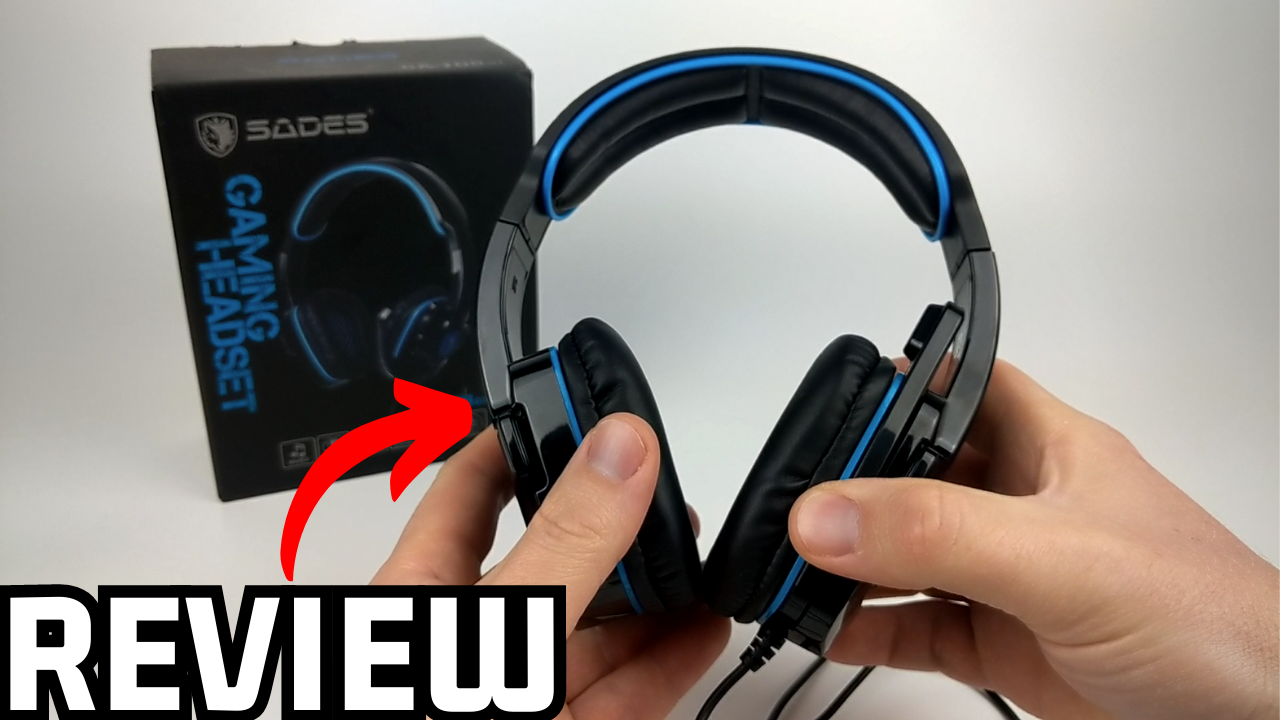
The SADES SA 708 Stereo Gaming Headphone Headset with Microphone (Blue) is designed to provide an immersive audio experience for gamers across various platforms. This manual will guide you through the setup, operation, and maintenance of your new headset to ensure optimal performance and longevity.
Image 1: The SADES SA 708 Stereo Gaming Headset, highlighting its design and blue accents.
2. Асноўныя магчымасці
EMI/RFI Shielding: Prevents electromagnetic and radio-frequency interference for clear audio during gameplay.
Унікальны дызайн: Well-shaped and designed gaming headset with a foldable hidden microphone.
SADES-AFV Volume Control: Premier volume control with an additional microphone mute function for easy audio management.
Зручнае адзенне: Features soft PU leather cushion ear-pads and head-pads for extended comfort.
Шырокая сумяшчальнасць: Works with Xbox One, PS4, PC, Computer, and Mobile Phones via its 3.5mm jack.
Image 2: Highlighting the immersive sound quality of the headset, designed for an engaging gaming experience.
Image 3: Illustrates the 40mm drivers and the noise reduction capabilities of the microphone, ensuring clear audio input and output.
3. Што ў скрынцы
Upon opening your SADES SA 708 headset package, you should find the following items:
SADES SA 708 Stereo Gaming Headset with Microphone
Амбушуры (папярэдне ўсталяваныя)
3.5mm Plug Cable (1.5 meters approximately)
PC Adapter Cable (for separate audio/mic jacks)
Xbox 360 Adapter (if applicable for older controllers)
Кіраўніцтва па эксплуатацыі
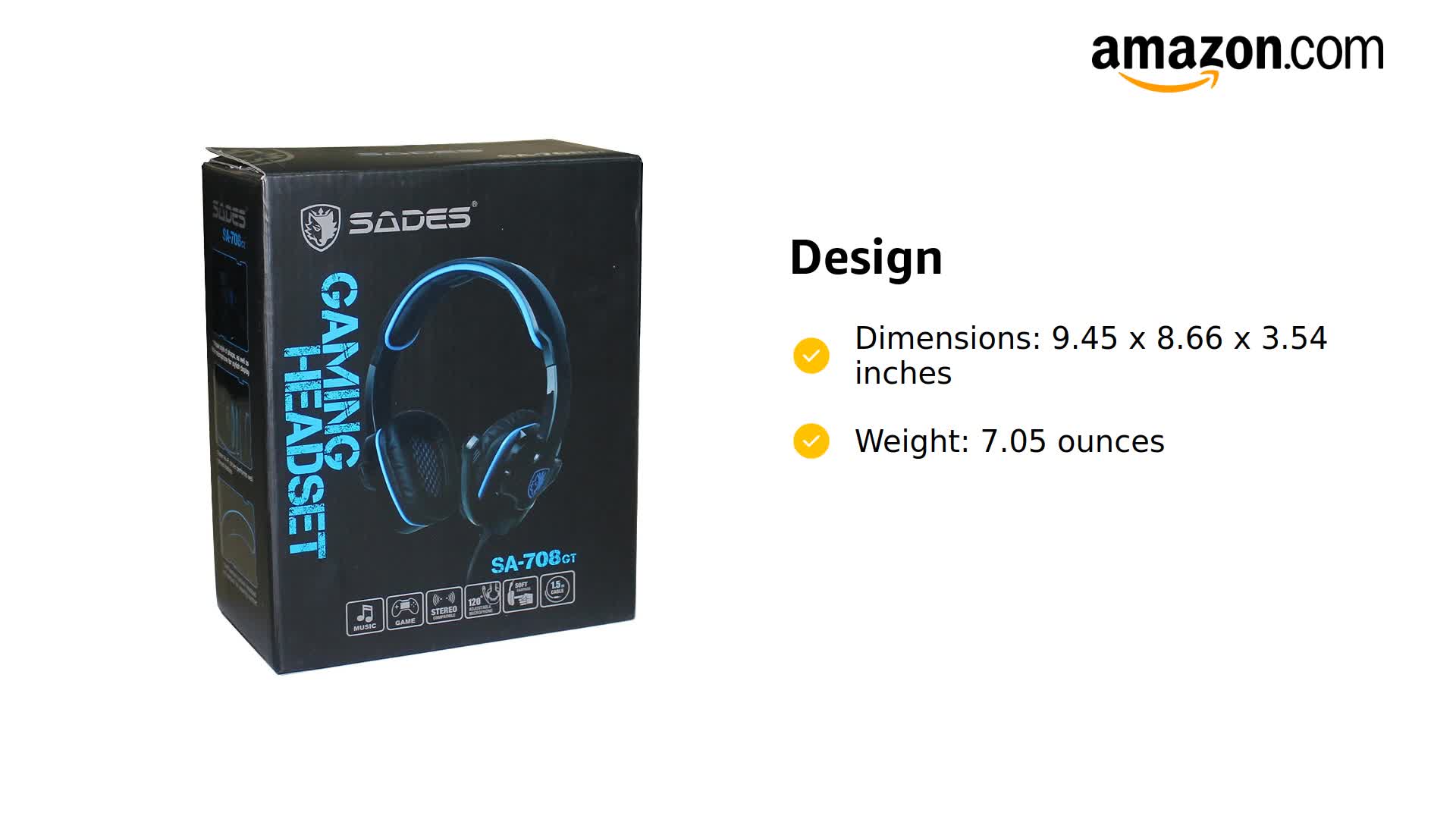
Image 4: Contents of the SADES SA 708GT package, showing the headset, various cables, and adapters for different devices.
4. Кіраўніцтва па наладцы
4.1 Падключэнне да прылад
The SADES SA 708 headset uses a standard 3.5mm audio jack for broad compatibility. Ensure your device has a compatible 3.5mm port.
For Mobile Phones, PS4, Xbox One (new controller), Nintendo Switch: Plug the 3.5mm jack directly into your device's audio port.
For PC/Computer (with separate audio/mic jacks): Use the included PC adapter cable. Plug the headset's 3.5mm jack into the adapter, then plug the green (audio) and pink (microphone) plugs of the adapter into the corresponding ports on your computer.
For Xbox 360 (older controllers): Use the specific Xbox 360 adapter if provided, connecting it to your controller and then the headset.
Image 5: Visual guide demonstrating how to connect the SADES headset to various devices including mobile phones, Xbox One, PS4, and PC.
4.2 Initial Connection and Testing
Connect the headset to your desired device as described above.
Ensure the volume control on the headset cable is turned up to an audible level.
Test the audio by playing sound from your device.
Test the microphone by speaking into it while using a voice recording application or in-game chat. Adjust microphone position for optimal clarity.
5. Інструкцыя па эксплуатацыі
5.1 Рэгулятар гучнасці
The headset features an in-line SADES-AFV volume control. Use the scroll wheel on the control unit to adjust the audio output level to your preference.
5.2 Выкарыстанне мікрафона
The omnidirectional microphone is designed for clear voice communication. It can be folded up and hidden when not in use to prevent damage or interference.
Функцыя адключэння гуку: A dedicated switch on the in-line control allows you to quickly mute or unmute the microphone.
Рэгуляванне пазіцыі: Gently bend the microphone arm to position it optimally near your mouth for the best voice pickup.
Image 6: The SADES Gaming Headset, illustrating the in-line controls for volume and microphone mute, and the adjustable microphone arm.
5.3 Нашэнне гарнітуры
The headset is designed for comfort during long gaming sessions. The soft PU leather ear-pads and adjustable headband ensure a snug yet comfortable fit for various head shapes and sizes.
Image 7: A person wearing the SADES gaming headset, demonstrating its comfortable over-ear design and adjustable fit.
Малюнак 8: Падрабязны view of the headset's comfort features, including soft memory protein ear-pads, an adjustable headband, and ergonomic design for various head shapes.
6. Тэхнічныя характарыстыкі
Асаблівасць
Дэталь
Марка
САДЭС
Нумар мадэлі
SA 708
Колер
Сіні
Тэхналогія падлучэння
Правадная
Тэхналогія бесправадной сувязі
RF
Гняздо для навушнікаў
3.5 мм Jack
Кантроль шуму
None (EMI/RFI Shielding for interference reduction)
Форма навушніка
Надвушная
Формаў-фактар
Двухвухі
Матэрыял
Штучная скура
Вага прадмета
7.1 унцыі (200 грама)
Памеры прадукту
9.45 х 8.66 х 3.54 цалі
Даўжыня кабеля
2.2m (Approximately)
Сумяшчальныя прылады
Xbox One, PS4, PC, Computer, Mobile Phone
Тып кіравання
Volume Control (SADES-AFV)
Метад кантролю
Дыстанцыйнае
Імпеданс
32 Ом
Малюнак 9: Крупны план view of the headset's customized braided wire, indicating durability and quality.
7. Тэхнічнае абслугоўванне
Proper care and maintenance will extend the life of your SADES SA 708 headset.
Уборка: Use a soft, dry cloth to clean the headset. For ear-pads, a slightly damp можна выкарыстоўваць тканіну, але пераканайцеся, што яна цалкам высахла перад выкарыстаннем. Пазбягайце выкарыстання агрэсіўных хімічных рэчываў або абразіўных матэрыялаў.
захоўванне: Store the headset in a cool, dry place away from direct sunlight and extreme temperatures. When not in use, fold the microphone away to protect it.
Сыход за кабелем: Пазбягайце рэзкіх выгібаў або празмернага нацягвання кабеля, каб пазбегнуць унутраных пашкоджанняў.
Ear-pad Replacement: Over time, ear-pads may wear out. Replacement ear cushions are available and can be easily installed.
8. Выпраўленне непаладак
If you encounter any issues with your headset, refer to the following common troubleshooting steps:
Няма гуку:
Check if the 3.5mm jack is fully inserted into the device.
Ensure the volume control on the headset cable is not at minimum.
Verify the device's volume settings are not muted or too low.
If using a PC adapter, ensure both green (audio) and pink (microphone) jacks are correctly plugged in.
Праверце гарнітуру з іншай прыладай, каб выключыць праблемы, характэрныя для гэтай прылады.
Мікрафон не працуе:
Check if the microphone mute switch on the in-line control is in the "unmute" position.
Ensure the microphone is properly extended and positioned.
Verify microphone settings on your device (e.g., input device selection, volume levels).
If using a PC adapter, ensure the pink (microphone) jack is correctly plugged in.
Праверце мікрафон з дапамогай іншай прылады або праграмы.
Статычныя перашкоды або перашкоды:
Ensure the EMI/RFI shielding is functioning by checking for any physical damage to the cable.
Move away from other electronic devices that might be causing interference.
Пераканайцеся, што ўсе злучэнні надзейныя.
8.1 Official Product Videos for Troubleshooting and Setup
Video 1: SADES SA708GT Review, Test, & Mic Demo. This video provides a detailed review, sound test, and microphone demonstration for the SADES SA708GT headset, which can be helpful for understanding its performance and features.
Video 2: SADES Gaming Headset with Microphone. This video offers a general overview of the SADES Gaming Headset with Microphone, showcasinяго дызайн і асноўныя функцыі.
9. Гарантыя і падтрымка
9.1 Інфармацыя аб гарантыі
Specific warranty details for the SADES SA 708 headset are typically provided with your purchase documentation. Please refer to the warranty card or product packaging for information regarding coverage period and terms. For general inquiries, contact SADES customer support.
9.2 Падтрымка кліентаў
For further assistance, technical support, or service inquiries, please visit the official SADES website or contact their customer service department. Contact information can usually be found on the product packaging or their official webсайт.
Інфармацыя па бяспецы: The operating distance may vary with the operating environment. Battery life may vary based on user and working conditions.
Ask a question about this manual
Ask about setup, troubleshooting, compatibility, parts, safety, or missing instructions. Manuals+ will review the question and use this page’s manual context to help answer it.