
VTech CS6729-2
VTECH Communications CS6729-2
2 Handset Answering System with Caller ID/Call Waiting User Manual
Уводзіны
This user manual provides comprehensive instructions for the VTECH Communications CS6729-2 2 Handset Answering System. It covers setup, operation, maintenance, and troubleshooting to ensure optimal performance of your new telephone system. Please read this manual thoroughly before using your phone.
Настройка і ўстаноўка
Змест пакета
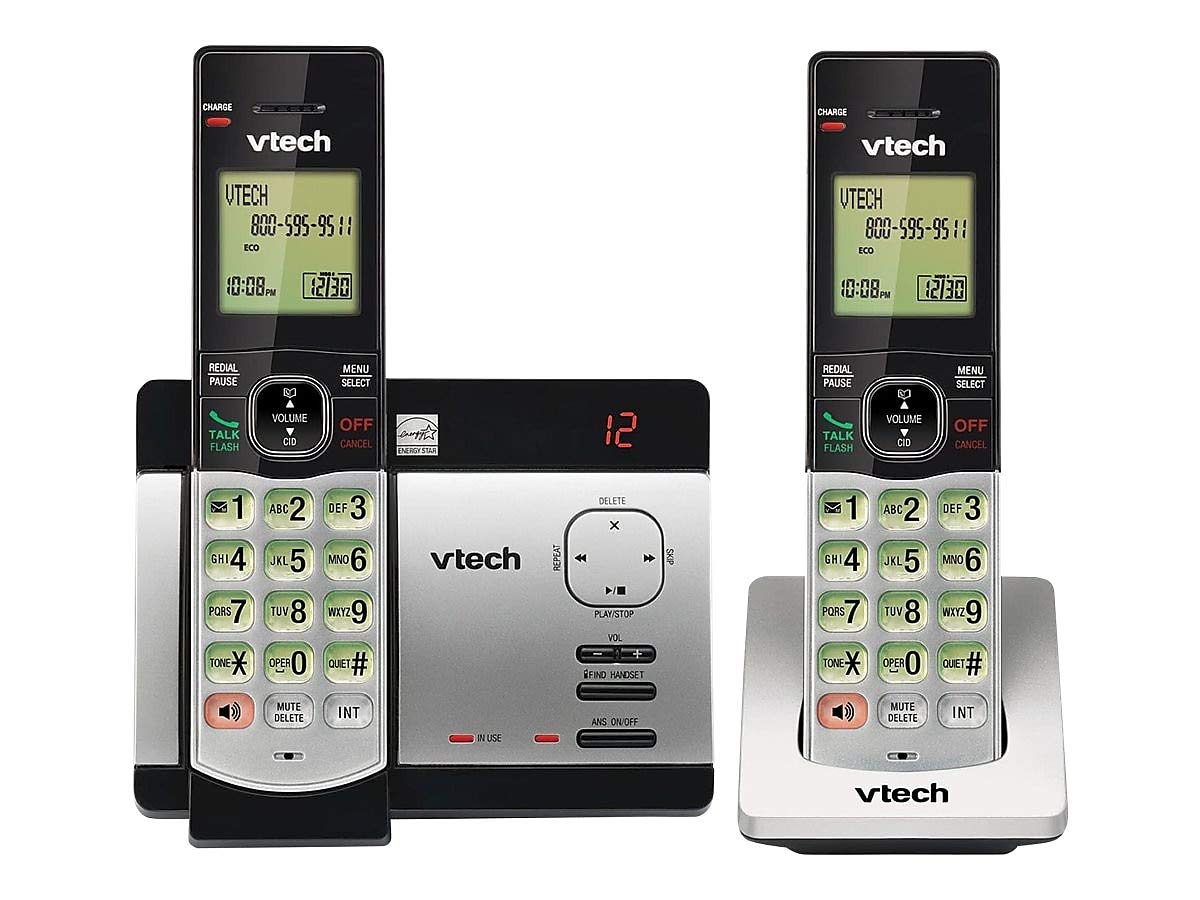
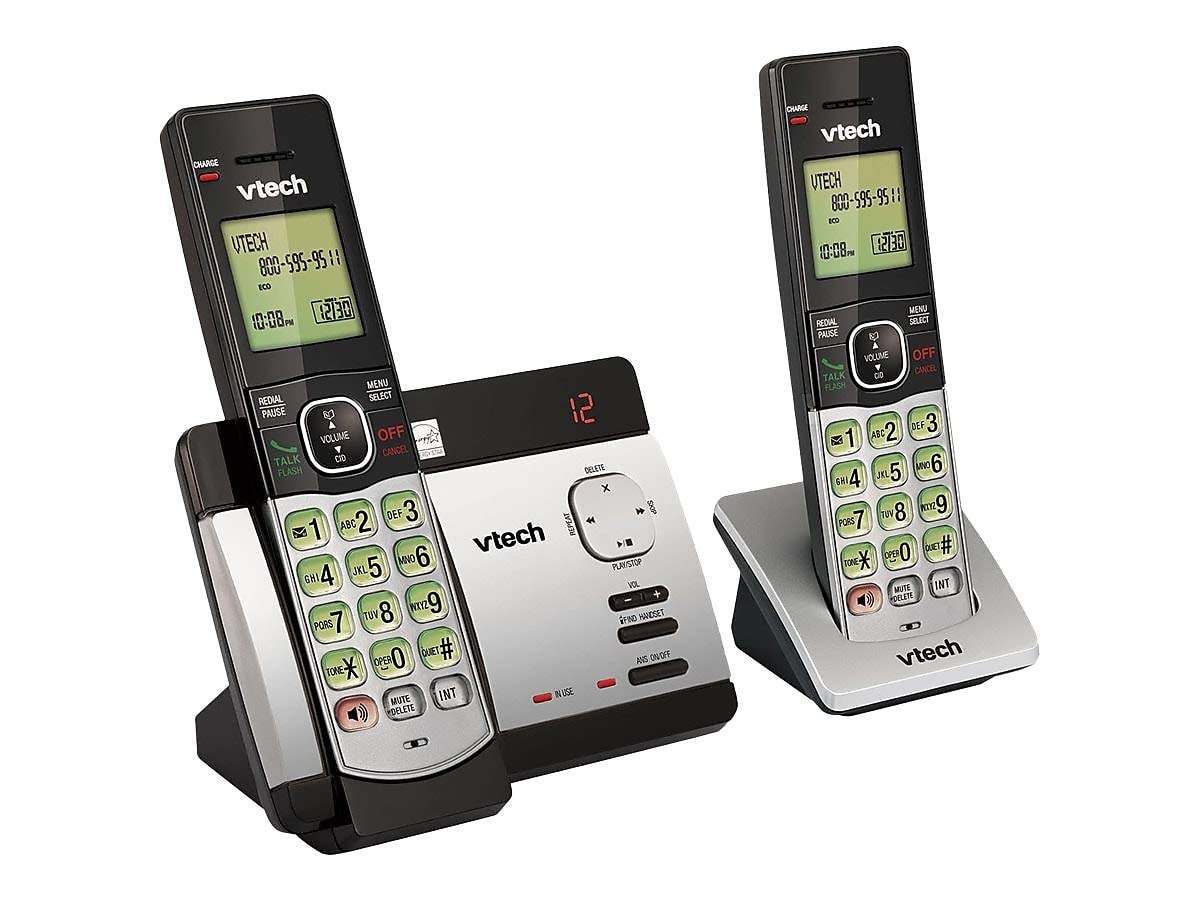
Пераканайцеся, што ўсе прадметы прысутнічаюць у вашай упакоўцы:
- Бесправадныя трубкі (2)
- Base Unit with Digital Answering System
- Адаптар сілкавання пераменнага току для базавага блока
- Тэлефонны шнур
- Rechargeable Batteries (4 AAA batteries required, included)
- Насценны кранштэйн
Ўстаноўка акумулятара
Before initial use, install the included AAA batteries into each cordless handset. Open the battery compartment cover on the back of the handset, insert the batteries according to the polarity markings, and close the cover. Place the handset on the base unit or charger to charge for at least 16 hours before first use.
Падключэнне базавага блока
Connect the small end of the AC power adapter to the power jack on the back of the telephone base. Plug the large end of the AC power adapter into a wall outlet not controlled by a wall switch. Connect one end of the telephone line cord to the telephone jack on the back of the telephone base. Plug the other end of the telephone line cord into a telephone wall jack.
Інструкцыя па эксплуатацыі
Здзяйсненне і прыём званкоў
Каб патэлефанаваць, націсніце ГОВОР / МІГАЦЬ or any dial pad key, then dial the number. To receive a call, press ГОВОР / МІГАЦЬ when the phone rings. To end a call, press ВЫКЛ/АДМЕНА або пастаўце трубку назад на базу/зарадную прыладу.
Answering System Features
The integrated digital answering system can record up to 14 minutes of messages. You can retrieve messages from any handset or remotely. The voicemail waiting indicator will notify you of new messages. Messages are time and date stampвыд для палягчэння даведкі.
Ідэнтыфікатар абанента/Чаканне выкліку
The phone displays the caller's name and number (if available) before you answer. If you have Call Waiting service, the phone will alert you to an incoming call while you are on another call.
Тэлефонная кніга
Store up to 50 names and numbers in the phonebook directory for quick dialing. Refer to the handset menu for instructions on adding, editing, and deleting entries.
Дамафон
Use the intercom feature to communicate between handsets. This system supports up to 5 handsets (additional handsets sold separately).
Паўторнае набранне
The phone stores the last 10 dialed numbers. Press Паўторны набор/паўза to access and redial these numbers.
Рэгулятар гучнасці
Adjust the earpiece and speakerphone volume during a call using the АБ'ЁМ кнопкі на баку тэлефоннай трубкі.
Адключыць гук
Націсніце ВЫКЛЮЧЫЦЬ/ВЫДАЛІЦЬ button during a call to mute your microphone. The other party will not hear you, but you can still hear them. Press again to unmute.
Канферэнц-званкі
You can set up a 3-way conference call between an outside line and up to two cordless handsets.
Trilingual Prompts
The system offers trilingual prompts, allowing you to choose between English, Spanish, or French for voice announcements and menu options.
Тэхнічнае абслугоўванне
Уборка
Чысціце тэлефон і базу мяккай губкайamp cloth. Do not use cleaning sprays or harsh chemicals. Avoid getting moisture in any openings.
Сыход за батарэяй
To maintain optimal battery life, fully charge the handsets regularly. If the phone will not be used for an extended period, remove the batteries to prevent leakage.
Ліквідацыю непаладак
If you experience issues with your phone system, try the following solutions:
| праблема | Рашэнне |
|---|---|
| Няма сігналу набору | Ensure the power adapter and telephone line cord are securely plugged into the base unit and wall outlets. Check if the phone line is active. |
| Немагчыма рабіць/прымаць званкі | Check battery charge level. Ensure the handset is within range of the base unit. Verify the telephone line connection. |
| Аўтаадказчык не запісвае паведамленні | Ensure the answering system is turned ON. Check if the memory is full; delete old messages if necessary. |
| Дрэнная якасць гуку | Падыдзіце бліжэй да базавай прылады. Праверце на наяўнасць перашкод ад іншых электронных прылад. |
| Тэлефон не зараджаецца | Ensure the handset is properly seated in the charging cradle. Clean the charging contacts on both the handset and cradle. |
Тэхнічныя характарыстыкі
- мадэль: CS6729-2
- Тэхналогія: Лічбавы DECT 6.0
- Тэлефоны: 2 (з магчымасцю пашырэння да 5)
- Сістэма аўтаадказчыка: Digital, 14 minutes recording time
- Ёмістасць тэлефоннай кнігі: 50 імёнаў і лічбаў
- Памяць паўторнага набору: Апошнія 10 лічбаў
- батарэі: 4 акумулятарныя батарэйкі тыпу AAA (у камплекце)
- Памеры прадукту: 1 x 3.2 x 6.9 inches (handset)
- Вага прадмета: 1.3 фунта
- колер: Шэры
- Крыніца харчавання: Правадная электрычная
Гарантыя і падтрымка
Каб атрымаць інфармацыю пра гарантыю і тэхнічную падтрымку, звярніцеся да гарантыйнага талона, які пастаўляецца з вашым прадуктам, або наведайце афіцыйны сайт VTech. webсайт. Захоўвайце чэк аб куплі як пацвярджэнне пакупкі для гарантыйных прэтэнзій.