
Baseus B00GHAKZ2A
Кіраўніцтва карыстальніка аўтамабільнага аўдыёадаптара Baseus Bluetooth 5.0
Model: B00GHAKZ2A
1. Уводзіны
This user manual provides detailed instructions for the Baseus Bluetooth 5.0 Car Audio Adapter. This high-quality P2 Bluetooth receiver adapter is designed to enable wireless audio streaming from your mobile device to your car's auxiliary input, even if your car's sound system does not have built-in Bluetooth. It supports Bluetooth 5.0 for stable and high-quality stereo sound transmission without delays or noise. The adapter also features an integrated microphone for hands-free calling, allowing you to answer phone calls with audio routed through your car's speakers.
Please read this manual thoroughly before using the product to ensure proper operation and to maximize its performance and longevity.
2. Інфармацыя па бяспецы
- Не падвяргайце прыладу ўздзеянню экстрэмальных тэмператур, прамых сонечных прамянёў або высокай вільготнасці.
- Трымайце прыладу далей ад вады і іншых вадкасцей.
- Не спрабуйце разбіраць, рамантаваць або мадыфікаваць прыладу самастойна. Звяртайцеся да кваліфікаванага персаналу па любыя паслугі па абслугоўванні.
- Ensure all connected equipment (speakers, USB input, P2 input, mobile phone, etc.) are functioning correctly and in good condition for optimal performance.
- Avoid operating the device in a manner that distracts you from driving. Always prioritize road safety.
3. Прадукт скончыўсяview
The Baseus Bluetooth 5.0 Car Audio Adapter is a compact and versatile device designed to enhance your in-car audio experience. It features a durable zinc alloy construction and a flexible coiled cable for convenient use.

Малюнак 3.1: The Baseus Bluetooth 5.0 Car Audio Adapter, showcasing its main unit, coiled cable, and 3.5mm P2 audio jack. The adapter is made of zinc alloy and features a control button and an indicator light.

Малюнак 3.2: Буйны план view of the Baseus Bluetooth adapter, highlighting its compact design and the coiled cable, which allows for flexible placement and reduces clutter.

Малюнак 3.3: The product packaging, illustrating the adapter's features and components, including the main unit, 3.5mm P2 jack, and the coiled cable.
Асноўныя характарыстыкі:
- Bluetooth 5.0: Provides a stable and fast wireless connection.
- Высокая якасць стэрэагуку: Delivers clear audio without delays or noise.
- Убудаваны мікрафон: Enables hands-free calling through your car's speakers.
- Шырокая сумяшчальнасць: Works with Android and iOS Apple devices.
- Трывалая канструкцыя: Made from zinc alloy for enhanced longevity.
- Plug-and-Play Power: Powered via USB, no internal battery required.
4. Настройка
Follow these steps to set up your Baseus Bluetooth 5.0 Car Audio Adapter:
- Падключэнне да сілкавання: Plug the USB end of the adapter into a USB port in your car (e.g., car stereo USB port, cigarette lighter adapter with USB output). The adapter does not have an internal battery and requires continuous power.
- Падключэнне да аўдыёўваходу: Plug the 3.5mm P2 audio jack into your car's auxiliary (AUX) input port. This is typically labeled "AUX" or has a headphone jack icon.
- Power On Car Stereo: Turn on your car's stereo system and select the AUX input source.
- Спалучэнне з вашай прыладай:
- On your mobile phone (Android or iOS), go to the Bluetooth settings.
- Пераканайцеся, што Bluetooth уключаны.
- Scan for available devices. The adapter should appear as "Baseus" or a similar name.
- Select the adapter to pair. Once paired, the indicator light on the adapter may change or stop blinking, indicating a successful connection.
- Тэставае злучэнне: Play some audio from your phone (e.g., music from Spotify, Deezer, YouTube) to confirm that sound is coming through your car's speakers.
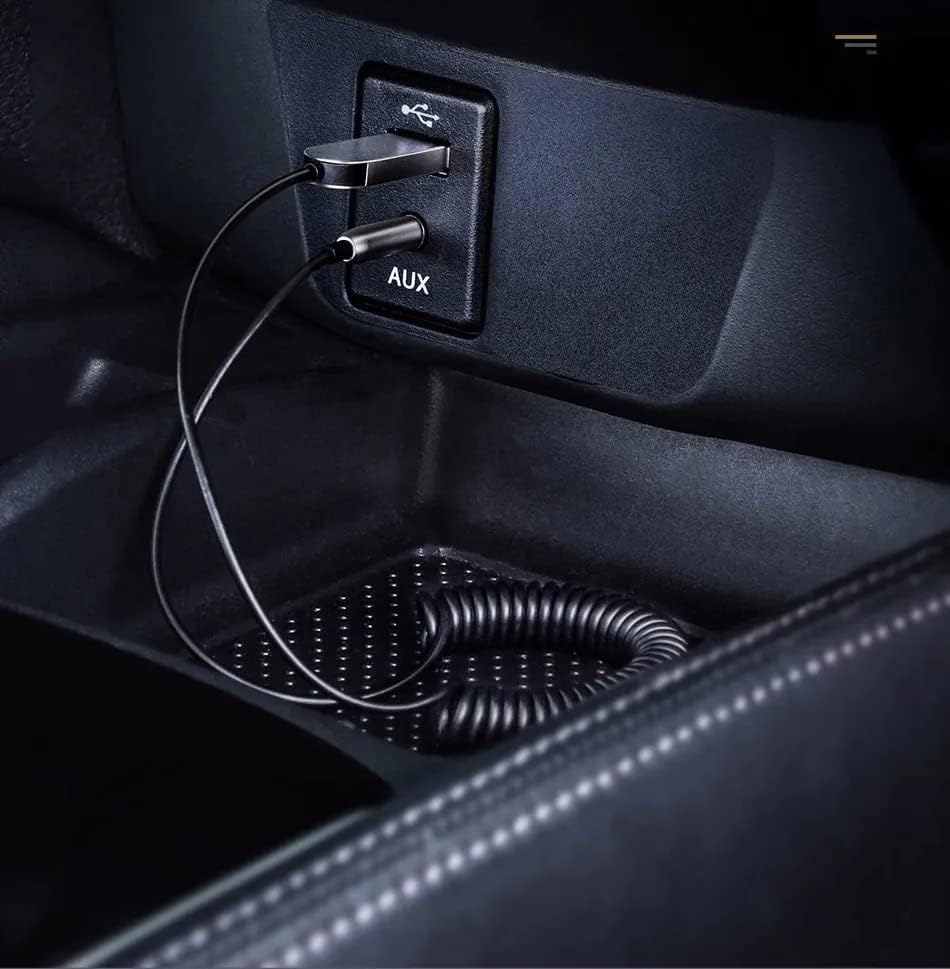
Малюнак 4.1: The Baseus adapter correctly connected to both the USB power source and the 3.5mm AUX input in a car's center console.
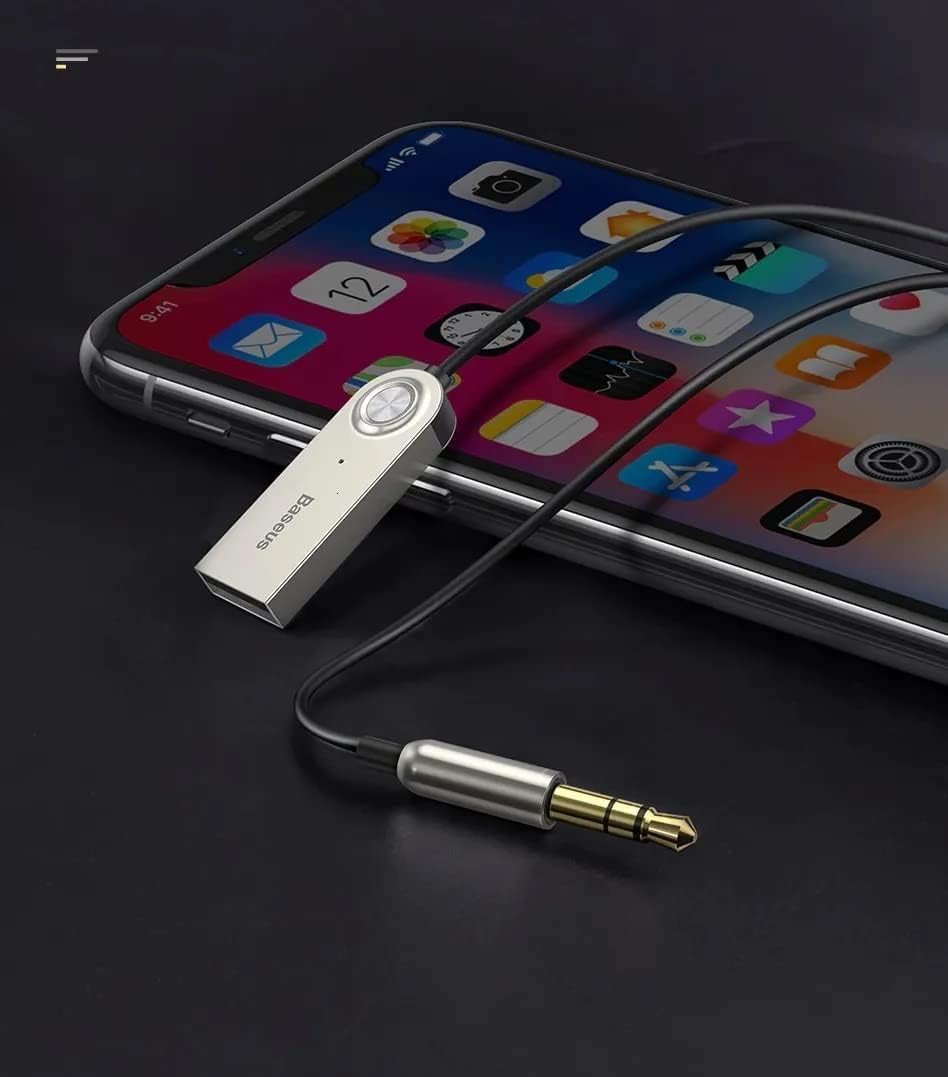
Малюнак 4.2: The Baseus adapter connected to a smartphone, illustrating the wireless audio connection for streaming music or making calls.
The adapter will automatically connect to the last paired device when powered on, provided the device's Bluetooth is active and within range.
5. Інструкцыя па эксплуатацыі
5.1 Прайграванне музыкі
- Once paired, open your preferred music application (e.g., Spotify, Deezer, YouTube, local music player) on your mobile device.
- Start playing music. The audio will be transmitted wirelessly to your car's stereo system via the AUX input.
- Control music playback (play/pause, next/previous track, volume) directly from your mobile device. The adapter itself does not have dedicated music control buttons.

Малюнак 5.1: The adapter can be used with any audio system that has a 3.5mm AUX input, such as a home stereo or portable speaker, extending its versatility beyond just car use.

Малюнак 5.2: Demonstrating the adapter's use with a laptop and a portable speaker, showing its capability to provide wireless audio to various devices with an AUX input.
5.2 Званкі ў рэжыме гучнай сувязі
- When a call comes in, the audio will automatically switch from music to the call.
- Answer calls directly from your mobile phone. The integrated microphone on the adapter will pick up your voice, and the caller's voice will be heard through your car's speakers.
- To ensure the best call quality, position the Baseus receiver as close as possible to yourself. The further away the receiver is, the lower the voice call quality may be.
- End calls from your mobile phone. Audio will resume to music playback if it was active before the call.
6. Тэхнічнае абслугоўванне
- Уборка: Для чысткі адаптара выкарыстоўвайце мяккую сухую тканіну. Не выкарыстоўвайце вадкія ачышчальнікі або аэразолі.
- захоўванне: Калі адаптар не выкарыстоўваецца, захоўвайце яго ў прахалодным, сухім месцы, удалечыні ад прамых сонечных прамянёў і экстрэмальных тэмператур.
- Сыход за кабелем: Avoid excessive pulling or bending of the coiled cable to prevent damage.
7. Выпраўленне непаладак
| праблема | Магчымая прычына | Рашэнне |
|---|---|---|
| Няма гуку з дынамікаў аўтамабіля. |
|
|
| Poor audio quality (static, distortion). |
|
|
| Якасць званка дрэнная. |
|
|
| Adapter not discoverable for pairing. |
|
|
8. Тэхнічныя характарыстыкі
| Асаблівасць | Дэталь |
|---|---|
| Марка | Басейс |
| мадэль | B00GHAKZ2A |
| Версія Bluetooth | 5.0 |
| Аўдыёвыхад | 3.5mm P2 Auxiliary Jack |
| Увод магутнасці | USB (no internal battery) |
| Матэрыял | Сплаў цынку |
| Убудаваны мікрафон | так |
| Максімальная даўжыня кабеля | 1.20 метраў (прыблізна 3.9 футаў) |
| Дыяпазон Bluetooth | Да 5 метраў (прыблізна 16 футаў) |
| Колер | Серабро |
9. Гарантыя і падтрымка
For warranty information and technical support, please refer to the documentation provided with your purchase or visit the official Baseus webсайт. Захоўвайце пацвярджэнне пакупкі для любых гарантыйных прэтэнзій.
For further assistance, you may contact Baseus customer support through their official channels. Ensure you have your product model number (B00GHAKZ2A) ready when contacting support.
Ask a question about this manual
Ask about setup, troubleshooting, compatibility, parts, safety, or missing instructions. Manuals+ will review the question and use this page’s manual context to help answer it.