
Уводзіны
Welcome to your iFrogz Orion Headphones. This manual provides essential information for the proper setup, operation, and maintenance of your device. Please read these instructions carefully before using your headphones.
Змест пакета
- iFrogz Orion Headphones
- Гэтая Інструкцыя па эксплуатацыі
Прадукт скончаныview
The iFrogz Orion headphones are designed for audio playback and communication. They feature a 40mm driver for sound delivery and an integrated in-line remote with a microphone for call and music control. The foldable design enhances portability.
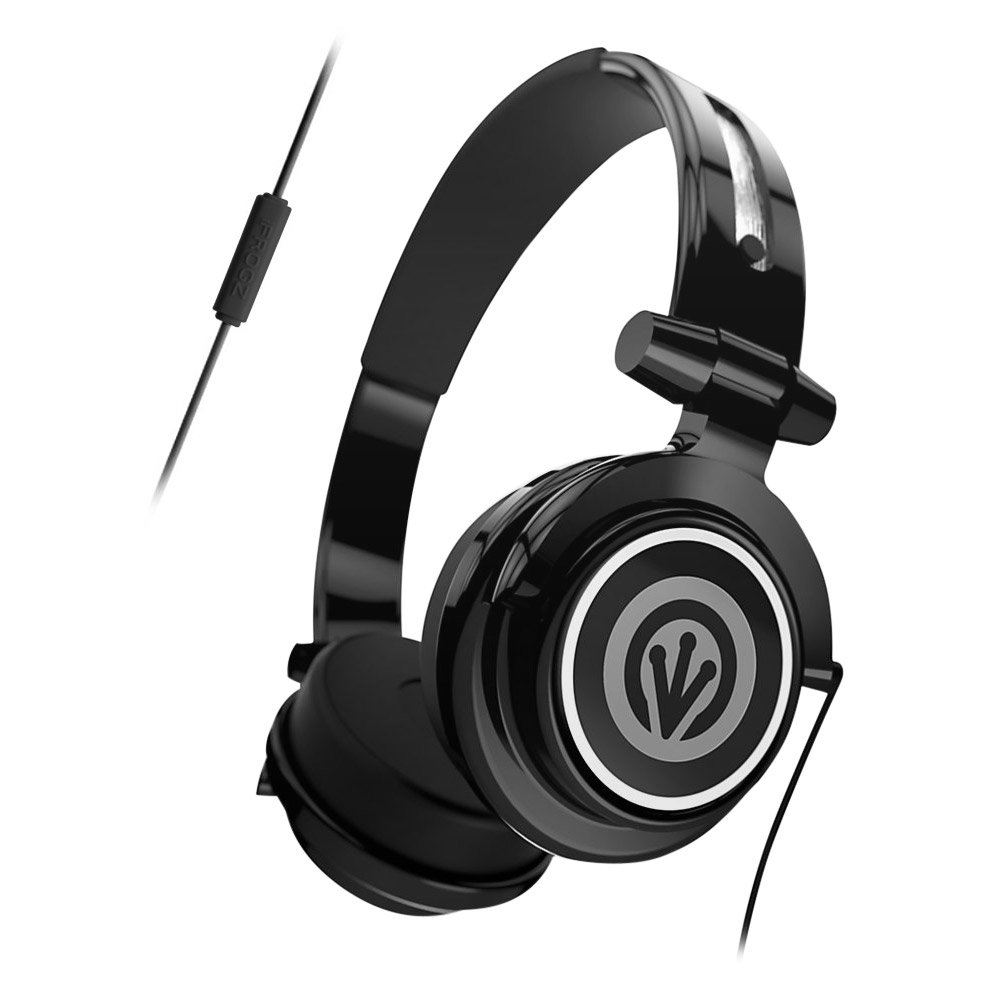
Image: iFrogz Orion Headphones, front view, black color, showcasinг амбушюры і агалоўе.
Настройка
Падключэнне навушнікаў
- Locate the 3.5mm audio jack on your iFrogz Orion headphones.
- Insert the 3.5mm audio jack firmly into the compatible audio port of your device (e.g., smartphone, tablet, computer).
- Для аптымальнага гучання пераканайцеся, што злучэнне надзейнае.
Інструкцыя па эксплуатацыі
Прайграванне аўдыё
Once connected, audio from your device will play through the headphones. Adjust the volume using your device's native volume controls.
Using the In-Line Remote/Microphone
- Кіраванне музыкай: Press the single button once to play or pause audio playback.
- Кіраванне званкамі: Press the single button once to answer an incoming call. Press it again to end an active call.
- The integrated microphone allows for hands-free communication during calls.
Тэхнічнае абслугоўванне
- Уборка: Use a soft, dry cloth to clean the exterior surfaces of the headphones. Do not use liquid cleaners, abrasive materials, or solvents, as these may damage the finish or internal components.
- захоўванне: When not in use, fold the headphones for compact storage. Store them in a cool, dry place, away from direct sunlight, excessive heat, or extreme cold.
- Сыход за кабелем: Avoid sharp bends, kinks, or excessive pulling on the audio cable to prevent internal wire damage.
Ліквідацыю непаладак
Без гуку
- Ensure the 3.5mm audio jack is fully inserted into both the headphones and the audio source device.
- Check the volume level on your audio source device and ensure it is not muted.
- Test the headphones with a different audio source to determine if the issue is with the headphones or the original device.
Мікрафон не працуе
- Verify that the headphones are securely connected to your device.
- Check your device's audio settings to ensure the external microphone is selected and enabled.
Тэхнічныя характарыстыкі
| Асаблівасць | Апісанне |
|---|---|
| Памер драйвера | 40 мм |
| Сувязь | Правадны (аўдыёраздым 3.5 мм) |
| Кантроль | In-line single-button remote/microphone |
| Дызайн | Foldable, Lightweight |
| Матэрыял | Пластыкавыя |
| Вага прадмета | 8.8 унцыі |
| Памеры | 8.78 х 6.46 х 3.35 цалі |
| Нумар мадэлі | IF-ORI-BLK |
| UPC | 848467004830 |
Гарантыя і падтрымка
For detailed warranty information, product registration, or customer support, please visit the official iFrogz webсайт або звярніцеся непасрэдна ў службу падтрымкі кліентаў. Калі ласка, захавайце чэк аб куплі як пацверджанне пакупкі для любых гарантыйных прэтэнзій.