
1. Прадукт скончыўсяview
The TP-Link TL-WA750RE is a 150Mbps Universal Wireless Range Extender designed to expand the coverage of an existing wireless network. It eliminates Wi-Fi dead zones by boosting the wireless signal to previously unreachable or hard-to-wire areas. Its compact, wall-mounted design allows for flexible deployment and easy relocation within your home or office.
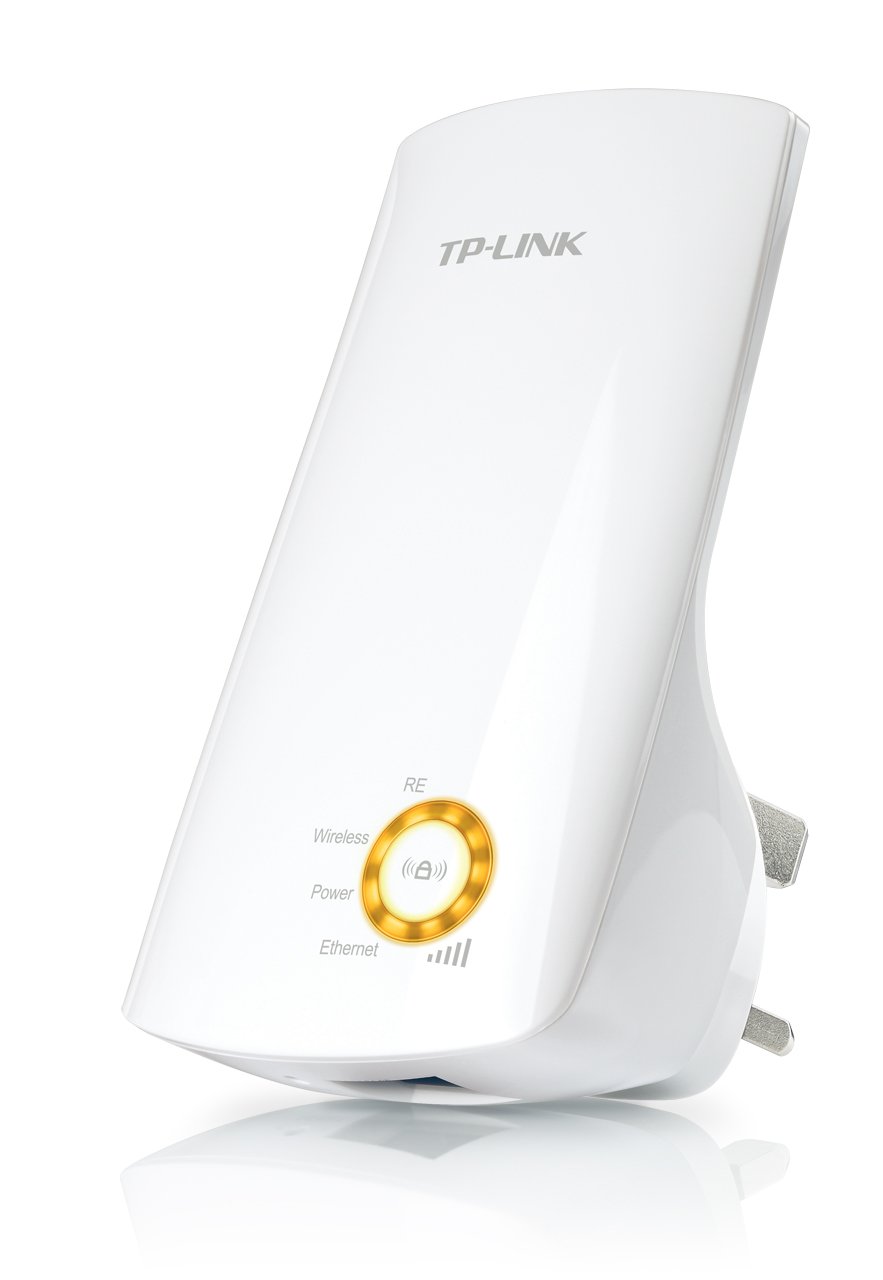
Малюнак 1: TP-Link TL-WA750RE Universal Wireless Range Extender. This image shows the device in its retail packaging, highlighting its compact design and wall-plug form factor.
2. Асноўныя магчымасці
- Рэжым пашыральніка дыяпазону: Boosts wireless signal to eliminate Wi-Fi dead zones and extend network coverage.
- Кампактны дызайн: Small size and wall-mounted design for easy deployment and flexible movement.
- Кнопка WPS: Allows for instant setup and secure connection with compatible routers.
- Інтэлектуальны індыкатар сігналу: Helps users find the optimal location for placing the range extender for best performance.
- Універсальная сумяшчальнасць: Works seamlessly with all 802.11n/g/b wireless devices.
3. Змесціва ўпакоўкі
У камплект прадукту звычайна ўваходзяць наступныя элементы:
- TP-Link TL-WA750RE 150Mbps Universal Wireless Range Extender
- Кіраўніцтва па эксплуатацыі
4. Кіраўніцтва па наладцы
4.1. Quick Setup using WPS Button
- Падключыць: Plug the TL-WA750RE into an electrical outlet near your wireless router.
- Актывуйце WPS на маршрутызатары: Press the WPS button on your main wireless router. Refer to your router's manual for the exact location and procedure.
- Актывуйце WPS на пашыральніку: Within two minutes, press the WPS button on the TL-WA750RE. The Signal LED on the extender should begin to flash.
- Чакайце падключэння: The Signal LED will turn solid blue or green when a successful connection is established.
- Перамясціць пашыральнік: Unplug the extender and move it to a location between your router and the Wi-Fi dead zone. Ensure the Signal LED indicates a strong connection (e.g., solid blue or green) in the new location.
4.2. Manual Setup via Web Браўзэр
- Падключыць: Plug the TL-WA750RE into an electrical outlet near your computer.
- Падключэнне да пашыральніка: Connect your computer to the extender's Wi-Fi network (e.g., "TP-LINK_Extender_XXXXXX"). No password is required initially.
- Доступ Web інтэрфейс: Адкрыйце a web браўзэр і ўвядзіце http://tplinkrepeater.net or the extender's default IP address (usually 192.168.0.254) into the address bar.
- Увайсці: Enter "admin" for both the username and password when prompted.
- Выконвайце інструкцыі на экране: Use the Quick Setup wizard to select your main Wi-Fi network and enter its password.
- Перамясціць пашыральнік: Once configured, unplug the extender and move it to an optimal location between your router and the desired coverage area.
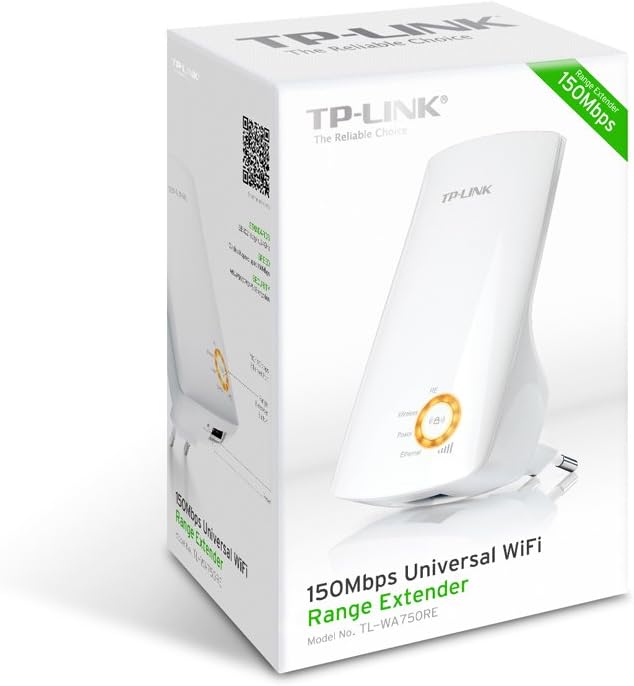
Малюнак 2: Збоку view of the TL-WA750RE. This image illustrates the physical layout of the device, including the WPS button and Ethernet port, which are crucial for setup and operation.
5. Эксплуатацыя пашыральніка сігналу
Once the TL-WA750RE is successfully set up, it will automatically extend your existing Wi-Fi network. Devices within the extended range can connect to the network name created by the extender (e.g., "YourNetworkName_EXT").
5.1. Індыкатар разумнага сігналу
The Smart Signal Indicator LEDs on the front of the device provide real-time feedback on the signal strength received from your main router. This helps you determine the best placement for the extender:
- Суцэльны сіні/зялёны: Excellent signal strength.
- Суцэльны чырвоны: Weak signal strength. Consider relocating the extender closer to your router.
- Выключана: No connection to the main router.
5.2. Ethernet Port Usage
The TL-WA750RE includes an Ethernet port. This port can be used to connect a wired device, such as a desktop computer, gaming console, or smart TV, to your wireless network, providing a stable wired connection in the extended Wi-Fi area.
6. Тэхнічнае абслугоўванне
- Уборка: Для чысткі прылады выкарыстоўвайце мяккую сухую тканіну. Не выкарыстоўвайце вадкія або аэразольныя ачышчальнікі.
- Размяшчэнне: Avoid placing the extender in direct sunlight, near heat sources, or in areas with high humidity.
- Абнаўленні прашыўкі: Перыядычна правярайце афіцыйны сайт TP-Link. webсайт для абнаўленняў прашыўкі, каб забяспечыць аптымальную прадукцыйнасць і бяспеку.
- Цыкл харчавання: If the device experiences issues, try unplugging it from the power outlet for 10 seconds and then plugging it back in.
7. Выпраўленне непаладак
- Q1: What should I do if I cannot access the extender's web старонка кіравання?
- A1: Ensure your computer is connected to the extender's network. Verify that http://tplinkrepeater.net is correctly typed in the browser. If issues persist, try using the extender's IP address (e.g., 192.168.0.254) or reset the extender to factory defaults.
- Q2: My extended network has poor signal or frequent disconnections.
- A2: Check the Smart Signal Indicator on the extender. If it's red or off, the extender is too far from your main router. Relocate the extender to a position where the indicator shows a strong signal (solid blue/green). Ensure there are no major obstructions between the router and the extender.
- Q3: How do I reset the extender to factory default settings?
- A3: With the extender powered on, use a pin to press and hold the Reset button (usually a small hole) for approximately 5-10 seconds until all LEDs flash briefly. The extender will then restart with factory default settings.
8. Тэхнічныя характарыстыкі
| Марка | TP-Link |
| Нумар мадэлі | TL-WA750RE |
| бесправадной стандарт | 802.11b/g/n |
| Хуткасць перадачы даных | 150 Мбіт/с |
| Частата | 2.4 ГГц |
| Асаблівасці | Smart Signal Indicator, WPS Button |
| Тып раздыма | RJ45 (порт Ethernet) |
| Вага прадмета | 0.4 фунта |
| Колер | Белы |
9. Гарантыя і падтрымка
9.1. Інфармацыя аб гарантыі
This TP-Link TL-WA750RE device comes with a Гарантыя 2 год з даты пакупкі. Калі ласка, захавайце пацвярджэнне пакупкі для прэтэнзій па гарантыі. Гарантыя распаўсюджваецца на дэфекты матэрыялаў і вырабу пры нармальным выкарыстанні.
9.2. Тэхнічная падтрымка
For technical assistance, troubleshooting, or further inquiries, please visit the official TP-Link support website or contact their customer service. You can find detailed support resources, FAQs, and contact information at www.tp-link.com/support.