
Уводзіны
This manual provides instructions for the installation, operation, and maintenance of your Sitecom WLA-3001 AC450 Wi-Fi 5GHz USB Adapter. This device is designed to upgrade your notebook or desktop PC to the latest 802.11ac Wi-Fi technology, enabling fast and reliable 5GHz wireless connectivity.
- 802.11ac Technology: Utilizes the latest generation Wi-Fi standard for enhanced performance.
- Хуткасць бесправадной сувязі: Offers a wireless throughput of up to 450 Mbps.
- 5GHz Adapter: Adds 5GHz band support to your device, reducing interference and improving speed.
- High-Performance Antenna: Features one internal high-performance antenna for optimal signal reception.
- Nano Design: Compact size allows it to remain permanently connected to your device without obstruction.
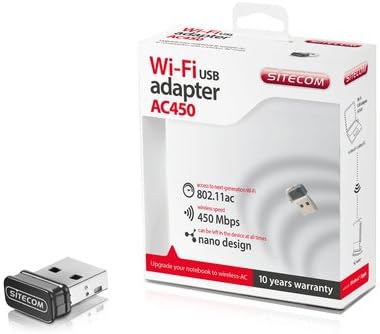
Image: The Sitecom WLA-3001 AC450 Wi-Fi 5GHz USB Adapter shown alongside its retail box, highlighting its compact size and packaging details.
Інструкцыя па наладзе
Follow these steps to install and set up your Sitecom WLA-3001 USB Adapter.
1. Устаноўка абсталявання
- Устаўце адаптар: Carefully insert the Sitecom WLA-3001 USB Adapter into an available USB port on your laptop or desktop computer. Ensure it is fully seated.
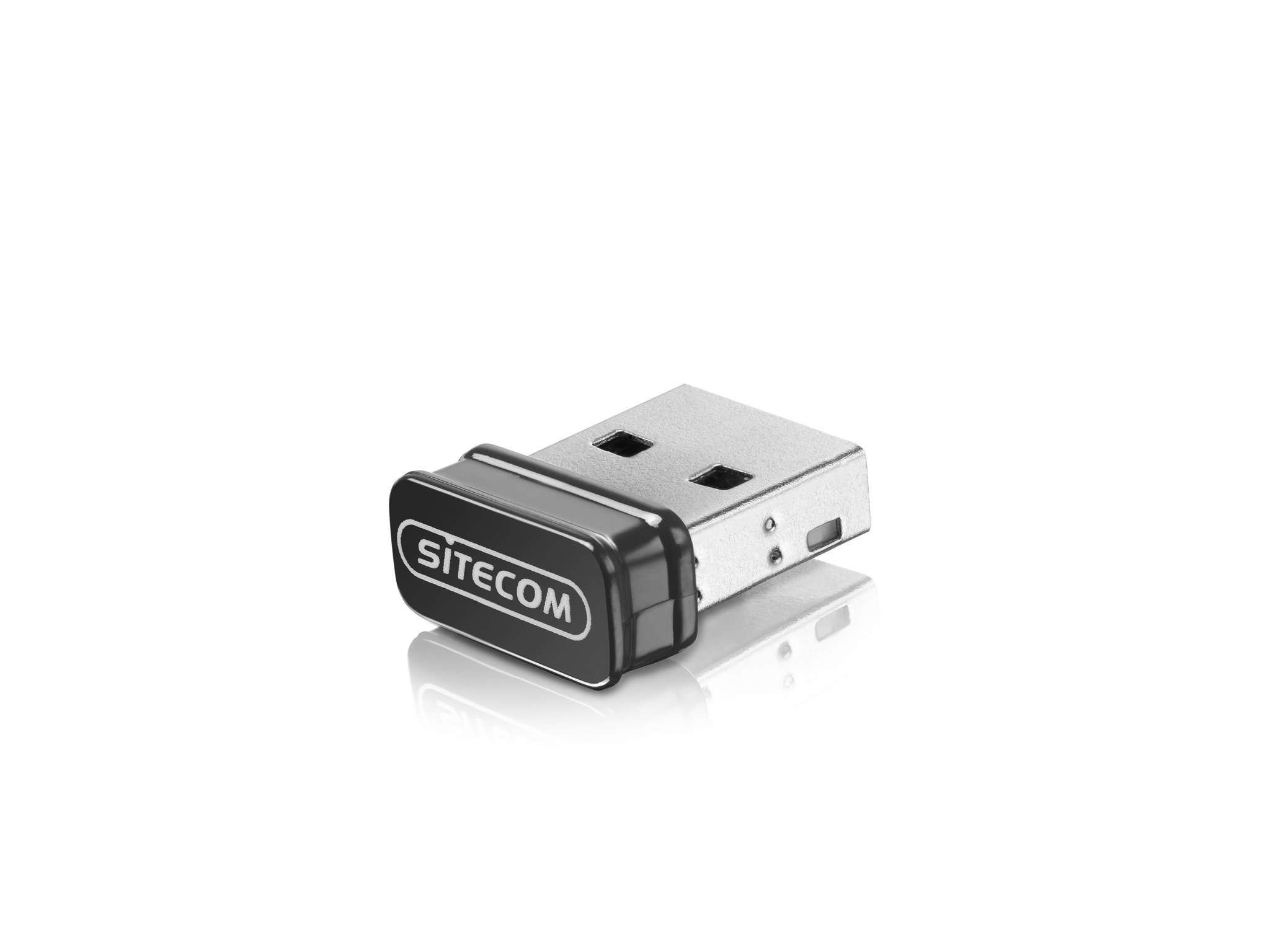
Image: The Sitecom WLA-3001 USB Adapter plugged into the side USB port of a laptop, showing its low-profile дызайн.
2. Ўстаноўка драйвера
Upon inserting the adapter, your operating system may automatically detect and install the necessary drivers. If not, follow these steps:
- Check for Auto-Installation: Wait a few moments to see if your operating system (Windows, macOS, Linux) automatically installs the drivers. A notification usually appears upon successful installation.
- Ручная ўстаноўка драйвера: If drivers are not installed automatically, you may need to download them from the official Sitecom support webсайт. Пошук 'WLA-3001 drivers' on www.sitecom.com. Follow the on-screen instructions provided by the installer.
- Праверце ўстаноўку: After installation, check your computer's Device Manager (Windows) or System Information (macOS) to ensure the adapter is recognized and functioning correctly.
3. Падключэнне да сеткі Wi-Fi
Пасля ўстаноўкі адаптара вы можаце падключыцца да бесправадной сеткі:
- Налады сеткі доступу: Націсніце на значок Wi-Fi у сістэмным трэі (Windows) або ў радку меню (macOS).
- Выберыце сетку: A list of available wireless networks will appear. Select your desired 5GHz network (often indicated by '5G' or '5GHz' in the network name).
- Увядзіце пароль: If prompted, enter the network security key (Wi-Fi password) and click 'Connect'.
- Пацвердзіце падключэнне: The adapter's LED indicator may light up or blink to confirm an active connection. Your device should now be connected to the internet via the 5GHz band.
Інструкцыя па эксплуатацыі
The Sitecom WLA-3001 adapter operates automatically once connected and configured. Here are some operational considerations:
- Аўтаматычнае паўторнае падключэнне: The adapter is designed to automatically reconnect to previously configured networks when within range.
- 5GHz Band Advantage: Utilizing the 5GHz band provides higher speeds and less interference compared to the 2.4GHz band, ideal for streaming, gaming, and large file transfers. Ensure your wireless router also supports 5GHz.
- Моц сігналу: For optimal performance, ensure your device is within a reasonable range of your 5GHz Wi-Fi router. While 5GHz offers higher speeds, its range can be shorter and more susceptible to obstacles than 2.4GHz.
Тэхнічнае абслугоўванне
To ensure the longevity and optimal performance of your Sitecom WLA-3001 USB Adapter, consider the following maintenance tips:
- Захоўваць у чысціні: Перыядычна працірайце адаптар мяккай сухой тканінай. Пазбягайце выкарыстання вадкіх ачышчальнікаў або растваральнікаў.
- Абараніце ад пашкоджанняў: Due to its nano design, it can remain in the USB port. However, be mindful of physical impacts that could damage the adapter or the USB port.
- Абнаўленні драйвераў: Regularly check the Sitecom website for updated drivers. Keeping your drivers current can improve performance, stability, and security.
- захоўванне: If removing the adapter for storage, keep it in a safe, dry place away from extreme temperatures.
Ліквідацыю непаладак
If you encounter issues with your Sitecom WLA-3001 USB Adapter, try the following solutions:
- Адаптар не выяўлены:
- Пераканайцеся, што адаптар цалкам устаўлены ў порт USB.
- Паспрабуйце іншы порт USB на вашым кампутары.
- Перазагрузіце кампутар.
- Check Device Manager (Windows) or System Information (macOS) to see if the adapter is listed. If there's an error, reinstall the drivers.
- Не магу падключыцца да Wi-Fi:
- Пераканайцеся, што ваш Wi-Fi маршрутызатар уключаны і перадае сігнал.
- Ensure you are selecting the correct network and entering the correct password.
- Перазагрузіце Wi-Fi-роўтар і мадэм.
- Праверце, ці могуць іншыя прылады падключыцца да той жа сеткі Wi-Fi.
- Confirm your router supports 5GHz Wi-Fi and that the 5GHz band is enabled.
- Павольная хуткасць злучэння:
- Ensure you are connected to a 5GHz network, not a 2.4GHz network.
- Падыдзіце бліжэй да маршрутызатара Wi-Fi, каб палепшыць узровень сігналу.
- Minimize physical obstructions (walls, large furniture) between the adapter and the router.
- Update your adapter's drivers to the latest version.
- Праверце наяўнасць іншых прылад у вашай сетцы, якія могуць спажываць прапускную здольнасць.
- Частыя адключэнні:
- Пераканайцеся, што адаптар надзейна падключаны да порта USB.
- Check for driver updates.
- Consider changing the Wi-Fi channel on your router to avoid interference from neighboring networks.
- Ensure your computer's power management settings are not turning off the USB port to save power.
Тэхнічныя характарыстыкі
| Асаблівасць | Дэталь |
|---|---|
| Марка | Sitecom |
| Нумар мадэлі | WLA-3001 |
| серыял | AC450 Wi-Fi 5GHz USB Adapter |
| Колер | Чорны |
| Тып бесправадной тэхналогіі | 802.11a, 802.11n, 802.11ac |
| Пратакол перадачы дадзеных | IEEE 802.11a, IEEE 802.11ac, IEEE 802.11n, USB |
| Хуткасць перадачы даных | 450 Mbps (Wireless), 480 Mbps (USB) |
| Абсталяванне інтэрфейсу | USB |
| Bluetooth | няма |
| Памеры прадмета (Д х Ш х У) | 5.2 x 13.1 x 15.5 cm (Note: These dimensions seem unusually large for a nano adapter and might refer to packaging or a different product. The adapter itself is very small.) |
| Першая даступная дата | 4 красавіка 2014 г |
Інфармацыя аб гарантыі
The Sitecom WLA-3001 AC450 Wi-Fi 5GHz USB Adapter comes with a manufacturer's warranty of 2 years from the date of purchase. Please retain your proof of purchase for warranty claims. The warranty covers defects in materials and workmanship under normal use. It does not cover damage caused by misuse, accidents, unauthorized modifications, or external factors.
For detailed warranty terms and conditions, please refer to the official Sitecom webсайт або звярніцеся ў службу падтрымкі кліентаў.
Падтрымка
For further assistance, technical support, or to download the latest drivers and firmware for your Sitecom WLA-3001 USB Adapter, please visit the official Sitecom support webсайт:
You may also find frequently asked questions (FAQs) and additional resources on their webсайт.