
Linksys EA6900
Linksys EA6900 Smart WiFi AC1900 Router Instruction Manual
Model: EA6900 | Brand: Linksys
Уводзіны
The Linksys EA6900 Smart WiFi AC1900 Router is designed to provide high-speed wireless connectivity for your home network. Featuring advanced Wireless-AC technology and simultaneous dual-band operation, it is optimized for demanding tasks such as HD video streaming and online gaming. This manual provides essential information for setting up, operating, and maintaining your router, ensuring optimal performance and a secure network environment.
Змест пакета
- Разумны Wi-Fi маршрутызатар Linksys AC1900, EA6900
- Кароткае кіраўніцтва
- 3 Антэны
- CD-ROM з дакументацыяй
- Кабель Ethernet
- Адаптар сілкавання
Настройка
Выканайце наступныя дзеянні, каб наладзіць маршрутызатар Linksys EA6900:
- Распакуйце маршрутызатар: Асцярожна дастаньце маршрутызатар і ўсе аксэсуары з упакоўкі.
- Падключыце антэны: Attach the three external antennas to the designated ports on the back of the router. Ensure they are securely fastened.
- Размяшчэнне маршрутызатара: Размясціце маршрутызатар у цэнтральным месцы вашага дома, далей ад перашкод і іншых электронных прылад, якія могуць выклікаць перашкоды.
- Падключэнне да сілкавання: Plug the power adapter into the router's power port and then into an electrical outlet. The power LED on the router should illuminate.
- Падключэнне да мадэма: Connect one end of the provided Ethernet cable to the yellow "Internet" (WAN) port on the router and the other end to your modem's Ethernet port.
- Падключэнне прылад (неабавязкова): For wired connections, connect Ethernet cables from your devices (e.g., computer, gaming console) to any of the four blue "Ethernet" (LAN) ports on the router.
- Першапачатковая канфігурацыя:
- Connect your computer or mobile device to the router's default Wi-Fi network (SSID and password can be found on the router's label or Quick Start Guide).
- Адкрыйце a web browser and navigate to the Linksys Smart WiFi setup page (usually
linksyssmartwifi.comor192.168.1.1). - Follow the on-screen instructions to complete the setup, including creating a new Wi-Fi network name (SSID) and password, and setting up an administrator password for the router.
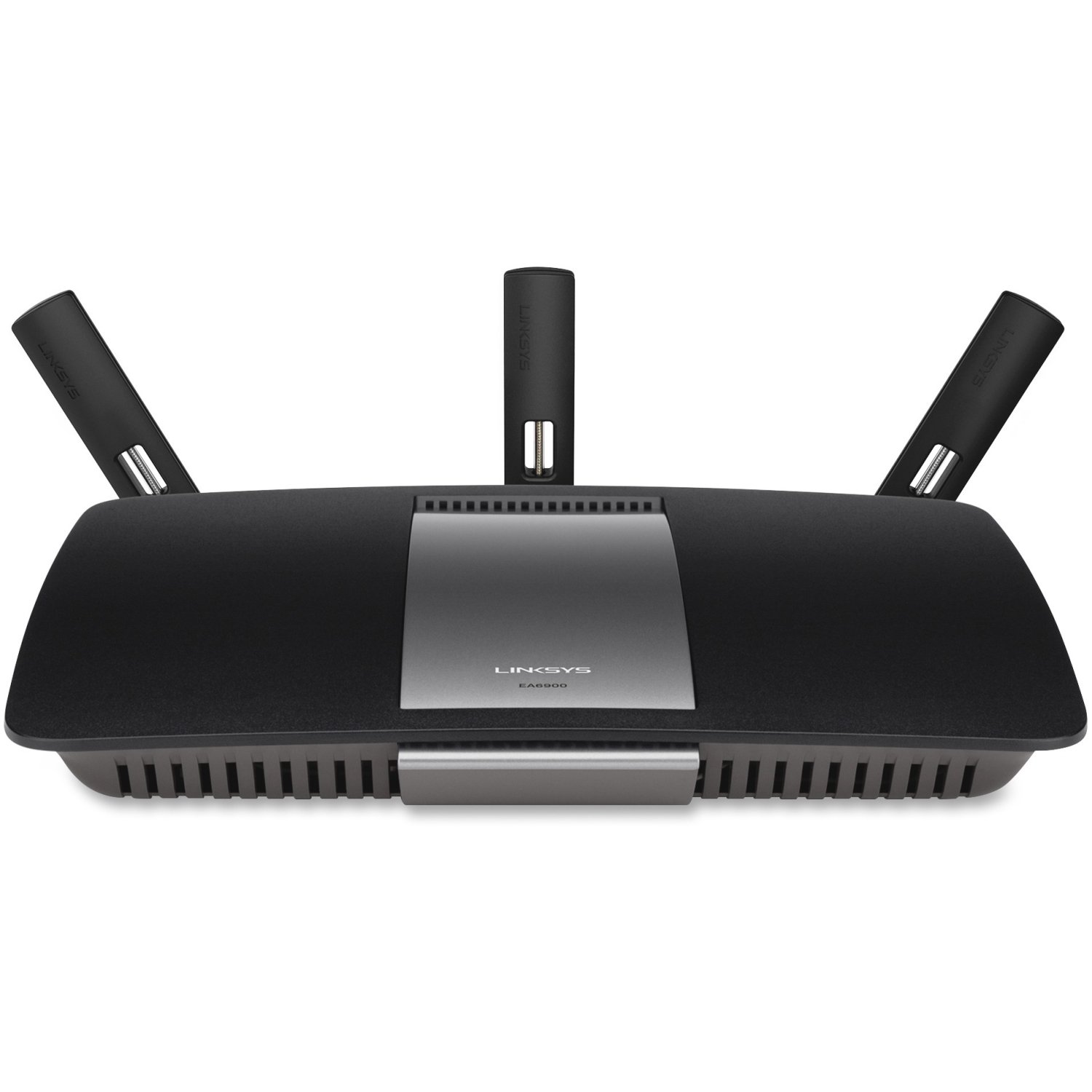
Малюнак 1: Спераду view of the Linksys EA6900 Router, showcasing its design and external antennas.

Figure 2: Rear panel of the Linksys EA6900 Router, showing the power port, WAN port, four LAN ports, and USB ports.
Кіраванне маршрутызатарам
The Linksys EA6900 router offers various features to manage your network:
- Двухдыяпазонны Wi-Fi: The router operates on both 2.4 GHz and 5 GHz frequencies simultaneously. The 2.4 GHz band provides wider coverage, while the 5 GHz band offers faster speeds for compatible devices.
- Linksys Smart WiFi Software: Access your router settings and manage your network from anywhere using the Linksys Smart WiFi app or web interface. Features include guest access, parental controls, and device prioritization.
- Абарона Wi-Fi (WPS): Easily connect WPS-compatible devices to your Wi-Fi network by pressing the WPS button on the router and the device.
- Парты USB: The router includes one USB 2.0 port and one USB 3.0 port. These can be used to connect external storage devices for network-attached storage (NAS) functionality, allowing you to share files па вашай сетцы.
- Гігабітныя парты Ethernet: Four Gigabit LAN ports provide high-speed wired connections for devices like desktop computers, smart TVs, and gaming consoles.
Тэхнічнае абслугоўванне
To ensure the longevity and optimal performance of your Linksys EA6900 router, consider the following maintenance tips:
- Абнаўленні прашыўкі: Regularly check for and install firmware updates through the Linksys Smart WiFi software. Updates often include performance improvements, security patches, and new features.
- Фізічнае размяшчэнне: Пераканайцеся, што маршрутызатар знаходзіцца ў добра вентыляваным месцы, каб пазбегнуць перагрэву. Пазбягайце размяшчэння яго ў закрытых памяшканнях або побач з крыніцамі цяпла.
- Кабельнае кіраванне: Keep all cables connected to the router tidy and free from kinks or excessive bending to prevent signal degradation.
- Перыядычна перазапускаць: Occasionally restarting your router (power cycling) can help clear its memory and resolve minor performance issues.
Ліквідацыю непаладак
If you encounter issues with your Linksys EA6900 router, try these troubleshooting steps:
- Няма падключэння да Інтэрнэту:
- Праверце, ці правільна працуе мадэм.
- Ensure the Ethernet cable from the modem is securely connected to the router's yellow "Internet" (WAN) port.
- Restart both your modem and router by unplugging them from power for 30 seconds and then plugging them back in.
- Slow Wi-Fi Speeds or Frequent Disconnects:
- Перанясіце маршрутызатар у больш цэнтральнае месца, далей ад сцен, буйных металічных прадметаў і іншай электронікі.
- Ensure your devices are connected to the appropriate Wi-Fi band (5 GHz for faster speeds, 2.4 GHz for wider range).
- Праверце наяўнасць абнаўленняў прашыўкі для вашага маршрутызатара.
- Reduce the number of active devices or bandwidth-intensive applications if possible.
- Немагчыма атрымаць доступ да налад маршрутызатара:
- Пераканайцеся, што ваша прылада падключана да сеткі Wi-Fi маршрутызатара або праз кабель Ethernet.
- Verify the router's IP address (usually
192.168.1.1) або выкарыстоўвацьlinksyssmartwifi.com. - If you forgot your administrator password, you may need to perform a factory reset (see Quick Start Guide for instructions).
- Wi-Fi Protected Setup (WPS) Issues:
- Ensure your device supports WPS.
- Try initiating WPS from both the router and the device within two minutes.
- If WPS fails, connect the device manually using the Wi-Fi network name (SSID) and password.
Тэхнічныя характарыстыкі
| Асаблівасць | Дэталь |
|---|---|
| Марка | Linksys |
| Назва мадэлі | EA6900 |
| Бесправадныя тэхналогіі | Advanced Wireless-AC (up to 4.3x faster than Wireless-N) |
| Клас дыяпазону частот | Двухдыяпазонны (2.4 ГГц і 5 ГГц) |
| Max. Link Rate | 1300 Mbps (AC1300) + N600 Mbps |
| Парты Ethernet | 1x Gigabit WAN (10/100/1000), 4x Gigabit LAN (10/100/1000) |
| Парты USB | 1x USB 2.0, 1x USB 3.0 |
| Антэны | 3 фіксаваныя антэны |
| Асаблівасці | Linksys Smart WiFi software, Wi-Fi Protected Setup (WPS) |
| Працоўная тэмпература | Ад 32 да 104 °F (ад 0 да 40 °C) |
| Працоўная вільготнасць | Ад 10 да 80% без кандэнсацыі |
| стандарты сеткі | IEEE 802.11a/b/g/n/ac, IEEE 802.3/3u |
| Сумяшчальная АС | Mac OS X (10.5.8 to 10.9), Windows (XP to 8 32/64) |
Гарантыя і падтрымка
The Linksys EA6900 Smart WiFi AC1900 Router comes with a 1-year hardware limited warranty. For technical support, product registration, or to access the full documentation, please visit the official Linksys support website. You can also find additional resources and FAQs through the Linksys Smart WiFi software.