
Важная інфармацыя па бяспецы
Please read these instructions carefully before using the shredder. Keep this manual for future reference.
- Трымайце дзяцей і хатніх жывёл далей ад здрабняльніка.
- Трымайце свабодную вопратку, ювелірныя вырабы, валасы і іншыя староннія прадметы далей ад адтуліны шрэдара.
- Do not insert fingers or hands into the shredder opening.
- Адключайце шрэдар ад сеткі, калі ён не выкарыстоўваецца або перад чысткай.
- Do not shred metal objects, large paper clips, or hard plastic (except credit cards as specified).
- Не выкарыстоўвайце аэразольныя прадукты, змазкі на аснове нафты або іншыя лёгкаўзгаральныя рэчывы на шрэдары або побач з ім.
- Не выкарыстоўвайце шрэдар, калі пашкоджаны шнур харчавання.
- The shredder is equipped with overheat protection. If it overheats, it will automatically shut off. Allow it to cool down before resuming operation.
Змест пакета
Пераканайцеся, што ўсе прадметы наяўныя:
- Amazon Basics AS665C Paper Shredder Unit
- Сметніца
- Інструкцыя па эксплуатацыі (гэты дакумент)
Настройка
- Распакуйце шрэдар: Акуратна дастаньце ўсе кампаненты з упакоўкі.
-
Position the Waste Bin: Place the shredder head securely on top of the provided waste bin. Ensure it is properly seated.
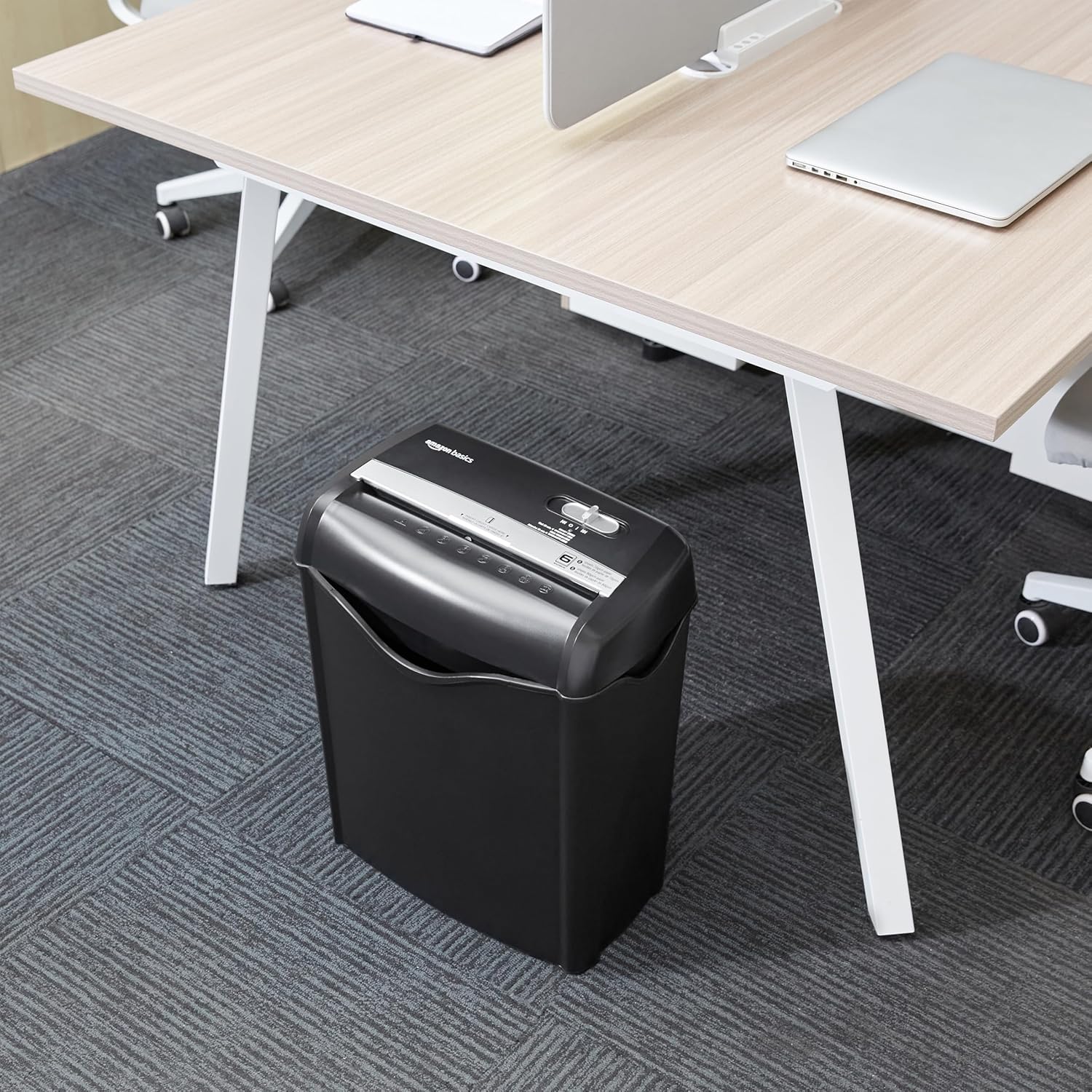
Image: The Amazon Basics AS665C Paper Shredder positioned under a desk, demonstrating its compact size and ease of placement in an office or home environment.
- Падключыце харчаванне: Падключыце шнур сілкавання да звычайнай электрычнай разеткі.
Інструкцыя па эксплуатацыі
Пераключальнік кіравання
The shredder features a slide switch with three positions:
- АЎТА (I): The shredder will automatically start when paper is inserted and stop when shredding is complete.
- ВЫКЛ. (O): The shredder is powered off.
- REV (<<): Актывуе функцыю рэверсу для ўхілення захраслай паперы.

Выява: Падрабязны view of the shredder's control switch, showing the "AUTO", "OFF", and "REV" settings, along with the "READY" (green) and "OVERHEAT" (red) indicator lights.
Знішчэнне дакументаў
- Выберыце рэжым: Усталюйце перамыкач кіравання ў становішча АЎТА (Я) position. The "READY" indicator light (green) will illuminate.
-
Устаўце паперу: Insert up to 6 sheets of 70gsm paper (or 5 sheets of 80gsm paper) straight into the paper entry slot. The shredder will automatically start and stop.
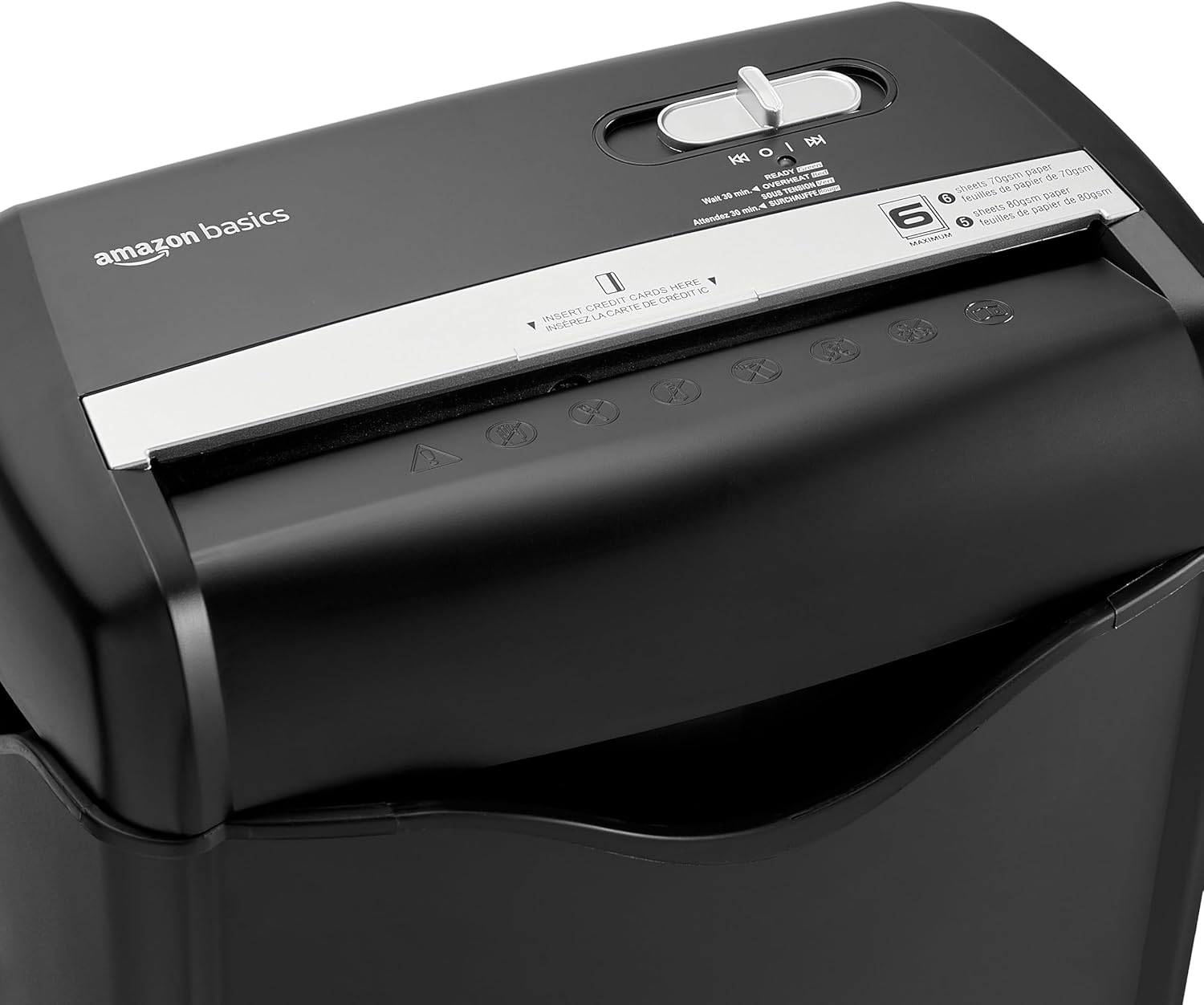
Выява: Уверсе view of the shredder, highlighting the paper entry slot, the control switch, and the "MAXIMUM" sheet capacity label.

Image: A close-up of the shredder's label indicating the maximum sheet capacity: 6 sheets of 70gsm paper or 5 sheets of 80gsm paper.
-
Знішчэнне крэдытных картак: Insert one credit card at a time into the dedicated credit card slot.

Выява: буйны план view of the shredder's dedicated slot for inserting credit cards, clearly labeled "INSERT CREDIT CARDS HERE".
- Абарона ад перагрэву: The shredder will automatically shut off if it runs continuously for too long or if the motor overheats. The "OVERHEAT" indicator light (red) will illuminate. Allow the shredder to cool down for approximately 30 minutes before resuming operation.

Image: A pile of cross-cut shredded paper, demonstrating the small particle size for enhanced security. A quarter coin is placed next to it for scale.
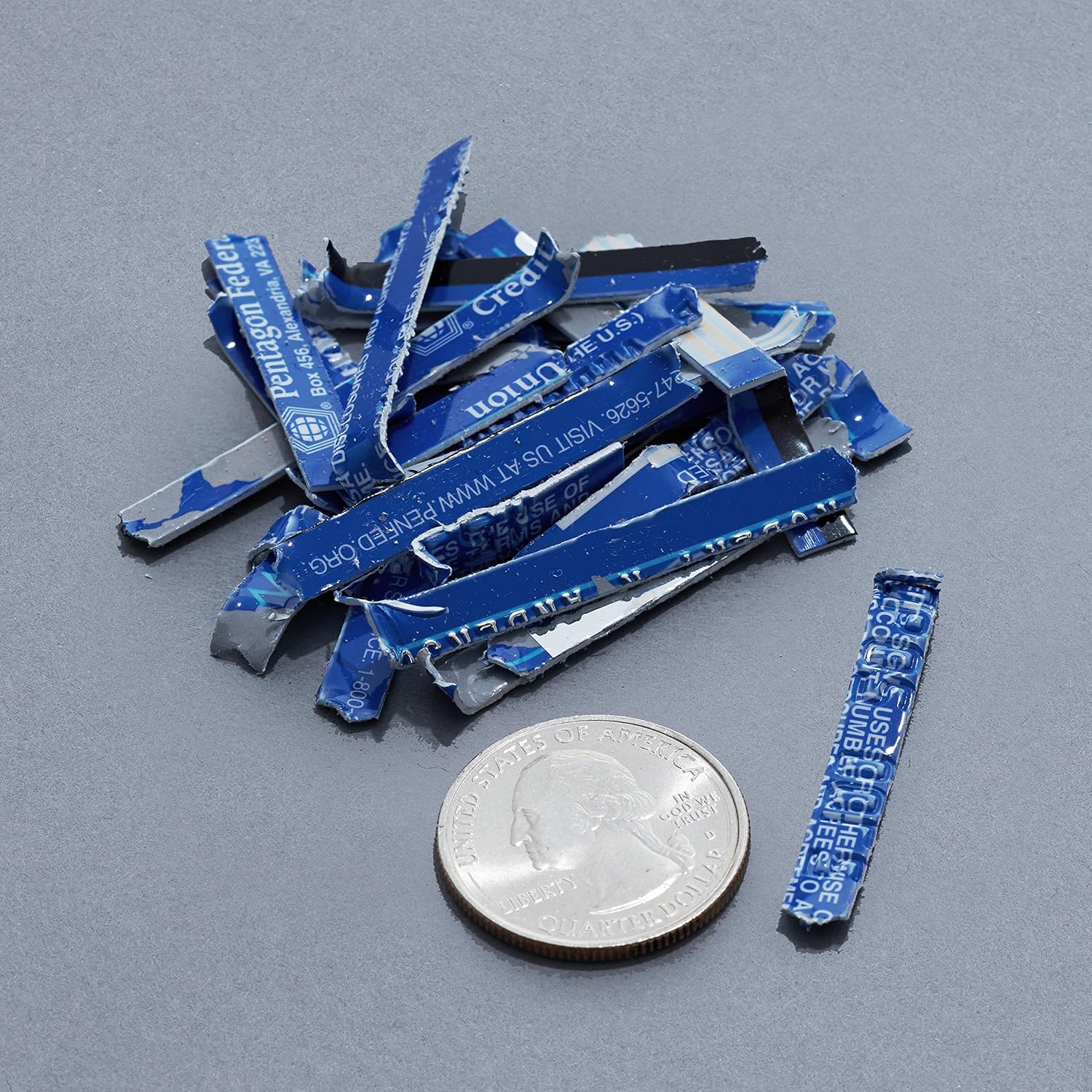
Image: A collection of shredded credit card pieces, illustrating the secure destruction of plastic cards. A quarter coin is included for size reference.
Тэхнічнае абслугоўванне
Апарашчэнне кантэйнера для смецця
Regularly empty the waste bin to prevent paper jams and ensure optimal performance. Unplug the shredder before removing the head to empty the bin.
Уборка
- Адключыце шрэдар ад сеткі перад чысткай.
- Wipe the exterior of the shredder with a soft, dry cloth.
- Не выкарыстоўвайце абразіўныя ачышчальнікі або растваральнікі.
- For optimal performance, periodically oil the shredder blades with shredder oil sheets or liquid shredder oil. Follow the oil product's instructions.
Ліквідацыю непаладак
| праблема | Магчымая прычына | Рашэнне |
|---|---|---|
| Шрэдар не запускаецца. |
|
|
| Замяцце паперы. |
|
|
| Шрэдар спыняецца падчас працы. |
|
|
Тэхнічныя характарыстыкі
| Асаблівасць | Дэталь |
|---|---|
| Марка | Асновы Amazon |
| Нумар мадэлі | AS665C (Manufacturer Model: AS662C-EU) |
| Тып драбнення | Папярочны надрэз |
| Ёмістасць ліста | 6 sheets (70gsm paper) / 5 sheets (80gsm paper) |
| Толік | Папера, крэдытныя карты |
| Крыніца харчавання | Правадная электрычная |
| Асаблівасці | Portable, Overheat Protection, Manual Reverse |
| Памеры прадукту (Д х Ш х У) | 30.7 х 19.6 х 38.1 см (12.1 х 7.7 х 15 цалі) |
| Вага прадукту | 3.72 кг (8.2 фунтаў) |
| Матэрыял | Пластык і метал |
Гарантыя і падтрымка
For warranty information and customer support, please refer to the Amazon Basics webсайт або звярніцеся непасрэдна ў службу падтрымкі кліентаў Amazon. Захоўвайце чэк аб куплі для прэтэнзій па гарантыі.