
1. Уводзіны
This manual provides instructions for the proper setup, operation, and maintenance of your Amazon Basics Large Portable Bluetooth Speaker (Model BTV3_2). Please read this manual thoroughly before using the product to ensure optimal performance and safety.
2. Інфармацыя па бяспецы
- Не падвяргайце дынамік уздзеянню вады або празмернай вільгаці.
- Пазбягайце размяшчэння дынаміка паблізу крыніц цяпла або пад прамымі сонечнымі прамянямі.
- Не спрабуйце разбіраць або мадыфікаваць дынамік. Гэта прывядзе да анулявання гарантыі.
- Use only the provided AC power adapter for charging.
- Трымайце калонку далей ад дзяцей.
3. Змесціва ўпакоўкі
Праверце наяўнасць усіх прадметаў у камплекце:
- Amazon Basics Large Portable Bluetooth Speaker
- Адаптар пераменнага току

Апісанне: This image shows the Amazon Basics Large Portable Bluetooth Speaker securely placed within its brown cardboard packaging, indicating how the product is received.
4. Прадукт скончыўсяview
4.1. Пярэдняя View

Апісанне: This image displays the front of the Amazon Basics Large Portable Bluetooth Speaker, featuring a black mesh grille that covers the speaker drivers.
4.2. Элементы кіравання на верхняй панэлі

Апісанне: This image shows the top panel of the speaker with four circular buttons and a small LED indicator. From left to right, the buttons are: Volume Down (-), Play/Pause, Volume Up (+), and Bluetooth Pairing/Call Answer. Below the buttons, a small Bluetooth logo and an LED indicator are visible.
- - (Volume Down): Памяншае гучнасць гуку.
- Прайграванне/Паўза: Прайграе або прыпыняе прайграванне аўдыё.
- + (Volume Up): Павялічвае гучнасць гуку.
- Bluetooth/Call: Initiates Bluetooth pairing mode or answers/ends phone calls.
- Святлодыёдны індыкатар: Displays power and Bluetooth status.
4.3. Side Panel Ports

Апісанне: This image shows the right side panel of the speaker, featuring a power switch, a DC input port for charging, and an AUX input port for wired audio connections.
- Пераключальнік уключэння/выключэння: Уключае або выключае дынамік.
- Порт DC IN: Connects to the AC power adapter for charging.
- AUX порт: Connects to audio devices using a 3.5mm stereo cable (not included).
5. Настройка
5.1. Зарадка дынаміка
- Connect the provided AC power adapter to the DC IN port on the side of the speaker.
- Падключыце адаптар пераменнага току да разеткі.
- The LED indicator will illuminate to show charging status. A full charge provides up to 8 hours of playback.
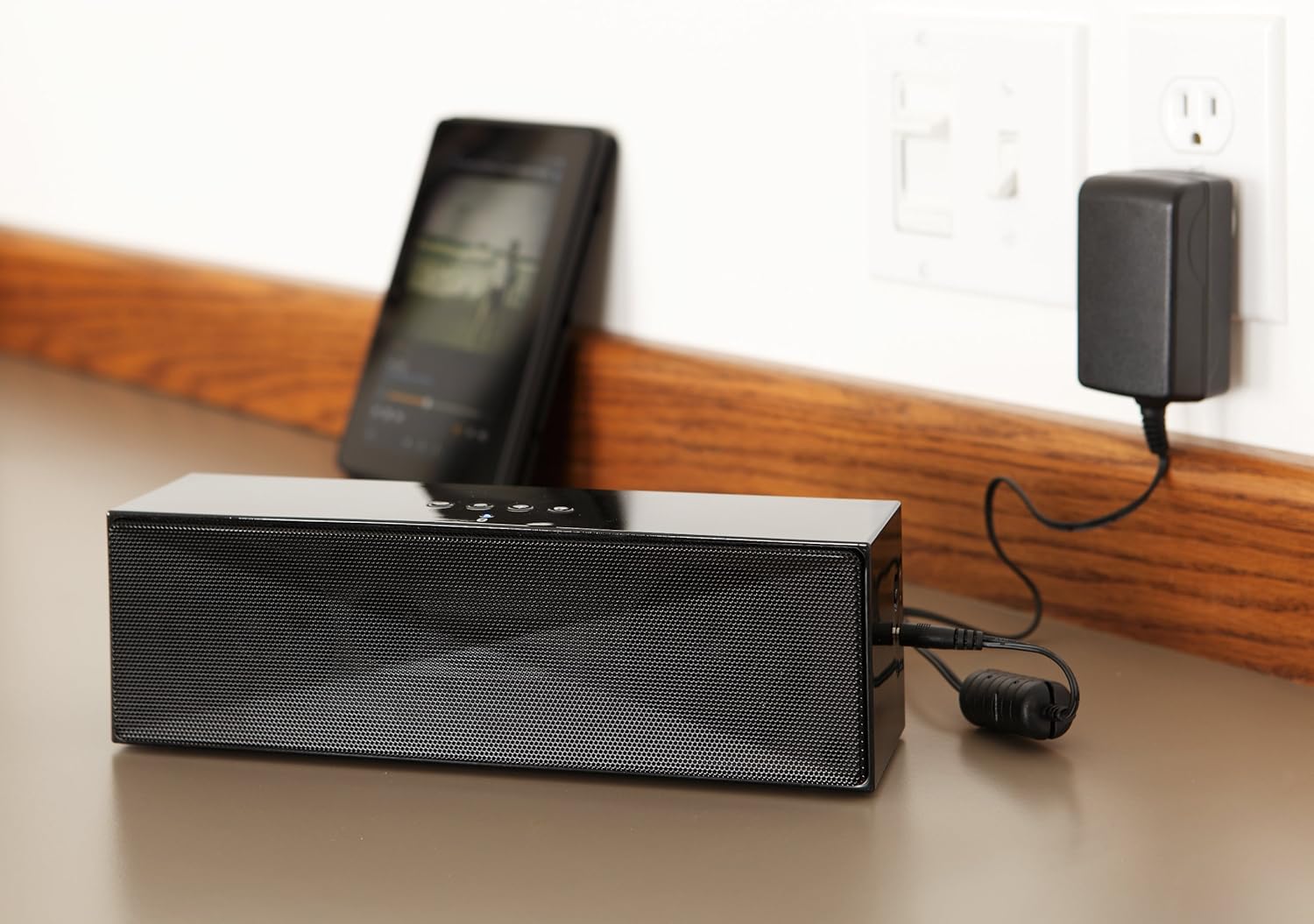
Апісанне: This image shows the speaker placed on a surface, with its AC power adapter plugged into a wall outlet, illustrating the charging process.
5.2. Уключэнне / выключэнне харчавання
Slide the ON/OFF switch located on the side panel to the "ON" position to power on the speaker. Slide it to the "OFF" position to power off.
6. Інструкцыя па эксплуатацыі
6.1. Спарванне Bluetooth
- Ensure the speaker is powered on. The LED indicator will flash, indicating it is in pairing mode.
- На прыладзе з падтрымкай Bluetooth (смартфоне, планшэце, ноўтбуку) уключыце Bluetooth і знайдзіце даступныя прылады.
- Select "Amazon Basics BTV3_2" from the list of devices.
- Once paired, the LED indicator on the speaker will glow solid blue.
- The speaker can connect to devices up to 30 feet (10 meters) away.

Апісанне: This image shows the speaker positioned next to a tablet displaying a music playback interface, demonstrating a typical Bluetooth connection scenario.
6.2. Connecting via AUX Cable
- Connect one end of a 3.5mm stereo audio cable (not included) to the AUX port on the speaker.
- Connect the other end of the cable to the audio output jack of your device.
- Дынамік аўтаматычна пераключыцца ў рэжым AUX-уваходу.
6.3. Гучная сувязь
The speaker features a built-in microphone for hands-free calls when connected via Bluetooth.
- Адказ на званок: Націсніце кнопку Bluetooth/Выклік адзін раз.
- Завяршэнне выкліку: Націсніце кнопку Bluetooth/Выклік адзін раз падчас размовы.
- Адхіленне званка: Націсніце і ўтрымлівайце кнопку Bluetooth/Выклік.
7. Тэхнічнае абслугоўванне
- Працірайце дынамік мяккай сухой тканінай. Не выкарыстоўвайце вадкія ачышчальнікі або аэразолі.
- Захоўвайце дынамік у прахалодным, сухім месцы, калі ён не выкарыстоўваецца працяглы час.
- Пазбягайце падзення дынаміка або моцных удараў.
8. Выпраўленне непаладак
| праблема | Магчымая прычына | Рашэнне |
|---|---|---|
| Дынамік не ўключаецца. | Акумулятар разраджаны. | Connect the speaker to the AC power adapter and charge it. |
| Немагчыма падключыцца праз Bluetooth. | Speaker is not in pairing mode; device Bluetooth is off; device is out of range. | Ensure speaker LED is flashing; enable Bluetooth on your device; move device closer to the speaker (within 30 feet/10 meters). |
| Няма гуку або нізкі ўзровень гучнасці. | Volume on speaker or connected device is too low; incorrect input source. | Increase volume on both the speaker and your connected device. Ensure correct connection (Bluetooth or AUX). |
| Speaker turns off automatically when using AUX. | Automatic power-off feature activated due to prolonged silence. | This model may have an automatic power-off feature after a period of inactivity or silence, even when connected via AUX. To resume playback, power the speaker off and then on again using the side switch. |
| Скажэнне гуку. | Volume too high; weak battery; interference. | Reduce volume; charge the speaker; move away from other electronic devices. |
9. Тэхнічныя характарыстыкі
| Асаблівасць | Дэталь |
|---|---|
| Нумар мадэлі | BTV3_2 |
| Памеры (Д х Ш х У) | 10.2 х 2.9 х 3.1 цалі (25.9 х 7.4 х 7.9 см) |
| Вага | 1.61 фунта (0.73 кг) |
| Выхад на дынамік | 2 x 5W (10W total) |
| Сувязь | Bluetooth, 3.5 мм AUX |
| Дыяпазон Bluetooth | Да 30 футаў (10 метраў) |
| Тэрмін службы батарэі | Да 8 гадзін |
| Ёмістасць батарэі | 8000 мАг |
| Убудаваны мікрафон | так |
| Крыніца харчавання | Battery Powered, AC Adapter |
| Матэрыял | Пластыкавыя |

Апісанне: This image provides a visual representation of the speaker's dimensions, showing its length (10.2"), width (2.9"), and height (3.1").
10. Гарантыя і падтрымка
Каб атрымаць інфармацыю аб гарантыі і падтрымцы кліентаў, звярніцеся да дакументацыі, якая прыкладаецца да вашай пакупкі, або наведайце афіцыйны сайт Amazon Basics. webсайт. Захоўвайце пацвярджэнне пакупкі для прэтэнзій па гарантыі.
Інтэрнэт-падтрымка: Базавая крама Amazon