
D-Link DCS-8350LH
D-Link mydlink 2K Indoor WiFi Camera
Мадэль: DCS-8350LH
Інструкцыя карыстальніка
1. Уводзіны
This manual provides detailed instructions for the setup, operation, maintenance, and troubleshooting of your D-Link mydlink 2K Indoor WiFi Camera (DCS-8350LH). Please read this manual thoroughly before using the device to ensure proper functionality and safety.
The DCS-8350LH is designed for indoor surveillance, offering 2K QHD (1440p) resolution, color night vision, AI-based person detection, two-way audio, and flexible recording options including microSD card and cloud storage. It integrates with smart home ecosystems like Amazon Alexa and Google Assistant.
2. Змесціва ўпакоўкі
Праверце, ці ёсць усе прадметы ў вашай упакоўцы:
- D-Link mydlink 2K Indoor WiFi Camera (DCS-8350LH)
- Адаптар сілкавання
- Мантажнае абсталяванне
- Кіраўніцтва па хуткай ўстаноўцы (QIG)
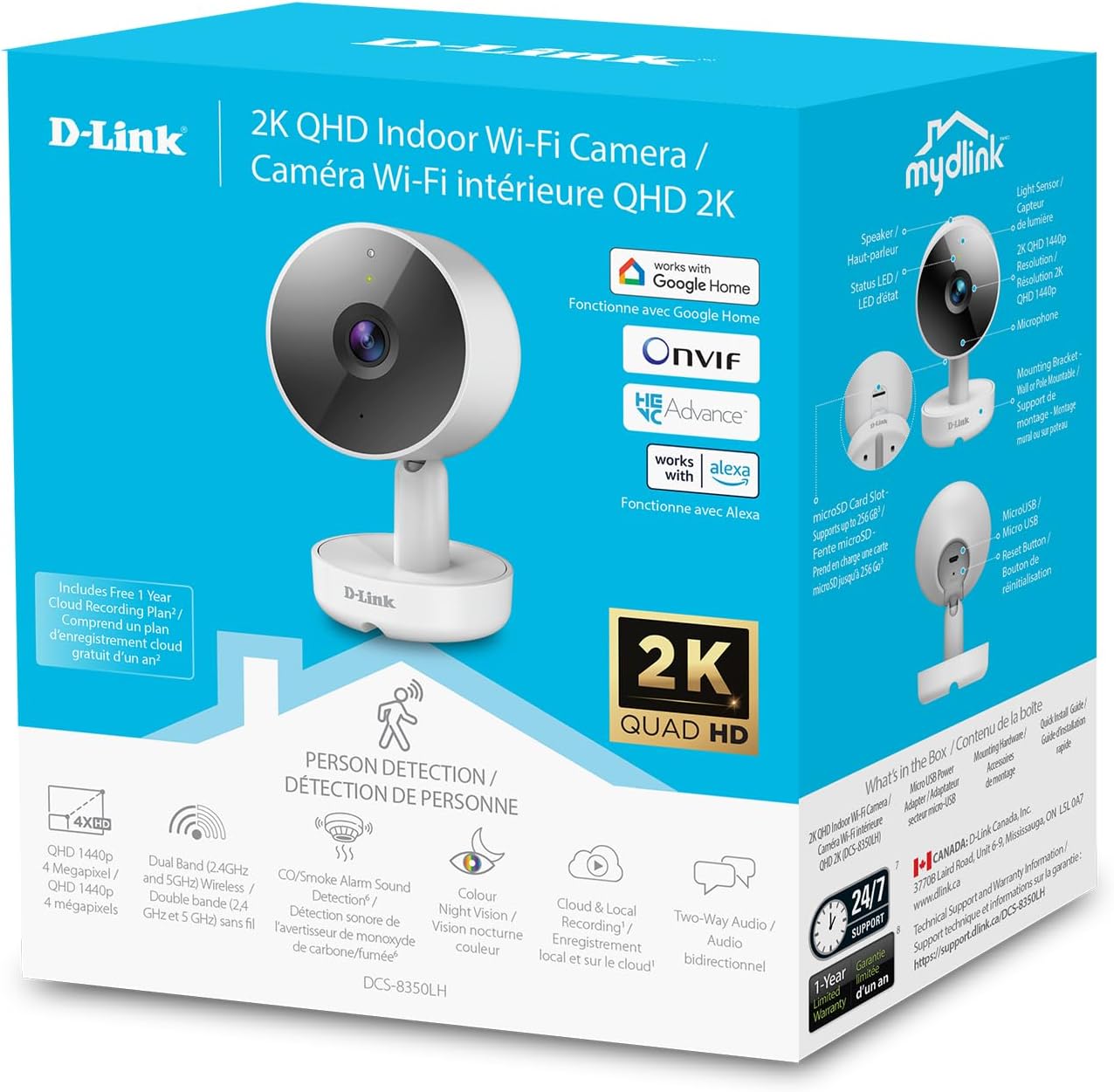
Image: The retail packaging for the D-Link mydlink 2K Indoor WiFi Camera, highlighting key features and included components.
3. Прадукт скончыўсяview
Азнаёмцеся з кампанентамі камеры:

Image: A detailed diagram illustrating the various parts of the D-Link DCS-8350LH camera, including the lens, status LED, speaker, microphone, microSD card slot, reset button, and power connector.
- Аб'ектыў: Захоплівае відэа footage.
- Індыкатар стану: Indicates camera status (e.g., power, connection, recording).
- ІЧ-святлодыёд: Infrared emitters for night vision.
- Мікрафон: Captures audio for two-way communication and sound detection.
- Дакладчык: Выводзіць гук для двухбаковай сувязі.
- Слот для карты MicroSD: For local video storage (supports up to 256 GB).
- Кнопка скіду: Выкарыстоўваецца для аднаўлення заводскіх налад.
- Раз'ём харчавання: Падключаецца да адаптара харчавання, які ўваходзіць у камплект.
4. Інструкцыі па ўсталёўцы
- Спампуйце праграму mydlink: Пошук "mydlink" in the Apple App Store or Google Play Store and install the application on your smartphone or tablet.
- Уключыце камеру: Connect the power adapter to the camera's power connector and plug it into a wall outlet. The status LED will begin to blink.
- Дадаць прыладу ў праграму: Open the mydlink app, log in or create an account. Tap the menu icon (usually three lines or dots) and select "Add a Device." Follow the on-screen instructions to scan the QR code on your camera or its packaging.
- Падключыцеся да Wi-Fi: The app will guide you through connecting the camera to your home Wi-Fi network. Ensure your Wi-Fi network is 2.4 GHz or 5 GHz compatible.
- Размяшчэнне: Position the camera in your desired indoor location. The camera can be placed on a flat surface or mounted to a wall using the included hardware. Ensure it has a clear line of sight to the area you wish to monitor.

Image: The D-Link mydlink 2K Indoor WiFi Camera, ready for setup and placement in your home.
5. Інструкцыя па эксплуатацыі
5.1. Жыць View і маніторынг
Access the live video feed from your camera anytime through the mydlink app. Simply open the app and select your camera from the device list to view у рэжыме рэальнага часу footage.
5.2. Двухбаковая аўдыёсувязь
The camera features a built-in microphone and speaker, enabling two-way communication. To use this function, tap the microphone icon in the live view screen of the mydlink app. Speak into your mobile device to transmit audio through the camera's speaker. Release the icon to listen.
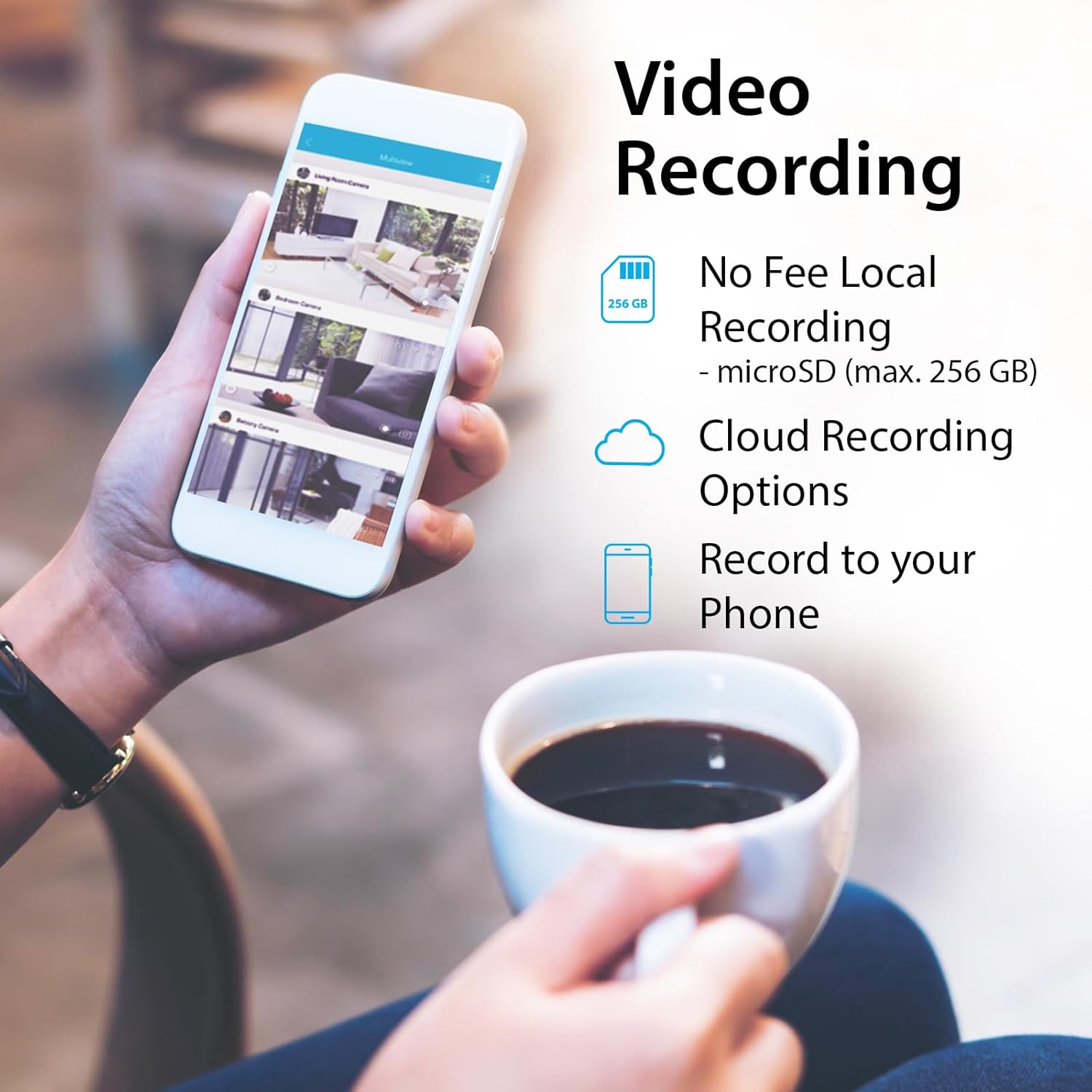
Image: An illustration of the two-way audio feature, showing the camera and a dog with a speech bubble, indicating remote communication.
5.3. Video Recording Options
The DCS-8350LH offers flexible recording solutions:
- Запіс на карту MicroSD: Insert a microSD card (up to 256 GB, not included) into the camera's slot for local storage of video footage. Configure recording settings (e.g., continuous, motion-triggered) within the mydlink app.
- Воблачны запіс: Subscribe to a mydlink Cloud Recording plan for secure off-site storage of video clips. Access your recordings from anywhere via the mydlink app.
- Record to Phone: Manually record live footage directly to your mobile device through the app.

Image: A smartphone screen showing the various video recording options available through the mydlink app, including local storage, cloud storage, and direct recording to the phone.
5.4. Начное бачанне
The camera is equipped with color night vision, allowing it to capture clear, vibrant images in low-light conditions up to 7 meters (23 feet). This provides enhanced detail compared to traditional black and white night vision.
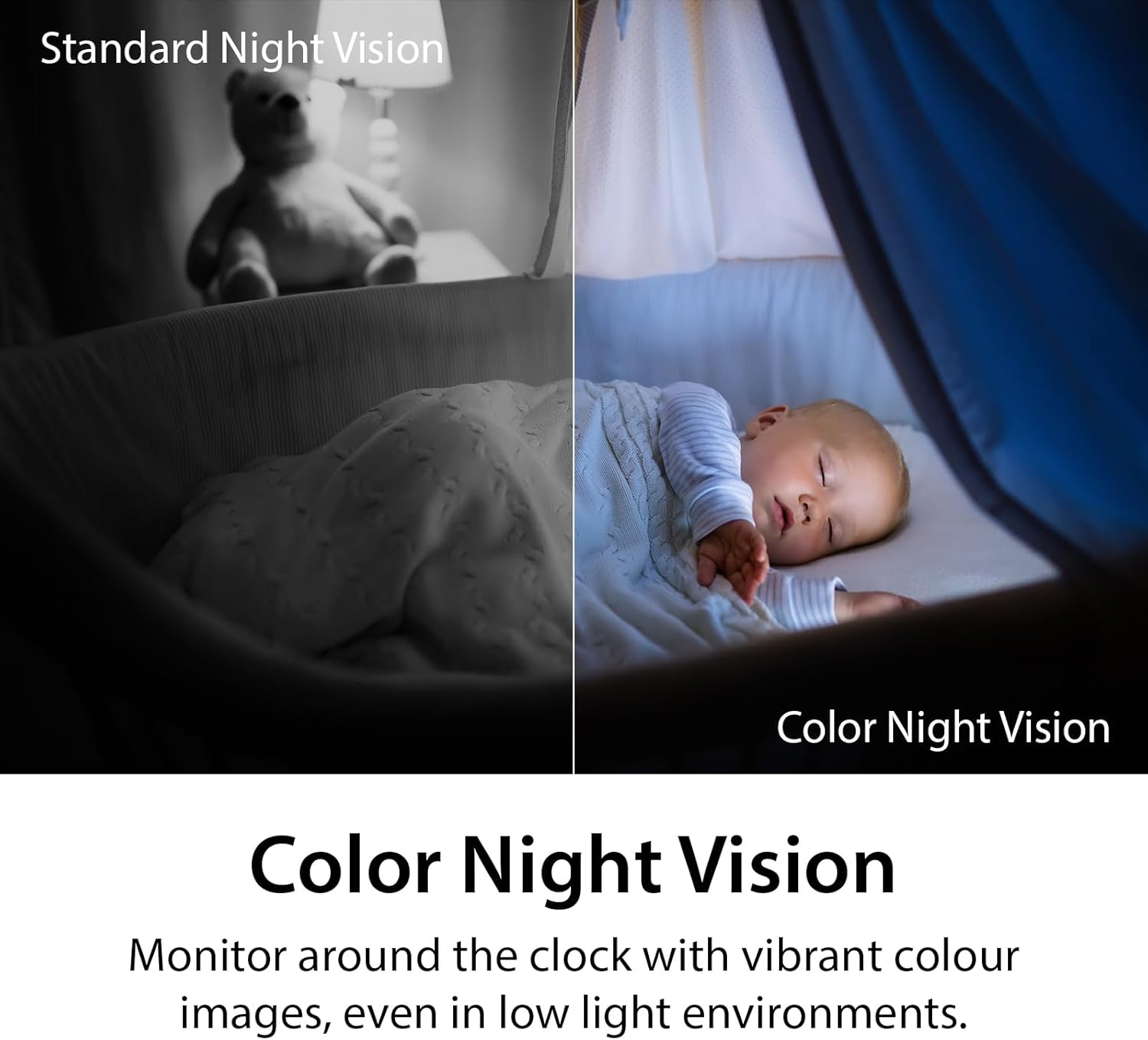
Image: A side-by-side comparison demonstrating the difference between standard monochrome night vision and the camera's color night vision, showing improved detail and color in low light.
5.5. AI Person Detection and Sound Detection
The camera utilizes AI-based person detection to minimize false alarms by distinguishing human movement from other motion. It also features sound detection for glass-break, carbon monoxide, and smoke alarms, sending alerts to your mobile device when these sounds are detected.

Image: A smartphone showing a notification from the mydlink app indicating an alarm has been detected, with a smoke detector in the background, illustrating the sound detection feature.
5.6. Інтэграцыя галасавога кіравання
The DCS-8350LH is compatible with Amazon Alexa and Google Assistant. You can use voice commands to view your camera's live feed on compatible smart displays or TVs.
- Для Google Assistant: Say, "Ok Google, show me the [camera name] on the [device name]."
- Для Amazon Alexa: Say, "Alexa, show me the [camera name]."

Image: Two scenes demonstrating voice control integration: one showing a user asking Google Assistant to display the camera feed on a tablet, and another showing a user asking Alexa to display a baby room feed on a TV.
6. Тэхнічнае абслугоўванне
- Уборка: Выкарыстоўвайце мяккую сухую тканіну для чысткі аб'ектыва і корпуса камеры. Пазбягайце выкарыстання абразіўных ачышчальнікаў або растваральнікаў.
- Абнаўленні прашыўкі: Regularly check for and install firmware updates through the mydlink app. Updates often include performance improvements and security enhancements.
- Кіраванне карткай MicroSD: If using a microSD card, periodically review and delete old footage to free up space, or configure the camera to overwrite older recordings automatically.
- Стабільнасць сеткі: Ensure your Wi-Fi network is stable and provides adequate bandwidth for optimal camera performance.
7. Выпраўленне непаладак
| выпуск | Магчымае рашэнне |
|---|---|
| Камера не падключаецца да Wi-Fi |
|
| Дрэнная якасць відэа |
|
| No recording to microSD card |
|
| AI Person Detection issues |
|
| Camera offline (Error 11102) |
|
8. Тэхнічныя характарыстыкі
| Асаблівасць | Дэталь |
|---|---|
| Нумар мадэлі | DCS-8350LH |
| Выкарыстанне ў памяшканні/на вуліцы | У памяшканні |
| Дазвол відэазахопу | 1440p (2K QHD) |
| Частата кадраў | 30 кадраў у секунду |
| Пратакол злучэння | Wi-Fi (Dual Band) |
| Тэхналогія бесправадной сувязі | Bluetooth, WiFi |
| Дыяпазон начнога бачання | Up to 7 meters (23 Feet) |
| Асаблівасці | 2-Way Audio, Local Recording, Color Night Vision, AI Person Detection, Sound Triggered Recording |
| Параметры захоўвання | MicroSD card (up to 256 GB), Cloud Recording |
| Сумяшчальныя прылады | Смартфон, Amazon Alexa, Google Assistant |
| Крыніца харчавання | Правадная электрычная |
| Памеры (Д х Ш х У) | 2.54 х 2.6 х 4.35 цалі |
| Вага прадмета | 4 унцыі (0.25 фунта) |
| Матэрыял | Пластыкавыя |
| Сумяшчальны з ONVIF | Yes (ONVIF Profile S) |
9. Гарантыя і падтрымка
The D-Link mydlink 2K Indoor WiFi Camera (DCS-8350LH) comes with a 1-гадовая абмежаваная гарантыя. For detailed warranty information, please refer to the warranty card included in your package or visit the official D-Link webсайт.
For technical support, frequently asked questions, or to download the latest firmware and manuals, please visit the D-Link support webсайт:
You can also contact D-Link customer service directly through the contact information provided on their support page.