
1. Уводзіны
The Xiaomi Mi 5000mAh Power Bank is a portable charging solution designed for smartphones and other USB-powered devices. Its slim 9.9mm design and lightweight construction (156 grams) make it highly portable, fitting easily into a pocket or bag. Equipped with a 5000mAh lithium-ion polymer battery, it provides reliable power on the go. The integrated battery indicator keeps you informed about the remaining charge level.
2. Інфармацыя па бяспецы
- Не падвяргайце знешні акумулятар уздзеянню экстрэмальных тэмператур (вышэй за 60°C / 140°F або ніжэй за 0°C / 32°F), прамых сонечных прамянёў або агню.
- Avoid dropping, disassembling, or attempting to repair the device yourself. This may cause damage or injury.
- Keep the power bank away from water, moisture, and other liquids.
- Use only certified charging cables and adapters. Using incompatible accessories may lead to fire, explosion, or other hazards.
- Захоўваць у месцах, недаступных дзецям.
- Dispose of the power bank according to local regulations for electronic waste. Do not dispose of it in household waste.
3. Змесціва ўпакоўкі
- Xiaomi Mi 5000mAh Power Bank (Model XPB5000)
- USB Charging Cable (Micro USB to USB-A)
- Кіраўніцтва карыстальніка
4. Прадукт скончыўсяview
Familiarize yourself with the components of your Xiaomi Mi 5000mAh Power Bank.
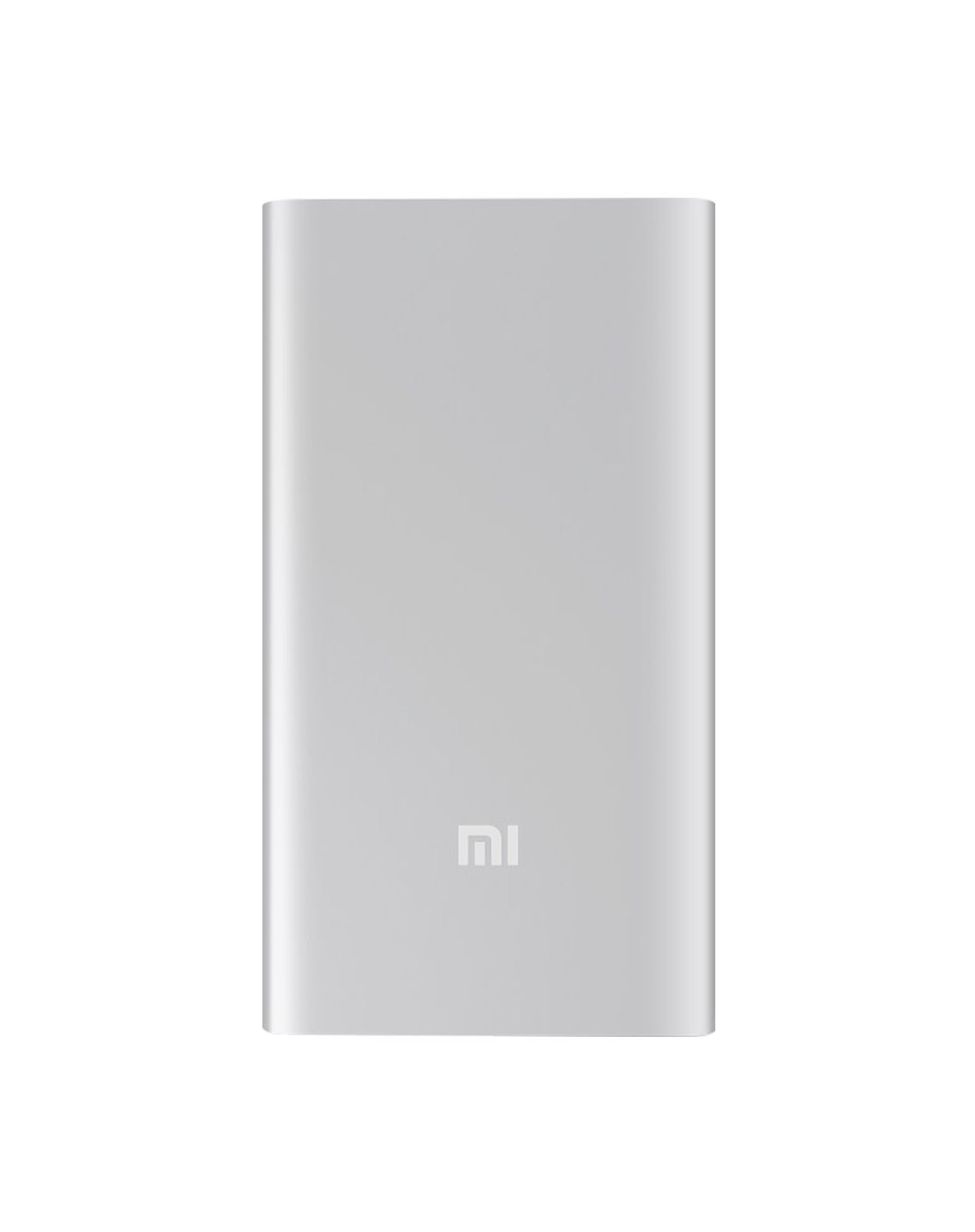
Малюнак 4.1: Спераду view of the Xiaomi Mi 5000mAh Power Bank, silver color with the 'Mi' logo.

Малюнак 4.2: Верх view of the power bank, highlighting the ports and indicators.
- Уваходны порт Micro USB: Used to charge the power bank itself.
- Выхадны порт USB-A: Used to charge external devices.
- Кнопка харчавання: Press once to check battery level; press and hold to turn on/off (if applicable, some power banks are auto-on).
- Святлодыёдныя індыкатары: Four small lights that show the remaining battery capacity of the power bank. Each light typically represents 25% of the charge.
5. Настройка
5.1 Першапачатковая плата
Before using your Xiaomi Mi 5000mAh Power Bank for the first time, it is recommended to fully charge it.
- Connect the Micro USB end of the provided cable to the power bank's Micro USB Input Port.
- Connect the USB-A end of the cable to a USB wall adapter (not included) or a computer's USB port.
- The LED indicators will light up and blink, showing the charging progress. All four LEDs will remain solid when the power bank is fully charged.
6. Інструкцыя па эксплуатацыі
6.1 Зарадка знешніх акумулятараў
Каб зарадзіць свой знешні акумулятар:
- Use the included USB cable to connect the power bank's Micro USB input port to a power source (e.g., wall charger, computer USB port).
- The LED indicators will show the charging status. When all four LEDs are solid, the power bank is fully charged.
6.2 Зарадка прылады
To charge a smartphone or other USB-powered device:
- Connect your device's charging cable to the USB-A Output Port of the power bank.
- Падключыце іншы канец кабеля да прылады.
- The power bank should automatically begin charging your device. If not, press the power button once to initiate charging.
- The LED indicators will show the power bank's remaining charge while it is in use.
7. Тэхнічнае абслугоўванне
- Уборка: Для чысткі знешніх акумулятараў выкарыстоўвайце мяккую сухую тканіну. Не выкарыстоўвайце агрэсіўныя хімічныя рэчывы або абразіўныя матэрыялы.
- захоўванне: Store the power bank in a cool, dry place away from direct sunlight and extreme temperatures. If storing for extended periods, charge it to about 50% every three months to prolong battery life.
- Сыход за батарэяй: Пазбягайце частай поўнай разрадкі паўэрбанка, бо гэта можа скараціць яго агульны тэрмін службы.
8. Выпраўленне непаладак
| праблема | Магчымае рашэнне |
|---|---|
| Power bank не зараджаецца | Ensure the charging cable is securely connected to both the power bank and the power source. Try a different cable or wall adapter. Check if the power source is active. |
| Прылада не зараджаецца ад Power Bank | Check if the power bank has sufficient charge (indicated by LEDs). Ensure the cable connecting the device to the power bank is functional and securely connected. Press the power button on the power bank once. |
| Павольная зарадка | Ensure you are using a high-quality cable. The charging speed may vary depending on the device being charged and the power bank's remaining capacity. |
| Святлодыёдныя індыкатары не працуюць | The power bank might be completely discharged or damaged. Try charging it for a few hours. If the issue persists, contact support. |
9. Тэхнічныя характарыстыкі
| Асаблівасць | Дэталь |
|---|---|
| Фірмовае найменне | Xiaomi |
| Нумар мадэлі | XPB5000 |
| Ёмістасць батарэі | 5000 мАг |
| Склад батарэі | Літый-палімерны |
| Колер | Серабро |
| Асаблівасці | Лёгкі |
| тtage | 5 вольт |
| Ток | 2.1 Amps |
| Крыніца харчавання | Харчаванне ад батарэі |
| Сумяшчальныя прылады | Смартфоны |
| Сумяшчальныя мадэлі тэлефонаў | Apple iPhone 5S, Apple iPhone 6 (and other USB-compatible devices) |
| Уваходны порт | 1 (мікра-USB) |
| Выхадны порт | 1 (USB-A) |
| Памеры прадмета (Д х Ш х У) | 15 х 4.5 х 2.5 см |
| Вага | 156 грама (прыблізна) |
| GTIN / UPC | 06954176883742/700254076065 190268050890 |
Note: The specification 'Number of Ports: 6' from product data likely refers to the combination of physical ports (Micro USB input, USB-A output) and the four LED indicators.
10. Гарантыя і падтрымка
10.1 Інфармацыя аб гарантыі
According to the product specifications, this item is sold with "No Warranty". Please refer to your point of purchase for any return or exchange policies.
10.2 Падтрымка кліентаў
For further assistance or inquiries regarding your Xiaomi Mi 5000mAh Power Bank, please contact the retailer where the product was purchased or visit the official Xiaomi support webсайт з агульнай інфармацыяй пра прадукт.
Афіцыйны Xiaomi Webсайт: https://www.mi.com/global/support