
1. Прадукт скончыўсяview
The Portronics Health Key III 3D Digital Pedometer is designed to accurately track your daily physical activity. It utilizes advanced 3D sensor technology to count steps, measure distance, and estimate calories burned, helping you monitor your fitness progress.
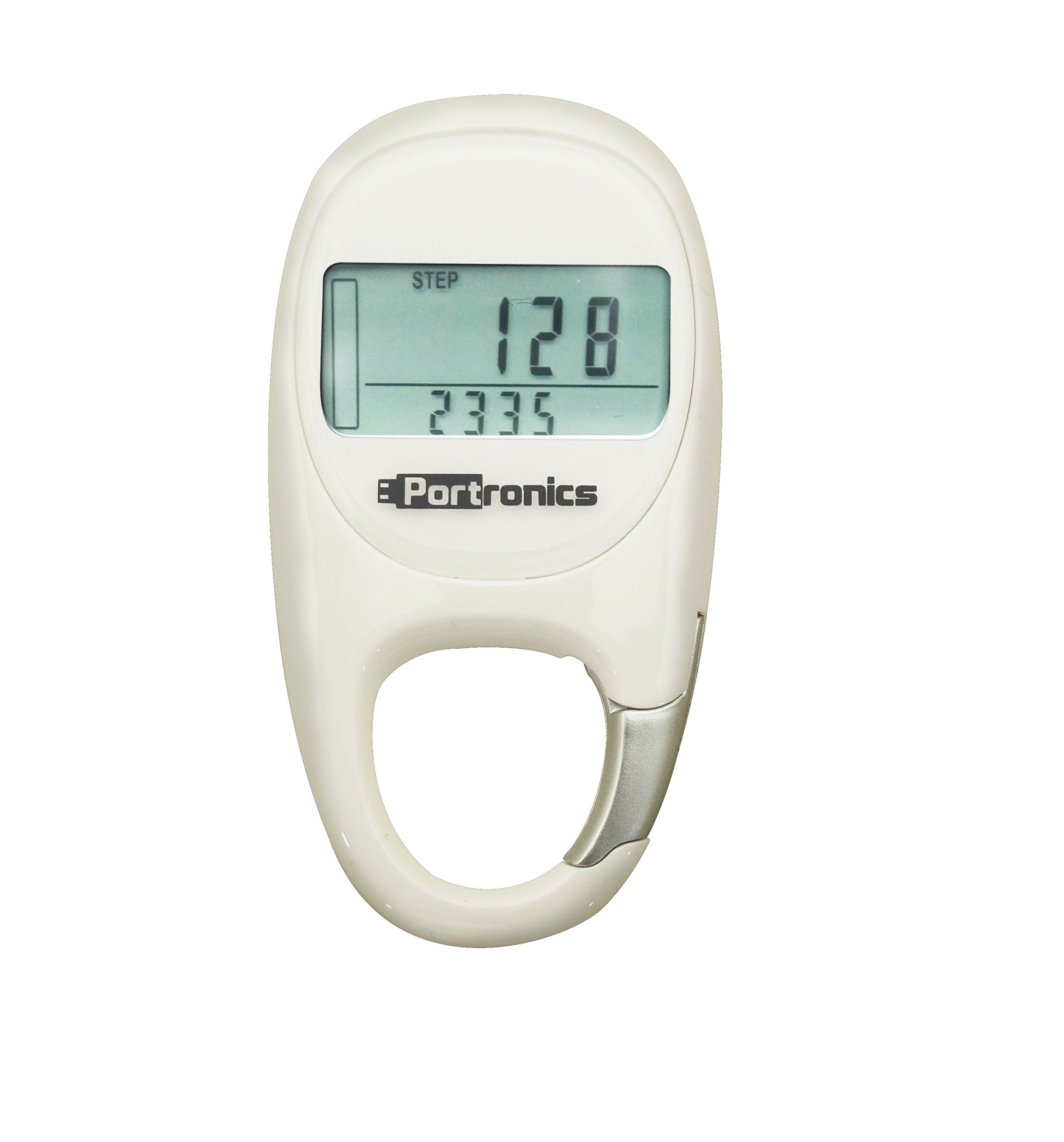
Малюнак 1: Фронт view of the Portronics Health Key III 3D Digital Pedometer. The device is white with a clear digital display and control buttons visible below the screen.
2. Настройка
2.1 Распакаванне
Carefully remove the pedometer and all accessories from the packaging. Verify that all components are present:
- Portronics Health Key III 3D Digital Pedometer
- Кіраўніцтва карыстальніка (гэты дакумент)
- Battery (if not pre-installed)
2.2 Устаноўка батарэі
The Portronics Health Key III uses a Lithium-Ion Polymer battery. If the battery is not pre-installed or needs replacement:
- Знайдзіце вечка батарэйнага адсека на задняй панэлі прылады.
- Use a small coin or screwdriver to gently open the cover.
- Insert the Lithium-Ion Polymer battery, ensuring the positive (+) and negative (-) terminals align correctly with the markings inside the compartment.
- Заменіце крышку батарэйнага адсека і замацуеце яе.
Увага: Ensure correct battery polarity. Incorrect installation may damage the device. Dispose of used batteries responsibly.
2.3 Пачатковае ўключэнне і асноўныя налады
After battery installation, the device should power on automatically. If not, press and hold the "MODE" button for a few seconds. You will then need to set up basic information:
- Час і дата: Follow the on-screen prompts to set the current time (12/24-hour format) and date. Use the "SET" or "ADJUST" buttons to change values and "MODE" to confirm.
- Карыстальнік Profile: Input your personal data for accurate tracking. This typically includes:
- Вага: Enter your body weight in kilograms (kg) or pounds (lb).
- Рост: Enter your height in centimeters (cm) or inches (in).
- Даўжыня кроку: This can be estimated or measured. A common estimate is (Height in cm) * 0.415 for men and (Height in cm) * 0.413 for women. For best accuracy, measure your actual stride length over 10 steps and divide by 10.
- Unit Preference: Select your preferred units for distance (kilometers/miles) and weight (kg/lb).
Once all settings are confirmed, the pedometer is ready for use.
3. Інструкцыя па эксплуатацыі
3.1 Wearing the Pedometer
For optimal accuracy, wear the Portronics Health Key III pedometer securely on your waist, close to your hip bone. Ensure it is positioned vertically and does not swing freely. It can also be placed in a pocket, but waist placement generally yields more accurate results.
3.2 Разуменне дысплея
The 2-inch display shows various metrics. Use the "MODE" button to cycle through different display screens:
- Крокі: Total number of steps taken.
- Адлегласць: Total distance covered in kilometers or miles.
- Калорыі: Прыблізная колькасць спаленых калорый.
- Час практыкаванняў: Duration of active movement.
- гадзіннік: Бягучы час.
3.3 Data Reset
To reset your daily activity data (steps, distance, calories, exercise time) to zero:
- Navigate to the desired data screen (e.g., Steps).
- Press and hold the "RESET" button for approximately 3 seconds until the display shows "0" or flashes.
- Release the button. Your daily data is now reset.
Заўвага: Some models may automatically reset daily data at midnight. Refer to the device's specific behavior.
3.4 Функцыя памяці
The pedometer may store historical data for a certain period (e.g., 7 days). To view past data, press the "MEMORY" or "HISTORY" button (if available) and use the "ADJUST" buttons to scroll through previous days' records.
4. Тэхнічнае абслугоўванне
4.1 Ачыстка
To clean your pedometer, gently wipe the surface with a soft, dry cloth. For stubborn dirt, slightly dampen the cloth with water. Do not use abrasive cleaners, solvents, or immerse the device in water.
4.2 Замена батарэі
When the battery indicator appears low or the display becomes dim, replace the Lithium-Ion Polymer battery following the instructions in Section 2.2. Always use the specified battery type.
4.3 Захоўванне
If storing the pedometer for an extended period, remove the battery to prevent leakage and potential damage to the device. Store it in a cool, dry place away from direct sunlight and extreme temperatures.
5. Выпраўленне непаладак
| праблема | Магчымая прычына | Рашэнне |
|---|---|---|
| Прылада не ўключаецца. | Разраджаная або няправільна ўсталяваная батарэя. | Check battery installation (Section 2.2). Replace battery if necessary. |
| Няправільны падлік крокаў. | Incorrect wearing position; incorrect stride length setting; unusual movement patterns. | Ensure pedometer is worn securely on the waist (Section 3.1). Verify stride length setting (Section 2.3). Avoid excessive shaking or non-walking movements. |
| Дысплей цьмяны або пусты. | Нізкі акумулятар. | Replace the battery (Section 4.2). |
| Cannot reset data. | Няправільная паслядоўнасць націскання кнопак. | Refer to Data Reset instructions (Section 3.3). Ensure you hold the button for the specified duration. |
5.1 Скід да заводскіх налад
If the device malfunctions persistently, a factory reset may resolve the issue. Consult the Portronics support website or contact customer service for specific instructions on performing a factory reset for your model, as this procedure can vary.
6. Тэхнічныя характарыстыкі
- Марка: Портроніка
- мадэль: Health Key III 3D Digital Pedometer
- колер: White (as per product listing, other colors may exist for the model)
- Памер экрана: 2 цалі
- Тып датчыка: Pedometer (3D Digital)
- Тып батарэі: Літый-іённы палімер
- ASIN: B00TK7P7KC
7. Гарантыя і падтрымка
7.1 Інфармацыя аб гарантыі
Portronics products typically come with a limited warranty against manufacturing defects. The specific warranty period and terms may vary by region and product. Please retain your purchase receipt as proof of purchase for warranty claims. For detailed warranty information, visit the official Portronics webсайт або звярніцеся ў службу падтрымкі кліентаў.
7.2 Падтрымка кліентаў
If you encounter any issues not covered in this manual or require further assistance, please contact Portronics customer support:
- Webсайт: www.portronics.com/support (Напрampспасылка, фактычная спасылка можа адрознівацца)
- электронная пошта: support@portronics.com (Напрampэлектронная пошта, фактычны адрас электроннай пошты можа адрознівацца)
- тэлефон: Refer to the Portronics webсайт рэгіянальных кантактных тэлефонаў.
When contacting support, please have your product model (Health Key III 3D Digital Pedometer) and ASIN (B00TK7P7KC) ready.