
Увядзенне і большview
The Eton Scorpion II is a rugged, multipowered portable emergency weather radio and flashlight designed for reliability in various conditions. This compact unit is an essential tool for outdoor activities and emergency preparedness, offering multiple ways to stay informed and powered.
Key features include AM/FM/NOAA weather bands for critical updates, a built-in LED flashlight for illumination, and a USB port for charging smartphones. Its robust exterior and aluminum carabiner ensure durability, while multiple power options provide continuous operation.
Настройка
Before initial use, it is recommended to fully charge the Scorpion II using the USB port. This ensures the internal 800 mAh Lithium Ion battery is ready for extended use.
- Першапачатковая плата: Connect the provided USB cable to the unit's USB input port and to a standard USB power source (e.g., computer, wall adapter). Allow several hours for a full charge.
- Антэна: For optimal radio reception, extend the telescopic antenna fully.

Інструкцыя па эксплуатацыі
Уключэнне/выключэнне харчавання
Націсніце і ўтрымлівайце Магутнасць button located on the unit to turn the radio on or off.
Настройка радыё
Выкарыстоўвайце Гурт button to cycle through AM, FM, and NOAA weather bands. Use the Наладзіць +/- buttons to manually adjust the frequency. The digital display will show the current frequency.
Рэгулятар гучнасці
Adjust the audio output level using the Гучнасць +/- кнопкі.
LED Flashlight & SOS
Націсніце Ліхтарык button to activate the built-in LED flashlight. Some models may include an SOS function, which can be activated by pressing and holding the flashlight button, causing the light to flash Morse code for distress.

Зарадка смартфона
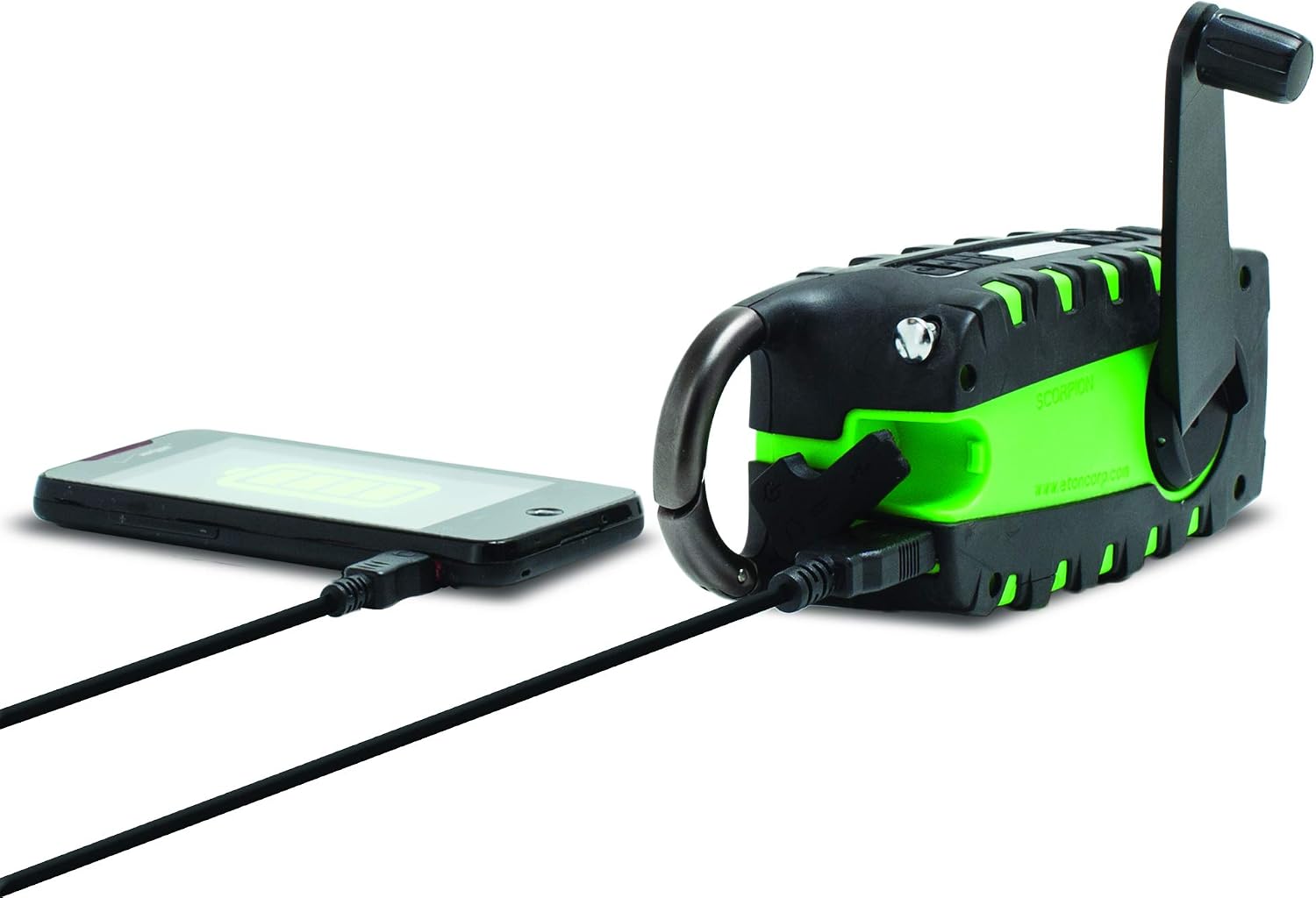
The unit features a USB output port to charge compatible smartphones. Connect your smartphone's charging cable to the Scorpion II's USB output. Ensure the Scorpion II has sufficient charge for this function.

Крыніцы харчавання
The Eton Scorpion II offers multiple ways to power the unit and charge external devices:
- Ручная шатуна: Extend the hand crank handle and rotate it clockwise or counter-clockwise for manual power generation. Continuous cranking will charge the internal battery and power the radio.
- Панэль сонечных батарэй: Place the unit with its solar panel facing direct sunlight. The solar panel will slowly charge the internal battery. This method is ideal for maintaining charge over time or for trickle charging.
- USB-зарадка: Use the micro-USB input port to charge the internal battery from any standard USB power source. This is the fastest method for a full charge.

Тэхнічнае абслугоўванне
To ensure the longevity and optimal performance of your Eton Scorpion II, follow these maintenance guidelines:
- Уборка: Працярыце прыладу мяккай дamp тканіна. Не выкарыстоўвайце агрэсіўныя хімікаты або абразіўныя ачышчальнікі.
- Сыход за батарэяй: For best battery life, fully charge the unit at least once every 3 months, even if not in use. Avoid completely draining the battery frequently.
- захоўванне: Захоўвайце радыёпрыёмнік у прахалодным, сухім месцы, удалечыні ад прамых сонечных прамянёў і экстрэмальных тэмператур.
- Воданепранікальнасць: The rugged exterior provides protection against splashes and dust, but the unit is not fully waterproof. Avoid submerging it in water.
Ліквідацыю непаладак
If you encounter issues with your Eton Scorpion II, refer to the following common troubleshooting steps:
- Няма харчавання: Ensure the unit is charged. Try hand cranking for a few minutes or connecting to a USB power source.
- Слабы прыём радыё: Fully extend the telescopic antenna. Try repositioning the unit to a different location, especially near a window or outdoors.
- Smartphone Not Charging: Verify that the Scorpion II has sufficient battery charge. Ensure the smartphone's charging cable is securely connected to the unit's USB output port.
- Ліхтарык не працуе: Check if the unit is powered on and has battery charge. Press the flashlight button firmly.
Тэхнічныя характарыстыкі
| Памеры прадукту | 2.2 х 3.6 х 7.2 цалі |
| Вага прадмета | 10.6 унцыі |
| Нумар мадэлі тавару | NSP101WXGR |
| Батарэі | 2 Lithium Ion batteries required (internal) |
| Тэхналогія падлучэння | USB |
| Крыніца харчавання | Solar Powered, Hand Crank, USB |
| Падтрымліваюцца радыёдыяпазоны | AM, FM, NOAA Weather |
| Асаблівасць | Portable, LED Flashlight, Smartphone Charger |
Што ў скрынцы
- Eton Scorpion II Rugged Multipowered Portable Emergency Weather Radio & Flashlight Green
- USB-кабель для зарадкі
Гарантыя і падтрымка
For warranty information, technical support, or service inquiries, please refer to the documentation included with your product or visit the official Eton webсайт. Захоўвайце чэк аб пакупцы на выпадак прэтэнзій па гарантыі.