
1. Уводзіны
The Neato Robotics Botvac D75 is an advanced robotic vacuum cleaner designed to efficiently clean various floor types. This manual provides essential information for setting up, operating, maintaining, and troubleshooting your Botvac D75 to ensure optimal performance and longevity.

Figure 1.1: The Neato Robotics Botvac D75 Robot Vacuum, showcasing its distinctive D-shape design and top-mounted laser navigation system.
2. Настройка
2.1 Распакоўка і кампаненты
Асцярожна выміце ўсе кампаненты з упакоўкі. Пераканайцеся, што ў наяўнасці наступныя прадметы:
- Neato Botvac D75 Robot Vacuum
- Зарадная база
- Шнур харчавання
- Side Brush (pre-installed or separate)
- Boundary Markers (magnetic strip)
- Фільтраваць
2.2 Размяшчэнне зараднай базы
Place the charging base against a wall in an open area, ensuring at least 3 feet (1 meter) of clear space on either side and in front of the base. Plug the power cord into the charging base and then into a wall outlet. Ensure the outlet is always powered.
2.3 Першапачатковая плата
Place the Botvac D75 onto the charging base. The robot will automatically align itself. Allow the robot to charge completely before its first use. A full charge can take several hours. The battery indicator on the robot will show its charging status.
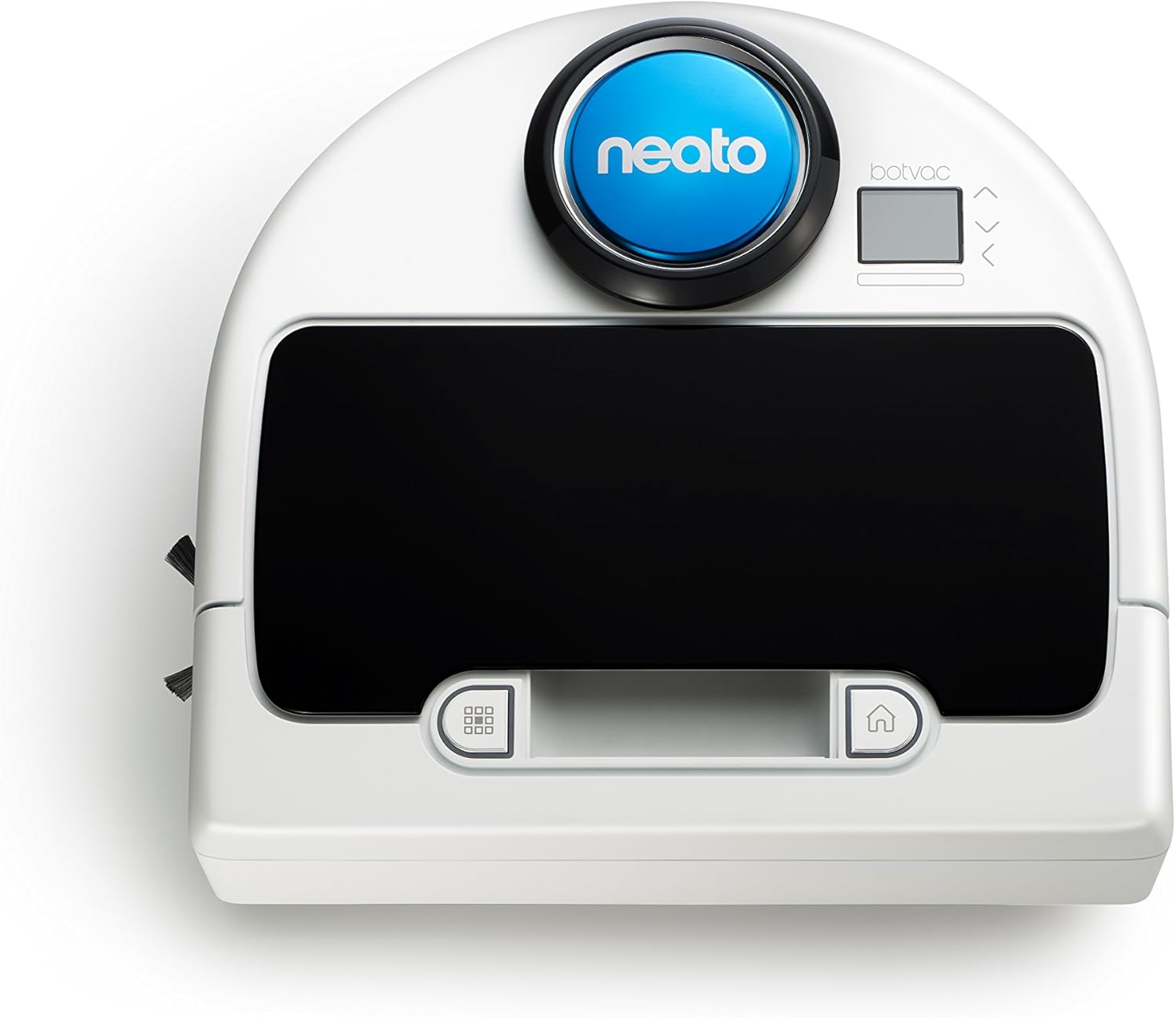
Малюнак 2.1: Верх view of the Botvac D75, highlighting the control panel and laser navigation dome.
3. Operating Your Botvac D75
3.1 Падрыхтоўка зоны ўборкі
Before starting a cleaning cycle, remove small objects, loose cables, and fragile items from the floor. Use the provided boundary markers to restrict the robot from entering specific areas, such as pet bowls or delicate furniture.
3.2 Запуск цыкла ачысткі
Націсніце Пачаць button on the robot's control panel or use the Neato app (if connected) to begin a cleaning cycle. The robot will leave its charging base, scan the room using its laser navigation system, and systematically clean the area.

Figure 3.1: The Botvac D75 actively cleaning a tiled kitchen floor, demonstrating its ability to navigate open spaces.
3.3 Інтэлектуальнае картаграфаванне і навігацыя
The Botvac D75 utilizes advanced laser navigation to map your home, allowing it to clean in straight, efficient lines rather than random patterns. This systematic approach ensures thorough coverage and reduces cleaning time.

Figure 3.2: Comparison illustrating the systematic cleaning path of Neato robots versus the random movement of other robotic vacuums.
3.4 Планаванне
The Botvac D75 supports scheduling through its companion mobile application. Refer to the app for instructions on setting daily or weekly cleaning schedules.
4. Тэхнічнае абслугоўванне
Regular maintenance is crucial for the optimal performance and longevity of your Botvac D75.
4.1 Emptying the Dirt Bin
The dirt bin should be emptied after each cleaning cycle or when the 'Dirt Bin Full' indicator appears. To empty, open the top cover of the robot, remove the dirt bin, and discard its contents. Ensure the filter is properly seated before reinserting the bin.
4.2 Чыстка шчотак
Periodically inspect and clean the main brush and side brush. Hair and debris can become entangled, reducing cleaning effectiveness. Use the cleaning tool provided (if applicable) or scissors to cut away tangled hair. The main brush is accessible from the bottom of the robot.

Figure 4.1: Underside of the Botvac D75, displaying the main brush, side brush, and wheels, which require periodic cleaning.
4.3 Чыстка фільтра
The filter should be cleaned regularly by tapping it against a trash can to remove dust. Replace the filter every 1 to 2 months, depending on usage, to maintain suction power. The filter is located within the dirt bin.
4.4 Ачыстка датчыкаў
Wipe the robot's sensors (cliff sensors, wall sensors, laser navigation sensor) with a clean, dry cotton swab or cloth. Keeping sensors clean ensures proper navigation and prevents falls.
5. Выпраўленне непаладак
This section addresses common issues you might encounter with your Botvac D75.
5.1 Робат не зараджаецца
- Ensure the charging base is plugged into a live outlet.
- Verify the robot is correctly docked with its charging contacts aligned with the base contacts.
- Ачысціце зарадныя кантакты як на робаце, так і на базе сухой анучай.
5.2 Робат часта захрасае
- Clear the cleaning area of loose cables, small rugs, or objects that might obstruct the robot.
- Use boundary markers to block off problematic areas.
- Clean the wheels and brushes to ensure they are free of debris.
5.3 Нізкая эфектыўнасць уборкі
- Empty the dirt bin and clean or replace the filter.
- Clean the main brush and side brush for entangled hair or debris.
- Ensure the robot's sensors are clean.
5.4 паведамленняў пра памылкі
If an error message appears on the robot's display, consult the Neato app or the manufacturer's website for specific instructions related to the error code.
6. Тэхнічныя характарыстыкі
| Асаблівасць | Дэталь |
|---|---|
| Марка | Neato Robotics |
| Нумар мадэлі | 945-0185 |
| Колер | Белы |
| Асаблівасці | Edge Cleaning, Logical Navigation, Obstacle Avoidance, Scheduling, Smart Mapping |
| Уключаныя кампаненты | Бакавая шчотка |
| Тып фільтра | Патрон |
| тtage | 12 вольт |
| Ёмістасць | 0.7 літра |
| Крыніца харчавання | Правадная электрычная |
| Батарэі ўваходзяць у камплект | Yes (1 x 12V) |
| Метад кантролю | дадатак |
| Формаў-фактар | Рабатызаваны |
| UPC | 810841011703 |
| Памеры прадукту | 12.64 х 13.19 х 3.94 цалі |
| Вага прадмета | 9.02 фунта |
| Дата першай даступнасці | 1 ліпеня 2016 г |
7. Гарантыя і падтрымка
For warranty information, technical support, or to purchase replacement parts, please visit the official Neato Robotics webна сайце або звярніцеся ў службу падтрымкі кліентаў. Больш падрабязную інфармацыю можна знайсці на Neato Robotics Store.