
1. Уводзіны
This manual provides detailed instructions for the setup, operation, maintenance, and troubleshooting of your JOOAN 1080P Wireless Indoor Security Camera, Model 366. This camera is designed for indoor surveillance, offering features such as 1080P video resolution, two-way audio, night vision, and motion detection, making it suitable for monitoring homes, pets, or babies.
Please read this manual thoroughly before using the product to ensure correct installation and optimal performance.
2. Упаковачны ліст
Пасля адкрыцця ўпакоўкі пераканайцеся, што ўсе пералічаныя ніжэй прадметы наяўныя і знаходзяцца ў добрым стане:
- JOOAN WiFi Camera x 1
- Power Plug x 1
- Data Line (USB Cable) x 1
- Install Bracket x 1 (for wall or ceiling mounting)
- Instructions (User Manual) x 1
- Screw Pack x 1 (for bracket installation)

Image: Contents of the JOOAN camera package, including the camera, power adapter, USB cable, mounting bracket, instruction manual, and screw pack.
3. Кіраўніцтва па наладцы
3.1 Уключэнне камеры
- Падключыце прыкладзены кабель USB да ўваходнага порта харчавання камеры.
- Plug the other end of the USB cable into the power plug adapter.
- Insert the power plug into a standard electrical outlet. The camera will power on and initiate its startup sequence.
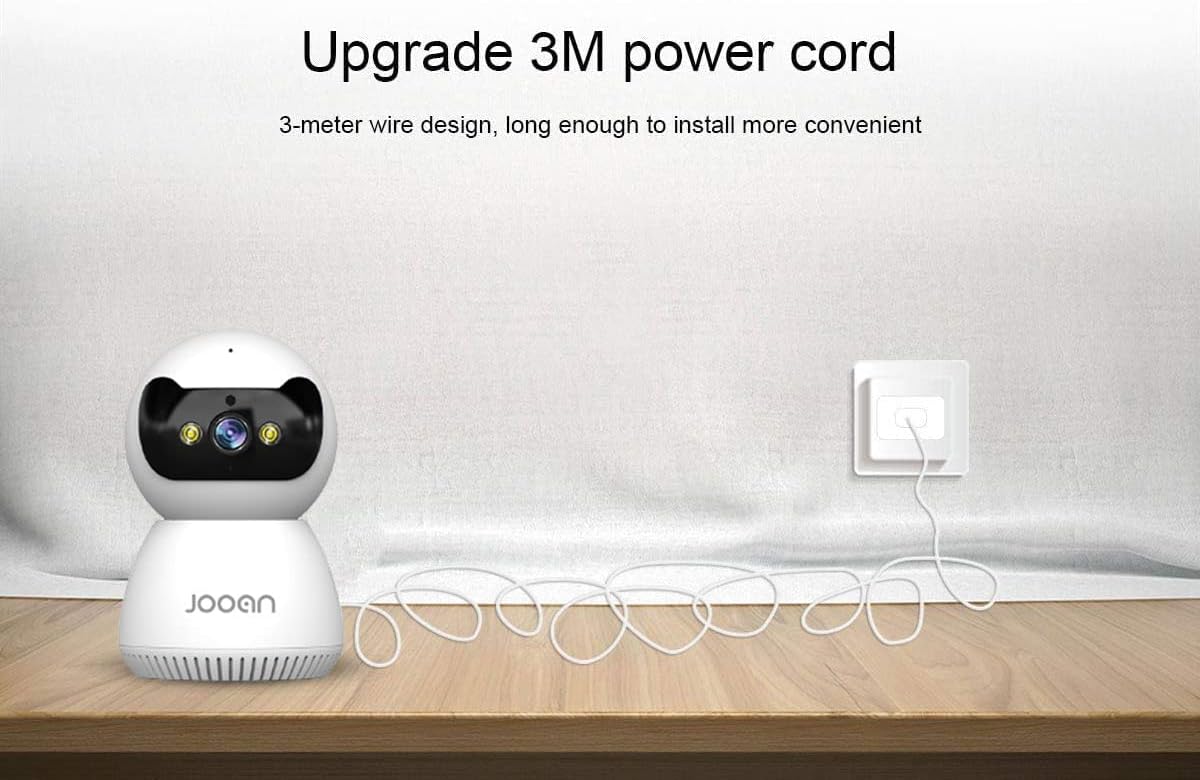
Image: The JOOAN camera connected to its 3-meter power cord and adapter, ready for power connection.
3.2 Загрузка і ўстаноўка праграмы
To operate the camera, you need to download the official JOOAN application on your smartphone or tablet.
- Scan the QR code provided in the included instruction manual or search for 'JOOAN' in your device's app store (Google Play Store for Android, Apple App Store for iOS).
- Спампаваць і ўсталяваць праграму.
- Зарэгіструйце новы ўліковы запіс або ўвайдзіце ў сістэму, калі ён у вас ужо ёсць.
3.3 Падключэнне Wi-Fi
The camera connects to your home Wi-Fi network. Важна: This camera is primarily compatible with 2.4GHz Wi-Fi networks. Connection to 5GHz Wi-Fi networks may not be supported or stable.
- Пераканайцеся, што ваш смартфон падключаны да сеткі Wi-Fi 2.4 ГГц.
- Open the JOOAN app and follow the on-screen instructions to add a new device.
- Select your Wi-Fi network and enter the password when prompted.
- The app will guide you through the pairing process, which may involve scanning a QR code displayed on your phone with the camera or using audio pairing. Ensure your phone's volume is up during audio pairing.
- Once connected, the camera's indicator light will change, and the app will confirm successful pairing.

Image: The JOOAN camera on a pedestal, illustrating its wireless connectivity. While the image mentions 'Dual-Band WiFi 2.4/5G Hz', users should note that compatibility is primarily with 2.4GHz networks.
3.4 Мантаж камеры
The camera can be placed on a flat surface or mounted to a wall or ceiling using the provided bracket.
- Размяшчэнне на працоўным стале: Проста размясціце камеру на ўстойлівай, роўнай паверхні ў патрэбнай зоне маніторынгу.
- Мантаж на сцяне/потолі:
- Выберыце падыходнае месца для мантажу.
- Use the mounting bracket as a template to mark screw holes on the wall or ceiling.
- Drill pilot holes and insert the provided wall anchors if necessary.
- Secure the mounting bracket using the screws.
- Attach the camera to the bracket by twisting it until it locks into place.
4. Інструкцыя па эксплуатацыі
4.1 У прамым эфіры View і кіраванне панарамаваннем/нахілам
Once connected, open the JOOAN app to access the live video feed from your camera.
- жыць View: The main screen of the app displays the real-time video feed.
- Панарамаванне/нахіл: Use the directional controls within the app to remotely rotate the camera horizontally (355° Pan) and vertically (45° Tilt) to adjust the viewкут нахілу.
- Лічбавае павелічэнне: Pinch to zoom on the live feed to magnify specific areas.
- Preset Points: Configure up to 6 preset viewing angles for quick navigation.

Image: A JOOAN camera mounted on a ceiling, demonstrating its 355° pan and 45° tilt capabilities, controlled via a smartphone app. Features like 4X digital zoom and preset points are also highlighted.
4.2 Двухбаковае аўдыё
Камера мае ўбудаваны мікрафон і дынамік, што дазваляе ажыццяўляць двухбаковую сувязь.
- Націсніце на значок мікрафона ў дадатку, каб гаварыць праз дынамік камеры.
- Listen to audio from the camera's environment through your smartphone.
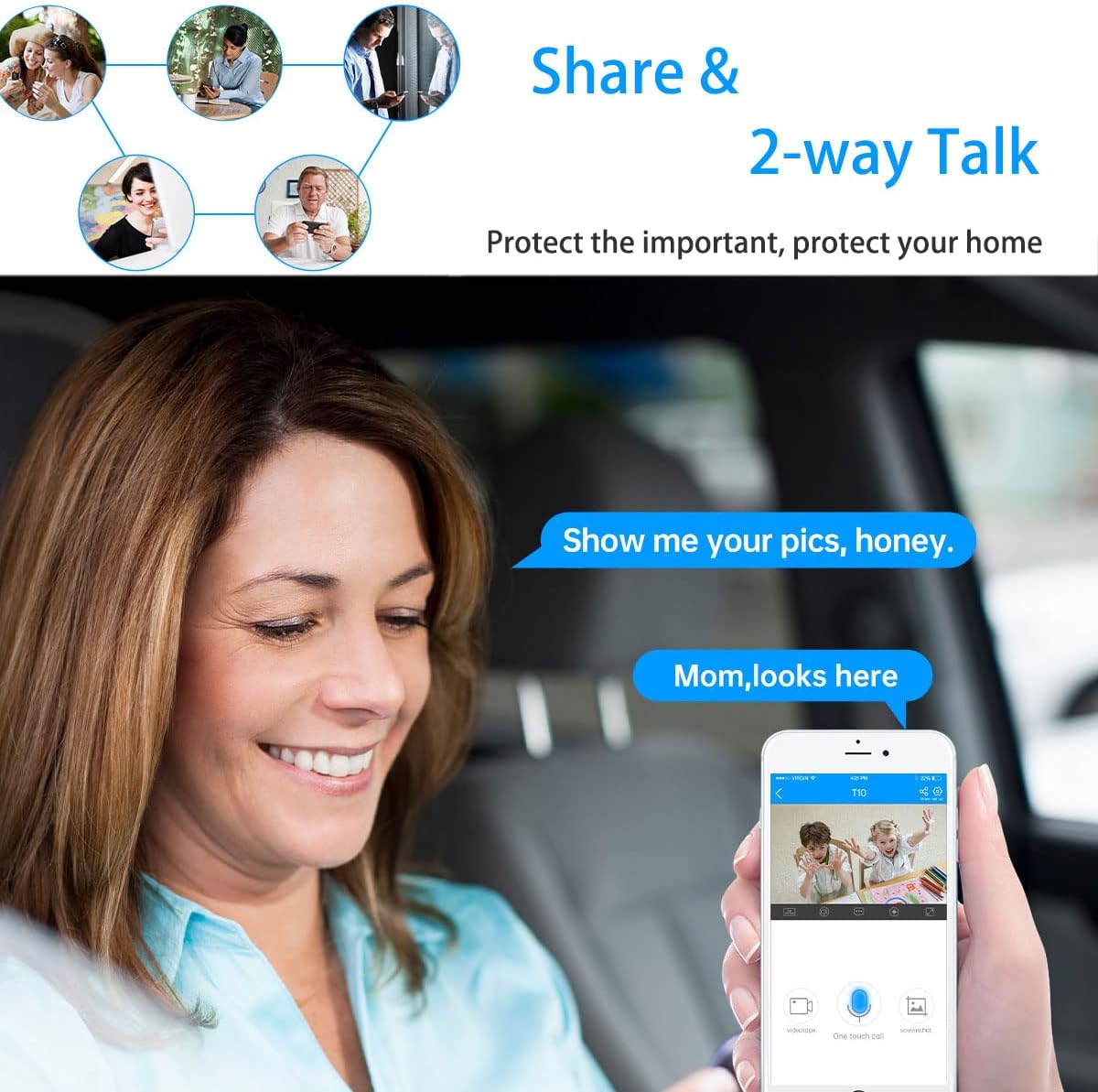
Image: A woman in a car using a smartphone app to engage in two-way communication through the JOOAN camera, demonstrating the 'Share & 2-way Talk' feature.
4.3 Рэжымы начнога бачання
The camera offers multiple night vision modes for clear monitoring in low-light conditions.
- Інфрачырвонае (ІЧ) начное бачанне: Automatically activates in low light, providing clear black and white video using 8 IR LEDs.
- Каляровы начны бачанне: Utilizes 2 white lights to provide color video in low light.
- Разумнае начное бачанне: Combines IR and white light. Floodlights can turn on automatically upon detection of a moving human shape, providing enhanced visibility and deterrence.
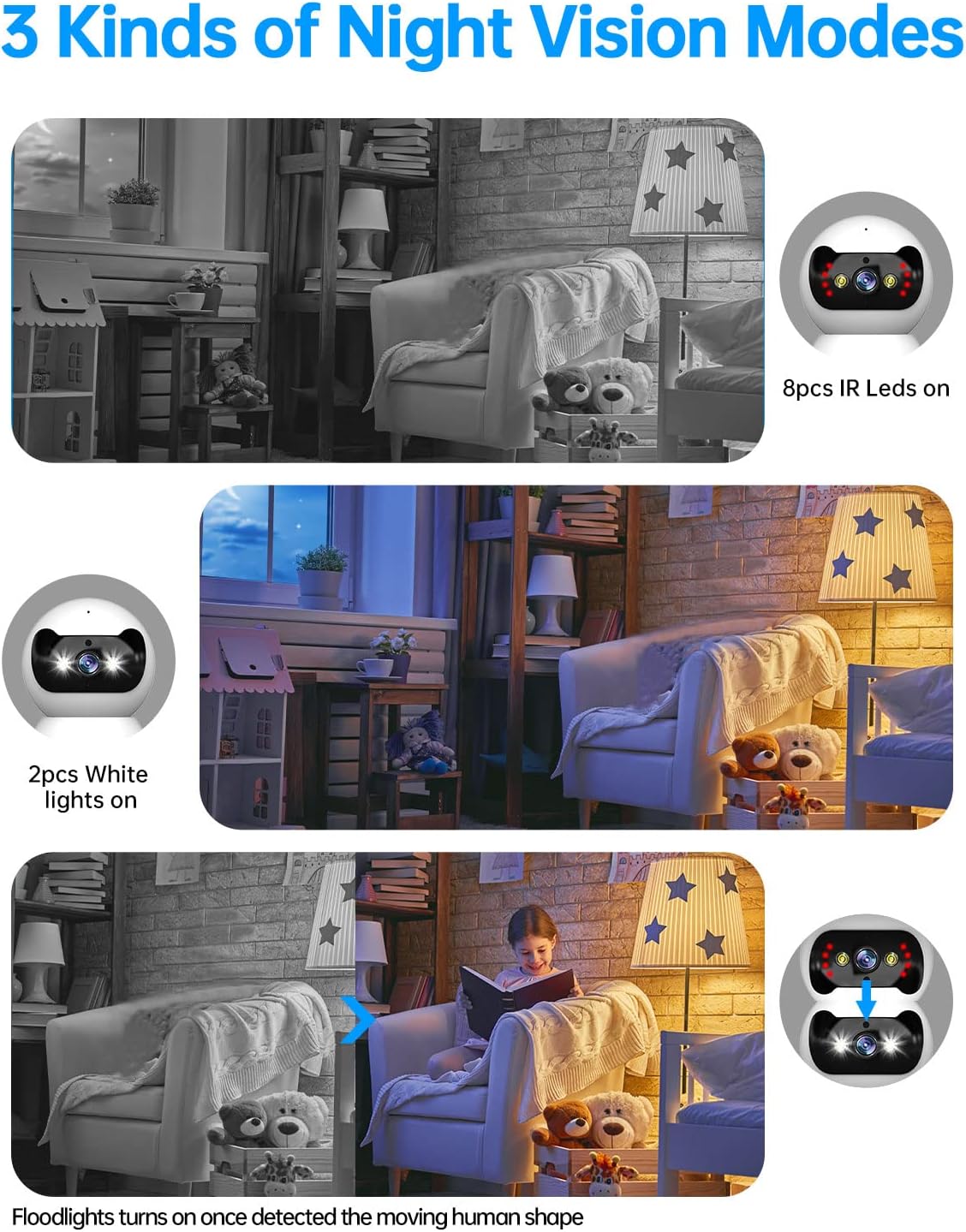
Image: Three panels illustrating the JOOAN camera's night vision capabilities: standard infrared (8 IR LEDs), color night vision (2 white lights), and smart night vision where floodlights activate upon motion detection.
4.4 Выяўленне руху і абвесткі
The camera can detect motion and send alerts to your smartphone.
- Уключыце выяўленне руху ў наладах праграмы.
- Адрэгулюйце ўзровень адчувальнасці, каб мінімізаваць колькасць ілжывых спрацоўванняў.
- Атрымлівайце push-паведамленні на тэлефон пры выяўленні руху.
- The camera supports automatic tracking, following detected movement within its field of view.

Image: A JOOAN camera mounted on a ceiling, demonstrating its automatic tracking feature by highlighting a person moving through a room with red detection zones.
4.5 Запіс і прайграванне
The camera supports video recording, typically to a microSD card (not included) or cloud storage (subscription may be required).
- Insert a compatible microSD card into the camera's slot (refer to app for maximum supported capacity).
- Configure recording settings (e.g., continuous recording, motion-triggered recording) in the app.
- Доступ да запісанага footage through the app's playback feature, typically organized by date and time.
5. Тэхнічнае абслугоўванне
5.1 Ачыстка
Каб падтрымліваць аптымальную якасць выявы, трымайце аб'ектыў камеры ў чысціні.
- Перад чысткай пераканайцеся, што камера выключана.
- Use a soft, dry, lint-free cloth to gently wipe the lens and camera body.
- Avoid using harsh chemicals, solvents, or abrasive materials, as these can damage the camera's surface or lens.
5.2 Абнаўленне прашыўкі
Periodically check for firmware updates through the JOOAN app. Firmware updates can improve performance, add new features, and enhance security.
- Access the camera settings in the app.
- Look for a 'Firmware Update' or 'About Device' section.
- Follow the on-screen prompts to download and install any available updates. Ensure the camera remains powered during the update process.
5.3 Скід налад прылады
If you encounter persistent issues or wish to reconfigure the camera, a factory reset may be necessary.
- Locate the reset button on the camera (refer to the product diagram in the app or included manual).
- With the camera powered on, use a pin or a straightened paperclip to press and hold the reset button for approximately 5-10 seconds until you hear a voice prompt or see the indicator light change.
- The camera will restart, and all settings will revert to factory defaults. You will need to re-add the camera to the app.
6. Выпраўленне непаладак
This section addresses common issues you might encounter with your JOOAN camera.
6.1 Камера не падключаецца да Wi-Fi
- Check Wi-Fi Band: Ensure your router is broadcasting a 2.4GHz Wi-Fi signal and your phone is connected to it during setup. The camera may not support 5GHz networks.
- Пароль Wi-Fi: Double-check that the Wi-Fi password entered in the app is correct.
- Моц сігналу: Place the camera closer to your Wi-Fi router to ensure a strong signal.
- Налады маршрутызатара: Ensure your router's firewall or security settings are not blocking the camera.
- Скінуць налады камеры: Perform a factory reset on the camera and attempt the setup process again.
6.2 Нізкая якасць выявы
- Чысты аб'ектыў: Акуратна працярыце аб'ектыў камеры мяккай сухой тканінай.
- Хуткасць сеткі: Ensure your internet connection has sufficient upload speed for streaming high-definition video.
- асвятленне: Adjust ambient lighting conditions. For night vision, ensure no obstructions are blocking the IR or white lights.
6.3 Праблемы з двухбаковым аўдыё
- App Volume: Check the volume settings on your smartphone and within the JOOAN app.
- Гучнасць камеры: Ensure the camera's speaker volume is not muted or set too low in the app.
- Перашкоды: Move the camera away from other electronic devices that might cause audio interference.
6.4 Выяўленне руху не працуе
- Enable Feature: Verify that motion detection is enabled in the camera settings within the app.
- Адчувальнасць: Adjust the motion detection sensitivity. If it's too low, it might miss events.
- Зона выяўлення: Ensure the area you want to monitor is within the camera's detection zone.
7. Тэхнічныя характарыстыкі
| Марка | ДЖУАН |
| Нумар мадэлі | 366 |
| Эфектыўнае дазвол відэа | 720 Pixels (Note: Product is marketed as 1080P) |
| Тэхналогія падлучэння | Бесправадная сувязь (Wi-Fi) |
| Тэхналогія бесправадной сувязі | Wi-Fi (Primarily 2.4GHz) |
| Асаблівасці | HD 720p, Pan/Tilt Visibility, Two-Way Talk, Easy Setup |
| Выкарыстанне ў памяшканні/на вуліцы | У памяшканні |
| Дыяпазон начнога бачання | 30 футаў |
| Тып крыніцы святла | Інфрачырвоны |
| Тып абвесткі | Толькі рух |
| Метад кантролю | Remote (via Smartphone/Tablet App) |
| Сумяшчальныя прылады | Настольны кампутар, смартфон, планшэт |
| Крыніца харчавання | AC/DC |
| тtage | 12 вольт |
| Ватtage | 4.2 ват |
| Памеры прадмета (Д х Ш х У) | 1.77 х 1.85 х 2.05 цалі |
| Вага прадмета | 12 унцыі |
| Колер | Белы |
| Матэрыял | Шкло |
| Фармат захопу відэа | MPEG-4 |
8. Інфармацыя аб гарантыі
Specific warranty details for the JOOAN 1080P Wireless Indoor Security Camera (Model 366) are typically provided with the product packaging or on the manufacturer's official website. Please refer to these sources for comprehensive information regarding warranty coverage, terms, and conditions.
9. Падтрымка кліентаў
For technical assistance, product inquiries, or further support, please visit the official JOOAN website. You may find FAQs, additional resources, and contact information for their customer service team there.
Webсайт: Visit the JOOAN Store on Amazon (агульная інфармацыя пра брэнд)