
Уводзіны
Thank you for choosing the Technoline WT 745 Radio Controlled Alarm Clock. This digital alarm clock features precise timekeeping, dual alarms with snooze, date and weekday display, and indoor temperature monitoring. Please read this manual carefully to ensure proper setup and operation.
Змест пакета
- Technoline WT 745 Radio Controlled Alarm Clock
- Кіраўніцтва карыстальніка
Note: 2x AAA batteries are required and not included.
Прадукт скончаныview
Familiarize yourself with the main components of your WT 745 alarm clock.
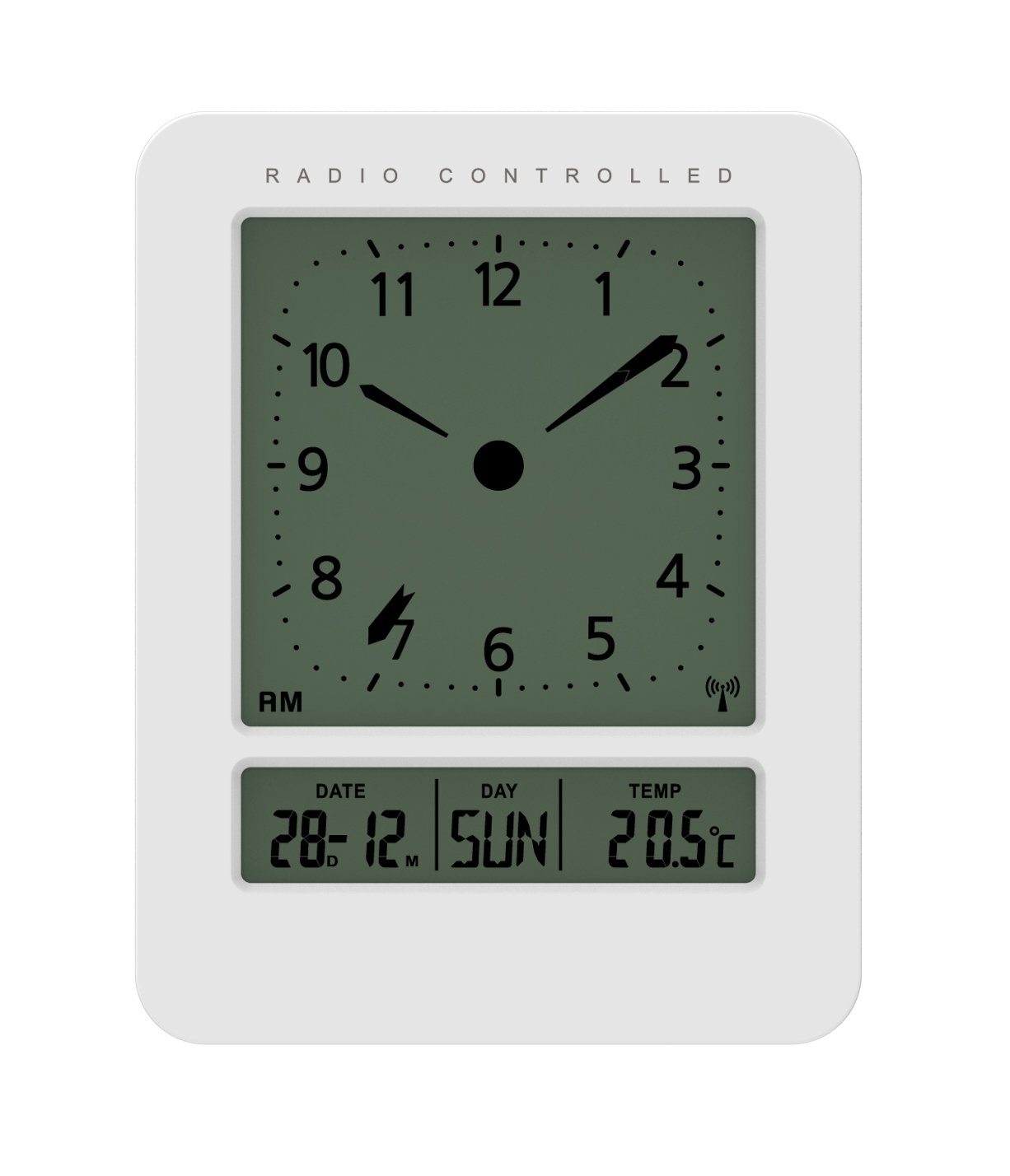
Выява: спераду і збоку view of the Technoline WT 745 Radio Controlled Alarm Clock, showing the digital display with time, date, day, and temperature, and the analog clock face. The clock is white with a light grey display.
- Analog Clock Face: Displays current time with hour, minute, and second hands.
- Лічбавай дысплей: Shows date, day of the week, and indoor temperature.
- Radio Controlled Indicator: Symbol indicating successful radio signal reception.
- Кнопкі кіравання: Buttons for setting time, alarm, and other functions, typically located on the back or side.
- Батарэйны адсек: Located on the back for 2x AAA batteries.
Настройка
1. Устаўка батарэек
- Open the battery compartment cover on the back of the alarm clock.
- Insert 2 new AAA batteries, observing the correct polarity (+/-).
- Надзейна зачыніце крышку батарэйнага адсека.
Note: The clock will automatically start searching for the radio time signal after battery insertion. This process may take several minutes.
2. Initial Radio Signal Reception
- Для аптымальнага прыёму сігналу пастаўце гадзіннік каля акна.
- Пазбягайце размяшчэння яго побач з электроннымі прыладамі, якія могуць выклікаць перашкоды.
- Once the signal is received, the time, date, and day will be automatically set. The radio controlled indicator will appear on the display.
If the signal is not received within 10 minutes, try repositioning the clock or manually setting the time (see "Manual Time Setting").
Інструкцыя па эксплуатацыі
Ўстаноўка будзільніка
- Націсніце ТРЫВОГА button (location not specified, assume standard placement). The alarm time will flash.
- Выкарыстоўвайце UP or УНІЗ кнопкі для рэгулявання гадзіны.
- Прэса ТРЫВОГА again to confirm the hour and move to minutes.
- Выкарыстоўвайце UP or УНІЗ кнопкі для налады хвілін.
- Прэса ТРЫВОГА каб захаваць час будзільніка.
- Каб уключыць/выключыць будзільнік, націсніце кнопку ТРЫВОГА ВКЛ / ВЫКЛ кнопка. На дысплеі з'явіцца/знікне значок сігналу трывогі.
The WT 745 supports two independent alarms. Repeat the steps above to set the second alarm.
Функцыя адкладання
- Калі прагучыць сігнал трывогі, націсніце СНАОЗ button (usually a large button on top). The alarm will pause for approximately 5 minutes and then sound again.
- To stop the alarm completely, press any other button (e.g., ALARM ON/OFF) or let it ring for its full duration.
Backlight Activation
- Націсніце СВЯТЛО or СНАОЗ button to temporarily illuminate the display for easy viewва ўмовах нізкай асветленасці.
Viewing Date, Day, and Temperature
- The digital display continuously shows the current date, day of the week, and indoor temperature. No specific action is required to view гэтыя.
Manual Time Setting (if radio signal is unavailable)
- Націсніце і ўтрымлівайце УСТАНОВА ЧАСУ button for a few seconds until the hour digits flash.
- Выкарыстоўвайце UP or УНІЗ кнопкі для рэгулявання гадзіны.
- Прэса УСТАНОВА ЧАСУ again to confirm the hour and move to minutes.
- Выкарыстоўвайце UP or УНІЗ кнопкі для налады хвілін.
- Працягвайце націскаць УСТАНОВА ЧАСУ to cycle through and adjust year, month, and day as needed.
- Прэса УСТАНОВА ЧАСУ one last time to exit manual setting mode.
Тэхнічнае абслугоўванне
- Уборка: Працірайце гадзіннік мяккай сухой тканінай. Не выкарыстоўвайце абразіўныя ачышчальнікі або растваральнікі.
- Замена батарэі: Replace batteries when the display dims or functions become erratic. Always replace both batteries simultaneously with new ones.
- захоўванне: Калі гадзіннік захоўваецца працяглы час, выміце батарэйкі, каб прадухіліць уцечку.
- Асяроддзе: Keep the clock away from direct sunlight, extreme temperatures, and high humidity.
Ліквідацыю непаладак
| праблема | Магчымая прычына | Рашэнне |
|---|---|---|
| Дысплей пусты або цьмяны. | Батарэйкі разраджаныя або няправільна ўстаўленыя. | Замяніце батарэйкі новымі батарэйкамі тыпу AAA, сачыце за правільнай палярнасцю. |
| Clock does not receive radio signal. | Interference, poor location, or signal too weak. | Move the clock closer to a window, away from electronic devices. Try manual time setting. |
| Сігналізацыя не гучыць. | Сігналізацыя не ўключана або настроена няправільна. | Ensure the alarm icon is visible on the display. Recheck alarm time settings. |
| Паказваецца няправільны час. | Radio signal lost or manual time set incorrectly. | Allow the clock to resynchronize with the radio signal. If persistent, manually set the time. |
Тэхнічныя характарыстыкі
- мадэль: ВТ 745
- Марка: Тэхналінія
- Памеры: 7.1 x 4.5 x 9.2 см (Д x Ш x У)
- Вага: 150 г
- матэрыял: Пластыкавыя
- Тып дысплея: Digital with Analog Clock Face
- Крыніца харчавання: 2 х ААА батарэі (не ўключаны)
- Асаблівасці: Radio Controlled Time, Dual Alarms, Snooze Function, Date Display, Day of Week Display, Indoor Temperature Display, Backlight.
- выкарыстанне: У памяшканні
Гарантыя і падтрымка
For warranty information or technical support, please refer to the warranty card included with your product or visit the official Technoline webсайт. Захоўвайце чэк аб куплі як пацверджанне пакупкі.
Афіцыйны Webсайт: www.technoline.eu