
MUSE M-1350 BTC
MUSE M-1350 BTC Portable Bluetooth Speaker
Кіраўніцтва карыстальніка
Уводзіны
Thank you for choosing the MUSE M-1350 BTC Portable Bluetooth Speaker. This manual provides essential information for the safe and efficient operation of your device. Please read it thoroughly before use and retain it for future reference.
The MUSE M-1350 BTC is a versatile audio system featuring Bluetooth A2DP, MP3 CD player, FM PLL tuner, USB port with charging capability, and dual auxiliary inputs. It boasts a robust wooden casing and stands approximately 100cm tall, delivering 120W of power.

Фронт view of the MUSE M-1350 BTC Portable Bluetooth Speaker.
Інфармацыя па бяспецы
- Не падвяргайце прыладу ўздзеянню дажджу або вільгаці, каб пазбегнуць пажару або паражэння электрычным токам.
- Забяспечце належную вентыляцыю. Не блакуйце вентыляцыйныя адтуліны.
- Пастаўце прыладу на ўстойлівую роўную паверхню.
- Выкарыстоўвайце толькі насадкі/аксэсуары, указаныя вытворцам.
- Адключайце прыладу ад сеткі падчас навальніцы або калі яна не выкарыстоўваецца на працягу доўгага часу.
- Звяртайцеся да кваліфікаванага абслугоўваючага персаналу.
Асаблівасці і кампаненты прадукту
The MUSE M-1350 BTC is designed with user convenience and high-quality audio in mind. Key features include:
- Bluetooth A2DP for wireless audio streaming.
- CD/MP3 player.
- PLL FM Tuner with 30 presets.
- USB port for MP3 playback and device charging.
- Two auxiliary input jacks.
- Integrated subwoofer for strong bass.
- Adjustable Bass & Treble, Loudness control.
- Alarm and Sleep functions.
- NFC for easy Bluetooth pairing.

Key features of the MUSE M-1350 BTC, highlighting Bluetooth connectivity, real wood casing, strong bass, and FM radio.

Падрабязны view of the top panel showing the integrated smartphone/tablet dock and CD player, alongside a note about the integrated subwoofer.
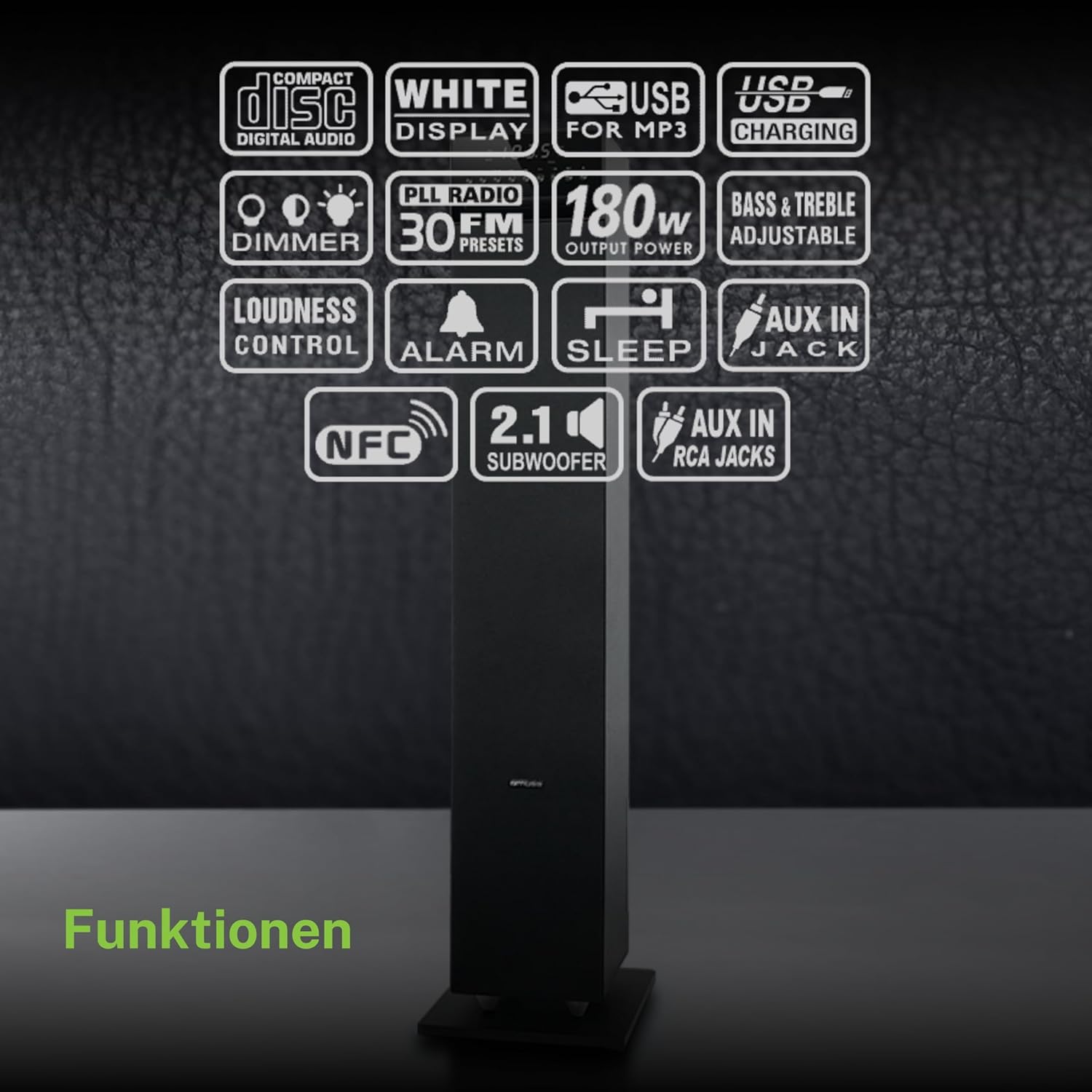
Надview of the various functions and connectivity options available on the MUSE M-1350 BTC, including CD playback, USB, Bluetooth, FM radio, and audio adjustments.
Настройка
1. Распакаванне
Carefully remove the speaker from its packaging. Check for any signs of damage during transit. Retain the packaging for future transport or storage.
2. размяшчэнне
Place the speaker on a firm, level surface. For optimal sound performance, position it in a location free from obstructions and away from direct heat sources or excessive moisture.

The MUSE M-1350 BTC speaker positioned in a living room environment, demonstrating its sleek design.
3. Падключэнне сілкавання
Connect the power cord to the AC inlet on the rear of the speaker, then plug the other end into a suitable wall outlet (AC 230V ~ 50Hz).
4. Падключэнне знешніх прылад
- Bluetooth: Ensure Bluetooth is enabled on your device. The speaker will automatically enter pairing mode when Bluetooth is selected.
- Уваход AUX: Use a 3.5mm audio cable to connect external audio devices (e.g., MP3 players, smartphones) to the AUX IN jack.
- USB: Устаўце флэш-назапашвальнік USB у порт USB для прайгравання MP3.
Інструкцыя па эксплуатацыі
1. Уключэнне/выключэнне харчавання
Press the POWER button on the top panel or remote control to turn the unit on or off.
2. Выбар рэжыму
Press the MODE button repeatedly to cycle through available modes: CD, Bluetooth, FM Radio, USB, AUX.
3. Спарванне Bluetooth
- Select Bluetooth mode on the speaker. The display will show "BT" and flash, indicating pairing mode.
- On your Bluetooth device, search for "MUSE M-1350 BTC" in the Bluetooth settings.
- Select the speaker to pair. Once connected, the display will stop flashing.
4. Прайграванне кампакт-дыска
- Выберыце рэжым кампакт-дыска.
- Insert a CD into the CD slot. The unit will automatically begin playback.
- Use the PLAY/PAUSE, SKIP, and STOP buttons for control.
5. Налада FM-радыё
- Выберыце рэжым FM.
- Press and hold the SCAN button to automatically scan and store available stations.
- Use the PRESET buttons to navigate through stored stations.
6. Прайграванне з USB
- Устаўце USB-назапашвальнік з MP3 files у порт USB.
- Select USB mode. Playback will begin automatically.
- Use the PLAY/PAUSE, SKIP, and STOP buttons for control.
7. Увод AUX
Connect your external audio device to the AUX IN jack. Select AUX mode on the speaker. Audio will be played through the speaker.
8. Налады гуку
- Аб'ём: Use the VOLUME knob or +/- buttons on the remote.
- НЧ/ВЧ: Adjust bass and treble levels using the dedicated controls on the remote or top panel.
- Гучнасць: Activate the Loudness function for enhanced bass and treble at low volumes.
Тэхнічнае абслугоўванне
Уборка
Працірайце прыладу мяккай сухой тканінай. Не выкарыстоўвайце абразіўныя ачышчальнікі, воск або растваральнікі. Для ўстойлівых плям злёгкуamp можна выкарыстоўваць тканіну, а затым сухую тканіну.
Захоўванне
Калі прылада не выкарыстоўваецца працяглы час, адключыце яе ад электрычнай разеткі і захоўвайце ў прахалодным, сухім месцы, удалечыні ад прамых сонечных прамянёў і экстрэмальных тэмператур.
Ліквідацыю непаладак
| праблема | Магчымая прычына | Рашэнне |
|---|---|---|
| Няма ўлады | Шнур харчавання не падключаны; разетка няспраўная | Пераканайцеся, што шнур харчавання надзейна падключаны; паспрабуйце іншую разетку |
| Няма гуку | Volume too low; Incorrect input mode selected; Device not connected properly | Increase volume; Select correct input mode (Bluetooth, CD, AUX, USB); Reconnect device |
| Збой спалучэння Bluetooth | Speaker not in pairing mode; Device too far; Bluetooth not enabled on source device | Ensure speaker is in Bluetooth mode and flashing; Move device closer; Enable Bluetooth on your device |
| Кампакт-дыск не прайграваецца | CD inserted incorrectly; CD is scratched/dirty; Incorrect mode | Устаўце кампакт-дыск правільна; Ачысціце або заменіце кампакт-дыск; Выберыце рэжым CD |
| Дрэнны прыём FM | Антэна не выцягнута; Зона слабога сігналу | Fully extend the FM antenna; Reposition the speaker for better reception |
Тэхнічныя характарыстыкі
| Асаблівасць | Дэталь |
|---|---|
| Назва мадэлі | M-1350 BTC |
| Марка | МУЗА |
| Тып дынаміка | Вежа |
| Тэхналогія падлучэння | Bluetooth, USB |
| Максімальная выходная магутнасць дынаміка | 120 ват |
| Рэжым выхаду гуку | Стэрэа |
| Канфігурацыя канала аб'ёмнага гуку | 2.1 |
| Матэрыял | Вуд |
| Колер | Чорны |
| Памеры прадукту (ДxШxВ) | 23.1 х 25.7 х 100.6 см |
| Вага прадмета | 9.25 кілаграма |
| Усяго партоў USB | 1 |
| Сумяшчальныя прылады | MP3 players, laptops, tablets, televisions, smartphones |
| Рэкамендуемае выкарыстанне | Для смартфона або планшэта |

Technical drawing illustrating the precise dimensions of the MUSE M-1350 BTC speaker in millimeters.
Гарантыя і падтрымка
На гэты прадукт распаўсюджваецца гарантыя вытворцы на 1 год з даты пакупкі. Калі ласка, захавайце пацвярджэнне пакупкі для прэтэнзій па гарантыі.
For technical support or service inquiries, please contact your retailer or the official MUSE customer service. Contact information can typically be found on the manufacturer's webсайт або ўпакоўка прадукту.