
1. Уводзіны
This manual provides essential information for the installation, operation, maintenance, and troubleshooting of your Western Digital RE WD2000FYYZ 2TB Enterprise Hard Drive. Please read this manual thoroughly before using the product to ensure proper functionality and longevity.
2. Прадукт скончыўсяview
2.1 Асноўныя магчымасці
- Высокая ёмістасць: 2TB storage suitable for demanding enterprise applications.
- Высокая прадукцыйнасць: Delivers 6 Gb/s transfer rates, sustained sequential data rates of 171 MB/s, and high random I/O rates.
- Надзейнасць: Field-tested 1.2 million hour MTBF for 24x7 operation in up to 100% duty cycle applications.
- Dual Processor: Enhanced processing power for maximized performance.
- інтэрфейс: SATA 6 Gb/s.
- Формаў-фактар: 3.5-inch.
2.2 Што ў камплекце
- Western Digital RE WD2000FYYZ 2TB Enterprise Hard Drive

Figure 1: The Western Digital RE WD2000FYYZ 2TB Enterprise Hard Drive securely packaged within a cardboard box, cushioned by protective inserts. This illustrates the typical packaging for safe transport.
3. Настройка і ўстаноўка
This section outlines the general steps for installing your Western Digital RE WD2000FYYZ hard drive into a compatible system. Ensure your system is powered off and disconnected from the power source before proceeding.
3.1 Фізічная ўстаноўка
- Падрыхтуйце сваю сістэму: Power down your computer and unplug all cables. Open the computer case to access the drive bays.
- Усталюйце дыск: Устаўце жорсткі дыск у даступны 3.5-цалевы адсек. Замацуйце яго з дапамогай шруб або механізму мацавання без інструментаў у сістэме.
- Падключыце кабелі:
- Падключыце кабель SATA ад дыска да даступнага порта SATA на матчынай плаце.
- Connect a SATA power cable from your power supply unit (PSU) to the drive's power connector.
- Закрыць справу: Once secured and connected, close your computer case and reconnect all external cables.

Малюнак 2: унізе view of the Western Digital RE WD2000FYYZ 2TB Enterprise Hard Drive, highlighting the SATA data and power connectors. The drive's label is clearly visible, displaying model information and a serial number WMC1P0219357.
3.2 Пачатковая налада сістэмы
- Канфігурацыя BIOS/UEFI: Power on your computer and enter the BIOS/UEFI setup. Verify that the newly installed hard drive is detected. Ensure the SATA port mode is set appropriately (e.g., AHCI for optimal performance).
- Распазнаванне аперацыйнай сістэмы: Boot into your operating system. For a new drive, it will likely appear as unallocated space.
- Ініцыялізаваць і фарматаваць: Use your operating system's disk management utility (e.g., Disk Management in Windows, Disk Utility in macOS,
fdisk/gpartedin Linux) to initialize the drive, create partitions, and format them. This makes the drive ready for data storage.
Малюнак 3: Пад вуглом view of the Western Digital RE WD2000FYYZ 2TB Enterprise Hard Drive, showcasing its metallic casing and product label. The label clearly displays the 'WD Enterprise-class' branding, 2.0TB capacity, and model number WD2000FYYZ.
4. Інструкцыя па эксплуатацыі
Once installed and formatted, your Western Digital RE WD2000FYYZ hard drive functions like any other storage device. You can use it for:
- Storing operating system files і прыкладанняў.
- Saving documents, media, and other personal or business data.
- Acting as a primary or secondary storage drive in a desktop or server environment.
- Integration into RAID arrays for enhanced performance or data redundancy.
Always ensure proper shutdown procedures for your computer to prevent data corruption or drive damage.
5. Тэхнічнае абслугоўванне
Рэгулярнае тэхнічнае абслугоўванне дапамагае забяспечыць даўгавечнасць і аптымальную прадукцыйнасць вашага жорсткага дыска.
- Рэзервовае капіраванне даных: Regularly back up critical data to another storage device or cloud service. Hard drives can fail, and backups are essential for data recovery.
- Маніторынг стану дыска: Utilize S.M.A.R.T. (Self-Monitoring, Analysis and Reporting Technology) tools to monitor the drive's health status. Many operating systems and third-party utilities offer this functionality.
- Падтрымлівайце сістэму ў чысціні: Ensure your computer's internal environment is clean and free of dust to maintain proper airflow and prevent overheating, which can impact drive performance and lifespan.
- Абнаўленні прашыўкі: Periodically check the Western Digital support website for any available firmware updates for your specific model. Firmware updates can improve performance, stability, and compatibility.
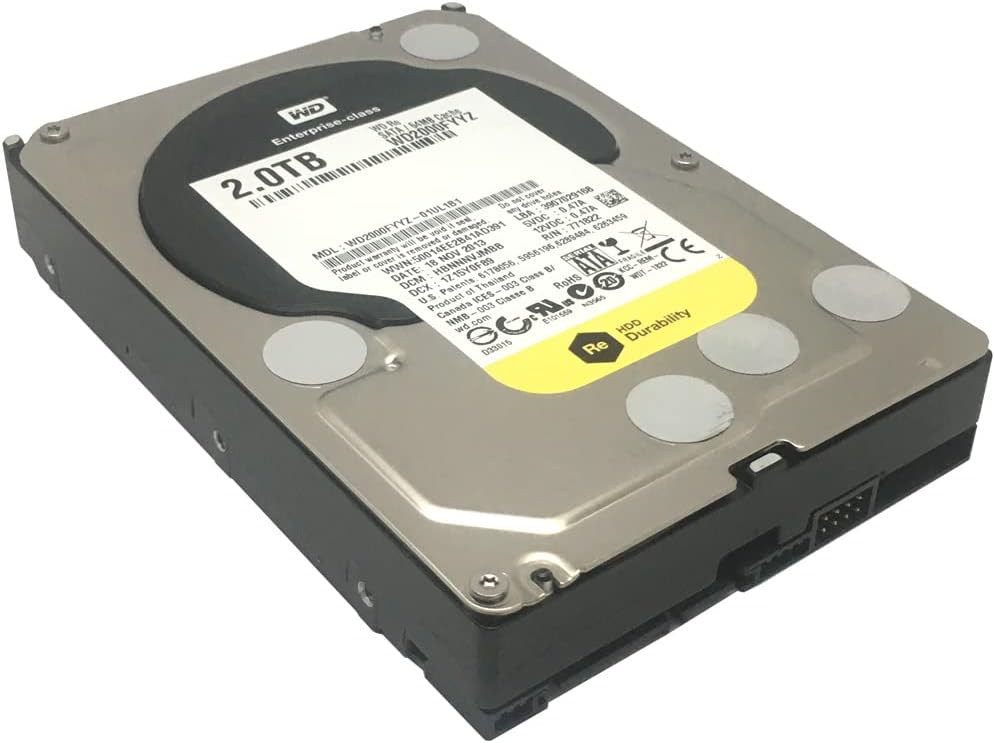
Figure 4: Western Digital RE WD2000FYYZ 2TB Enterprise Hard Drive sealed in an anti-static bag, ready for installation or storage. The product label is visible through the bag, confirming the model and capacity. A serial number WMC1P0219357 is visible on the label.
6. Выпраўленне непаладак
If you encounter issues with your hard drive, consider the following basic troubleshooting steps:
- Дыск не выяўлены:
- Check all SATA data and power cable connections. Ensure they are securely seated.
- Праверце, ці ўключаны дыск у наладах BIOS/UEFI вашай сістэмы.
- Паспрабуйце падключыць дыск да іншага порта SATA або выкарыстаць іншыя кабелі.
- Пераканайцеся, што ваш блок харчавання (БП) мае дастатковую магутнасцьtagі даступныя раздымы харчавання.
- Нізкая прадукцыйнасць:
- Праверце наяўнасць фонавых працэсаў, якія спажываюць рэсурсы дыска.
- Ensure the drive is not excessively fragmented (for HDDs, defragmentation can help).
- Run a S.M.A.R.T. diagnostic to check for potential drive health issues.
- Праверце, ці абноўленыя драйверы кантролера SATA.
- Незвычайныя шумы:
- Clicking, grinding, or repetitive beeping sounds can indicate a failing drive. Immediately back up any critical data and consider replacing the drive.
- Пашкоджанне/памылкі дадзеных:
- Run a disk check utility (e.g.,
chkdskin Windows) to scan for and repair file сістэмныя памылкі. - Ensure your operating system and drivers are stable and up to date.
- Run a disk check utility (e.g.,

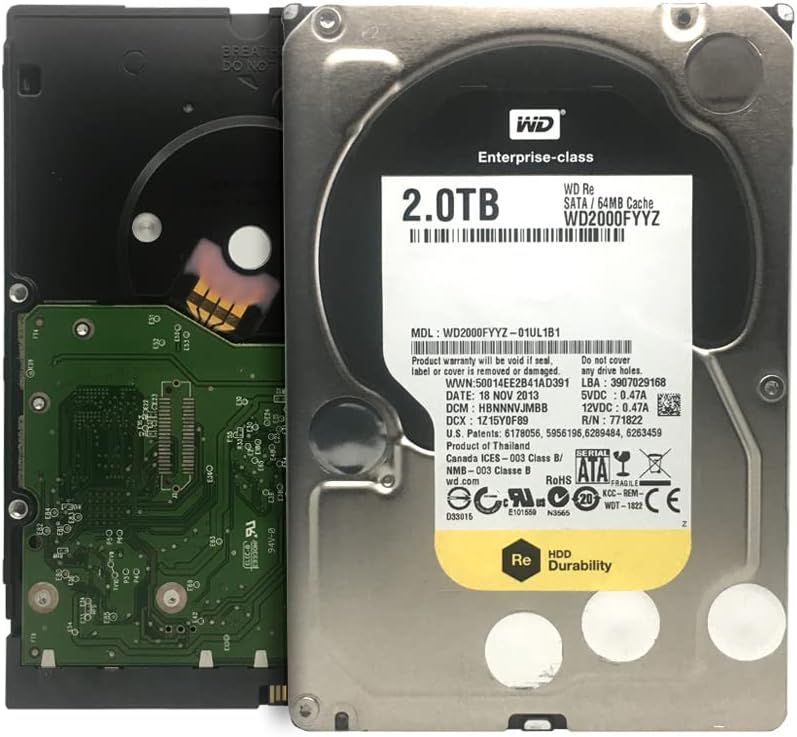
Figure 5: Western Digital RE WD2000FYYZ Hard Drive with PCB exposed. The PCB is green and contains various electronic components. The drive's label is visible on the metal casing, showing model number WD2000FYYZ and other specifications. A serial number WMC1P0219357 is visible on the label.
7. Тэхнічныя характарыстыкі
| Асаблівасць | Спецыфікацыя |
|---|---|
| Нумар мадэлі | WD2000FYYZ |
| Ёмістасць | 2 ТБ (2000 ГБ) |
| Інтэрфейс | SATA 6 Гбіт/с |
| Формаў-фактар | 3.5 цалі |
| Хуткасць кручэння | 7200 XNUMX абаротаў у хвіліну |
| Кэш | 64 Мб |
| MTBF (сярэдні час паміж адмовамі) | 1.2 мільёна гадзін |
| Сумяшчальныя прылады | Desktop systems |
| Тып ўстаноўкі | Унутраны жорсткі дыск |
| Вага прадмета | Approximately 0.01 ounces (Note: This value seems unusually low and may be a data entry error. Actual weight for a 3.5" HDD is typically around 1.5 lbs / 680g) |
| Памеры ўпакоўкі | 8.86 х 6.06 х 2.95 цалі |
8. Гарантыя і падтрымка
Western Digital products are backed by a limited warranty. For specific warranty terms and conditions applicable to your region and product, please refer to the warranty information included with your purchase or visit the official Western Digital webсайт.
For technical support, driver downloads, firmware updates, and additional resources, please visit the Western Digital Support webсайт:
When contacting support, please have your drive's model number (WD2000FYYZ) and serial number (if available, e.g., WMC1P0219357) ready.