
Chacon 34548
Chacon 34548 Outdoor Wi-Fi IP Camera User Manual
Мадэль: 34548
Уводзіны
This manual provides comprehensive instructions for the installation, operation, and maintenance of your Chacon 34548 Outdoor Wi-Fi IP Camera. This device allows for remote monitoring of your property, day and night, through the dedicated Chacon application. Please read this manual thoroughly before using the product to ensure proper function and safety.
Інфармацыя па бяспецы
- Ensure the camera is installed in a secure location, out of reach of unauthorized individuals.
- Выкарыстоўвайце толькі адаптар сілкавання, які пастаўляецца з камерай.
- Do not expose the camera to extreme temperatures, humidity, or direct water immersion (beyond its IP66 rating).
- Avoid placing the camera near strong electromagnetic fields.
- Адключыце электрычнасць перад чысткай або любым тэхнічным абслугоўваннем.
Змест пакета
Праверце наяўнасць усіх прадметаў у камплекце:
- Chacon 34548 Outdoor Wi-Fi IP Camera
- Адаптар сілкавання
- Мантажны камплект (шрубы, дзюбелі)
- Кіраўніцтва карыстальніка (гэты дакумент)
Прадукт скончаныview
The Chacon 34548 is an outdoor-rated Wi-Fi IP camera designed for robust surveillance. It features a durable housing, integrated night vision, and Wi-Fi connectivity for remote access.

Малюнак 1: Фронт view of the Chacon 34548 Outdoor Wi-Fi IP Camera, showing the lens, IR illuminator, and mounting bracket.

Малюнак 2: Frontal perspective of the camera, highlighting the main lens, infrared sensor, and external Wi-Fi antenna for improved signal reception.

Малюнак 3: Збоку view of the Chacon 34548 camera, illustrating its compact design and the position of the Wi-Fi antenna.

Малюнак 4: Тыл view of the camera, displaying the model number (34548), regulatory marks, and a QR code for easy setup.
Настройка
1. Фізічная ўстаноўка
- Выберыце месца: Выберыце месца на адкрытым паветры, якое забяспечвае патрэбныя viewing angle and is within range of your Wi-Fi network. Ensure the location offers protection from direct impact and allows for proper cable management.
- Устанавіце камеру:
- Mark the drilling points on the wall or ceiling using the camera's mounting bracket as a template.
- Прасвідруйце адтуліны і ўстаўце ў іх дзюбелі, якія ўваходзяць у камплект.
- Замацуеце мантажны кранштэйн шрубамі.
- Attach the camera to the bracket and adjust the angle as needed.
2. Падключэнне сілкавання
Connect the supplied power adapter to the camera's power input port. Plug the adapter into a suitable outdoor power outlet. Ensure the connection is secure and protected from weather elements.
3. Усталёўка прыкладання
Download the official Chacon application from the App Store (for iOS devices) or Google Play Store (for Android devices). Пошук "Chacon" and install the application.
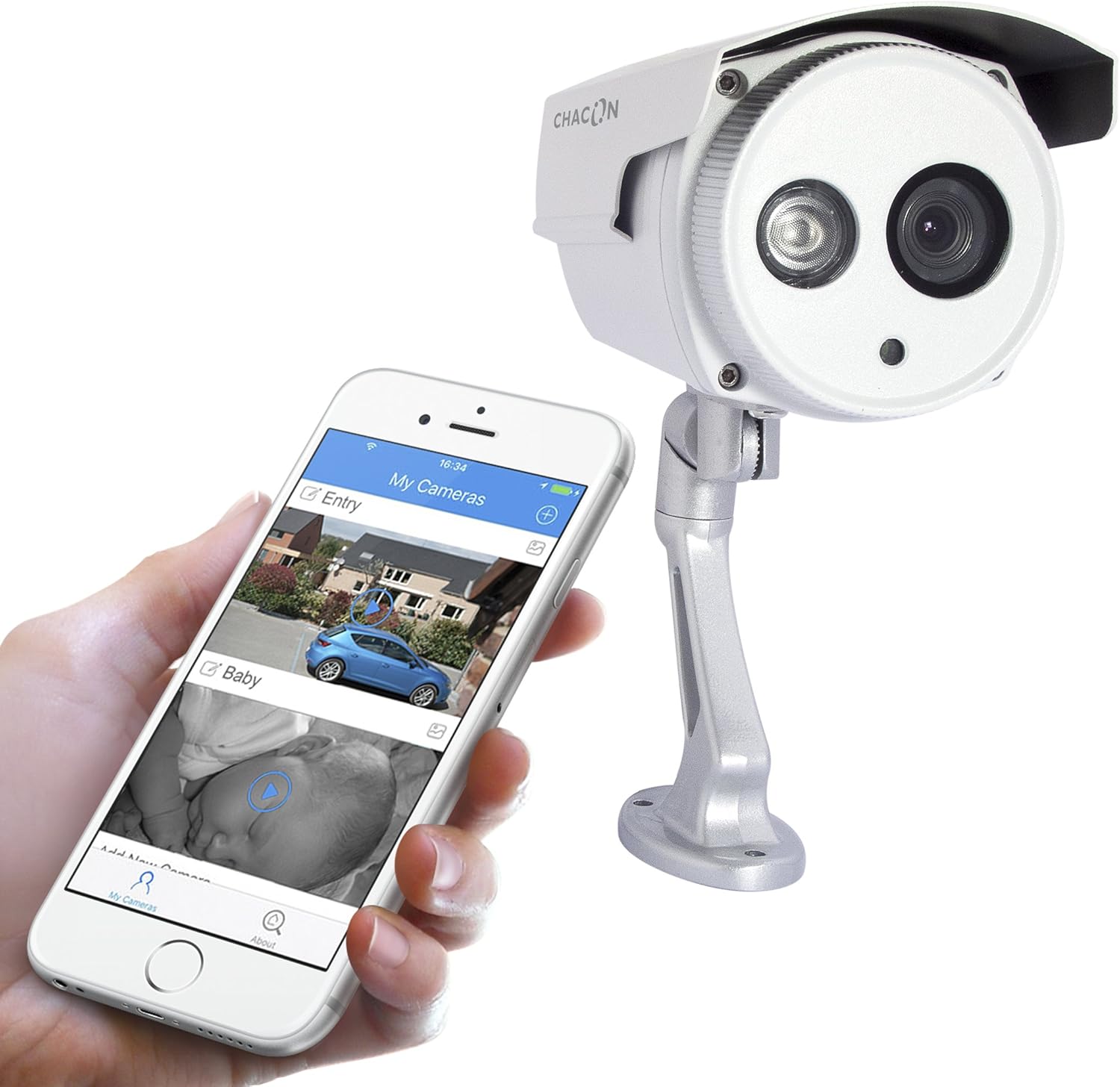
Малюнак 5: The Chacon 34548 camera shown alongside a smartphone running the Chacon application, demonstrating remote viewныя магчымасці.
4. Падключэнне да сеткі (Wi-Fi)
- Open the Chacon app and create an account or log in.
- Follow the in-app instructions to add a new device. This typically involves scanning a QR code on the camera (refer to Figure 4) or manually entering the device ID.
- Select your Wi-Fi network and enter the password. Ensure your camera is within range of your Wi-Fi router.
- Wait for the camera to connect to the network. The app will indicate successful connection.
Інструкцыя па эксплуатацыі
1. Viewing Live Feed
Once connected, open the Chacon app and select your camera from the device list to view the live video feed. You can monitor your property in real-time.
2. Начное бачанне
The camera is equipped with automatic night vision, providing clear images up to 20 meters in low-light conditions. This feature activates automatically when ambient light levels are insufficient.
3. Remote Access and Control
The Chacon app allows you to access your camera feed from anywhere with an internet connection. You can also adjust settings, such as video resolution (720p), and monitor the horizontal viewing angle of 70 degrees and diagonal viewвугал 75 градусаў.
4. Запіс і прайграванне
Refer to the Chacon app's specific features for information on motion detection recording, cloud storage options, or local storage (if a microSD card slot is present, which is not explicitly mentioned in specifications but common). Instructions for playback of recorded footage will be available within the app.
Тэхнічнае абслугоўванне
- Уборка: Акуратна працярыце аб'ектыў і корпус камеры мяккай губкайamp тканіна. Не выкарыстоўвайце агрэсіўныя хімікаты або абразіўныя ачышчальнікі.
- Абнаўленні прашыўкі: Periodically check the Chacon app for available firmware updates. Keeping your camera's firmware updated ensures optimal performance and security.
- Праверка кабеля: Regularly inspect power and network cables for any signs of wear or damage, especially in outdoor installations.
Ліквідацыю непаладак
| праблема | Магчымая прычына | Рашэнне |
|---|---|---|
| Камера не ўключаецца | No power, faulty adapter, loose connection | Check power outlet, ensure adapter is securely connected, try a different outlet. |
| Немагчыма падключыцца да Wi-Fi | Incorrect Wi-Fi password, camera out of range, network interference | Verify Wi-Fi password, move camera closer to router, restart router, check for 2.4GHz network compatibility. |
| Няма жывой відэатрансляцыі | Network issue, camera offline, app malfunction | Check internet connection, restart camera, restart Chacon app, ensure camera is connected to Wi-Fi. |
| Дрэнная якасць выявы | Dirty lens, low light, network bandwidth | Clean the camera lens, ensure adequate lighting or check night vision activation, check network speed. |
Тэхнічныя характарыстыкі
| Асаблівасць | Дэталь |
|---|---|
| Нумар мадэлі | 34548 |
| Марка | Чакон |
| Тэхналогія падлучэння | Бесправадная сувязь (Wi-Fi) |
| Дазвол запісу відэа | 720p |
| Эфектыўнае дазвол відэа | 720 пікселя |
| Асаблівасці | Начное бачанне |
| Дыяпазон начнога бачання | 20 метраў |
| Viewвугал (гарызантальны) | 70 градусаў |
| Viewкут нахілу (дыяганаль) | 75 градусаў |
| Узровень воданепранікальнасці | Water-repellent (IP66 rating implied by "voor buiten" and common for outdoor cameras) |
| Сумяшчальныя прылады | Смартфон (iOS, Android) |
| Крыніца харчавання | Электрычны кабель |
| Тып мацавання | Насценнае мацаванне |
| Колер | Белы |
| Матэрыял | ПВХ |
| Уключаныя кампаненты | Wi-Fi IP Camera for outdoor use |
Інфармацыя аб гарантыі
For detailed warranty information, please refer to the warranty card included with your product packaging or consult your purchase documentation. Warranty terms and conditions may vary by region and retailer.
Падтрымка кліентаў
If you encounter any issues or have questions not covered in this manual, please contact Chacon customer support. Visit the official Chacon webсайт для кантактнай інфармацыі, часта задаваных пытанняў і дадатковых рэсурсаў.