
Уводзіны
Thank you for choosing the Perixx PERIMICE-608II Wireless Vertical Mouse. This manual provides essential information for setting up, operating, and maintaining your new ergonomic mouse. Designed for right-handed users, this mouse promotes a natural hand position to enhance comfort during extended use. Please read this manual thoroughly before using the product.
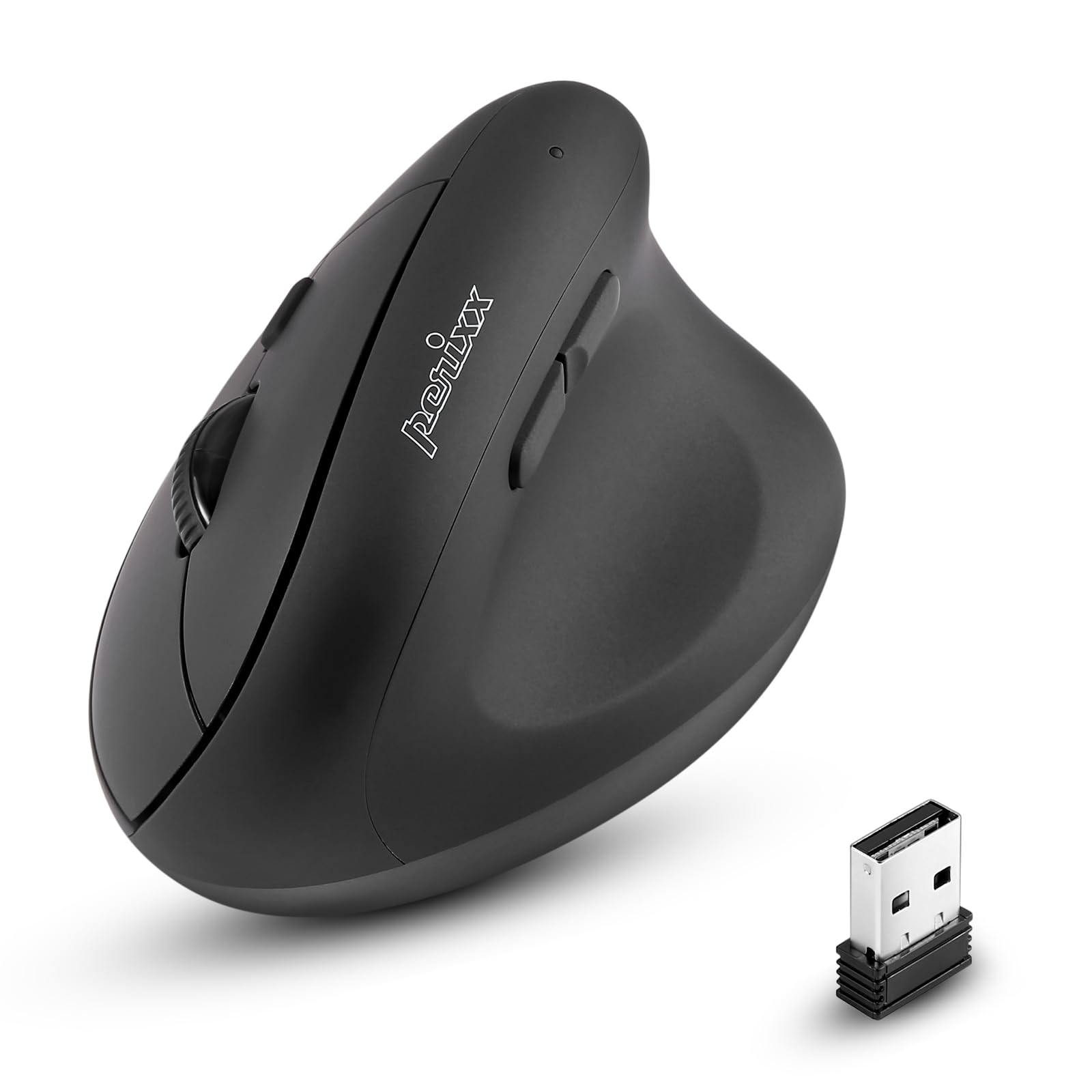
Фронт view of the Perixx PERIMICE-608II Wireless Vertical Mouse.
Што ў скрынцы
Праверце, ці ёсць усе прадметы ў вашай упакоўцы:
- 1 x Perixx PERIMICE-608II Wireless Vertical Mouse
- 1 х USB-прыёмнік
- 1 х Кіраўніцтва карыстальніка (гэты дакумент)
Інструкцыя па наладзе
- Усталяваць батарэю: Locate the battery compartment on the underside of the mouse. Insert one AA battery (not included) according to the polarity indicators.
- Устаўце USB-прыёмнік: Remove the USB receiver from its storage slot on the mouse's underside. Plug the USB receiver into an available USB port on your computer.
- Уключэнне: Slide the ON/OFF switch on the bottom of the mouse to the "ON" position. The mouse should now be recognized by your computer and ready for use.

Underside of the mouse, illustrating the battery compartment and ON/OFF switch.

The mouse positioned next to a laptop, demonstrating the USB receiver plugged into a port.
Інструкцыя па эксплуатацыі
Эрганамічны дызайн
The PERIMICE-608II features a vertical design that positions your hand in a natural handshake posture, reducing wrist strain and promoting comfort.

Demonstration of a relaxed, neutral grip on the vertical mouse.
Функцыі кнопак
- Пстрычка левай кнопкай мышы: Стандартны выбар і актывацыя.
- Пстрыкніце правай кнопкай мышы: Доступ да кантэкстных меню.
- Кола пракруткі: Пракручвае дакументы і web pages vertically. Can also be pressed for middle-click functionality.
- Кнопкі наперад/назад: Located on the side for convenient web browsing and navigation.
Рэгуляванне DPI
The mouse features a DPI (Dots Per Inch) button to adjust cursor sensitivity. Press the DPI button located on the top of the mouse to cycle through the available settings: 800, 1200, 1600, and 2400 DPI. An LED indicator will briefly light up to confirm the change.

The DPI switch on the mouse, allowing for quick sensitivity adjustments.
Тэхнічнае абслугоўванне
Уборка
Каб пачысціць мыш, акуратна працярыце паверхню мяккай губкайamp cloth. Avoid using harsh chemicals or abrasive materials, as these can damage the finish. Ensure no liquid enters the mouse's internal components.
Замена батарэі
When the mouse performance degrades or it stops responding, it may be time to replace the AA battery. Follow the battery installation steps in the Setup section.
Ліквідацыю непаладак
- Мышка не рэагуе:
- Ensure the mouse is switched to the "ON" position on its underside.
- Праверце, ці надзейна падключаны USB-прыёмнік да спраўнага USB-порта вашага кампутара.
- Заменіце батарэйку АА на новую.
- Паспрабуйце падключыць USB-прыёмнік да іншага порта USB.
- Няправільны рух курсора:
- Пераканайцеся, што мыш выкарыстоўваецца на чыстай паверхні, якая не блішчыць.
- Адрэгулюйце налады DPI з дапамогай кнопкі DPI, каб знайсці падыходную адчувальнасць.
- Праблемы з падключэннем:
- Move the mouse closer to the USB receiver to ensure a strong 2.4GHz wireless connection.
- Avoid using the mouse near other wireless devices that might cause interference.
Тэхнічныя характарыстыкі
| Марка | Перыкс |
| Нумар мадэлі | 12383 |
| серыял | ПЕРЫМІЦЭ-608 II |
| Тэхналогія падлучэння | Бесправадная сувязь 2.4 ГГц (USB-прыёмнік) |
| Ўзроўні DPI | 800/1200/1600/2400 |
| Колькасць кнопак | 6 |
| Рука арыентацыі | Правша |
| Крыніца харчавання | Харчаванне ад батарэі (патрабуецца 1 батарэйка АА) |
| Сярэдні тэрмін службы батарэі | 100 гадзін |
| Вага прадмета | 4.4 унцыі (прыблізна 125 грамаў) |
| Памеры прадукту (ДxШxВ) | 4.87 x 2.67 x 2.43 цалі (прыблізна 123.7 x 67.8 x 61.7 мм) |
| Сумяшчальнасць аперацыйнай сістэмы | Linux, Windows 7, Windows XP (і больш новыя версіі) |

Detailed dimensions and weight of the Perixx PERIMICE-608II mouse.
Гарантыя і падтрымка
For detailed warranty information, technical support, and frequently asked questions, please visit the official Perixx website or contact Perixx customer service. You can find more information at the Крама Perixx на Amazon.