
1. Уводзіны
Дзякуй за пакупкуasing the Excelvan LK-T091 Digital LED Alarm Clock Radio. This manual provides detailed instructions for the proper setup, operation, and maintenance of your device. Please read this manual thoroughly before use and retain it for future reference.
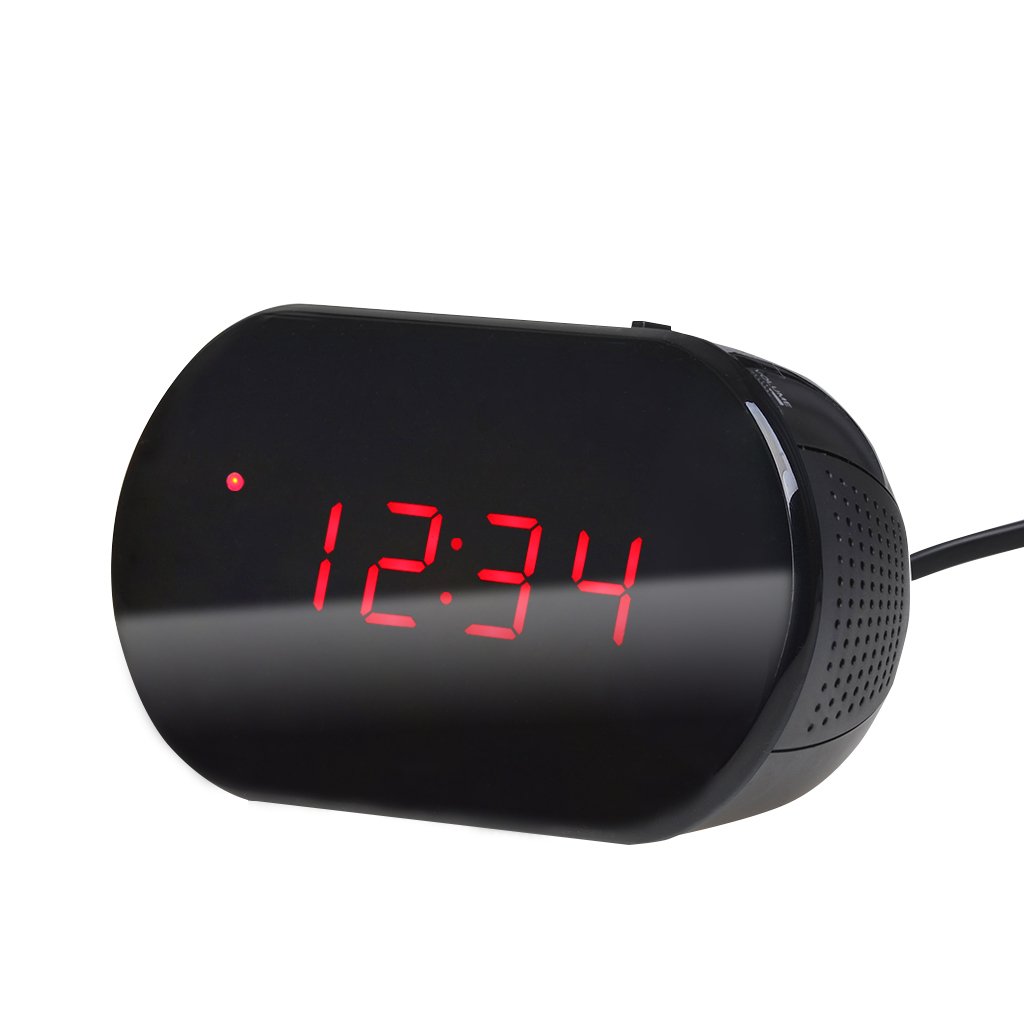
Малюнак 1: Спераду view of the Excelvan LK-T091 Digital LED Alarm Clock Radio.
Змест пакета:
- 1 x Excelvan Digital LED Alarm Clock Radio (Model LK-T091)
- 1 х Кіраўніцтва карыстальніка
2. Важная інфармацыя па бяспецы
- Не выкарыстоўвайце акумулятарныя батарэі for the backup power. Alkaline or lithium batteries are recommended for optimal performance and longevity.
- Ensure the power adapter is compatible with your local power supply (AC230V ~ 50Hz).
- Не падвяргайце прыладу ўздзеянню вады, вільгаці або экстрэмальных тэмператур.
- Пазбягайце размяшчэння прылады побач з крыніцамі цяпла або пад прамымі сонечнымі прамянямі.
- Не спрабуйце разбіраць або рамантаваць прыладу самастойна. Звяртайцеся па любыя паслугі па абслугоўванні да кваліфікаванага персаналу.
- Захоўваць у месцах, недаступных дзецям.
3. Прадукт скончыўсяview
Элементы кіравання і дысплей:

Figure 2: Top panel controls of the Excelvan LK-T091.
- Святлодыёдны дысплей: Паказвае час, стан будзільніка і радыёчастоту.
- Кнопка АДРЫМІЦЬ: Часова адключае сігнал трывогі.
- SET / PRESET Button: Used to set time/alarm and save radio presets.
- ALARM / MEM Button: Activates alarm setting mode and recalls radio presets.
- Кнопка скіду: Resets the unit.
- Tuning Buttons (▲ / ▼): Adjust time, alarm, and radio frequency.
- RADIO / SLEEP Button: Turns radio on/off and activates sleep timer.
- ALARM OFF / BUZZER / RADIO Switch: Selects alarm sound source (off, buzzer, or radio).
- Ручка гучнасці: Adjusts radio volume.

Малюнак 3: Задняя частка view showing the battery compartment for backup power.
4. Настройка
4.1 Падключэнне харчавання
- Connect the AC power cord to the power input jack on the back of the clock radio.
- Plug the other end of the power cord into a standard AC230V ~ 50Hz wall outlet.
- The LED display will light up, indicating the unit is powered on.
4.2 Усталёўка рэзервовага акумулятара
The clock radio uses one 9V (6F22 type) battery (not included) for backup power. This battery maintains time settings during a power outage.
- Знайдзіце батарэйны адсек на ніжняй частцы прылады.
- Адкрыйце крышку батарэйнага адсека.
- Insert one 9V (6F22 type) alkaline or lithium battery, ensuring correct polarity (+ and -).
- Надзейна зачыніце крышку батарэйнага адсека.
- Note: The battery backup only maintains time settings; the display will not be visible during a power outage. Do not use rechargeable batteries.
4.3 Настройка часу
- Націсніце і ўтрымлівайце НАБОР кнопку, пакуль лічбы гадзін не пачнуць міргаць.
- Выкарыстоўвайце ▲ or ▼ (Tuning) buttons to adjust the hour.
- Націсніце НАБОР button again; the minute digits will flash.
- Выкарыстоўвайце ▲ or ▼ (Tuning) buttons to adjust the minutes.
- Націсніце НАБОР button once more to confirm and exit time setting mode. The time is displayed in 24-hour format.
5. Інструкцыя па эксплуатацыі
5.1 Налада будзільніка
The alarm can be set to wake you with a buzzer or your favorite FM radio station.
- Націсніце і ўтрымлівайце ТРЫВОГА button until the alarm hour digits start flashing.
- Выкарыстоўвайце ▲ or ▼ (Tuning) buttons to adjust the alarm hour.
- Націсніце ТРЫВОГА button again; the alarm minute digits will flash.
- Выкарыстоўвайце ▲ or ▼ (Tuning) buttons to adjust the alarm minutes.
- Націсніце ТРЫВОГА яшчэ раз націсніце кнопку, каб пацвердзіць і выйсці з рэжыму налады будзільніка.
- Каб уключыць будзільнік, перасуньце ALARM OFF / BUZZER / RADIO switch to either ЗУМЕР or РАДЫЁ. An alarm indicator will appear on the display.
- To turn off the alarm, slide the switch to ТРЫВОГА ВЫКЛ.

Figure 4: Choose to wake up to a buzzer sound or your preferred radio station.
5.2 Функцыя паўтору
Калі гучыць будзільнік, націсніце вялікую кнопку СНАОЗ button to temporarily silence the alarm for approximately 9 minutes. The alarm will sound again after this period. To cancel snooze and turn off the alarm, slide the ALARM OFF / BUZZER / RADIO пераключыцца на ТРЫВОГА ВЫКЛ.

Figure 5: The snooze function allows for a short delay before the alarm sounds again.
Праца з радыё 5.3 FM
5.3.1 Налада радыё
- Націсніце РАДЫЁ кнопку, каб уключыць FM-радыё.
- Выкарыстоўвайце ▲ or ▼ (Tuning) buttons to manually tune to your desired FM frequency (87.5 – 108 MHz).
- Каб аўтаматычна сканаваць наступную даступную станцыю, націсніце і ўтрымлівайце ▲ or ▼ (Tuning) buttons for a few seconds until the frequency starts scanning.
- Адрэгулюйце гучнасць, выкарыстоўваючы АБ'ЁМ ручка.
- Націсніце РАДЫЁ зноў націсніце кнопку, каб выключыць радыё.
5.3.2 Saving and Recalling Presets
The clock radio can store up to 10 FM radio station presets.
- Tune to your desired station using the tuning method described above.
- Націсніце і ўтрымлівайце SET / PRESET кнопку, пакуль на дысплеі не пачне міргаць «P01» (або наступны даступны нумар зададзенай налады).
- Выкарыстоўвайце ▲ or ▼ (Tuning) buttons to select the desired preset number (P01-P10).
- Націсніце SET / PRESET button again to save the station to the selected preset.
- To recall a saved preset, press the ALARM / MEM button repeatedly to cycle through the saved stations.

Figure 6: Digital FM tuning allows for precise station selection and saving presets.
5.4 Функцыя таймера сну
Таймер сну дазваляе радыё прайграваць на працягу зададзенага часу, перш чым аўтаматычна выключыцца.
- Пакуль гучыць радыё, націсніце кнопку СПАЦЬ button repeatedly to cycle through the available sleep timer durations: 90, 75, 60, 45, 30, 15, 00 minutes.
- The selected duration will be displayed briefly. The radio will automatically turn off after the set time.
- Каб адмяніць таймер сну, націсніце СПАЦЬ button until "00" is displayed, or turn off the radio manually.
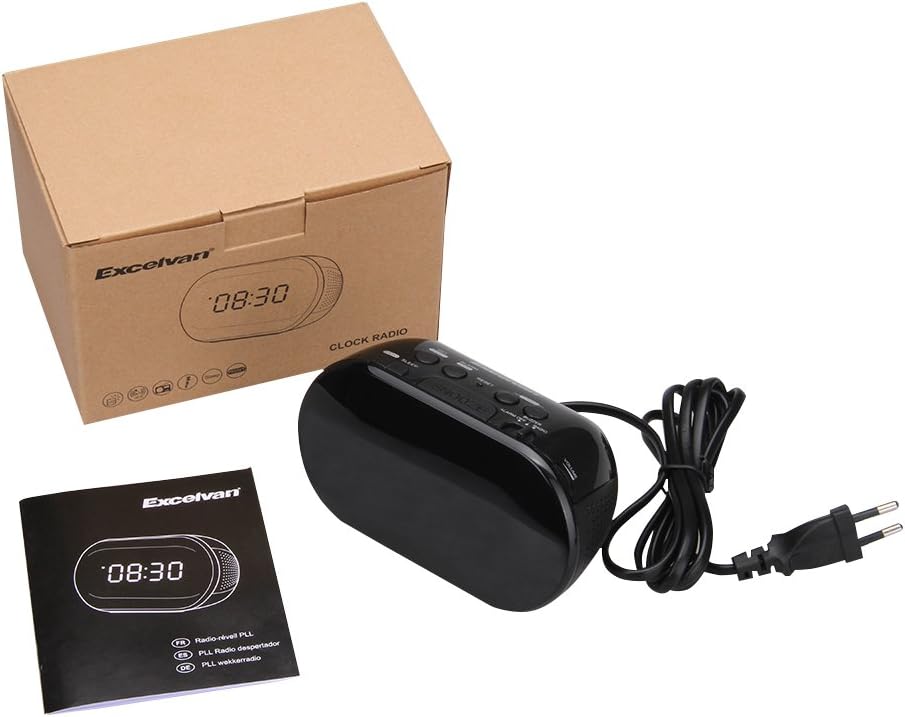
Figure 7: The sleep timer allows you to fall asleep to music, which then automatically turns off.
6. Тэхнічнае абслугоўванне
6.1 Ачыстка
- Працярыце знешнія паверхні прылады мяккай сухой тканінай.
- Не выкарыстоўвайце абразіўныя ачышчальнікі, воск або растваральнікі, бо яны могуць пашкодзіць пакрыццё.
- Ensure the unit is unplugged from the power outlet before cleaning.
6.2 Замена батарэі
If the time settings are lost during a power outage, the 9V backup battery may need to be replaced. Follow the instructions in Section 4.2 for battery installation.
7. Выпраўленне непаладак
| праблема | Магчымая прычына | Рашэнне |
|---|---|---|
| No display / Unit not turning on | Power cord not connected or power outlet not active. | Ensure the power cord is securely plugged into the unit and a working wall outlet. |
| Налады часу/будзільніка страчаныя пасля адключэння харчаванняtage | Backup battery is dead or not installed. | Install a new 9V alkaline or lithium battery in the battery compartment. |
| Дрэнны прыём FM-радыё | Антэна не выцягнутая або сігнал слабы. | Extend the FM wire antenna fully. Try repositioning the unit for better reception. |
| Будзільнік не гучыць | Alarm not set or alarm switch is in "OFF" position. | Verify alarm time is set correctly. Ensure the ALARM OFF / BUZZER / RADIO пераключальнік усталяваны ў ЗУМЕР or РАДЫЁ. |
| Display is too bright/dim | No brightness adjustment feature on this model. | The display brightness is fixed. |
8. Тэхнічныя характарыстыкі
- мадэль: ЛК-Т091
- Дысплей: LED, 24-hour format
- Тып сігналізацыі: Single alarm (Buzzer or FM Radio)
- Частотны дыяпазон FM: 87.5 – 108 МГц
- Таймер сну: 00, 15, 30, 45, 60, 75, 90 хвілін
- Спажываная магутнасць: Пераменны ток 230В ~ 50Гц
- Рэзервовы акумулятар: 1 x 9V (6F22 type) battery (not included)
- Памеры вырабу (Д х В х Г): Прыблізна 14.15 см х 7.14 см х 0.89 см
- Вага: Прыкладна 380 г
- матэрыял: AC (Plastic)
- колер: Чорны
9. Гарантыя і падтрымка
Excelvan products are designed to provide reliable performance. For specific warranty information, please refer to the warranty card included with your purchase or contact your retailer. If you encounter any issues or require technical assistance, please contact Excelvan customer support through their official webсайт або кантактную інфармацыю, прадстаўленую разам з вашым прадуктам.
Please have your model number (LK-T091) and purchase details ready when contacting support.